1. Introduktion
Thank you for choosing the ANJANK Wooden Digital Alarm Clock. This versatile device combines an alarm clock, FM radio, and a wireless charging station, designed to simplify your bedside or desk setup. This manual will guide you through the features and functions of your new device, ensuring optimal performance and user experience.
2. Pakkens indhold
- ANJANK Wooden Digital Alarm Clock
- Strømadapter
- FM-antenneledning
- Brugermanual
3. Produktet er slutview

Figur 1: Forside view of the ANJANK Wooden Digital Alarm Clock with a smartphone charging wirelessly.

Figure 2: Top panel controls including wireless charging pad, time, alarm, radio, and volume buttons.

Figure 3: Rear panel with FM/BT Volume, DC 9V input, USB port, Night Light Dimmer, Alarm Set, Time Set, and Display Dimmer controls.
3.1 Frontdisplay
- LED Time Display: Large, easy-to-read digits for current time.
- AM/PM Indicator: Indicates morning or afternoon hours.
- Alarmikon: Appears when an alarm is active.
- Opladningsindikator: Displays when a device is wirelessly charging.
3.2 Betjeningselementer på øverste panel
- Trådløs opladningsplade: Til Qi-kompatible enheder.
- Snooze/Dimmer-knap: Snoozes active alarm or adjusts display brightness.
- Time Set Buttons: Adjusts hour and minute during time setting.
- Knapper til indstilling af alarm: Configures alarm time and sound.
- FM Radio/Bluetooth Buttons: Controls radio functions and Bluetooth pairing.
3.3 Rear Panel Ports and Controls
- DC 9V indgang: Tilsluttes strømadapteren.
- USB opladningsport: For charging additional devices (5V/2A).
- FM-antennestik: Tilslutter den medfølgende FM-antenne.
- Night Light Dimmer: Adjusts the brightness of the ambient night light.
- Skærmdæmper: Adjusts the brightness of the LED time display.
- 12/24H Button: Skifter mellem 12-timers og 24-timers tidsformater.
4. Opsætning
4.1 Strømtilslutning
- Tilslut den medfølgende strømadapter til DC 9V indgang port on the rear of the alarm clock.
- Sæt strømadapteren i en almindelig stikkontakt. Displayet lyser.
4.2 Batteribackup
The device requires 2 AAA batteries (not included) for battery backup. This feature preserves time and alarm settings during a power outage, but the display will not be active and alarms will not sound.
- Åbn batteridækslet i bunden af enheden.
- Isæt 2 AAA-batterier, og overhold den korrekte polaritet (+/-).
- Sæt batterirummets dæksel på igen.
4.3 Indstilling af starttidspunkt
- Tryk og hold på Indstil tid button on the top panel until the hour digits begin to flash.
- Brug Time og Minut adjustment buttons (usually labeled with arrows or +/-) to set the correct hour and minute.
- Tryk på Indstil tid knappen igen for at bekræfte og afslutte tidsindstillingstilstanden.
- For at skifte mellem 12-timers og 24-timers format skal du trykke på 12/24H knap på bagpanelet.
5. Betjeningsvejledning
5.1 Alarmindstilling
The alarm clock supports multiple alarms and offers 9 different wake-up sounds, including a classic buzzer and FM radio.

Figure 4: The alarm clock offers 9 different wake-up sounds, including radio and beep, with a snooze function.
- Tryk og hold på Alarmsæt button (often depicted as a bell icon) until the alarm hour digits flash.
- Brug Time og Minut adjustment buttons to set your desired alarm time.
- Trykke Alarmsæt again to confirm the time. The alarm sound selection will now flash.
- Brug Time og Minut adjustment buttons to cycle through the 9 available alarm sounds (e.g., buzzer, bird chirping, ocean waves, FM radio).
- Trykke Alarmsæt one more time to confirm your sound selection. The alarm icon will appear on the display, indicating the alarm is active.
- For at aktivere/deaktivere alarmen skal du trykke kort på Alarm Til/Fra knap.
- To snooze an active alarm, press the large Snooze/dæmper button on the top. The alarm will pause for 9 minutes and then sound again.
5.2 FM-radiofunktion
Connect the included FM antenna wire to the FM Antenna Jack on the rear panel for optimal reception.
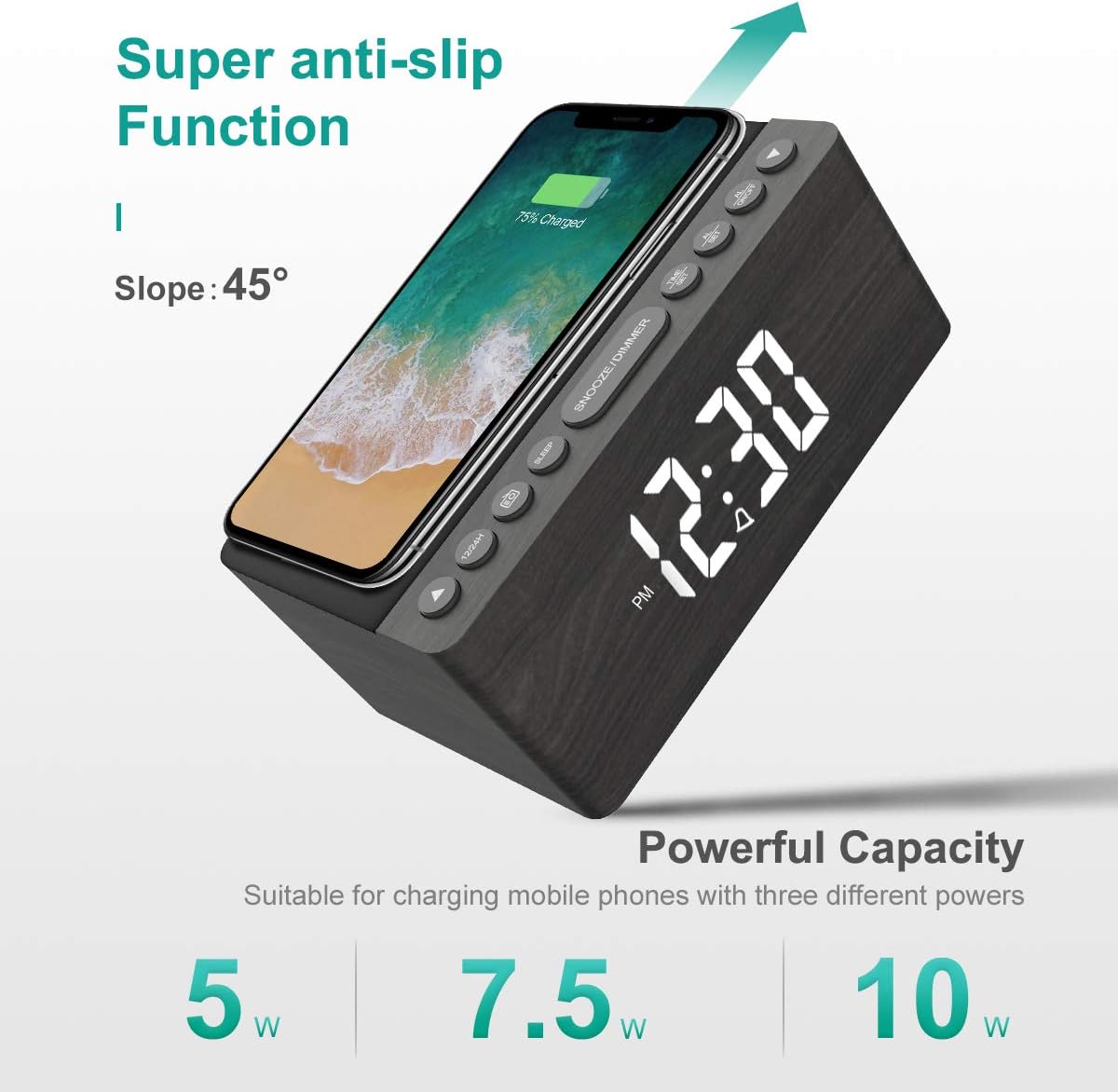
Figure 5: The alarm clock features an anti-slip surface for stable wireless charging and supports various charging powers.
Video 1: Demonstrates the FM Radio and Magnetic Wireless Charging features of a similar product.
- Tryk på FM radio button (often labeled with a radio icon) to turn on the FM radio. The current frequency will be displayed.
- Automatisk scanning: Tryk og hold på FM radio knappen for automatisk at scanne og gemme tilgængelige FM-stationer.
- Manuel indstilling: Brug Time og Minut adjustment buttons to manually tune to a specific frequency.
- Lydstyrkejustering: Brug FM/BT Volume slider on the rear panel to adjust the radio volume.
- Sleep timer: Tryk på Sleep Timer button (often labeled with a crescent moon or 'SLEEP') to set a sleep timer (10-120 minutes). The radio will play for the set duration and then automatically turn off.
5.3 Wireless and USB Charging
The ANJANK alarm clock features Qi-certified wireless charging and an additional USB port for wired charging.

Figure 6: The alarm clock provides both wireless charging for smartphones and a USB port for other electronic devices.
Video 2: Shows the wireless charging function of an alarm clock.
- Trådløs opladning: Place your Qi-compatible smartphone on the wireless charging pad on the top of the unit. Ensure the phone is centered for optimal charging. The charging indicator on the display will activate. The device supports 5W, 7.5W, and 10W adaptive charging.
- USB-opladning: Connect your device (e.g., second phone, power bank, smartwatch) to the USB-opladningsport on the rear panel using a compatible USB cable.
5.4 Justering af displayets lysstyrke
The LED display offers 5 levels of brightness, allowing you to customize it for comfort.

Figure 7: Visual representation of the five adjustable brightness levels for the LED display.
- Brug Display lysdæmper slider on the rear panel to adjust the brightness of the time display from low to high.
- The device also features an auto-dimmable function to adjust brightness based on ambient light.
5.5 Night Light Adjustment
The ambient night light can be adjusted to provide subtle illumination.
- Brug Natlysdæmper button on the rear panel to cycle through different brightness levels or turn the night light off.
6. Vedligeholdelse
- To clean the device, use a soft, dry cloth. Do not use liquid cleaners or abrasive materials.
- Hold enheden væk fra vand og høj luftfugtighed.
- Undgå at placere enheden i direkte sollys eller i nærheden af varmekilder.
7. Fejlfinding
- Ingen strøm/skærm slukket: Ensure the power adapter is securely connected to both the device and a working power outlet. Check if batteries are inserted correctly for backup.
- Trådløs opladning virker ikke: Ensure your device is Qi-compatible and properly centered on the charging pad. Remove any thick phone cases that might interfere with charging.
- Dårlig FM-radiomodtagelse: Fully extend the FM antenna wire. Try repositioning the antenna or the alarm clock for better signal.
- Alarmen lyder ikke: Verify that the alarm is activated (alarm icon visible) and the volume is set to an audible level. Check if the correct alarm sound is selected.
- Skærm for lys/dæmpet: Juster Display lysdæmper slider on the rear panel.
8. Specifikationer
| Feature | Detalje |
|---|---|
| Mærke | ANJANK |
| Model | Radio |
| Farve | Grå |
| Display Type | Digital LED |
| Strømkilde | Elektrisk med ledning |
| Trådløs opladning | 10W Qi Certified (5W, 7.5W, 10W adaptive) |
| USB-opladningsport | Yes (5V/2A) |
| FM-radiofrekvens | 87.5-108 MHz |
| Alarm lyder | 9 (including radio and buzzer) |
| Display lysdæmper | 5 Levels, Auto Dimmable |
| Sleep Timer | 10-120 minutter |
| Batteri backup | 2 AAA-batterier påkrævet (medfølger ikke) |
| Produktdimensioner | 3.9"W x 2.9"H (approx. 6.4" L x 4" W x 2.9" H from image) |
| Varens vægt | 1.48 pund (0.67 kilo) |
9. Garanti og support
ANJANK offers a worry-free 18-month warranty for this product. Additionally, a 45-day return policy is available. For any questions or support, please contact ANJANK customer service. Responses are typically provided within 24 hours.


