Indledning
Tak for købetasing the IPEGA Wireless Switch Controller. This manual provides detailed instructions on how to set up, operate, and maintain your new gamepad. Please read this manual thoroughly before use to ensure optimal performance and longevity of your device.

Figure 1: IPEGA Wireless Switch Controller in use with a tablet device, showcasing its telescopic design.
Produktegenskaber
- Multi-platform kompatibilitet: Designed for N-Switch, P3, Android devices, and PC (Win 7/8/10). Note: Does not support MediaTek chips.
- Forbedret spiloplevelse: Features six-axis gyroscope function for precise motion control and dual motor vibration for immersive feedback.
- Ergonomisk design: Full ergonomic structure provides a comfortable hand feeling during extended gaming sessions.
- Teleskop beslag: Integrated lever telescopic bracket with a super long telescopic function, adjustable from 130mm to 280mm (approximately 5.1 to 11 inches), suitable for various devices including N-Switch host and tablets.
- Lang batterilevetid: Built-in 300mAh high-performance lithium battery offers over 10 hours of continuous use and up to 30 days of standby time on a full charge.
- Praktisk kontrol: Equipped with a screen capture button and multimedia buttons (volume+, -, last, next, Play/Pause) for Android devices.

Figure 2: The controller's telescopic design, suitable for various devices.
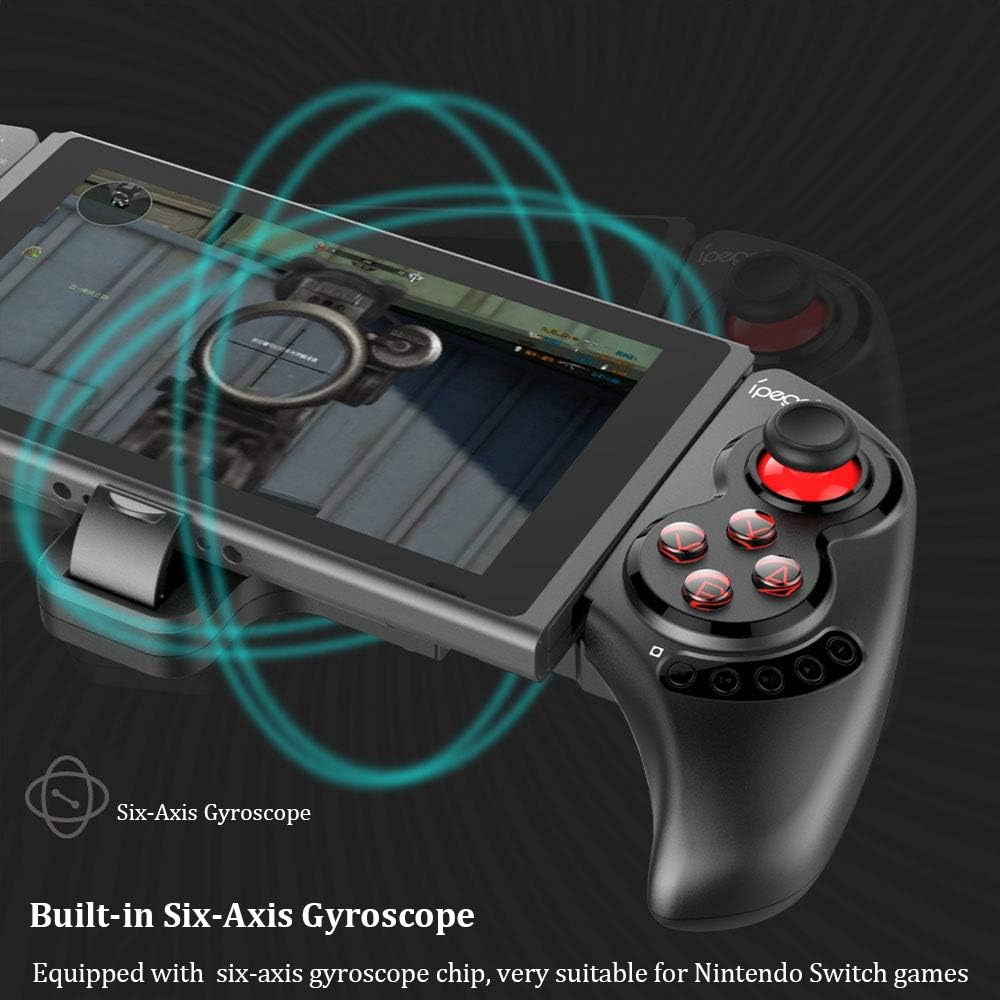
Figure 3: Illustration highlighting the built-in six-axis gyroscope for motion control.

Figure 4: Illustration demonstrating the dual motor vibration feature for haptic feedback.

Figure 5: The telescopic rod's adjustable range (130-280mm) and compatibility with Switch Mobile Device, Android Phone, and PC Tablet.

Figure 6: Detail of the controller's ergonomic structure designed for comfortable hand feeling.
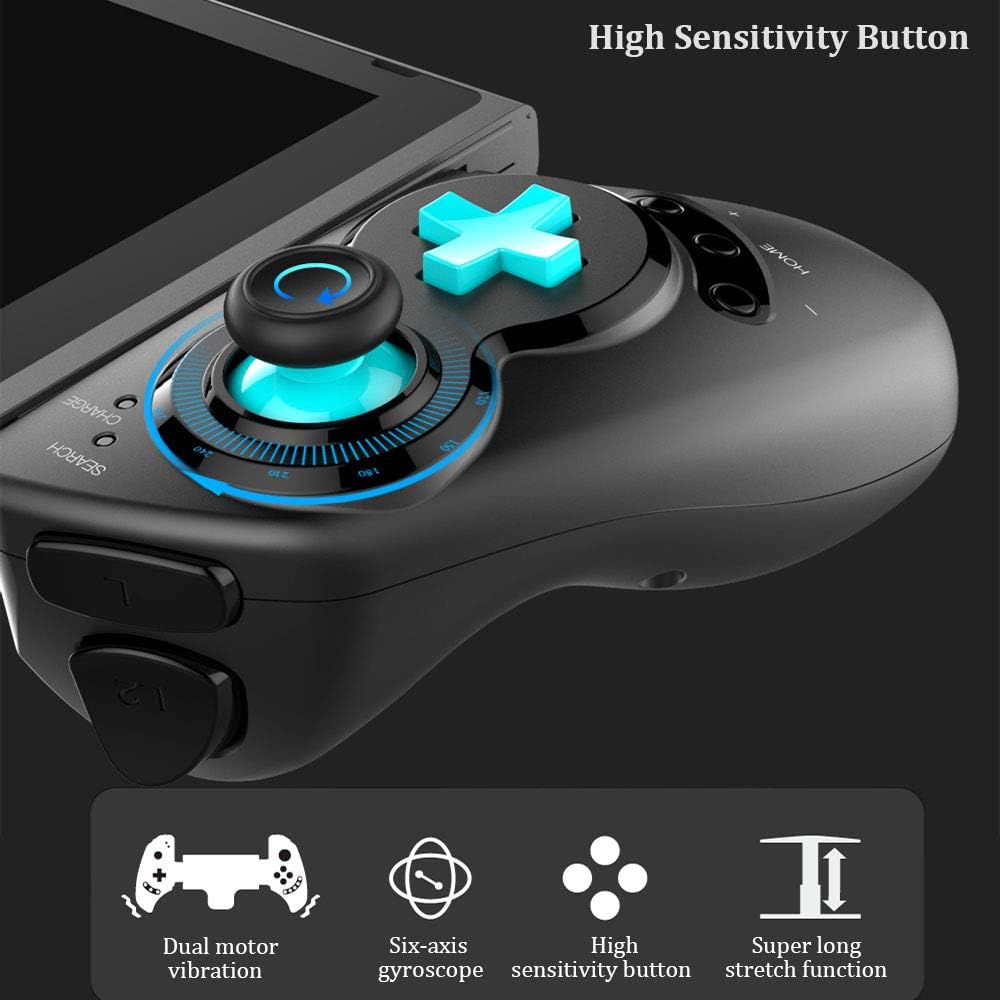
Figure 7: Highlighting the high sensitivity buttons and other key features like dual motor vibration, six-axis gyroscope, and super long stretch function.
Opsætning
Before using your IPEGA Wireless Switch Controller, ensure it is adequately charged. Connect the included USB cable to the controller's charging port and to a USB power source (e.g., computer, USB wall adapter). The charge indicator will show charging status.
Driftstilstande
N-Switch Connection Mode
- Første gangs parring:
- Turn on your Nintendo Switch Console.
- From the HOME Menu, navigate to Controllere, og vælg derefter Skift greb og rækkefølge.
- On the IPEGA controller, press and hold down the "B" + "HOME" buttons simultaneously for 2 seconds. The SEARCH indicators on the controller will flash quickly.
- Once successfully paired, the indicators will turn on solid. Press "A" on the controller when prompted to confirm.
- Genparring:
- Tryk og hold nede "HJEM" button for 2 seconds to turn on the controller.
- The SEARCH indicator will flash slowly, indicating it's in re-pair mode. The controller will automatically attempt to connect to the previously paired console.
- Når du er tilsluttet, skal du trykke på "A" when you're ready to play.
- Wake-up controller:
- If the controller is in sleep mode, press the "HJEM" knappen for at vække den.
- It will automatically connect to the console.
- Trykke "A" when you're ready.
Android-tilstand
- Tryk og hold nede "Y" + "HOME" buttons simultaneously for 2 seconds to turn on the controller. The SEARCH indicators will flash quickly.
- On your Android device, enable Bluetooth and search for available devices. Select "PG-SW029" at parre.
- Once successfully paired, the SEARCH indicator on the controller will turn on solid, indicating it has entered Android Mode.
- The controller supports standard Android HID games.
P3 Mode (PlayStation 3)
- Tryk og hold nede "A" + "HOME" buttons simultaneously for 2 seconds to turn on the controller. The SEARCH indicators will flash quickly.
- Connect the controller to your P3 console using the provided USB cable. Press the "HJEM" knappen for at starte parring.
- Once paired successfully, the corresponding SEARCH indicator will turn on solid, indicating the gamepad has entered P3 mode.
- You can then unplug the USB cable, and the controller will operate in wireless connection mode.
Opretholdelse
- Keep the controller away from extreme temperatures, direct sunlight, and humid environments.
- Undgå at tabe controlleren eller udsætte den for kraftige stød.
- Clean the controller with a soft, dry cloth. Do not use chemical solvents or abrasive cleaners.
- Når controlleren ikke er i brug i længere perioder, skal den opbevares et køligt og tørt sted.
- Forsøg ikke at adskille eller ændre controlleren, da dette vil ugyldiggøre garantien og kan forårsage skade.
Fejlfinding
| Problem | Mulig løsning |
|---|---|
| Controlleren tænder ikke. | Ensure the controller is fully charged. Connect it to a power source using the USB cable. |
| Controller fails to pair with device. |
|
| Input lag or disconnection during gameplay. |
|
| Knapper eller joysticks reagerer ikke. |
|
Specifikationer
| Feature | Detalje |
|---|---|
| Modelnummer | PG-SW029 |
| Mærke | ipega |
| Forbindelse | Trådløs (Bluetooth) |
| Transmissionsafstand | ≤ 26ft (8 meters) |
| Batterikapacitet | 300mAh lithium batteri |
| Kontinuerlig brugstid | > 10 timer |
| Standby tid | Op til 30 dage |
| Teleskopisk rækkevidde | 130mm - 280mm (approx. 5.1 - 11 inches) |
| Produktdimensioner | 23.7 x 12.5 x 5.99 cm (9.33 x 4.92 x 2.36 tommer) |
| Kompatibilitet | Nintendo Switch, PlayStation 3, Android Phones/Tablets, PC (Win 7/8/10) |

Figure 8: Detailed dimensions of the controller and its retail packaging.
Pakkeliste
Følgende varer er inkluderet i din produktpakke:
- Wireless Gamepad x1
- Brugermanual x1 (Dette dokument)
- USB-kabel x1
Garanti og support
For warranty information and technical support, please refer to the contact details provided by your retailer or visit the official IPEGA webwebsted. Behold din købskvittering som købsbevis i tilfælde af garantikrav.
If you encounter any issues not covered in this manual, please contact customer support for assistance.


