1. Produktet er slutview
The Promate Evoke is a versatile digital alarm clock designed to enhance your daily routine with multiple functionalities. It integrates a powerful 10W speaker, FM radio, Bluetooth connectivity, and a 10W Qi wireless charging pad, alongside a USB charging port. The device also features a white noise function for relaxation and an integrated microphone for hands-free calls. Control is made easy with a smart mobile application.

Figur 1.1: Forside view of the Promate Evoke Digital Alarm Clock, displaying the time and the fabric speaker grille.
Nøglefunktioner:
- Multifunction smart alarm clock with 10W Qi wireless charger and USB port.
- Powerful 10W speaker and Bluetooth pairing for PCs, tablets, and mobile phones.
- Easy-to-tune FM radio.
- Alarm with flashing tone, snooze function, and white noise for relaxation.
- Integrated microphone for hands-free calls.
- Smart control app for programming and controlling the alarm from your mobile device.
2. Opsætningsvejledning
2.1 Strømtilslutning
To power on the Promate Evoke, connect the provided power cable to the DC input port on the back of the unit and plug the other end into a standard wall outlet. The device will automatically power on and the LED display will illuminate.
2.2 Indstilling af starttidspunkt
Ved første opstart eller efter et strømafbrydelsetage, you may need to set the correct time. Refer to the device's physical buttons for time adjustment, typically involving a 'Time Set' or 'Clock' button followed by arrow keys to adjust hours and minutes. Confirm your selection to save the time.
2.3 Smart Control App Installation
For enhanced control and customization, download the 'Promate Evoke' smart control application on your mobile device. The app is available on both the App Store (for iOS devices) and Google Play (for Android devices).

Figure 2.1: The Promate Evoke Smart Control App provides easy navigation and control from your smartphone. Download from App Store or Google Play.
Once installed, open the app and follow the on-screen instructions to pair it with your Promate Evoke device via Bluetooth.
3. Betjeningsvejledning
3.1 Alarmfunktioner
- Indstilling af en alarm: Press the 'Alarm' button, then use the navigation buttons to set the desired alarm time. Confirm to save. Multiple alarms may be set via the smart control app.
- Snooze-funktion: When the alarm sounds, press the 'Snooze' button (often a large button on top) to temporarily silence the alarm for a set period (e.g., 9 minutes).
- Slukning af alarmen: To turn off the alarm completely, press the 'Alarm' button again or use the dedicated 'Alarm Off' button if available. Alarms can also be managed through the app.
3.2 FM-radiofunktion
Press the 'FM' or 'Mode' button to switch to FM radio mode. Use the tuning buttons (often +/- or arrow keys) to scan for available radio stations. Some models may have an auto-scan feature to save stations as presets.
3.3 Bluetooth -parring
To pair your mobile device with the Promate Evoke via Bluetooth:
- Press the 'Bluetooth' or 'Mode' button on the Evoke until 'BT' or 'Bluetooth' appears on the display, indicating pairing mode.
- Gå til Bluetooth-indstillinger på din mobilenhed, og søg efter tilgængelige enheder.
- Select 'Promate Evoke' from the list. Once connected, a confirmation sound or message will indicate successful pairing.
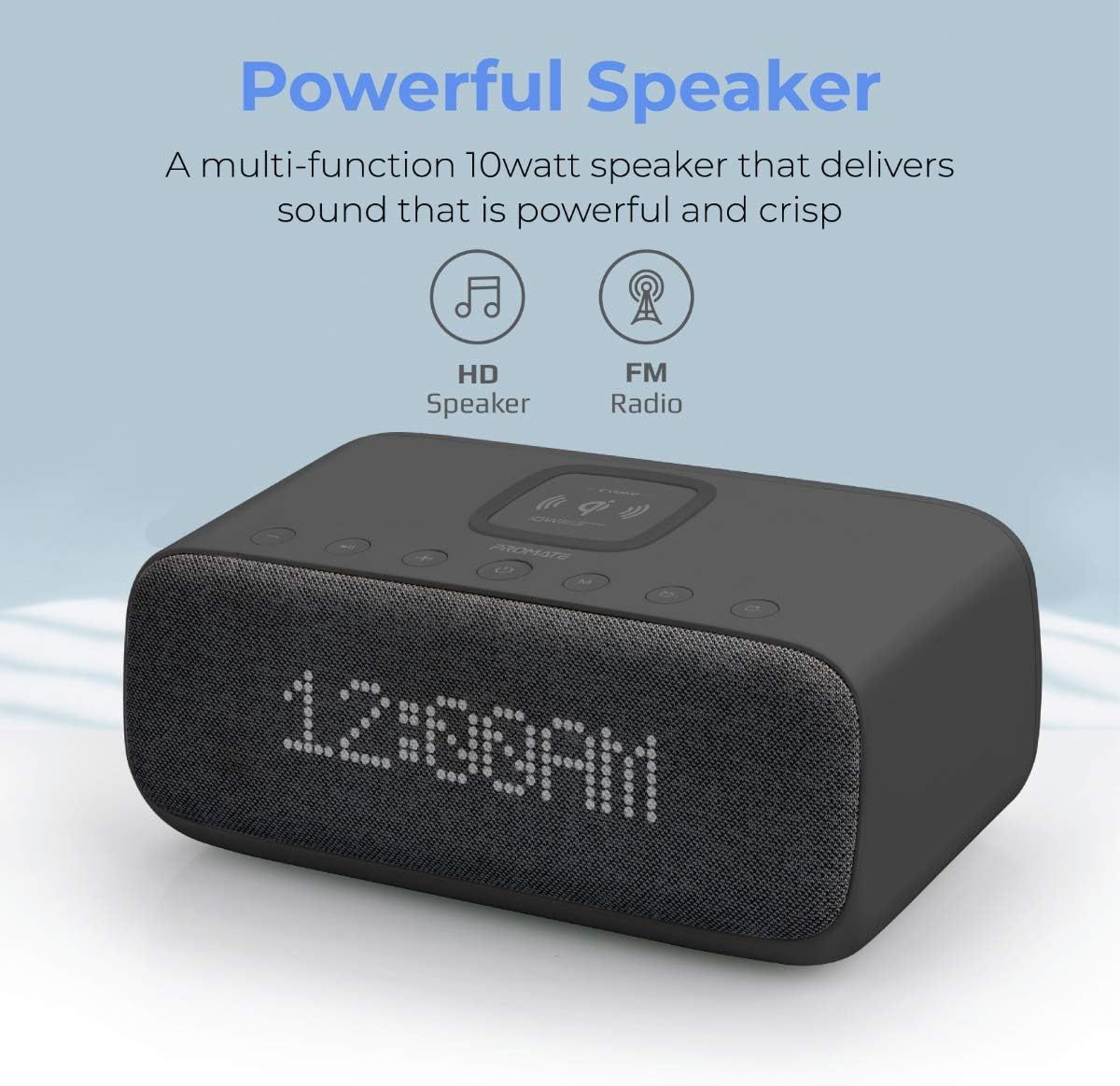
Figure 3.1: The Promate Evoke features a powerful 10W speaker for clear audio playback from Bluetooth devices or FM radio.
3.4 Wireless (Qi) Charging
The Promate Evoke features a 10W Qi wireless charging pad on its top surface. To charge a compatible device, simply place it centrally on the charging pad. Ensure the device is properly aligned for optimal charging. A charging indicator (e.g., an LED light) on the Evoke may illuminate to confirm charging is active.

Figure 3.2: Place your Qi-enabled device on the non-slip charging surface for 10W wireless charging.
3.5 USB-opladningsport
A USB charging port is located on the back of the unit. Connect your device's USB charging cable to this port to charge devices that do not support Qi wireless charging or for simultaneous charging.
3.6 Hvid støjfunktion
The Promate Evoke includes a white noise function designed to aid relaxation and sleep by mimicking natural environments. Activate this feature by pressing the dedicated 'White Noise' button or selecting it via the smart control app. You may be able to cycle through different white noise sounds.
3.7 Håndfri opkald
When your mobile device is connected via Bluetooth, the integrated microphone allows you to answer and make calls directly through the Promate Evoke. Press the 'Call' or 'Play/Pause' button to answer or end a call. Adjust volume using the volume controls on the unit or your phone.
4. Vedligeholdelse
4.1 Rengøring
To clean the Promate Evoke, ensure the device is unplugged from the power source. Use a soft, dry, lint-free cloth to wipe down the exterior surfaces. For stubborn marks, a slightly damp cloth may be used, but avoid excessive moisture. Do not use abrasive cleaners, solvents, or aerosol sprays, as these can damage the finish or internal components.
4.2 Opbevaring
When not in use for extended periods, store the device in a cool, dry place away from direct sunlight and extreme temperatures. It is recommended to keep the original packaging for storage and transport.
5. Fejlfinding
| Problem | Mulig årsag | Løsning |
|---|---|---|
| Enheden tænder ikke. | Power cable not connected or power outlet is faulty. | Ensure the power cable is securely connected to both the device and a working power outlet. Try a different outlet. |
| Bluetooth connection issues / No audio from Bluetooth. | Device not in pairing mode; mobile device Bluetooth off; incorrect pairing; audio output not selected. |
|
| Trådløs opladning virker ikke. | Device not Qi-compatible; device not aligned correctly; foreign objects on charging pad; thick phone case. |
|
| Alarmen lyder ikke. | Alarm ikke indstillet; alarmlydstyrken er for lav; alarmen er slået fra. |
|
| Dårlig FM-radiomodtagelse. | Svagt signal; interferens. |
|
6. Specifikationer
| Feature | Detalje |
|---|---|
| Mærke | Promover |
| Modelnummer | EVOKE.UK-BK |
| Farve | Sort |
| Display Type | LED |
| Forbindelser | USB, Bluetooth |
| Særlige funktioner | Radio, Wireless Speaker, Alarm Clock, White Noise Function, Hands-Free Calling |
| Samlet USB-porte | 1 |
| Højttalermodstand | 4 ohm |
| Strømkilde | El-kabel |
| Batterisammensætning | Lithium-ion (1 inkluderet) |
| Genopladeligt batteri | Ja |
| Kompatible enheder | Smartphones (iPhone 12, 12 Pro, 12 Pro Max, XR, XS Max, XS, X, 8, 8 Plus, Samsung Galaxy S20, S10, S9, Note 20, Note 10), iPads, AirPods with wireless charging case, and other Bluetooth/Qi-enabled devices. |
| Fabrikant | Promate Technologies Ltd. |
7. Garanti og support
7.1 Produktgaranti
Warranty information for the Promate Evoke Digital Alarm Clock is typically provided with your purchase documentation. Please refer to the warranty card or leaflet included in the product packaging for details regarding warranty period, coverage, and terms and conditions. Keep your proof of purchase for warranty claims.
7.2 Kundesupport
For technical assistance, troubleshooting beyond this manual, or service inquiries, please contact Promate customer support. Visit the official Promate website for the most up-to-date contact information, including email, phone numbers, or online support portals. When contacting support, please have your product model number (EVOKE.UK-BK) and purchase details ready.


