1. Introduktion
This manual provides comprehensive instructions for the setup, operation, and maintenance of your LG 27UK670-B 27-inch UHD (3840 x 2160) IPS Display. This monitor is designed to deliver a high-quality visual experience with its sRGB 99% Color Gamut, HDR10 support, and a 3-Side Virtually Borderless Design. It also offers flexible connectivity including USB Type-C with 40W Power Delivery and an adjustable stand for ergonomic comfort.

Figur 1: Forside view of the LG 27UK670-B monitor.
2. Pakkens indhold
Kontroller, at alle dele er til stede i pakken, før du fortsætter med opsætningen.
- Skærmdisplaypanel
- Monitorstativ (base og hals)
- Strømledning
- USB Type-C-kabel
- HDMI kabel
- DisplayPort-kabel
- Brugervejledning (dette dokument)
3. Opsætning
3.1 Samling af stativet
- Placer forsigtigt skærmens displaypanel med forsiden nedad på en blød, ren overflade for at undgå ridser.
- Attach the stand neck to the back of the monitor panel. Ensure it clicks securely into place.
- Fastgør stativets base til stativets hals. Spænd skruen i bunden af basen for at fastgøre den.
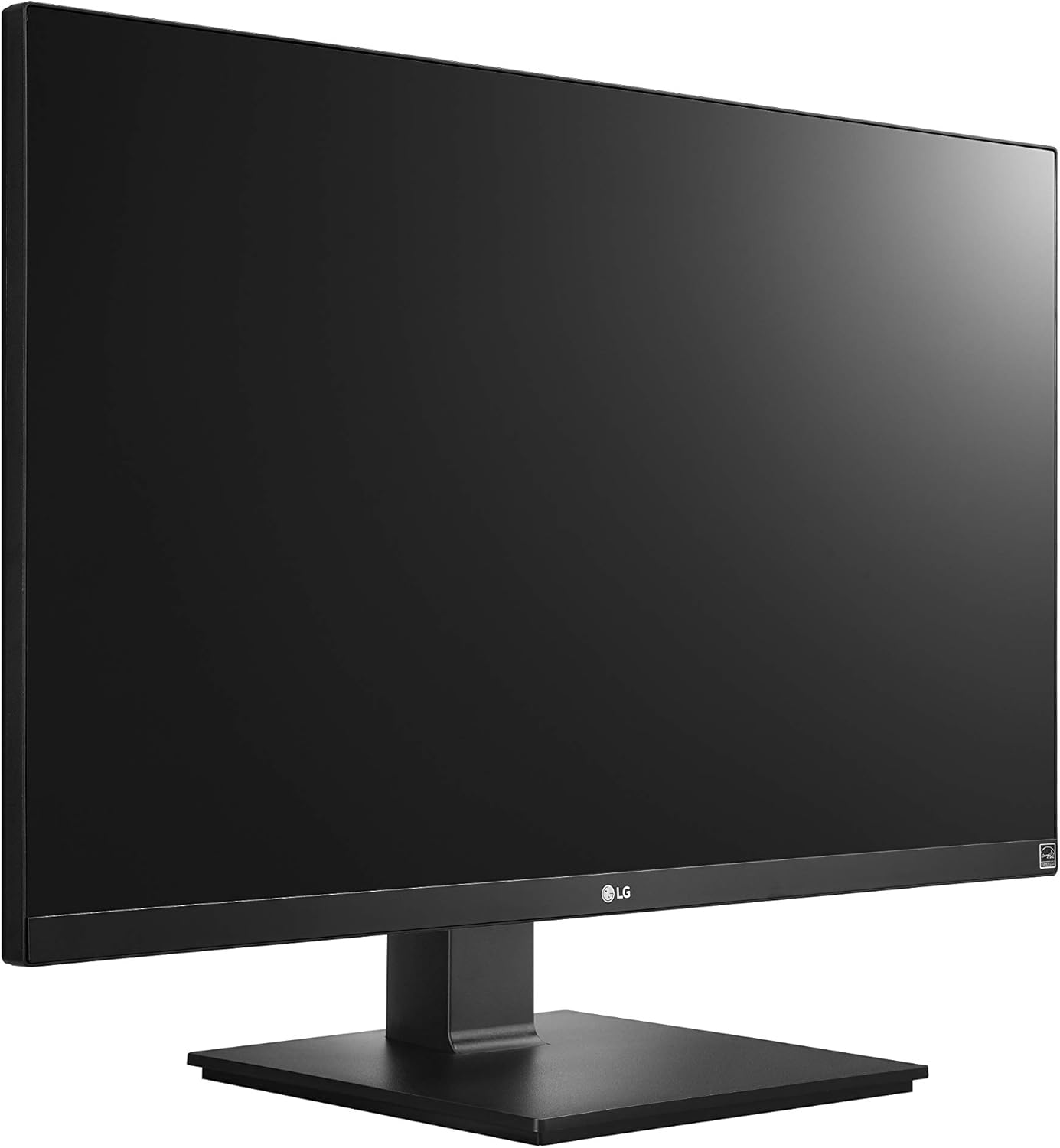
Figure 2: Assembled LG 27UK670-B monitor.
3.2 Tilslutning til en computer
The LG 27UK670-B monitor offers multiple connectivity options.
- USB Type-C-forbindelse: Connect one end of the USB Type-C cable to the USB-C port on the monitor and the other end to your computer's USB-C port. This connection supports video, data transfer, and power delivery (up to 40W) to your connected device.
- HDMI-forbindelse: Use an HDMI cable to connect the monitor to your computer's HDMI output.
- DisplayPort-forbindelse: Use a DisplayPort cable to connect the monitor to your computer's DisplayPort output.
- Strømtilslutning: Tilslut netledningen til skærmens strømindgang og derefter til en stikkontakt.

Figur 3: Bagside view af skærmen med portforbindelser.
3.3 Justering af stativet
Skærmstativet giver mulighed for forskellige ergonomiske justeringer:
- Højdejustering: Gently push or pull the monitor up or down to achieve your desired viewing højde.
- Justering af hældning: Tilt the monitor screen forward or backward to optimize your viewvinkel.
- Pivotjustering: Drej skærmen 90 grader for at skifte mellem liggende og stående retning.
- Drejejustering: Drej skærmen til venstre eller højre på dens base for at dele din skærm eller justere dine viewing stilling.
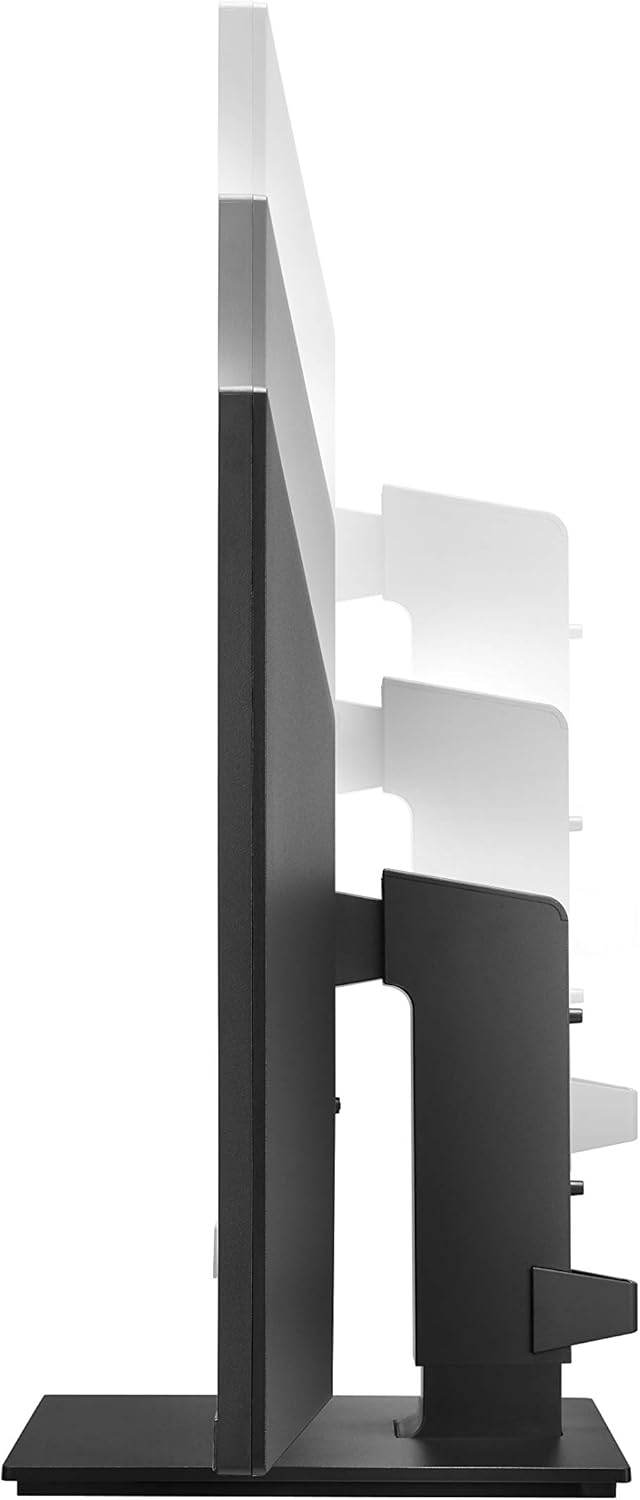
Figure 4: Monitor height adjustment.

Figure 5: Monitor in portrait orientation (pivot feature).
4. Betjening af monitoren
4.1 Tænd/sluk
Press the power button, usually located on the bottom center or rear of the monitor, to turn the display on or off.
4.2 On-Screen Display (OSD) menu
The OSD menu allows you to adjust various display settings. Access it by pressing the joystick button (often located on the bottom center of the monitor). Navigate through the menu using the joystick to control brightness, contrast, color modes, input selection, and other advanced features.
4.3 Nøglefunktioner
- UHD (3840 x 2160) Resolution: Provides sharp, detailed images.
- IPS skærm: Tilbyder bredt viewvinkler og ensartet farvegengivelse.
- sRGB 99 % farveskala: Ensures accurate and vibrant colors, suitable for creative professionals.
- HDR10: Enhances dynamic range for brighter whites and deeper blacks.
- AMD FreeSync-teknologi: Reducerer skærmrivning og hakken for mere jævn spil- og videoafspilning.
5. Vedligeholdelse
5.1 Rengøring af monitoren
- Sluk altid skærmen og tag netledningen ud, inden rengøring.
- Brug en blød, fnugfri klud lidt damprengøres med vand eller en specialiseret skærmrenser.
- Sprøjt ikke rengøringsmiddel direkte på skærmen. Påfør det først på kluden.
- Undgå at bruge slibende rengøringsmidler, voks eller opløsningsmidler, da de kan beskadige skærmens overflade.
5.2 Generel pleje
- Hold skærmen væk fra direkte sollys, varmekilder og for meget støv.
- Sørg for korrekt ventilation omkring skærmen for at forhindre overophedning.
- Undgå at placere tunge genstande på skærmen eller dens kabler.
6. Fejlfinding
Hvis du støder på problemer med din skærm, kan du se følgende almindelige problemer og løsninger:
- Ingen strøm:
- Sørg for, at netledningen er korrekt tilsluttet både skærmen og en fungerende stikkontakt.
- Kontroller, om tænd/sluk-knappen på skærmen er trykket ned.
- Intet signal/blank skærm:
- Verify that the video cable (USB-C, HDMI, or DisplayPort) is securely connected to both the monitor and your computer.
- Sørg for, at den korrekte inputkilde er valgt i skærmens OSD-menu.
- Kontroller, om din computer er tændt og ikke i dvaletilstand.
- Image Quality Issues (e.g., blurry, distorted):
- Juster opløsningsindstillingerne på din computer, så de passer til skærmens native opløsning (3840 x 2160).
- Nulstil skærmens skærmindstillinger til fabriksindstillingerne via OSD-menuen.
- Sørg for, at videokablet ikke er beskadiget.
For further assistance, please consult the official LG support webwebsted eller kontakt kundeservice.
7. Specifikationer
| Feature | Detalje |
|---|---|
| Mærke | LG |
| Modelnummer | 27UK670-B |
| Skærmstørrelse | 27 tommer |
| Opløsning | UHD (3840 x 2160) |
| Paneltype | IPS |
| Farveskala | sRGB 99 % |
| HDR-understøttelse | HDR10 |
| Forbindelse | USB Type-C (with 40W PD), 2x HDMI, DisplayPort, 2x USB 3.0, 3x USB 2.0 |
| Stativjusteringer | Tilt, Height, Pivot, Swivel |
| Varens vægt | 15.4 pund |
| Produktmål (LxBxH) | 24.1 x 9.9 x 20.4 tommer |
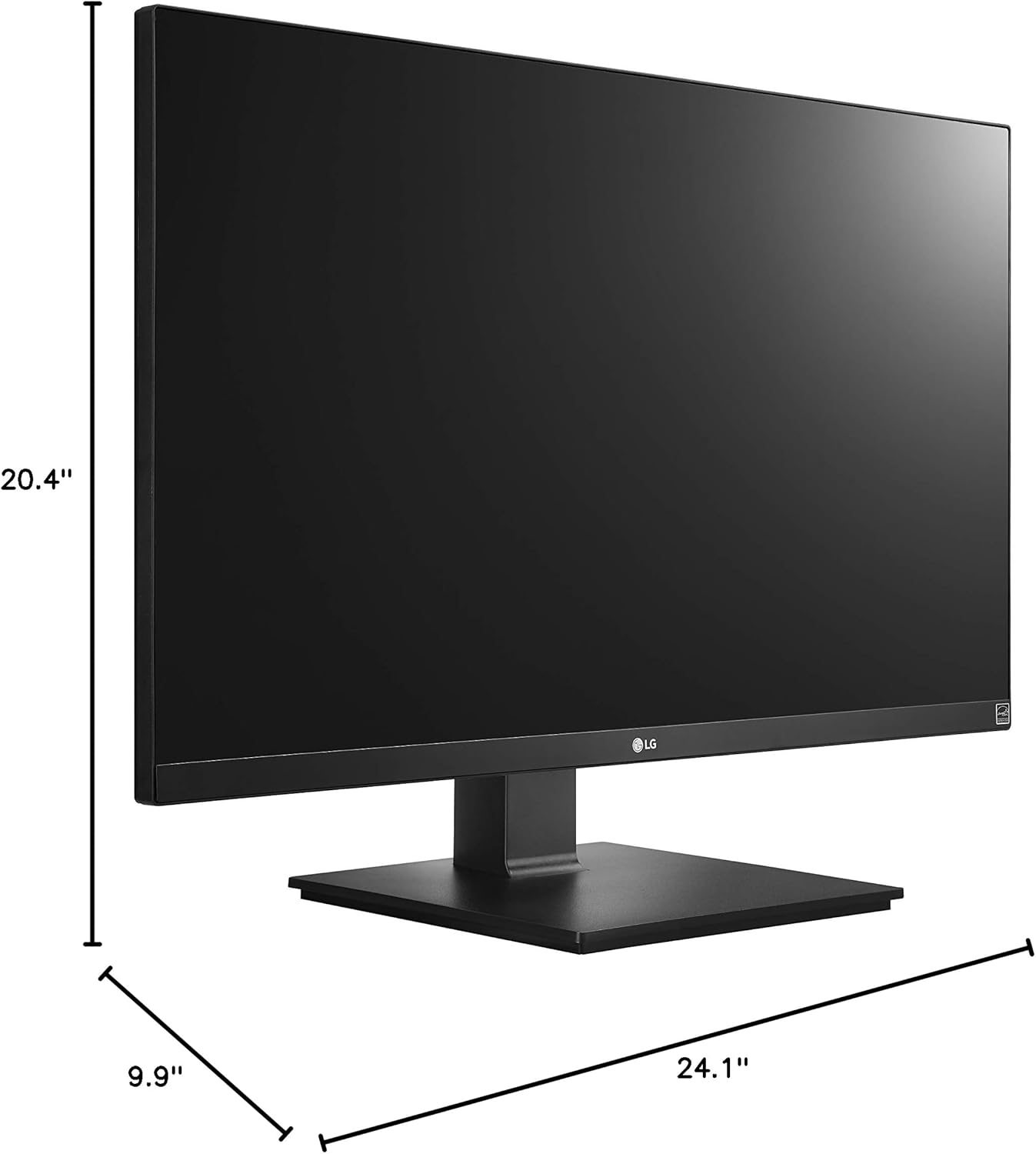
Figur 6: Skærmens dimensioner.
8. Garanti og support
Your LG 27UK670-B monitor is covered by a manufacturer's warranty. For detailed information regarding warranty terms, conditions, and registration, please refer to the warranty card included in your product packaging or visit the official LG Electronics webwebsted.
For technical support, service inquiries, or to download the latest drivers and software, please visit the LG support portal or contact LG customer service directly.
Online support: www.lg.com/us/support