1. Introduktion
This manual provides comprehensive instructions for the setup, operation, and maintenance of your himaly RBU-SCALE-X1468 Smart Body Fat Scale. This device is designed to measure various body composition metrics and synchronize data with a smartphone application for detailed health tracking.
The himaly Smart Body Fat Scale utilizes advanced sensor technology to provide accurate measurements for up to 14 essential body composition indicators, including weight, BMI, body fat, body water, skeletal muscle, bone mass, protein, muscle mass, visceral fat, subcutaneous fat, fat-free body weight, body age, basal metabolism, and activity metabolism.
2. Vigtige sikkerhedsoplysninger
- Rådfør dig med din læge, før du påbegynder en diæt eller et træningsprogram.
- This scale is not intended for use by individuals with pacemakers or other internal medical devices.
- Brug ikke denne enhed, hvis du er gravid.
- The scale is designed for household use only and should not be used for medical diagnosis or treatment.
- Always place the scale on a hard, flat surface for accurate measurements. Avoid carpets or uneven floors.
- Do not step on the edge of the scale; this may cause it to tip.
- Keep the scale dry. Do not immerse it in water or use abrasive cleaning agents.
- The glass surface can be slippery when wet. Ensure the scale surface is dry before stepping on it.
3. Pakkens indhold
- himaly Smart Body Fat Scale (Model: RBU-SCALE-X1468)
- Brugermanual
- Batteries (if included, check packaging)
4. Produktet er slutview
The himaly Smart Body Fat Scale features a sleek design with a tempered glass platform and an integrated LCD display. Four high-precision G-sensors ensure accurate measurements. The scale connects wirelessly via Bluetooth to a compatible smartphone application.

Image: The himaly Smart Body Fat Scale in pink, shown alongside a smartphone displaying the connected app interface with weight and body composition data.
Nøglefunktioner:
- 14 Essential Body Measurements: Provides data for Weight, BMI, Body Fat, Body Water, Skeletal Muscle, Bone Mass, Protein, Muscle Mass, Visceral Fat, Subcutaneous Fat, Fat-free Body Weight, Body Age, Basal Metabolism, and Activity Metabolism.
- Højpræcisionssensorer: Equipped with 4 high-precision G-sensors for enhanced accuracy and sensitivity.
- Bluetooth-forbindelse: Utilizes Bluetooth 4.0 BLE for seamless synchronization with iOS (8.0 or higher) and Android (4.3 or higher) devices.
- Hærdet glas platform: Durable and easy-to-clean surface.
- LCD-skærm: Clear digital readout for weight.
- Multi-User Support: Stores information for up to 8 users, automatically recognizing individuals.

Image: A visual representation of the 14 body composition metrics measured by the scale, including Weight, BMI, Body Fat, Body Water, Skeletal Muscle, Bone Mass, Protein, Muscle Mass, Visceral Fat, Subcutaneous Fat, Fat-free Body Weight, Body Age, Basal Metabolism, and Activity Metabolism.

Billede: En intern view of the scale, emphasizing the four high-precision sensors and the Bluetooth chip responsible for accurate measurements and connectivity.

Billede: En top-down view of the scale with dimensions indicated, showing a length and width of 26.2 cm (approximately 10.3 inches).
5. Opsætning
5.1. Batteriinstallation
Locate the battery compartment on the underside of the scale. Insert the required batteries (typically AAA, check packaging for specifics) ensuring correct polarity (+/-). Close the battery compartment securely.
5.2. Download og installation af appen
The himaly Smart Body Fat Scale requires a companion application to track and display all body composition data. You can download either the "Moving Life" or "SenssunLife" app.
- Til iOS-enheder: Open the App Store and search for "Moving Life" or "SenssunLife". Download and install the app. (Requires iOS 8.0 or higher).
- For Android-enheder: Open Google Play and search for "Moving Life" or "SenssunLife". Download and install the app. (Requires Android 4.3 or higher).
- Alternatively, scan the QR code provided in the physical manual to directly download the app.

Image: A sequence of smartphone screens demonstrating the process of downloading a fitness app and confirming a successful Bluetooth connection with the scale.
5.3. Parring med din smartphone
- Sørg for, at Bluetooth er aktiveret på din smartphone.
- Open the "Moving Life" or "SenssunLife" app.
- Follow the on-screen prompts within the app to create your user profile and connect to the scale. You may need to step on the scale briefly to activate it and allow the app to detect it.
- Once connected, the app will display a confirmation.
6. Betjeningsvejledning
6.1. At foretage en måling
- Placer vægten på en hård, flad overflade.
- Sørg for, at dine fødder er rene og tørre.
- Step onto the scale barefoot, standing still with your weight evenly distributed.
- The scale's LCD display will show your weight.
- If the app is open and connected via Bluetooth, all 14 body composition metrics will be measured and synchronized to your app automatically. If the app is not open, only your weight will be displayed on the scale. The full data will sync the next time you open the app and take a measurement.
Note: For consistent results, it is recommended to take measurements at the same time each day, preferably in the morning before eating or exercising.
6.2. Understanding Your Data
The "Moving Life" or "SenssunLife" app provides detailed insights into your body composition. You can view historical data, track trends, and understand the meaning of each metric.
- Vægt: Din samlede kropsmasse.
- BMI (Body Mass Index): Et mål for kropsfedt baseret på højde og vægt.
- Kropsfedtprocenttage: Andelen af fedt i forhold til den samlede kropsvægt.
- Kropsvand Procenttage: Mængden af vand i din krop.
- Skeletmuskulatur: Musklen, der er fastgjort til knoglerne og er ansvarlig for bevægelse.
- Knoglemasse: Mængden af knoglevæv i din krop.
- Protein: The total protein content in your body.
- Muskelmasse: Total muscle weight, including skeletal, smooth, and cardiac muscles.
- Visceralt fedt: Fat stored around internal organs.
- Subkutant fedt: Fedt lagret direkte under huden.
- Fat-free Body Weight: Din samlede kropsvægt minus kropsfedt.
- Kropsalder: Et estimat af din krops biologiske alder baseret på dine målinger.
- Basal Metabolism: The minimum amount of energy required to maintain basic bodily functions at rest.
- Activity Metabolism: Energy expended through physical activity.

Image: A smartphone screen showing a graph of weight and body fat percentage trends over a period, illustrating how the app tracks progress.
6.3. Flerbrugerfunktionalitet
The himaly Smart Body Fat Scale supports up to 8 user profiles. Once profiles are set up in the app, the scale can automatically recognize individual users based on their weight. Ensure each user has their profile configured in the app for accurate tracking.
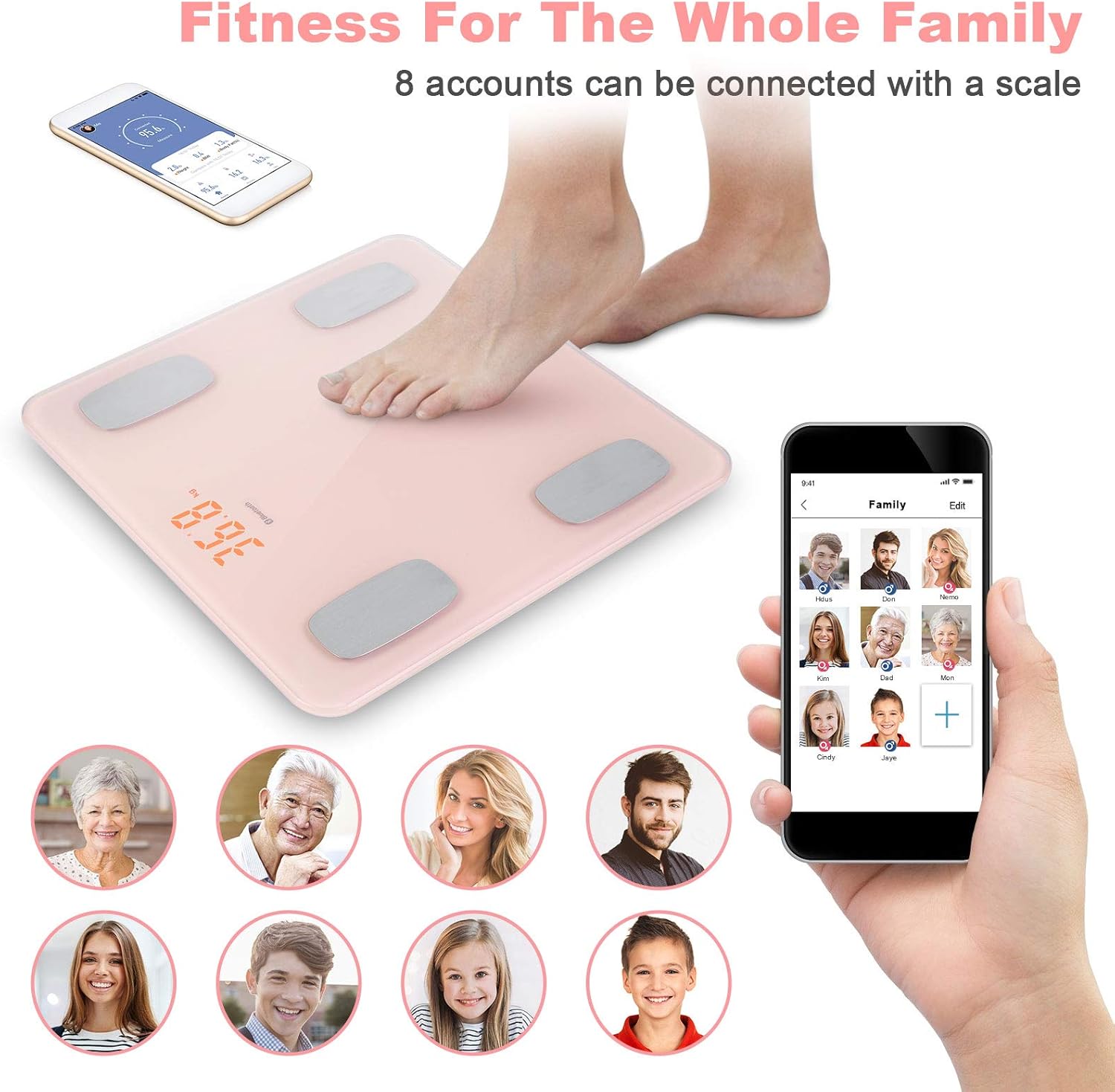
Image: A visual demonstrating the multi-user capability, with a foot on the scale and a smartphone displaying a "Family" section in the app, showing various user profiles.
7. Vedligeholdelse
- Rensning: Aftør skalaens overflade med adamp klud og et mildt rengøringsmiddel. Brug ikke slibende rengøringsmidler, og nedsænk ikke vægten i vand.
- Opbevaring: Store the scale in a cool, dry place. Avoid extreme temperatures.
- Udskiftning af batteri: If the display shows a low battery indicator or becomes dim, replace all batteries with new ones of the same type.
- Kalibrering: If the scale is moved or stored vertically, it may require recalibration. Step on the scale briefly to turn it on, then step off and wait for it to display "0.0" before taking a measurement.
8. Fejlfinding
| Problem | Mulig årsag | Løsning |
|---|---|---|
| Skalaen tænder ikke. | Batterierne er døde eller forkert installeret. | Kontroller batteripolariteten, eller udskift batterierne. |
| Unøjagtige eller inkonsistente aflæsninger. | Scale is on an uneven surface; not calibrated; user moved during measurement; feet are not clean/dry. | Place scale on a hard, flat surface. Step on briefly, then off, wait for "0.0" before measuring. Stand still. Ensure feet are clean and dry. |
| Appen opretter ikke forbindelse til vægten. | Bluetooth is off; app is not open; scale is out of range; scale batteries are low. | Ensure Bluetooth is enabled on your phone. Open the app. Move closer to the scale. Replace scale batteries. |
| Only weight shows on app, no other metrics. | User is wearing shoes/socks; feet are not making proper contact with electrodes; app not fully connected. | Step on the scale barefoot. Ensure feet are clean and making good contact with the metal pads. Re-establish app connection. |
9. Specifikationer
| Mærke | himaly |
| Modelnummer | RBU-SCALE-X1468 |
| Farve | Lyserød |
| Materiale | Hærdet glas |
| Vægtgrænse | 400 lbs (180 kg) |
| Udlæsningsnøjagtighed | 0.2 lbs (0.1 kg) |
| Display Type | LCD |
| Forbindelse | Bluetooth 4.0 BLE |
| Produktdimensioner | 12.2 x 11.5 x 1.8 tommer (31 x 29.2 x 4.6 cm) |
| Varens vægt | 3.39 pund (1.54 kg) |
| Understøttet OS | iOS 8.0 eller nyere, Android 4.3 eller nyere |
| UPC | 841834137018 |
10. Garanti og support
For warranty information and customer support, please refer to the contact details provided with your purchase or visit the official himaly webwebsted. Behold din købskvittering som købsbevis i tilfælde af garantikrav.
If you encounter any issues not covered in the troubleshooting section, please contact himaly customer service for assistance.


