Indledning
The Shark HE601 Air Purifier 6 is designed to provide clean, fresh air in your home. It features 6-fan airflow for efficient distribution, Clean Sense IQ technology for automatic adjustments, and an Anti-Allergen HEPA Multi-Filter with advanced odor protection. This manual provides essential information for setting up, operating, maintaining, and troubleshooting your air purifier.
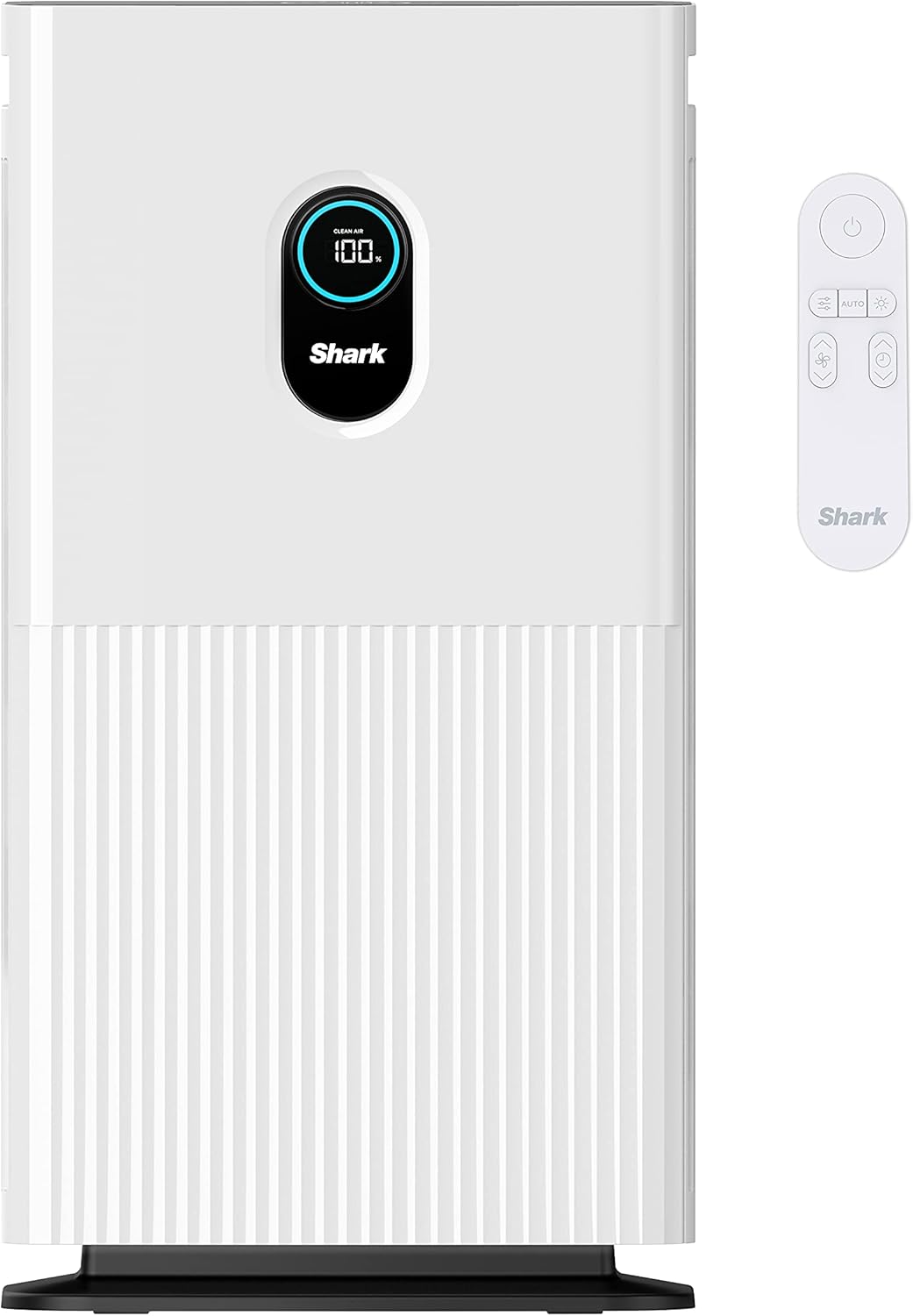
Image: The Shark HE601 Air Purifier 6 in white, shown with its remote control.
Opsætning
Udpakning og filterinstallation
- Tag forsigtigt luftrenseren og alt tilbehør ud af emballagen.
- Placer enheden på en flad, stabil overflade.
- Open the filter compartment cover. The filter is typically located at the back or side of the unit.
- Remove the new filter from its protective plastic bag.
- Sæt filteret i rummet, og sørg for, at det sidder korrekt.
- Luk filterrummets dæksel forsvarligt.
- Sæt netledningen i en almindelig stikkontakt.
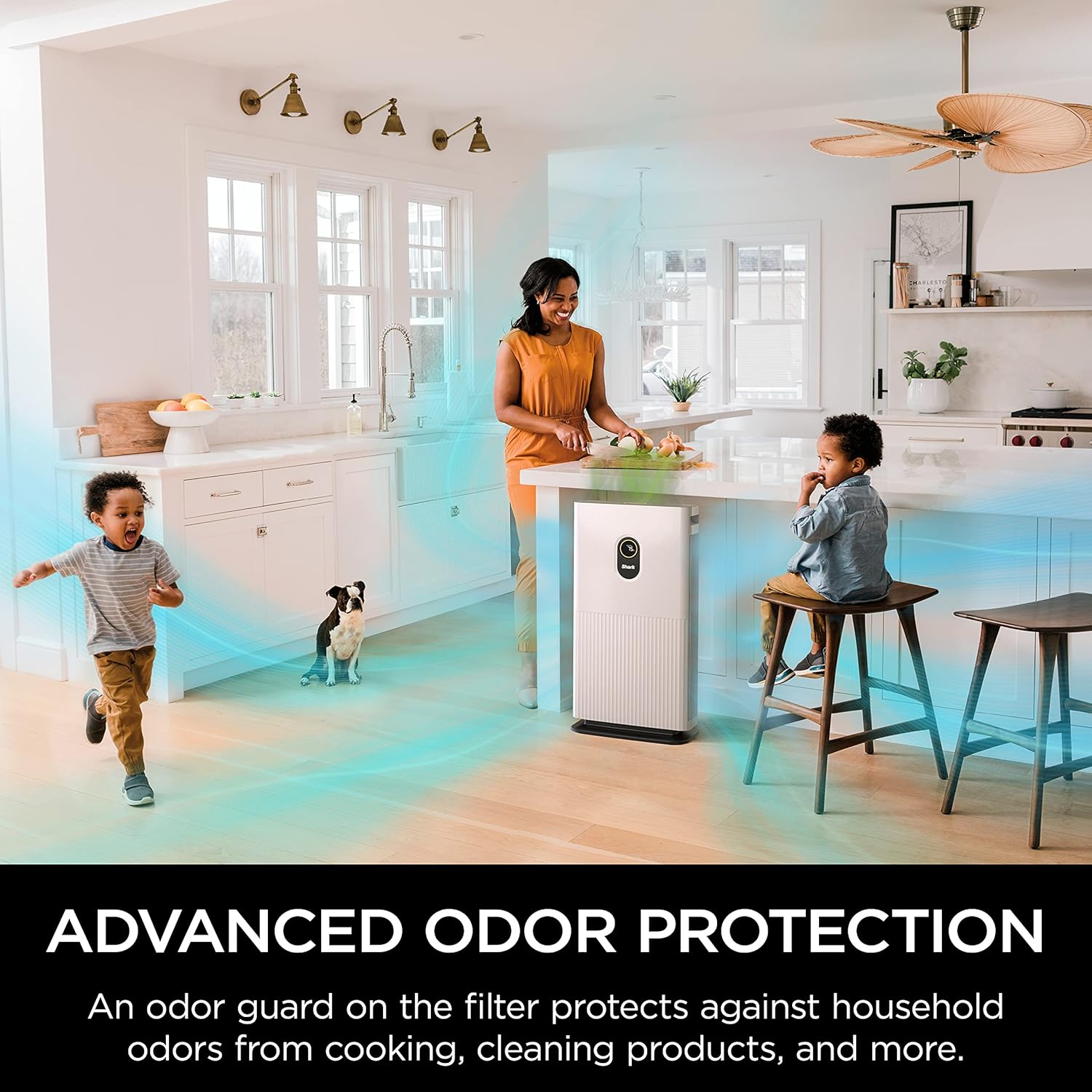
Image: A hand demonstrates how to easily change the filter by opening the side panel of the air purifier.
Visual Guide: Filter Access
Video: This video demonstrates accessing the filter compartment of the Shark Air Purifier, showing the process of opening the panel and revealing the filter.
Betjeningsvejledning
Control Panel and Remote Operation
The Shark HE601 Air Purifier features an intuitive control panel on top of the unit and a convenient remote control for adjusting settings from a distance.
- Power knap: Tryk for at tænde eller slukke enheden.
- Blæserhastighed: Adjust the fan speed (Low, Medium, High, Max) to control airflow and purification intensity.
- Auto Mode (Clean Sense IQ): Activates Clean Sense IQ technology, which automatically tracks air quality and adjusts fan speed to maintain optimal air purity.
- Luftinfo: Cycle through different air quality views on the display, including percentage of clean air, PM1.0, PM2.5, and PM10 particle levels, and estimated time to clean.
- Lysstyrke: Adjust the brightness of the LED display and top control panel, or turn it off completely for undisturbed sleep.
- Timer: Set a timer for the unit to run for a specified number of hours before automatically shutting off.
- Børnelås: Lock the control panel to prevent accidental changes to settings.
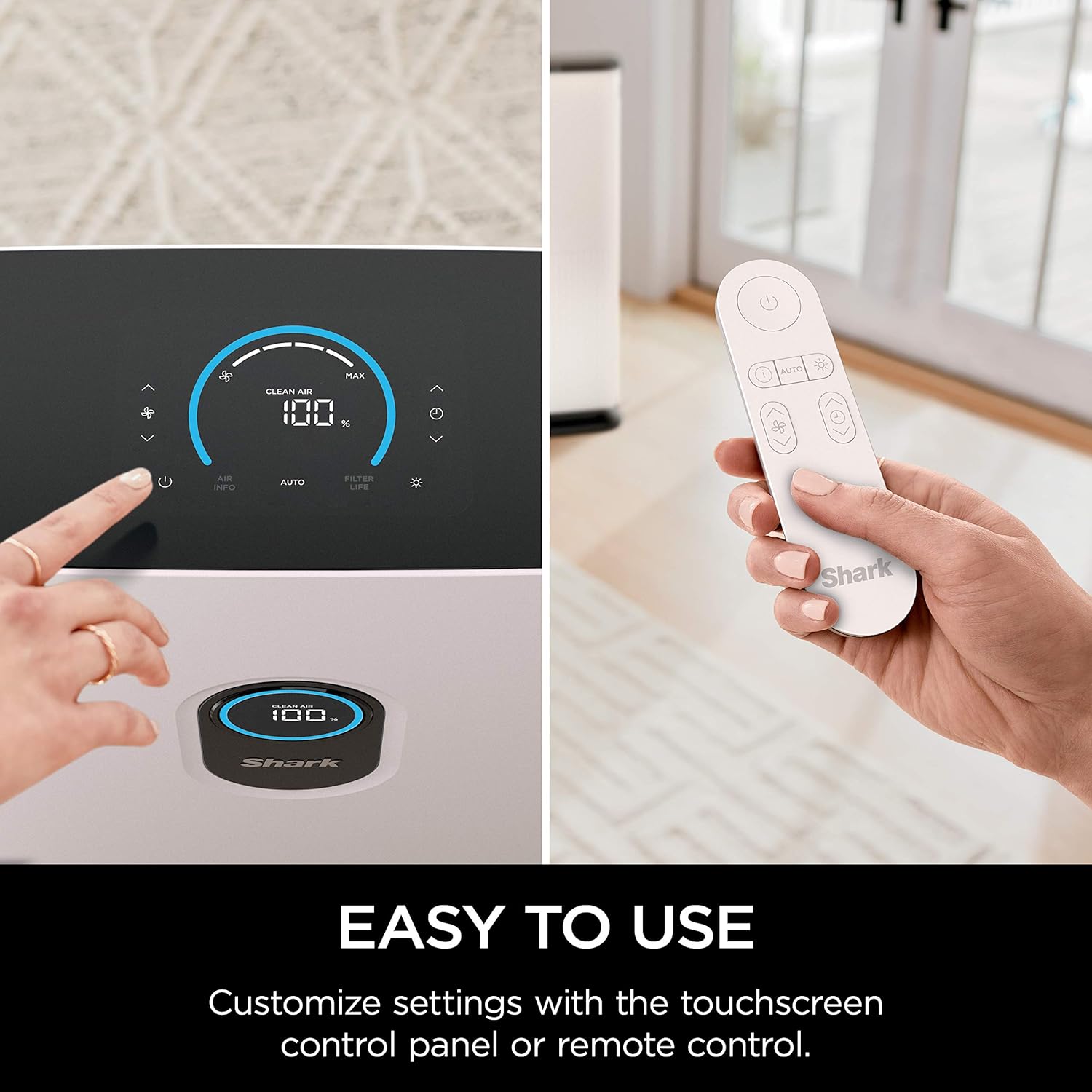
Image: A user interacts with the touchscreen control panel and remote control, highlighting the ease of use for customizing settings.
Understanding Air Quality Display
The front display LED screen provides real-time air quality reports, giving you clarity and confidence in the air you breathe. The percentage indicates the cleanliness of the air, with 100% being optimal. The display color changes to reflect air quality levels: blue for good, yellow for fair, and red for poor.
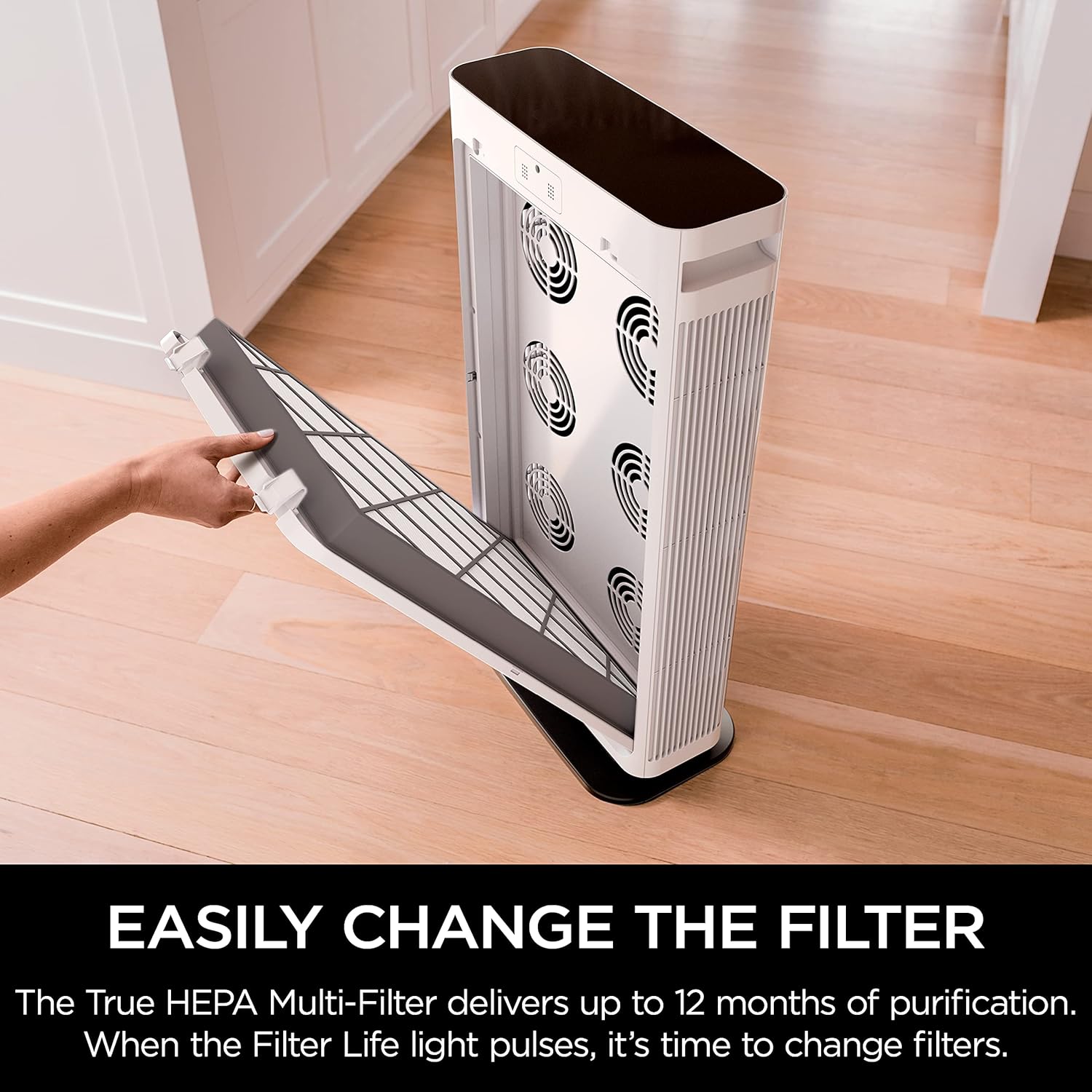
Image: The air purifier's display shows varying air quality percentages and corresponding color indicators (red, yellow, blue).
Visual Guide: Control Panel Overview
Video: This video provides a detailed look at the Shark Air Purifier's control panel, demonstrating how to navigate settings and understand air quality indicators.
Opretholdelse
Filter Replacement and Care
The Shark Anti-Allergen HEPA Multi-Filter is designed for long-lasting performance, typically providing up to 12 months of purification depending on usage and air quality. The unit will indicate when it's time to change the filter.
- Hvornår skal udskiftes: The 'Filter Life' indicator on the display panel will pulse when it's time to replace the filter.
- Sådan udskiftes: Follow the steps outlined in the 'Setup' section for opening the filter compartment and inserting a new filter. Ensure the new filter is removed from its plastic packaging before installation.
- Rensning: The filter itself is not washable and should be replaced. The exterior of the unit can be wiped clean with a dry cloth.

Image: The Shark Air Purifier 6, its remote control, and a new Anti-Allergen HEPA Multi-Filter are displayed, showing what is included in the box.
Fejlfinding
Fælles problemer og løsninger
- Enheden tænder ikke: Ensure the power cord is securely plugged into a working electrical outlet. Check if the filter compartment cover is properly closed.
- Usædvanlig støj: Verify that the filter is correctly installed and not obstructed. Check for any foreign objects inside the unit.
- Poor Air Quality Reading: If the air quality reading remains low despite the unit running, ensure the room is not excessively large for the unit's capacity or that there isn't a continuous source of pollution. Consider increasing ventilatorhastigheden.
- Indikator for filterlevetid: If the 'Filter Life' indicator is pulsing, it's time to replace the filter.
For more detailed troubleshooting, please refer to the full instruction manual accessible via the QR code on the unit or the Shark webwebsted.
Specifikationer
| Feature | Detalje |
|---|---|
| Modelnummer | HE601 |
| Mærke | Haj |
| Farve | Hvid |
| Produktdimensioner | 8.9" D x 17.01" B x 32.01" H |
| Dækning af gulvareal | Up to 1200 Square Feet (based on one air change per hour) |
| Controller type | Fjernbetjening |
| Wattage | 121 watt |
| Filterklasse | HEPA (captures 99.98% of particles down to 0.3 microns) |
| Speciel funktion | Programmable, Advanced Odor Lock |
| Varens vægt | 20 pund |
| Inkluderede komponenter | 6 Fan Air Purifier, Remote Control, Shark Anti-Allergen HEPA Filter with Advanced Odor Lock |
Garanti og support
Garantioplysninger
The Shark HE601 Air Purifier 6 comes with a 2 års begrænset garanti. Please retain your proof of purchase for warranty claims. For full details on warranty coverage and terms, refer to the official Shark product documentation or visit the Shark webwebsted.
Kundesupport
For further assistance, product registration, or to purchase replacement filters, please visit the official Shark webwebstedet eller kontakt deres kundeserviceafdeling. Kontaktoplysninger kan typisk findes på produktemballagen eller på producentens webwebsted.


