1. Introduktion
The EPOS Impact SC 60 USB MI Headset is a wired, double-sided headset designed for seamless communication. It features USB connectivity for PC/softphone integration, is UC optimized, and Microsoft Teams Certified. This headset ensures natural-sounding conversations, high-quality audio, and simplified call-handling for professional environments.

Figure 1.1: The EPOS Impact SC 60 USB MI Headset, showcasing its dual earcups, adjustable microphone boom, and in-line USB control unit.
2. Produktet er slutview
Your EPOS Impact SC 60 USB MI Headset package includes the following components:
- EPOS Impact SC 60 USB MI Headset with integrated USB cable and in-line call control.
- User Guide (this manual).
- Sikkerhedsvejledning.

Figure 2.1: Contents of the EPOS Impact SC 60 USB MI Headset package, including the headset, user guide, and safety guide.
3. Opsætning
Setting up your EPOS Impact SC 60 USB MI Headset is straightforward:
- Connect to PC/Softphone: Plug the USB connector of the headset into an available USB port on your computer. The headset is designed for plug-and-play functionality and should be automatically recognized by your operating system.
- Softwarekompatibilitet: The headset is UC optimized and Microsoft Teams Certified, ensuring seamless integration with major unified communications platforms. No additional drivers are typically required for basic functionality.
- Lydindstillinger: After connecting, verify that the EPOS Impact SC 60 USB MI Headset is selected as the default audio input and output device in your computer's sound settings and your preferred communication software (e.g., Microsoft Teams, Zoom, Skype).

Figure 3.1: The EPOS Impact SC 60 USB MI Headset is certified for Microsoft Teams and partners with leading UC providers like Google Meet, Avaya, Alcatel-Lucent, and enreach.
4. Betjeningsvejledning
The EPOS Impact SC 60 USB MI Headset offers intuitive controls for managing your calls and audio:
- In-line Call Control: Use the integrated in-line control unit to answer/end calls, adjust volume, and mute the microphone. The control type is designed for easy touch operation.
- Mikrofonbrug: The headset features an EPOS Voice™ and noise-cancelling microphone. Position the microphone boom approximately two fingers' width from your mouth for optimal voice pickup and to minimize background noise.
- Lydforbedring: Enjoy music and multimedia with automatic sound-enhancement profiles.
- Høreværn: The headset protects your hearing from acoustic shock with EPOS ActiveGard® technology. It also includes a Switchable Noise at Work Limiter, in compliance with EU Noise at Work Directive (Directive/2003/10/EC).

Figure 4.1: The EPOS Impact SC 60 USB MI Headset features EPOS Voice™ and a noise-cancelling microphone for natural, clear conversations.
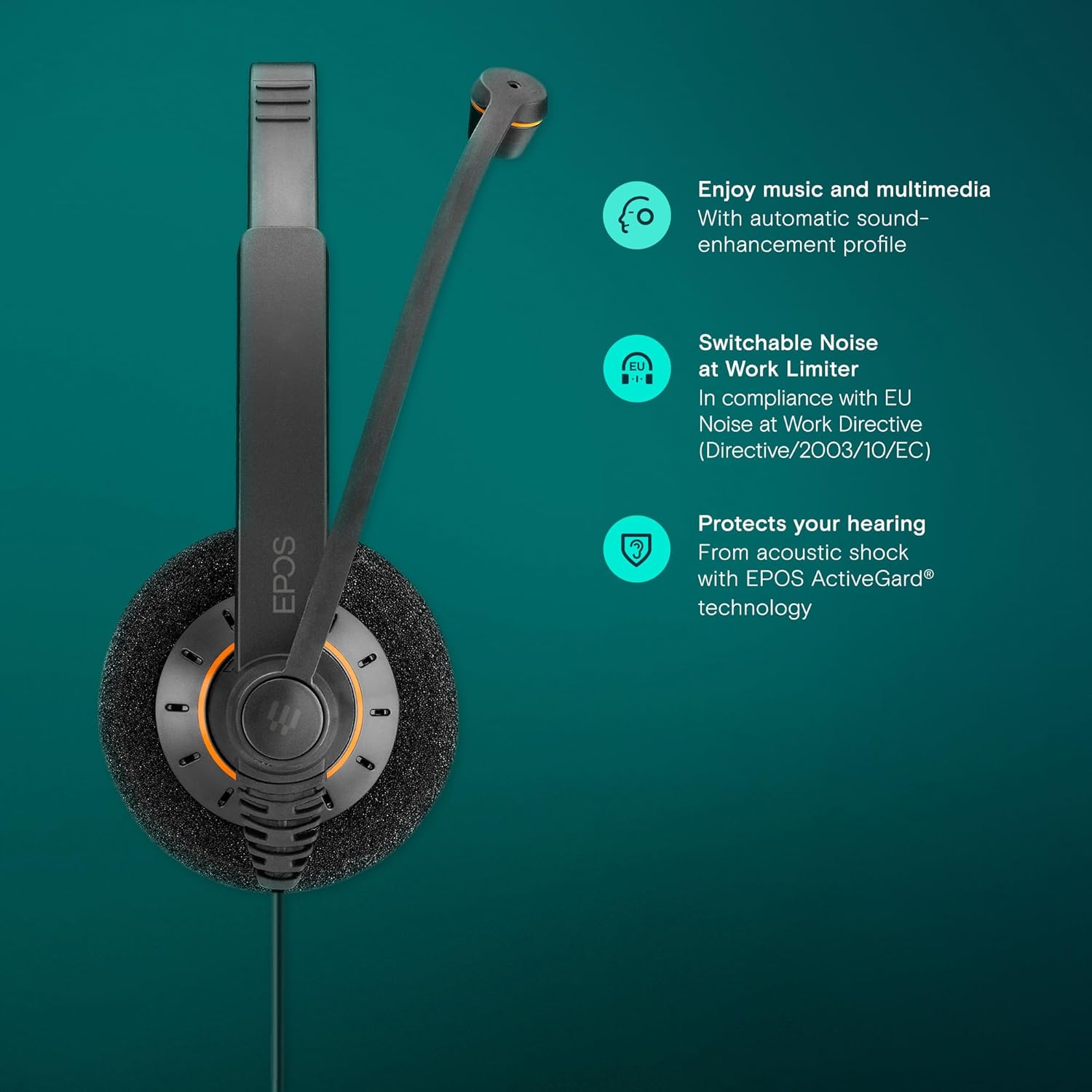
Figure 4.2: Key features of the EPOS Impact SC 60 USB MI Headset, including automatic sound-enhancement for music and multimedia, a switchable Noise at Work Limiter, and hearing protection via EPOS ActiveGard® technology.
5. Vedligeholdelse
To ensure the longevity and optimal performance of your EPOS Impact SC 60 USB MI Headset, follow these maintenance guidelines:
- Rensning: Gently wipe the headset, including the ear pads and microphone boom, with a soft, dry cloth. For stubborn dirt, a slightly damp cloth can be used, but ensure no moisture enters the speaker or microphone openings. Avoid harsh chemicals or abrasive cleaners.
- Opbevaring: When not in use, store the headset in a clean, dry place away from extreme temperatures and direct sunlight. The headset is made of durable plastic and is water resistant, but it is not waterproof.
- Kabelpleje: Avoid sharp bends or excessive pulling on the USB cable. The cable features a retractable design for convenience.
- Ørepuder: The headset features comfortable acoustic foam ear pads. Periodically check them for wear and tear.
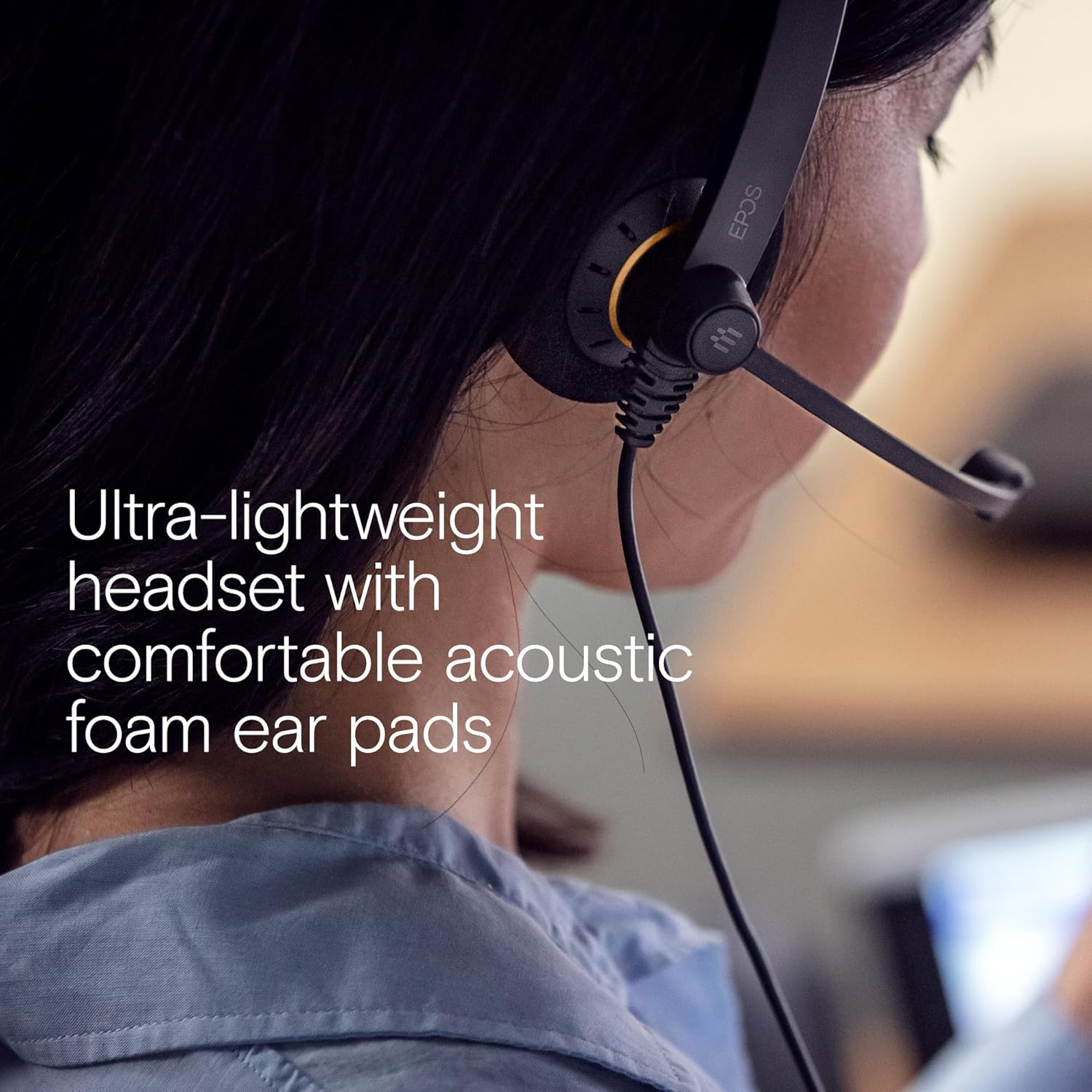
Figure 5.1: The ultra-lightweight EPOS headset features comfortable acoustic foam ear pads, which should be kept clean for hygiene and comfort.
6. Fejlfinding
If you encounter issues with your EPOS Impact SC 60 USB MI Headset, try the following troubleshooting steps:
- Ingen lyd/Mikrofonen virker ikke:
- Ensure the USB connector is securely plugged into your computer.
- Check your computer's sound settings to confirm the EPOS headset is selected as the default playback and recording device.
- Verify that the microphone is not muted via the in-line control unit or your software application.
- Test the headset on a different USB port or another computer to rule out port or system-specific issues.
- Dårlig lydkvalitet:
- Adjust the volume using the in-line controls or your computer's volume settings.
- Ensure the microphone is positioned correctly, close to your mouth, for clear voice transmission.
- Check for any background noise that might be interfering with the audio.
- Indbyggede kontroller reagerer ikke:
- Unplug and re-plug the USB connector.
- Genstart din computer.
- Ensure your communication software is up-to-date.
For further assistance, please refer to the official EPOS support resources.
7. Specifikationer
| Feature | Specifikation |
|---|---|
| Modelnavn | IMPACT SC 60 USB ML |
| Varemodelnummer | 1000551 |
| Forbindelsesteknologi | Kablet (USB) |
| Hovedtelefonstik | USB |
| Øreplacering | On Ear |
| Støjkontrol | Aktiv støjreduktion (mikrofon) |
| Frekvensrespons | 20 Hz - 20,000 Hz |
| Impedans | 20 Ohm |
| Kontroltype | Call Control (Touch) |
| Materiale | Plast |
| Varens vægt | 70 gram (2.47 ounce) |
| Produktdimensioner | 7.09 x 5.51 x 2.36 tommer |
| Vandmodstandsniveau | Vandtæt |
| Inkluderede komponenter | Headset |
8. Garanti og support
EPOS provides comprehensive support for its products. For information regarding your product's warranty, please refer to the Safety Guide included in your package or visit the official EPOS webwebsted.
Du kan også overveje at købeasing additional protection plans for extended coverage:
- 2-årig beskyttelsesplan
- 3-årig beskyttelsesplan
- Komplet beskyttelse (månedlig plan)
For technical support, FAQs, and driver downloads, please visit the EPOS-butik på Amazon or the official EPOS support webwebsted.


