1. Introduktion
Thank you for choosing the SAMVIX SMARTBASS 4.0 MP3 Player. This device is designed for portable audio playback and includes features such as a full touch screen, voice recorder, and e-book reader. This manual provides detailed instructions to help you set up, operate, and maintain your device.
Nøglefunktioner omfatter:
- 16GB built-in memory, expandable up to 128GB via external memory card.
- Full touch screen interface.
- Support for various audio formats: MP3, WMA, OGG, APE, FLAC, WAV, AAC-LC, ACELP.
- Voice recording functionality.
- E-book reading capability.
- Indbygget højttaler.
- Option to transfer files from memory card to player.
- Integreret lommelygte.
2. Pakkens indhold
Tjek venligst pakken for følgende varer:
- SAMVIX SMARTBASS 4.0 MP3 Player
- USB kabel
- Høretelefoner
- Brugervejledning (dette dokument)
3. Produktet er slutview

Figur 3.1: Forside view of the SAMVIX SMARTBASS 4.0 MP3 Player with music playing on the touch screen.
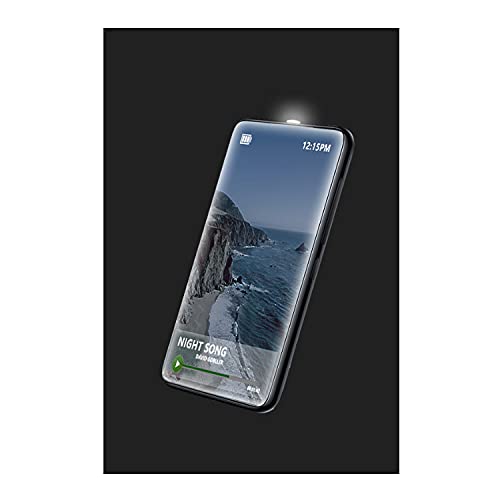
Figure 3.2: The MP3 player showcasing its integrated flashlight feature.

Figur 3.3: Side view of the MP3 player, highlighting the headphone jack and USB-C charging/data port.

Figure 3.4: Connecting the included earphones to the MP3 player's audio jack.

Figure 3.5: Connecting the USB-C cable for charging or data transfer.

Figur 3.6: Forside view of the MP3 player with the screen off.

Figur 3.7: Tilbage view of the MP3 player, displaying SAMVIX SmartBass 4.0 branding and certification logos.

Figure 3.8: The USB-A to USB-C cable included for charging and data transfer.
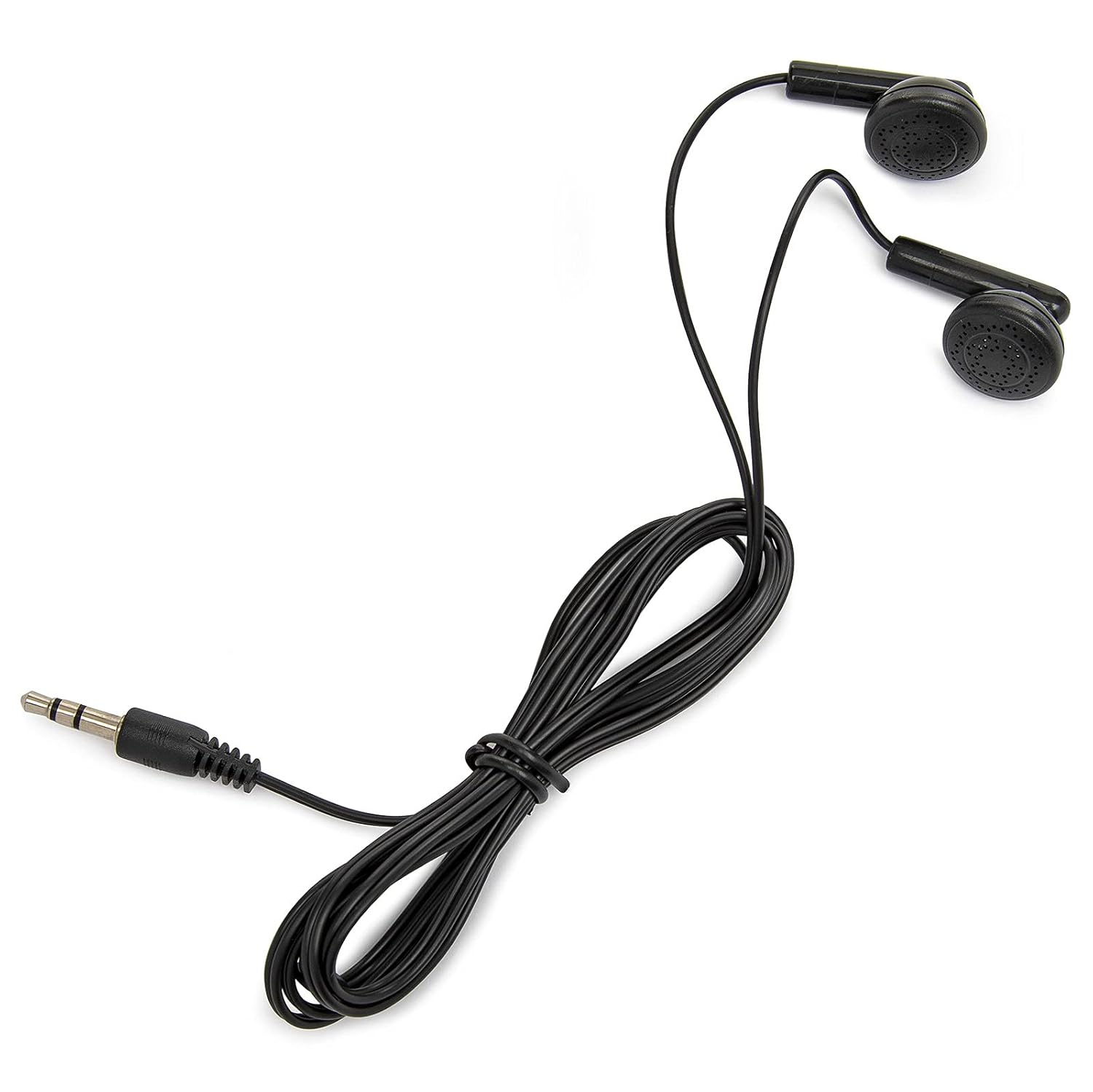
Figure 3.9: The wired earphones provided with the MP3 player.
4. Opsætning
4.1 Opladning af enheden
Before first use, fully charge the MP3 player. Connect the provided USB cable to the device's USB-C port and the other end to a USB power adapter (not included) or a computer's USB port. The charging indicator will show the charging status.
4.2 Tænd/sluk
- For at tænde: Tryk og hold tænd/sluk-knappen nede (normalt på siden), indtil skærmen lyser.
- For at slukke: Tryk på tænd/sluk-knappen og hold den nede, indtil der vises en sluk-mulighed på skærmen, og bekræft derefter.
4.3 Indledende opsætning
Upon first power-on, you may be prompted to select a language. The device supports 15 languages. Follow the on-screen instructions to complete the initial setup.
4.4 Tilslutning af hovedtelefoner
Insert the 3.5mm jack of your earphones into the headphone port on the device. Ensure the connection is secure for optimal audio output.
5. Betjeningsvejledning
5.1 Navigering i brugerfladen
The SAMVIX SMARTBASS 4.0 features a full touch screen. Swipe left/right or up/down to navigate through menus and tap icons to select options.
5.2 Overførsel af musik og Files
At overføre files from a computer:
- Tilslut MP3-afspilleren til din computer ved hjælp af det medfølgende USB-kabel.
- Enheden vises som et flytbart diskdrev på din computer.
- Træk og slip den ønskede lyd files (MP3, WMA, OGG, APE, FLAC, WAV, AAC-LC, ACELP) eller e-bog files i de relevante mapper på enheden.
- Tag enheden sikkert ud af computeren, før du frakobler USB-kablet.
Transfer from Card to Player: The device supports transferring files directly from an inserted memory card to the player's internal storage. Navigate to the 'File Browse' or 'Settings' menu on the device to find this option.
5.3 Afspilning af musik
- From the main menu, tap the 'Music' icon.
- Browse your music by artist, album, genre, or all songs. You can also use the 'File Browse' system to locate specific files.
- Tryk på en sang for at starte afspilningen.
- Use the on-screen controls for play/pause, skip track, and volume adjustment.
5.4 Stemmeoptager
To use the voice recorder:
- Tap the 'Voice Recorder' icon from the main menu.
- Tap the 'Record' button to start recording.
- Tap 'Stop' to end the recording.
- Recordings are saved and can be played back from the recorder menu.
5.5 E-bogslæser
For at læse e-bøger:
- Overførbar e-bog files to the device (refer to section 5.2).
- Tap the 'E-Book' icon from the main menu.
- Select the desired e-book to open and read.
5.6 Stopur-timer
Access the 'Stopwatch' function from the main menu to use the integrated timer for various activities.
5.7 Lommelygte
The device includes a powerful flashlight. Locate the 'Flashlight' icon or option in the menu to activate and deactivate it.
6. Vedligeholdelse
6.1 Rengøring af enheden
Wipe the device with a soft, dry, lint-free cloth. Do not use liquid cleaners or abrasive materials, as they may damage the screen or casing.
6.2 Pleje af batterier
The device has a battery life of up to 20 hours. To prolong battery life:
- Undgå at udsætte enheden for ekstreme temperaturer.
- Oplad enheden regelmæssigt, men undgå at lade den være helt afladet i længere perioder.
- Hvis enheden skal opbevares i længere tid, skal den oplades til ca. 50% før opbevaring.
6.3 Opbevaring
Store the MP3 player in a cool, dry place away from direct sunlight and moisture when not in use.
7. Fejlfinding
7.1 Enheden tænder ikke
- Ensure the device is sufficiently charged. Connect it to a power source and try again after a few minutes.
- Tryk og hold tænd/sluk-knappen nede i mindst 10 sekunder for at udføre en hård nulstilling.
7.2 Ingen lydudgang
- Tjek om lydstyrken er skruet op.
- Sørg for, at hovedtelefonerne er korrekt tilsluttet.
- Test with a different pair of headphones to rule out faulty earphones.
- Bekræft, at lyden files er ikke beskadiget og er i et understøttet format.
7.3 Files Not Transferring
- Sørg for, at USB-kablet er korrekt tilsluttet til både enheden og computeren.
- Prøv en anden USB-port på din computer eller et andet USB-kabel.
- Verify that the device is recognized by your computer as a removable disk.
- Tjek den tilgængelige lagerplads på enheden.
7.4 Berøringsskærmen reagerer ikke
- Genstart enheden.
- Sørg for, at skærmen er ren og fri for snavs eller fugt.
8. Specifikationer
| Feature | Specifikation |
|---|---|
| Mærke | SAMVIX |
| Modelnavn | SMARTBASS 4.0 |
| Intern hukommelse | 16 GB |
| Udvidbar hukommelse | Op til 128 GB (via eksternt hukommelseskort) |
| Display Type | LCD |
| Skærmstørrelse | 1.44 tommer |
| Understøttede lydformater | MP3, WMA, OGG, APE, FLAC, WAV, AAC-LC, ACELP |
| Forbindelse | USB, Bluetooth |
| Strømkilde | Batteridrevet |
| Batteriets gennemsnitlige levetid | Op til 20 timer |
| Produktdimensioner | 23.11 x 23.11 x 23.11 cm |
| Varens vægt | 295 g |
| Særlige funktioner | E-Book Reader, Touch Screen, Voice Recorder, Built-in Speaker, Flashlight |
9. Garanti og support
For warranty information and customer support, please refer to the warranty card included with your product or visit the official SAMVIX webwebsted. Gem din købskvittering som købsbevis i tilfælde af garantikrav.


