Produkt overview
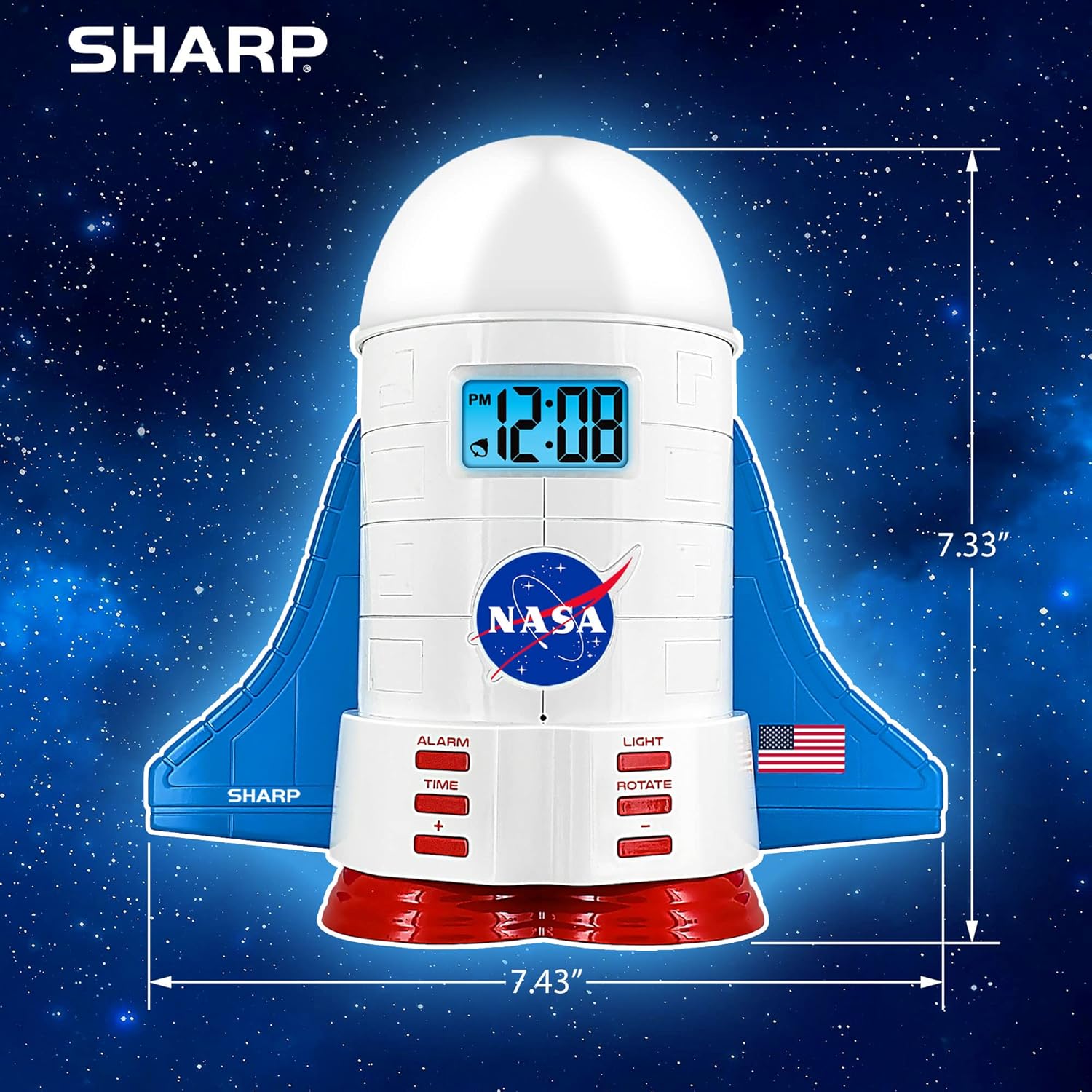
This manual provides instructions for the Sharp NASA Space Shuttle Night Light Alarm Clock. This device combines an alarm clock with a space-themed nightlight and projection feature, designed to enhance a child's bedroom environment.

Opsætning
Udpakning
- Fjern forsigtigt alle komponenter fra emballagen.
- Verify that all items listed in the "What's in the Box" section are present.
Strømtilslutning
The alarm clock can be powered via the included electric adapter. For continuous operation of all features, including the nightlight and projection, direct power is recommended.
For battery backup, insert appropriate batteries (not included) into the battery compartment located at the base of the unit. This ensures timekeeping and alarm function during power outages.

Betjeningsvejledning
Indstilling af tid
- Tryk på TID knap.
- Brug + og - buttons to adjust the hour and minute.
- Trykke TID igen for at bekræfte.
Indstilling af alarm
- Tryk på ALARM knap.
- Brug + og - knapperne for at indstille det ønskede alarmtidspunkt.
- Trykke ALARM again to activate the alarm. An alarm icon will appear on the display.
Snooze funktion
To temporarily silence the alarm, tap the top of the unit. The alarm will sound again after a short interval.
Nightlight and Projection Features
The unit features light-up wings and a rocket booster base, along with a rotating projection cap.

Aktivering af lys
Tryk på LYS button to cycle through the 4 color options for the wings and booster lights.
Projection Caps
The device includes two interchangeable space-themed projection caps and a frosted nightlight cap. Twist counter-clockwise to attach or remove caps.

Roterende projektion
Tryk på ROTERE button to activate or deactivate the rotation of the projected images.
Opretholdelse
- Clean the unit with a soft, dry cloth. Avoid abrasive cleaners or solvents.
- Ensure the projection caps are free from dust or smudges for clear image projection.
- Replace batteries in the backup compartment as needed to maintain time settings during power interruptions.
Fejlfinding
| Problem | Mulig årsag | Løsning |
|---|---|---|
| Clock not displaying time | Ingen strøm | Ensure the electric adapter is securely plugged in. Check battery backup. |
| Alarmen lyder ikke | Alarm not set or deactivated | Verify alarm time is set and activated (alarm icon visible). |
| Projection unclear or dim | Dust on cap or insufficient darkness | Clean the projection cap. Ensure the room is sufficiently dark for optimal projection. |
| Fremspring roterer ikke | Rotate function off | Tryk på ROTERE button to activate the rotation feature. |
Specifikationer
- Mærke: Skarp
- Modelnummer: Sharp NASA e Shuttle Alarm Clock
- Strømkilde: Electric Adapter (Battery backup for timekeeping)
- Lyskildetype: LED
- Nightlight Colors: 4 muligheder
- Projection Themes: 2 interchangeable space scenes
- Vise: LCD med blå baggrundsbelysning
- Dimensioner: 7.43 x 1.5 x 7.43 tommer
- Vægt: 1.33 pund
- Materiale: Plast
- Særlige funktioner: Color Changing, Snooze Function, Rotating Projection
Garanti og support
For garantioplysninger eller teknisk support henvises til producentens officielle webwebsted eller kontakt deres kundeservice.
Fabrikant: Skarp
UPC: 049353005447
ASIN: B08PL6K2C5


