1. Introduktion
This manual provides detailed instructions for the installation, operation, and maintenance of your Srihome SH035 Wireless WiFi 3MP Full HD 1296p Outdoor IP Security Camera. Please read this manual thoroughly before using the product to ensure proper functionality and safety. The Srihome SH035 camera is designed for both indoor and outdoor surveillance, offering 3MP resolution, night vision, motion detection, and two-way audio capabilities.
2. Pakkens indhold
Bekræft, at alle nedenstående varer er inkluderet i din pakke:
- 1x Srihome SH035 1296p Full HD WiFi Security Camera
- 1x strømadapter
- 1x Hurtig brugervejledning
- 1x Screw accessories bag
3. Produktet er slutview
Familiarize yourself with the components of your Srihome SH035 camera.

Figur 3.1: Forside og side view of the Srihome SH035 camera, showing the lens, LED lights, and antenna.

Figur 3.2: Side view of the Srihome SH035 camera, highlighting the adjustable mounting bracket and antenna connection.

Figur 3.3: Nederst view of the camera, showing the product label with important information such as the camera ID (e.g., H033344GNPG) and default password (e.g., 88888888). Please refer to your specific device's label for accurate credentials.

Figure 3.4: Close-up of the camera's front, detailing the lens, infrared LEDs, and white LED lights for enhanced night vision.
4. Opsætning
4.1 Indledende opsætning
- Strømtilslutning: Tilslut den medfølgende strømadapter til kameraet, og sæt den i en stikkontakt. Kameraet tænder og starter sin opstartssekvens.
- App-download: Download the 'SriHome' app from your mobile device's app store (available for iOS and Android).
- Kontoregistrering: Open the SriHome app and register a new account or log in if you already have one.
- Tilføj kamera: Follow the in-app instructions to add your SH035 camera. This typically involves scanning the QR code on the camera's label (refer to Figure 3.3) or manually entering the camera ID.
- Wi-Fi-forbindelse: Tilslut kameraet til dit 2.4 GHz Wi-Fi-netværk. Note: The camera does not support 5GHz Wi-Fi networks.
4.2 Montering af kameraet
The Srihome SH035 camera is designed for wall mounting and can be used both indoors and outdoors due to its IP66 waterproof rating.
- Vælg placering: Select a suitable location for mounting, ensuring good Wi-Fi signal strength and a clear view af det område, du ønsker at overvåge.
- Markér borepunkter: Use the camera's mounting base as a template to mark the drilling points on the wall.
- Bore huller: Drill holes at the marked points and insert the wall plugs (if necessary, included in the screw accessories bag).
- Sikkert kamera: Attach the camera's mounting base to the wall using the provided screws.
- Juster vinkel: Juster kameraets vinkel for at opnå den ønskede viewdækning.
5. Betjeningsvejledning
5.1 App Connection and Live View
Once the camera is successfully added to the SriHome app, you can access the live video feed 24/7 from your iOS or Android smartphone or tablet. The app allows you to view up to 4 cameras simultaneously.
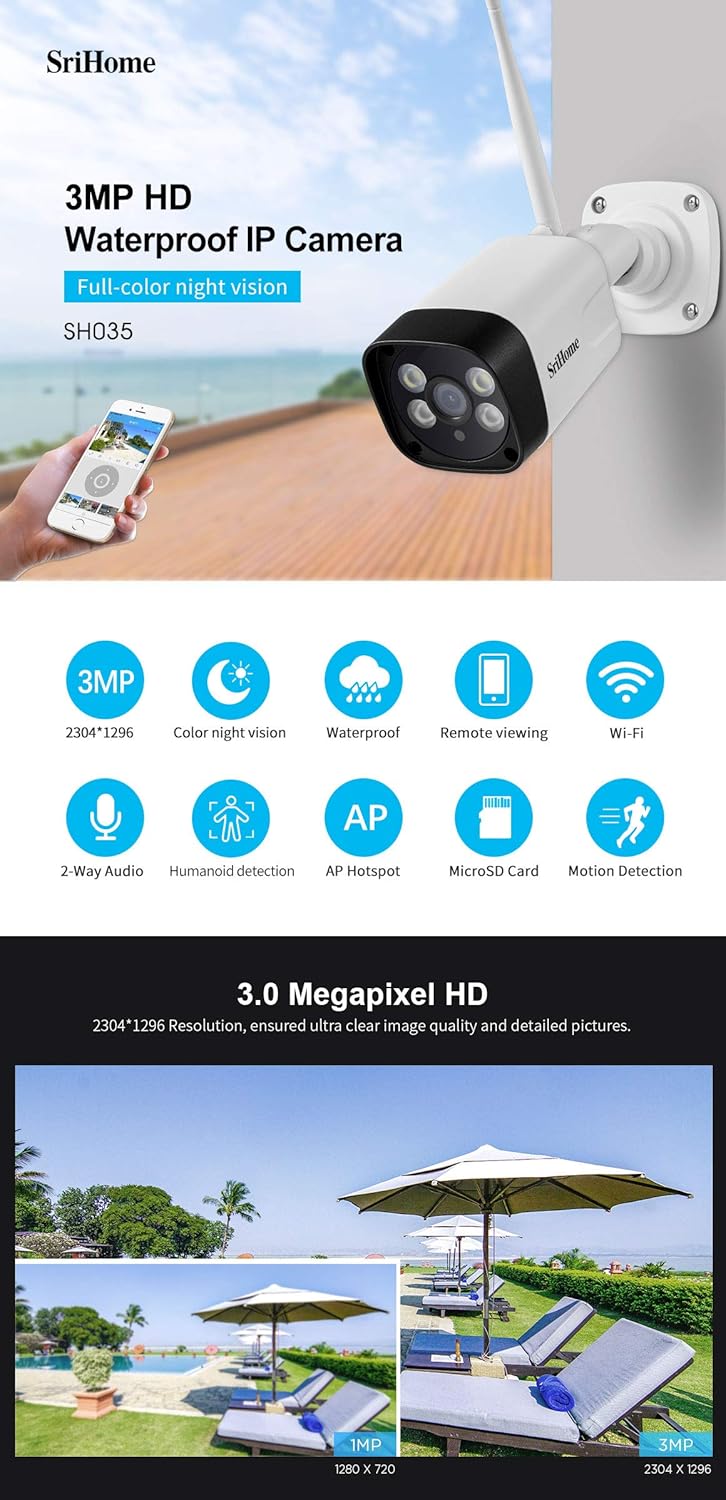
Figur 5.1: Overview of key features including 3MP HD resolution, color night vision, waterproofing, remote viewing, and Wi-Fi connectivity.
5.2 Bevægelsesdetektion og advarsler
The camera features motion detection with customizable zones and humanoid detection to reduce false alarms.
- Humanoid detektion: The camera can distinguish human activities from other moving objects, minimizing unnecessary alerts.
- Advanced Zone Detection: Set customized motion detection zones within the app to monitor specific areas of interest.
- Advarsler: When motion is detected, the camera will send notifications to your phone via the SriHome app.

Figure 5.2: Illustration of humanoid detection distinguishing human presence and advanced zone detection for customized monitoring areas.
5.3 Nattesynstilstande
The SH035 camera offers three night vision modes for clear visibility in low-light conditions, utilizing 2pcs array IR illumination LEDs and 2pcs built-in ultra-bright floodlights.
- Smart Mode: Provides black & white night vision. The spotlights automatically activate upon motion detection, enabling full-color recording of the event.
- Farvetilstand: Turns on the spotlights to provide continuous outdoor lighting and full-color night vision. Brightness can be adjusted as needed.
- IR-tilstand: Turns off the spotlights and switches the camera to black & white night vision via the SriHome App, using only infrared illumination.

Figure 5.3: Comparison of full-color night vision, ordinary night vision, and the three distinct night vision modes (Smart, Color, IR).
5.4 Tovejslyd
The camera includes a built-in high-fidelity microphone and speaker, enabling real-time interactive communication through your mobile phone via the app.
5.5 MicroSD and NVR Storage
The Srihome SH035 supports local storage options:
- MicroSD-kort: Supports up to a 128GB SD card for continuous recording. A 32GB SD card can store approximately 3 days of 24/7 recording.
- NVR (netværksvideooptager): The camera can also be connected to a compatible NVR system for extended storage and management.
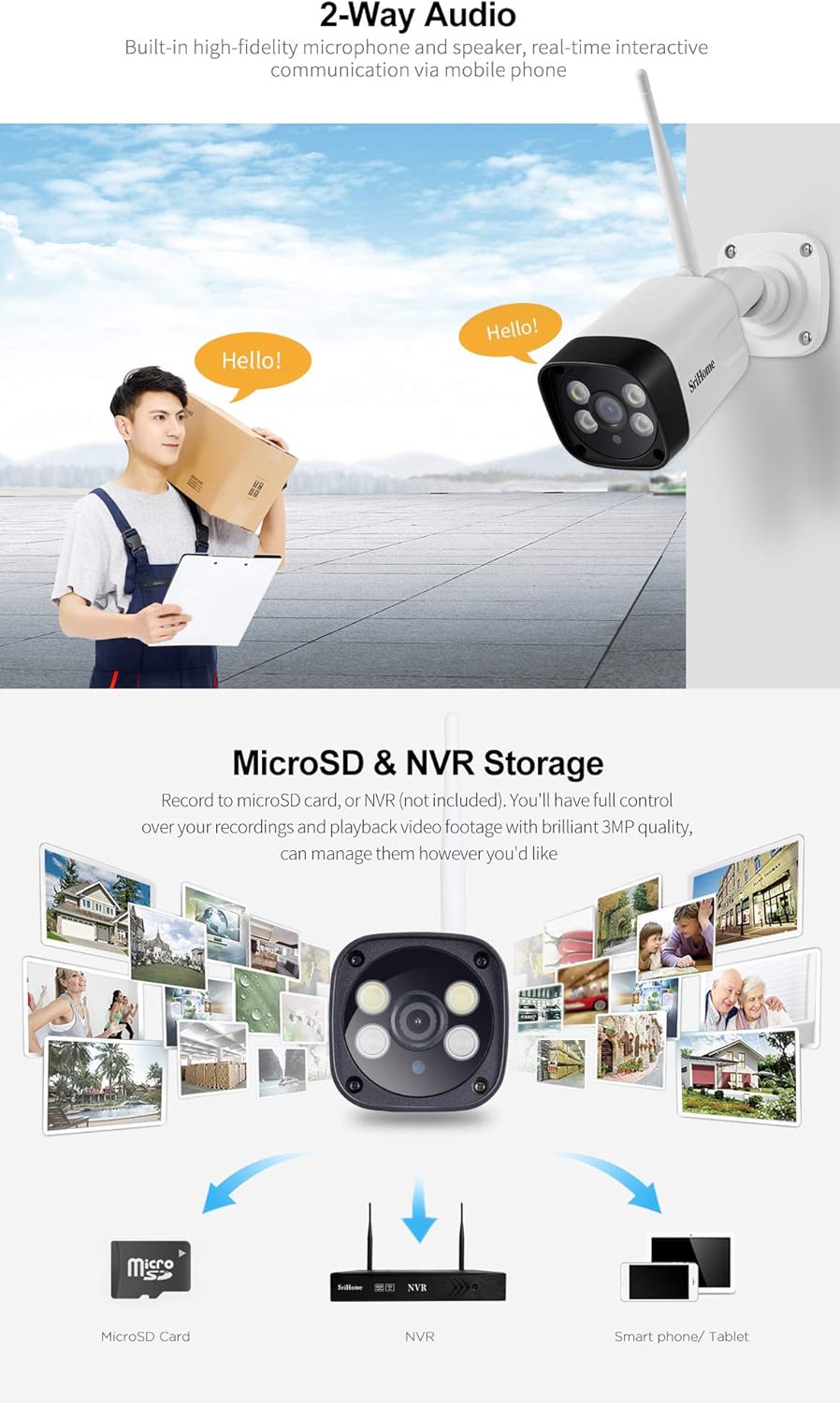
Figure 5.4: Depiction of 2-way audio functionality and various storage options including MicroSD card, NVR, and smartphone/tablet viewing.
5.6 Flerbrugeradministration
You can grant access to your camera's feed to family members and friends. The app allows you to define each user as an operator or a guest. You can also privatize certain areas of the view that you do not wish guest users to see.
6. Vedligeholdelse
- Rensning: Tør forsigtigt kameralinsen og huset af med en blød, tør klud. Undgå at bruge skrappe kemikalier eller slibende rengøringsmidler.
- Firmwareopdateringer: Regularly check the SriHome app for available firmware updates to ensure optimal performance and security.
- Miljøhensyn: While the camera is IP66 waterproof, ensure its power connections are protected from direct exposure to extreme weather conditions.
7. Fejlfinding
- Kameraet opretter ikke forbindelse til Wi-Fi: Sørg for, at dit Wi-Fi-netværk er 2.4 GHz. Kameraet understøtter ikke 5 GHz-netværk. Kontroller Wi-Fi-signalstyrken på kameraets placering.
- Forkert dato/tidspunkt: Verify that the camera is connected to the internet and that the time synchronization setting in the SriHome app is enabled. Restarting the camera and app may help.
- Motion detection not working or false alarms: Adjust the motion detection sensitivity and configure specific detection zones within the app to minimize unwanted alerts. Ensure humanoid detection is enabled if desired.
- No night vision or poor image quality at night: Check the night vision mode settings in the app (Smart, Color, IR). Ensure the camera lens is clean and unobstructed.
- Kan ikke view live video: Ensure the camera is powered on and connected to your Wi-Fi network. Check your internet connection on your mobile device.
8. Specifikationer
| Feature | Detalje |
|---|---|
| Modelnavn | Srihome SH035 |
| Varemodelnummer | SrihomeSH024 |
| Videooptagelsesopløsning | 1296p (3.0MP, 2304x1296p) |
| Linse | 3.6 mm |
| Viewi vinkel | 85 grader |
| Trådløs kommunikation | Wi-Fi (2.4GHz, WPA2 encryption, IEEE802.11b/g/n) |
| Night Vision Range | Up to 32 feet (850nm Infrared light) |
| Særlige funktioner | Night Vision, Motion Detection, 2-Way Audio, Humanoid Detection |
| Opbevaring | MicroSD Card (up to 128GB), NVR |
| Vandtæt vurdering | IP66 |
| Strømkilde | Elektrisk med ledning |
| Wattage | 3.5 watt |
| Varedimensioner (L x B x H) | 15 x 10 x 2 cm |
| Varens vægt | 400 g |
| Kompatible enheder | iPhone, Android |
| Indendørs/Udendørs brug | Indendørs, Udendørs |
9. Garanti og support
For warranty information and technical support, please refer to the official Srihome webwebstedet eller kontakt din forhandler. Gem din købskvittering som købsbevis i tilfælde af garantikrav.


