Indledning
The PlayZoom GoCam is a durable and fun waterproof action camera designed specifically for kids. It allows young adventurers to capture their exciting moments in 1080P HD video and 12MP photos, whether on land or underwater. With its robust waterproof casing, built-in microphone and speaker, and a variety of mounting options, the GoCam is ready for any adventure.

The PlayZoom GoCam, enclosed in its protective waterproof housing, ready for action.
Produkt overview
Familiarize yourself with the various parts and components of your PlayZoom GoCam.

Detaljeret view of the GoCam's buttons and ports, including the Power/Mode button, Shutter/Select button, Micro SD slot, and Micro USB port.
Kamerakomponenter:
- Linse: Optager billeder og videoer.
- 2 tommer LCD-skærm: For viewi live footage, afspilning og menu navigation.
- Tænd/sluk-knap: Turns the camera on/off and switches between video, photo, and playback modes.
- Udløser/vælg knap: Starts/stops recording, takes photos, and confirms selections.
- Op-knap: Navigates menus upwards or zooms in.
- Down/Shutter Button: Navigates menus downwards or acts as an alternative shutter button.
- Mikrofon: Optager lyd.
- Højttaler: Til lydafspilning.
- Micro SD-slot: For inserting a Micro SD card (up to 32GB, not included) to store recordings.
- Micro USB -port: Til opladning af kameraet og overførsel af data.
- Statusindikatorlys: Shows camera status (e.g., charging, recording).
Inkluderet tilbehør:
- Vandtæt etui: Protects the camera underwater up to 90 feet (30 meters).
- Monteringssæt: Various mounts for attaching the camera to helmets, bikes, skateboards, and more.
- USB-opladningskabel: Til opladning af kameraet.

Key features of the GoCam, including its 2-inch LCD screen and built-in battery.
Opsætning
1. Opladning af kameraet
Before first use, fully charge your GoCam. Connect the included USB charging cable to the camera's Micro USB port and the other end to a USB power adapter (not included) or a computer's USB port. The status indicator light will show charging progress and turn off when fully charged. A full charge provides approximately 1.5 hours of recording time.
2. Installation af et Micro SD-kort
The GoCam requires a Micro SD card (not included) to save photos and videos. It supports cards up to 32GB. Locate the Micro SD slot on the side of the camera. Gently insert the Micro SD card with the gold contacts facing the back of the camera until it clicks into place. To remove, push the card in again until it springs out.
3. Attaching the Waterproof Case and Mounts
For underwater adventures or added protection, place the GoCam inside its waterproof case. Ensure the case is securely latched before submersion. The included mounting kit allows you to attach the camera to various surfaces and gear.
- Open the waterproof case by releasing låsen.
- Carefully place the GoCam inside, ensuring it fits snugly.
- Close the case firmly, making sure the latch is secure.
- Attach the desired mount (e.g., helmet mount, bike mount) to the bottom of the waterproof case using the provided screws and adapters.
- Secure the mount to your gear.

Examples of how to use the mounting kit for different activities like skateboarding and biking.

The GoCam is versatile for various adventures, from roller coasters to mountain climbing.
Betjeningsvejledning
Tænd/sluk
- For at tænde: Tryk og hold nede Tænd/sluk-knap for a few seconds until the screen lights up.
- For at slukke: Tryk og hold nede Tænd/sluk-knap igen, indtil skærmen slukker.
Skift tilstande
Once the camera is on, short press the Tænd/sluk-knap to cycle through the different modes: Video Recording, Photo Capture, and Playback.
Optagelse af videoer
- Switch to Video Recording mode (indicated by a video camera icon on the screen).
- Tryk på Udløser/vælg-knap once to start recording. A red dot or recording timer will appear on the screen.
- Tryk på Udløser/vælg-knap again to stop recording. The video file vil blive gemt på Micro SD-kortet.
Tager billeder
- Switch to Photo Capture mode (indicated by a camera icon on the screen).
- Komponer dit billede ved hjælp af LCD-skærmen.
- Tryk på Udløser/vælg-knap once to take a photo. The image will be saved to the Micro SD card.
Afspilning
- Skift til afspilningstilstand (angivet med et afspilningsikon).
- Brug Up og Ned buttons to navigate through your recorded videos and photos.
- Tryk på Udløser/vælg-knap to play a video or view et foto i fuldskærm.
Brug under vandet
The PlayZoom GoCam is waterproof up to 90 feet (30 meters) when properly enclosed in its waterproof case. Always ensure the case is clean and securely sealed before taking it underwater. After use in saltwater, rinse the case with fresh water and let it air dry.
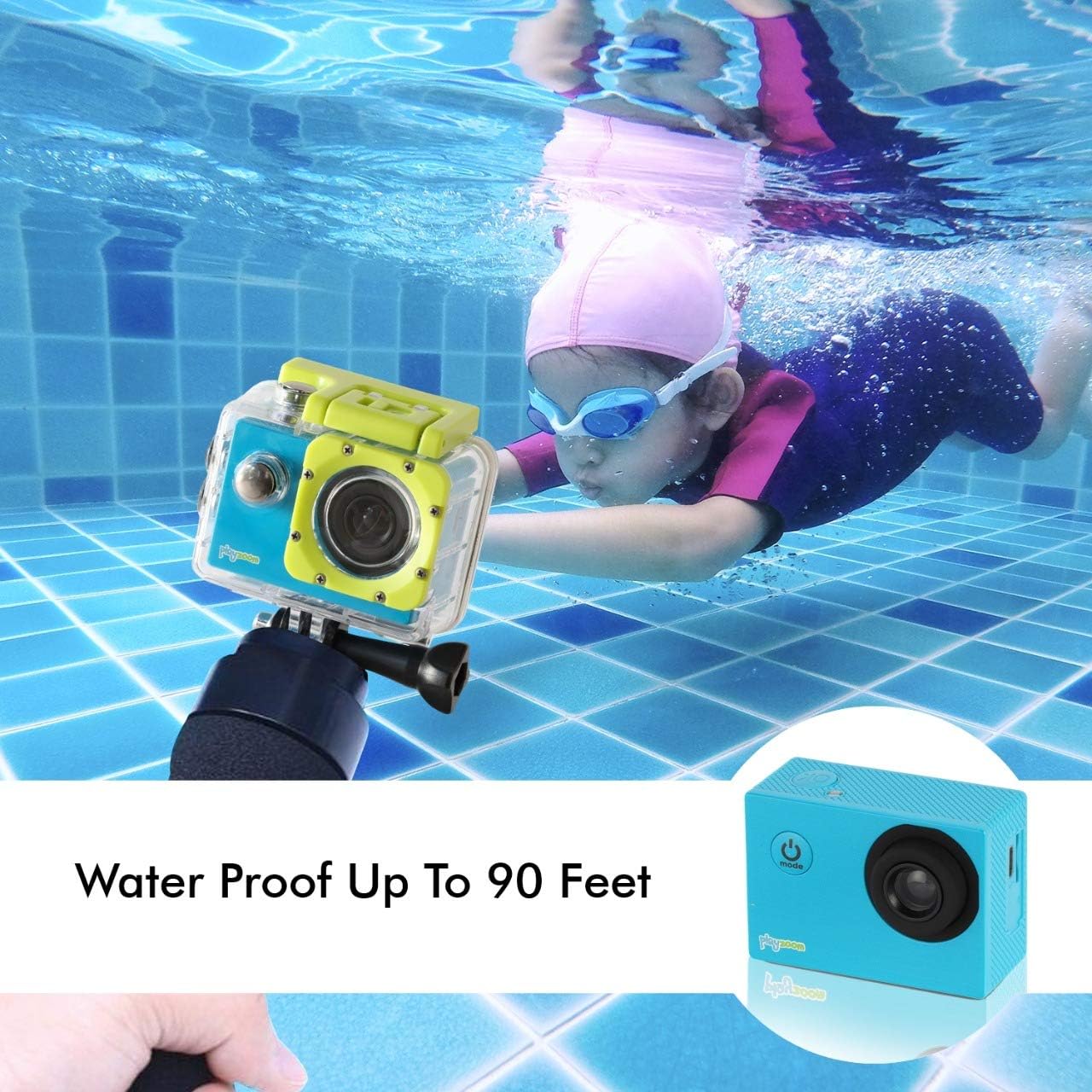
The GoCam is designed for underwater adventures, waterproof up to 90 feet.
Opretholdelse
- Rensning: Use a soft, dry cloth to clean the camera body. For the lens, use a lens cleaning cloth. For the waterproof case, rinse with fresh water after each use, especially in saltwater, and wipe dry.
- Opbevaring: Store the camera in a cool, dry place away from direct sunlight and extreme temperatures. Remove the Micro SD card if storing for extended periods.
- Batteripleje: For at forlænge batteriets levetid bør du undgå at aflade batteriet helt ofte. Oplad kameraet regelmæssigt, selvom det ikke er i brug, for at opretholde batteriets sundhed.
- Waterproof Case Seal: Periodically inspect the rubber seal of the waterproof case for any dirt, debris, or damage. A clean and intact seal is crucial for maintaining its waterproof integrity.
Fejlfinding
| Problem | Mulig årsag | Løsning |
|---|---|---|
| Kameraet tænder ikke. | Batteriet er afladet. | Oplad kameraet helt med USB-kablet. |
| Kan ikke optage video eller tage billeder. | Intet Micro SD-kort isat, eller kortet er fuldt/beskadiget. | Insert a Micro SD card. If already inserted, check if it's full and delete files or format the card (this will erase all data). Try a different Micro SD card. |
| Dårlig billed-/videokvalitet. | Linsen er snavset, eller lysforholdene er dårlige. | Clean the camera lens with a soft cloth. Ensure adequate lighting for best results. |
| Kameraet fryser eller reagerer ikke. | Softwarefejl. | Press and hold the Power/Mode button for 10-15 seconds to force a shutdown. Restart the camera. |
Specifikationer
| Feature | Detalje |
|---|---|
| Mærke | PlayZoom |
| Modelnavn | GoCam |
| Videooptagelsesopløsning | 1080p HD |
| Effektiv stillopløsning | 12 MP |
| Skærmstørrelse | 2 tommer (LCD) |
| Vandmodstandsniveau | Waterproof (up to 90 feet / 30 meters with case) |
| Flash-hukommelsestype | Micro SD (supports up to 32GB) |
| Indbygget batteri | 400 mAh genopladeligt lithiumbatteri |
| Optagelsestid | Ca. 1.5 timer |
| Varens vægt | 4 ounce |
| Produktdimensioner | 3 x 1 x 3.5 tommer |
Garanti og support
For warranty information and customer support, please refer to the contact details provided with your product packaging or visit the official PlayZoom webwebsted. Gem din købskvittering som købsbevis i tilfælde af garantikrav.
For additional assistance or frequently asked questions, you may visit the PlayZoom Store on Amazon.


