Indledning
This manual provides detailed instructions for the safe and efficient use of your Atomi Smart Color-Changing String Lights, Model AT1583. These smart LED string lights offer versatile lighting options for outdoor and indoor environments, featuring app control, voice assistant compatibility, and durable, weather-resistant construction.
Produktegenskaber
- Wi-Fi Enabled and Voice-Activated: Control lights, adjust brightness, and set schedules using the free Atomi Smart app or voice commands via Amazon Alexa or Google Assistant.
- Ultra-Bright Color-Changing Hue: 20W LEDs with a hue range of 2500K-9000K, offering over 16 million color options, tunable white light, and various built-in special effects. LEDs provide flicker-free light and have a lifespan of up to 25,000 hours.
- Linkbart design: Connect and control multiple string lights up to 1728 feet using the Atomi Smart app, allowing for expansion of your smart home lighting system.
- Premium All-Weather Construction: Features shatterproof acrylic bulbs and a heavy-duty weatherproof cord with an IP65 rating, designed to withstand rain, sun, wind, or snow. Suitable for patios, pergolas, gazebos, and other outdoor or indoor areas.
Pakkens indhold
Your Atomi Smart Color-Changing String Lights package includes:
- 18 Shatterproof Bulbs (pre-installed on the 36ft string)
- Instruktionsmanual
Specifikationer
| Mærke | Atomi Smart |
| Modelnummer | AT1583 |
| Længde | 36 fod |
| Antal pærer | 18 |
| Wattage | 18 watt (i alt) |
| Voltage | 120 volt (AC) |
| Lyskildetype | LED |
| Farvetemperatur | 2500K-9000K (Justerbar hvid) |
| Speciel funktion | Color Changing, Dimmable, Tunable White, App Control, Voice Control |
| Indendørs/Udendørs brug | Outdoor (IP65 Rated) |
| Materiale | Acrylic (Shatterproof Bulbs) |
| Varens vægt | 8.6 pund |
Opsætningsinstruktioner
- Fysisk installation:
Carefully uncoil the string lights. The heavy-duty cord and shatterproof acrylic bulbs are designed for durability. Use appropriate mounting hardware (not included) to secure the string lights in your desired location. Each bulb socket features a mounting hole for easy installation with screws or nails.

Image: Close-up of an Atomi Smart string light bulb socket, showing the integrated mounting hole for secure installation. The heavy-duty cord is visible.
If linking multiple strings, ensure the connections are secure and weatherproof. The lights are linkable up to 1728 feet.
- Download the Atomi Smart App:
Søg efter "Atomi Smart" in your device's app store (iOS or Android) and download the free application. Follow the on-screen instructions to create an account or log in.

Image: Atomi Smart string lights illuminated in various colors, with a smartphone screen showing the Atomi Smart app's color selection wheel for light customization.
- Opret forbindelse til Wi-Fi:
Plug in your Atomi Smart String Lights. Open the Atomi Smart app and follow the in-app instructions to connect your lights to your 2.4GHz Wi-Fi network. Ensure your phone is connected to the same 2.4GHz network during the setup process.
- Voice Assistant-integration (valgfrit):
For voice control, link your Atomi Smart account with Amazon Alexa or Google Assistant through their respective apps. Follow the instructions provided by Alexa or Google Assistant to discover your new smart lights.

Image: An outdoor patio illuminated by Atomi Smart string lights, with logos indicating compatibility with Amazon Alexa and Google Assistant for voice control.
Betjeningsvejledning
- Using the Atomi Smart App:
The Atomi Smart app provides full control over your lights:
- Tænd/sluk: Toggle the lights on or off.
- Farvevalg: Choose from over 16 million colors using the color wheel.
- Afstembar hvid: Adjust the white light temperature from warm (2500K) to cool (9000K).
- Dæmpning: Juster lysstyrkeniveauet efter dine præferencer.
- Scenes and Effects: Select from pre-set scenes (e.g., Strobe, Fade, Pulse, Chase, Christmas, America) or create custom lighting effects.
- Planlægning: Set daily or weekly schedules for your lights to turn on/off or change settings automatically.
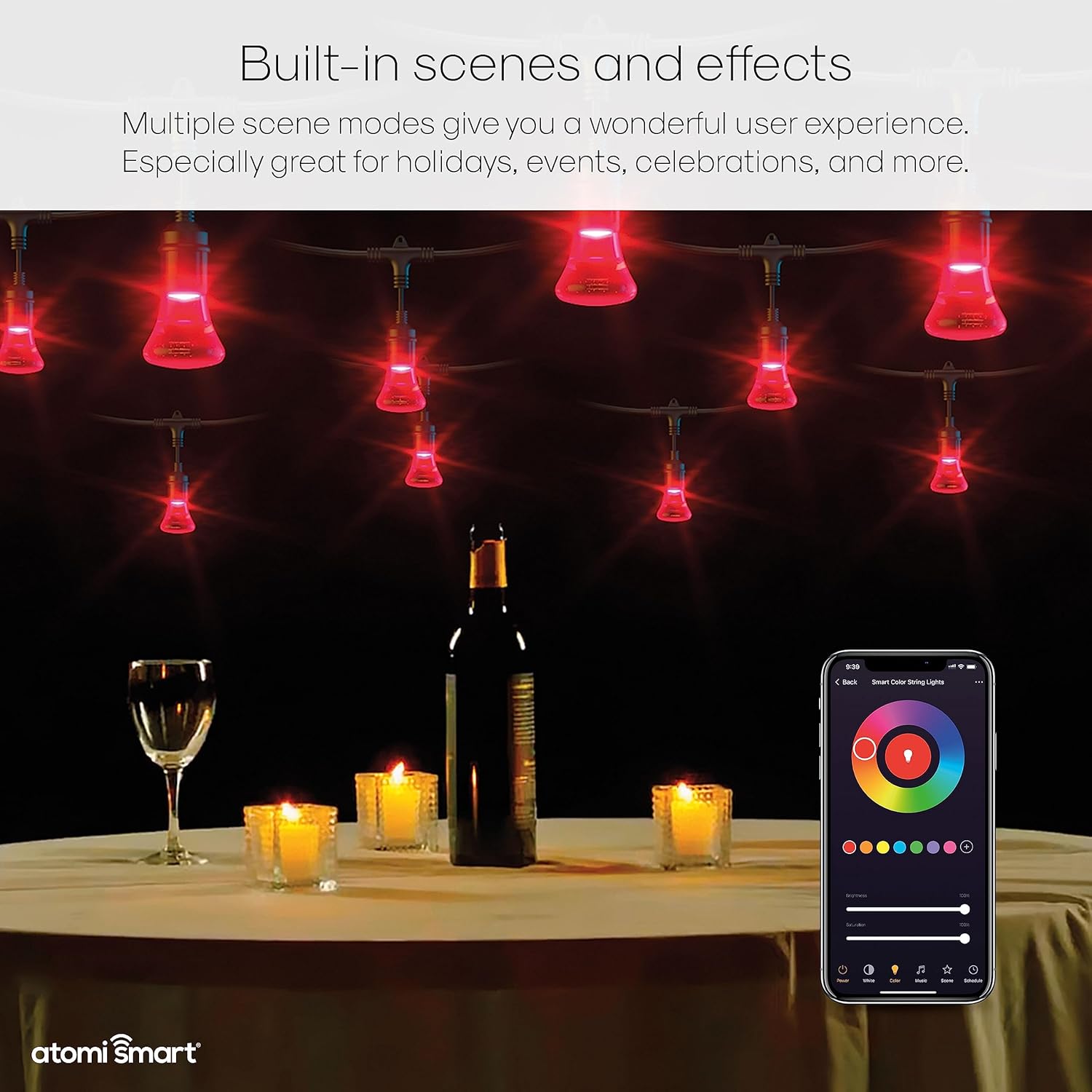
Image: An outdoor setting with Atomi Smart string lights glowing red, accompanied by a smartphone screen illustrating the diverse scene and effect options available in the Atomi Smart app.
- Stemmestyring:
Once integrated with Alexa or Google Assistant, use voice commands such as:
- "Alexa, turn on the patio lights."
- "Hey Google, set the string lights to blue."
- "Alexa, dim the patio lights to 50%."
- Manuel kontrol:
A physical control button is located on the power adapter. Press this button to cycle through various pre-set light settings and colors without using the app or voice commands.
Officiel produktvideo
Video: En officiel overview of the Atomi Smart Color String Lights, demonstrating their features, color-changing capabilities, and smart control options.
Opretholdelse
- Rensning: Ensure the lights are unplugged before cleaning. Wipe bulbs and cords with a soft, damp klud. Undgå skrappe kemikalier eller slibende rengøringsmidler.
- Pæreholdbarhed: The acrylic bulbs are shatterproof and designed for long-term outdoor use. In case of any issue, individual bulbs can often be unscrewed and inspected.
- Vejrbestandighed: The IP65 rating ensures resistance to dust and water jets. While designed to withstand various weather conditions, proper installation and avoiding prolonged submersion are recommended.

Image: Atomi Smart string lights covered in a light layer of snow, illustrating their robust IP65 weather-resistant design for year-round outdoor use.
Fejlfinding
If you encounter issues with your Atomi Smart String Lights, consider the following:
- Forbindelsesproblemer:
- Ensure your Wi-Fi network is 2.4GHz. Atomi Smart devices do not support 5GHz networks.
- Verify the lights are within range of your Wi-Fi router or extender.
- Try resetting the lights by unplugging them for 10 seconds and plugging them back in.
- Re-attempt the pairing process through the Atomi Smart app.
- Lights Not Responding:
- Kontroller strømforbindelsen.
- Confirm the lights are connected to the app and show as "Online."
- If using voice control, ensure your voice assistant is properly linked to your Atomi Smart account.
- Individual Bulb Issues:
If a single bulb is flickering or not illuminating correctly, gently unscrew it, inspect for moisture or loose connections, and re-secure it. If the issue persists, contact customer support.
Garanti og support
Atomi Smart provides a 5 års begrænset garanti on all smart products. For warranty claims, technical assistance, or further support, please visit the official Atomi Smart website or contact their customer service team. Refer to the product packaging or the Atomi Smart app for the most current support contact information.


