1. Introduktion og overview
The Tera Mini 1D 2D QR Wireless Barcode Scanner is a compact, robust, and versatile device designed for efficient barcode data collection. Its IP66 waterproof and dustproof rating ensures durability in various environments. With multiple connection options and support for a wide range of barcode types, this scanner is suitable for diverse applications.

Figure 1.1: Tera Mini 1100D Barcode Scanner and accessories.
2. Pakkens indhold
Kontroller venligst, at alle varer er til stede i pakken:
- Stregkodescanner x1
- USB-kabel x1
- Dongle x1
- Brugermanual x1 (dette dokument)
3. Produktfunktioner og komponenter
The Tera Mini 1100D is designed with user convenience and durability in mind. Key components and features include:
-
Silicone Button: Provides a soft and smooth scanning experience.
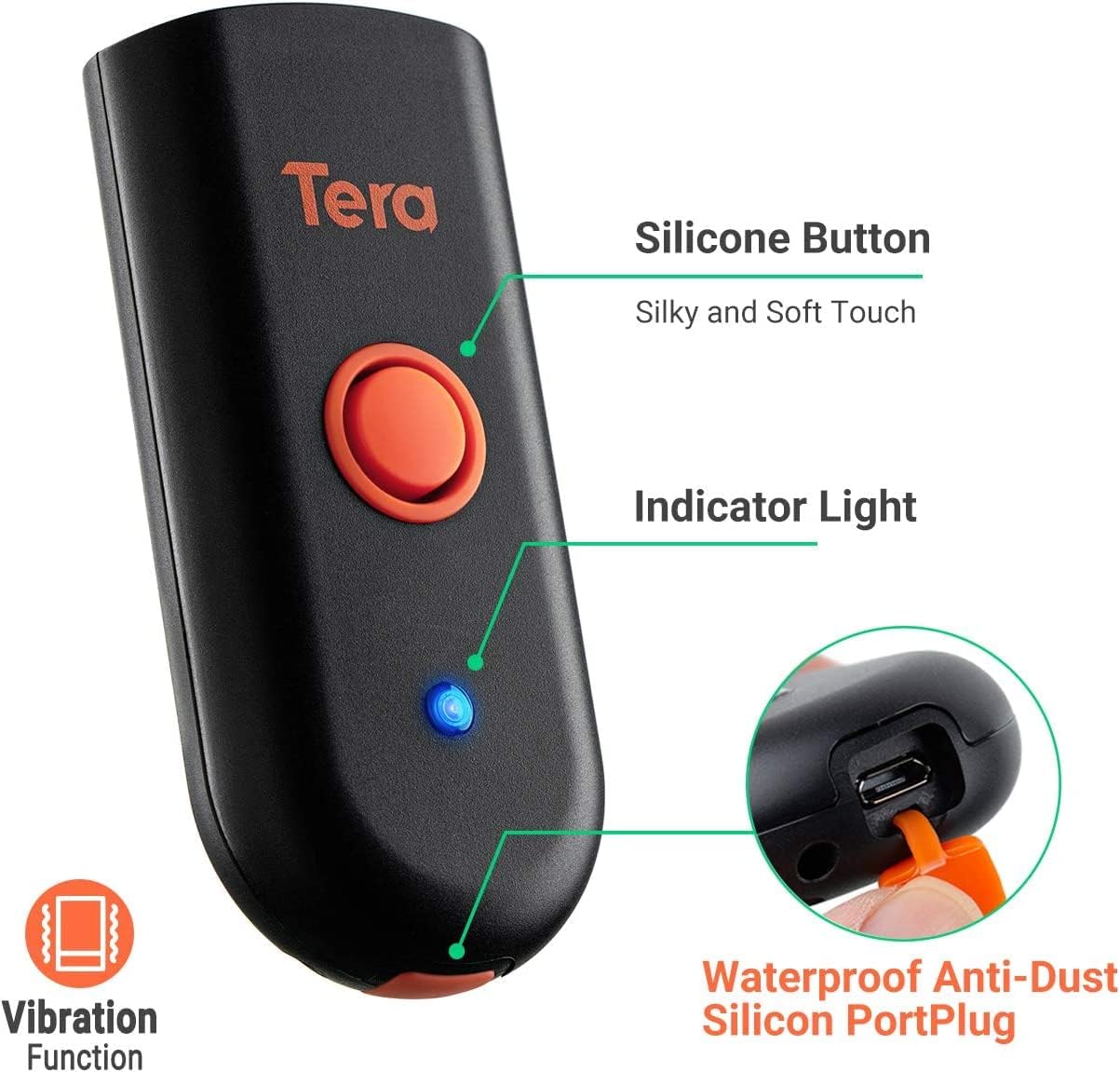
Figure 3.1: Scanner components including the silicone button and port plug.
- Indikatorlys: Provides visual feedback on scanner status.
-
Waterproof Anti-Dust Silicone Port Plug: Ensures better performance in various working conditions by protecting the charging port.

Figure 3.2: Detail of the waterproof silicone port plug.
-
Vibrationsalarm: Provides tactile feedback when a barcode is detected, useful for quiet environments.
Figure 3.3: Vibration alert functionality.
-
Kompakt og let design: Easily fits into a pocket for portability.

Figure 3.4: Scanner dimensions and portability.
4. Opsætning
The Tera Mini 1100D offers three connection methods:
-
Bluetooth-forbindelse:
To connect via Bluetooth, ensure your device's Bluetooth is enabled. Scan the Bluetooth pairing barcode (usually found in the full user manual or quick start guide) with the scanner. The scanner will then appear in your device's Bluetooth settings for pairing.
-
2.4 GHz trådløs forbindelse:
Insert the provided 2.4G USB dongle into a USB port on your computer. The scanner will automatically connect to the dongle. This mode offers a transmission distance of up to 656ft in barrier-free environments and 98ft with obstacles.
-
USB kablet forbindelse:
Connect the scanner directly to your computer using the provided USB cable. The scanner will function as a wired device and also charge simultaneously.

Figur 4.1: Tre-i-en-forbindelsestilstande.
5. Driftstilstande
The scanner supports different operating and data upload modes to suit various workflows:
-
Dataoverførselstilstande:
- Øjeblikkelig upload-tilstand: Stregkoder uploades direkte til din tilsluttede enhed umiddelbart efter scanning.
- Opbevaringstilstand: Scan and store up to 10,000 barcodes internally. Data can be uploaded to a computer later when available.
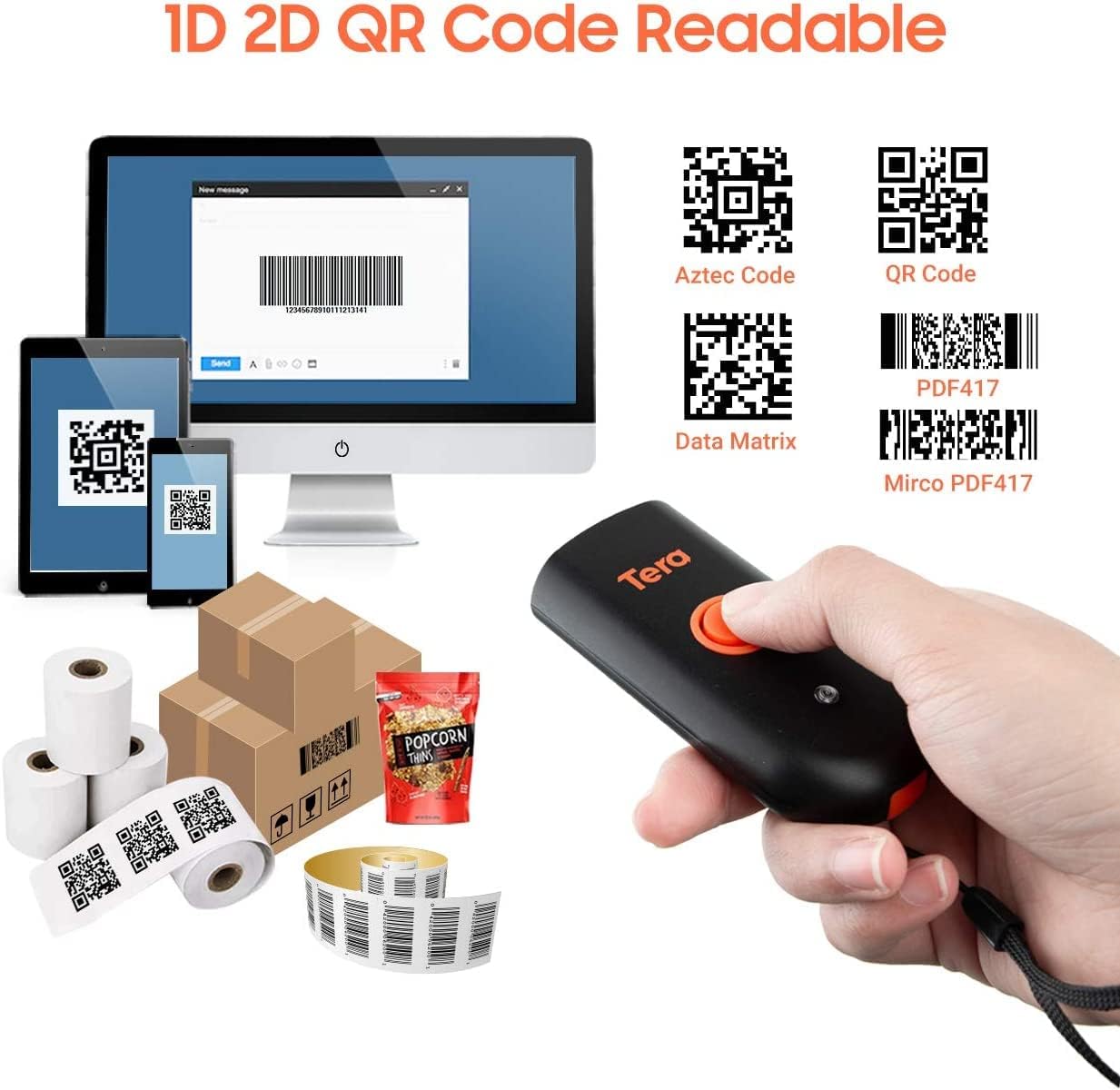
Figure 5.1: Data upload modes.
-
Scanningstilstande:
- Key Trigger Mode: Scan a barcode by pressing the trigger button for each scan.
- Kontinuerlig tilstand: The scanner continuously emits its scan beam, allowing for rapid scanning without repeatedly pressing the trigger.

Figure 5.2: Scanning modes.
6. Opladning
To charge the Tera Mini 1100D, use the provided USB cable. Connect it to a standard USB power source. Observe the following charging guidelines:
- Anbefalet ladestrøm: 5V/1A.
- Maksimal opladningsstrøm: 5V/1.2A.
- Vigtig: Do IKKE use quick charge adapters or USB Power Delivery (USB PD) standard power adapters and data cables to charge this scanner. Use only the original USB cable included in the package for optimal charging and to prevent damage.
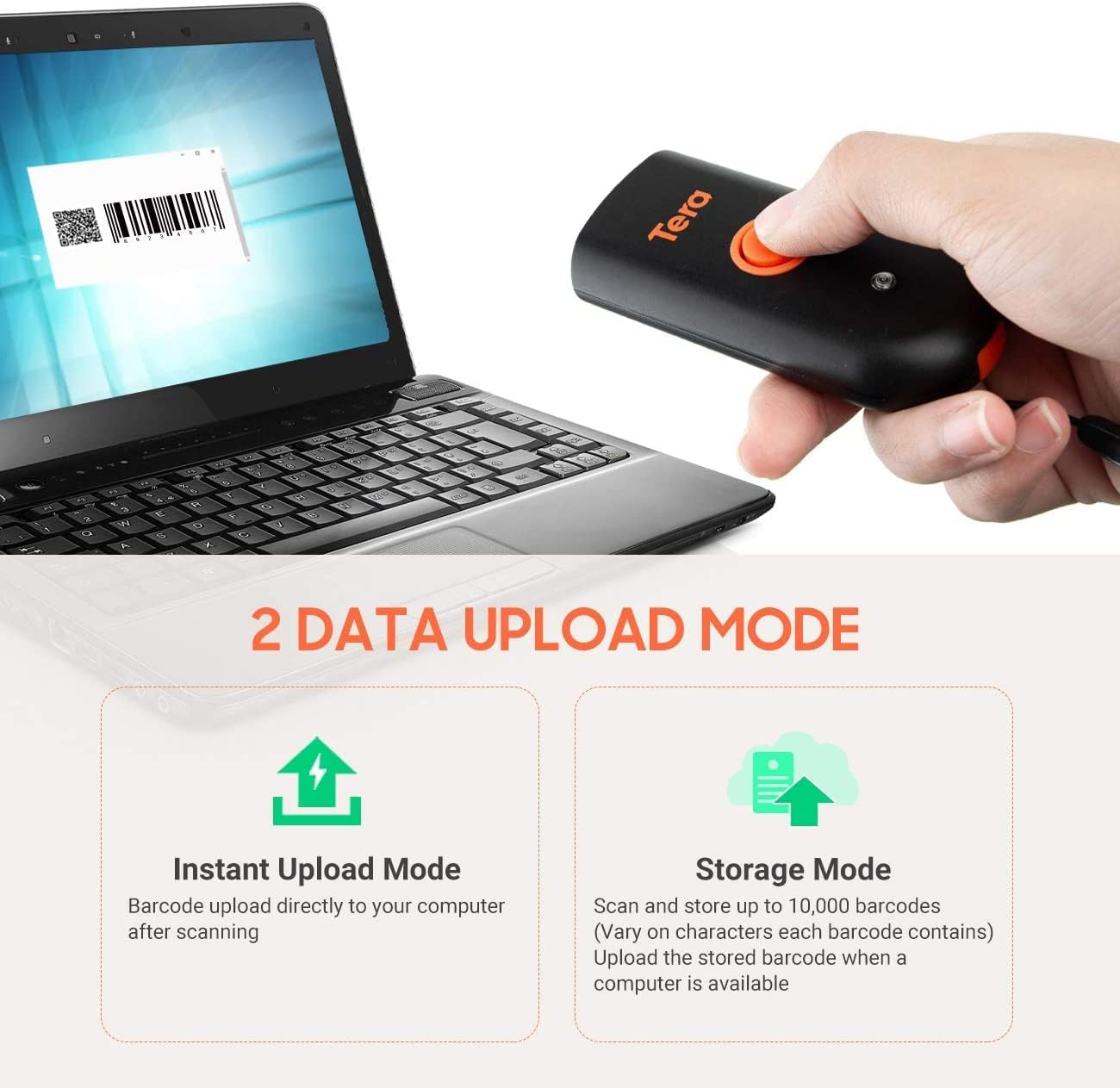
Figure 6.1: Charging specifications and warnings.
7. Kompatibilitet
The Tera Mini 1100D barcode scanner is compatible with a wide range of devices and operating systems:
- Kompatible enheder: Desktop computers, laptops, smartphones, tablets.
- Kompatible operativsystemer: Windows (11/10/8/7/XP), Mac OS, iOS, Android, Linux.
- Note: This scanner is ikke compatible with Square POS systems.
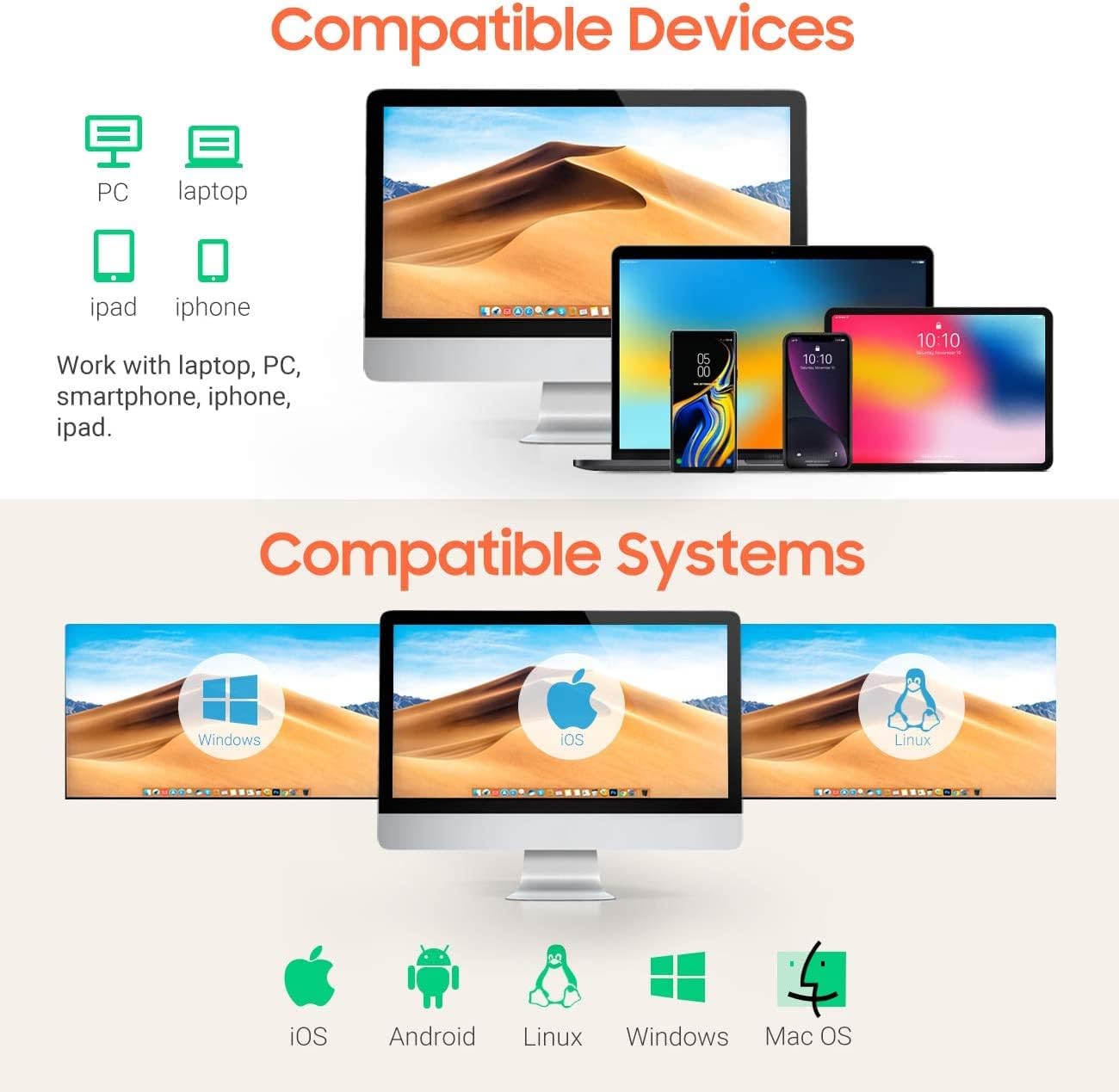
Figure 7.1: Device and system compatibility.
8. Scanning Capabilities
The Tera Mini 1100D is capable of reading both digital and printed 1D, 2D, and QR barcode symbologies. It features a global shutter for fast and accurate decoding performance.
- 1D-afkodningskapacitet: Codabar, kode 11, kode 93, MSI, kode 128, UCC/EAN-128, kode 39, EAN-8, EAN-13, UPC-A, ISBN, Industrial 25, Interleaved 25, Standard 25, 2/5 Matrix.
- 2D-afkodningskapacitet: QR, PDF417, Data Matrix, Aztec code, Maxi Code.
- The scanner supports reading barcodes directly from computer screens and mobile phones.
- It also supports adding time prefixes or suffixes to scanned data.
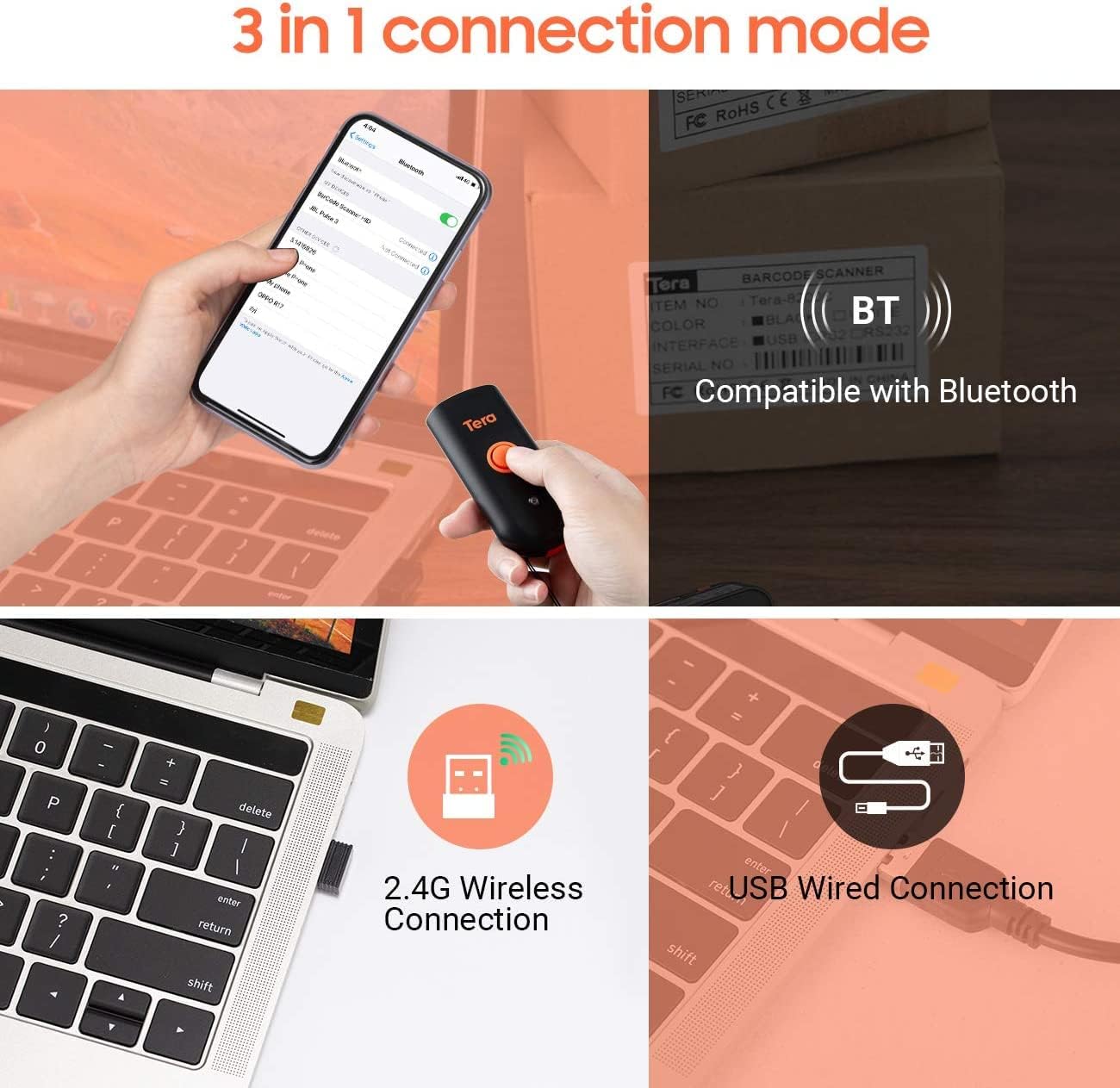
Figure 8.1: 1D, 2D, and QR code readability.
Figure 8.2: Reading barcodes from screens.
Figure 8.3: Time prefix/suffix support.
9. Avancerede indstillinger
The scanner can be configured for various advanced functionalities by scanning specific setup barcodes (refer to the comprehensive user manual for all configuration barcodes):
-
Tilføjelse eller skjulning af cifre: Customize scanned data by adding or removing specific digits from the barcode output.

Figure 9.1: Customizing barcode output.
-
Multi-sprog support: Configure the scanner to support various keyboard layouts for different languages, including English, Spanish, German, Japanese, French, and Italian.

Figure 9.2: Multi-language keyboard support.
10. Specifikationer
| Feature | Detalje |
|---|---|
| Produktdimensioner | 87 x 40 x 20 mm (D x B x H) |
| Varens vægt | 5.3 ounce (150 g) |
| Forbindelsesteknologi | 2.4G trådløs, Bluetooth, USB-kabel |
| Strømkilde | Corded Electric (Internal Battery) |
| Kompatible enheder | Stationær computer, bærbar computer, smartphone, tablet |
| Fabrikant | Tera |
| IP-vurdering | IP66 (Vandtæt og støvtæt) |

Figure 10.1: IP66 Waterproof and Dustproof design.
11. Vedligeholdelse
Proper maintenance ensures the longevity and optimal performance of your scanner:
- Rensning: Brug en blød, tør klud til at rengøre scannerens yderside. Ved genstridigt snavs kan du bruge en let tør klud.amp cloth can be used, but ensure no moisture enters the ports.
- Opbevaring: Opbevar scanneren et køligt, tørt sted væk fra direkte sollys og ekstreme temperaturer.
- Portbeskyttelse: Always ensure the silicone port plug is securely in place when the USB cable is not connected to maintain its waterproof and dustproof integrity.
- Batteripleje: Avoid fully discharging the battery frequently. Charge the scanner regularly, especially if it will be stored for an extended period.
12. Fejlfinding
If you encounter issues with your Tera Mini 1100D scanner, please refer to the following common troubleshooting steps:
-
Scanneren opretter ikke forbindelse:
- Sørg for, at scanneren er fuldt opladet.
- Verify the correct connection mode (Bluetooth, 2.4G, or USB) is selected and properly set up.
- For Bluetooth, ensure your host device's Bluetooth is on and the scanner is in pairing mode.
- For 2.4G wireless, ensure the USB dongle is securely inserted and recognized by your computer.
- Prøv at genstarte både scanneren og værtsenheden.
-
Unable to Scan Barcodes:
- Ensure the scanner is powered on and connected.
- Check if the barcode is damaged or poorly printed.
- Adjust the scanning distance and angle. The scanner works best within 2 to 16 inches.
- Ensure there is sufficient lighting for the barcode to be read.
- Bekræft, at stregkodetypen understøttes af scanneren (se afsnit 8).
- If scanning from a screen, ensure the screen brightness is adequate and there is no glare.
-
Data Not Uploading Correctly:
- Confirm the correct data upload mode (Instant or Storage) is selected.
- If using Storage Mode, ensure you have initiated the upload process to transfer stored data.
- Check for any software or driver issues on your host device.
-
Batteriet aflades hurtigt:
- Sørg for, at scanneren er fuldt opladet før brug.
- Reduce continuous scanning if not necessary, as this consumes more power.
- Check for any background processes or settings that might be keeping the scanner active.
13. Officiel produktvideo
Watch the official product video for a visual guide on the Tera Pro 1100D Waterproof Mini Barcode Scanner's features and capabilities.
Video 13.1: Tera Pro 1100D Waterproof Mini Barcode Scanner Overview.
14. Garanti og support
For warranty information, technical support, or further assistance, please contact Tera customer service through the official webwebstedet eller dit købssted. Gem din købskvittering som købsbevis.
A detailed PDF user manual is also available for download: Download brugermanual (PDF)


