Indledning
The Inrico T526 is a robust network radio designed for global communication, leveraging 4G cellular networks and Wi-Fi for extensive coverage. It offers advanced features such as GPS, Bluetooth, and programmable buttons, making it suitable for professional use in various environments. This manual provides essential information for setting up, operating, and maintaining your T526 network radio.
Hvad er der i æsken
Upon unboxing your Inrico T526, please verify that all the following components are present:
- Inrico T526 Network Radio
- Antenne
- Battery (5000mAh Lithium Ion)
- Drop-in Charger
- USB ledning
- Strømstik
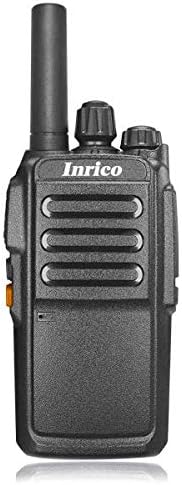
Billede: Forside view of the Inrico T526 Network Radio, showing its compact design and antenna.
Nøglefunktioner
- Intercom globally via cellular data card
- Guard Patrol function mapping capability
- Integrated WIFI and Bluetooth support
- GPS functionality for location services
- Exceptional audio output for clear communication
- Programmable buttons for emergency or quick access functions
- High-capacity 5000mAh battery for extended operation
Opsætning
1. Batteriinstallation og opladning
- Sørg for, at radioen er slukket.
- Åbn batteridækslet på bagsiden af radioen.
- Insert the 5000mAh Lithium Ion battery, ensuring the contacts align correctly.
- Luk batterirummets dæksel forsvarligt.
- Place the radio into the drop-in charger. Connect the USB lead to the charger and the power plug to a wall outlet.
- Charge the battery fully before first use. The charging indicator light will change when charging is complete.
2. Antennetilslutning
Screw the provided antenna clockwise into the antenna connector on the top of the radio until it is finger-tight. Do not overtighten.
3. Installation af SIM-kort (valgfrit)
The T526 operates on cellular data. If using a SIM card for network connectivity, carefully insert it into the designated SIM card slot, usually located under the battery or on the side. Refer to the radio's internal markings for correct orientation.
Betjeningsvejledning
1. Tænd/sluk
- To power on: Press and hold the Power button (usually located on the side or top) until the radio powers on.
- To power off: Press and hold the Power button until the power-off prompt appears, then confirm.
2. Lydstyrkejustering
Rotate the volume knob (typically on the top) clockwise to increase volume and counter-clockwise to decrease volume.
3. Push-to-Talk (PTT)-funktion
To transmit, press and hold the PTT button (large button on the side). Speak clearly into the microphone. Release the PTT button to listen.
4. Netværksforbindelse
- Mobildata: Ensure a valid SIM card with an active data plan is installed. The radio will automatically connect to the available 4G network.
- Wi-Fi: Navigate to the Wi-Fi settings in the radio's menu. Select your desired Wi-Fi network and enter the password if required.
5. Grundlæggende funktioner
The T526 supports basic functions such as group calls, individual calls, GPS tracking, Wi-Fi, and Bluetooth connectivity. Specific operation details for these functions can be found in the radio's on-screen menu or by referring to the detailed application software manual.

Image: Diagram illustrating the T526's radio features, technical specifications, and system functions, including network bands, memory, platform, and battery capacity.
Opretholdelse
1. Rensning
Tør radioens overflade af med en blød kludamp cloth. Do not use harsh chemicals or abrasive cleaners. Ensure the radio is powered off and dry before cleaning.
2. Batteripleje
- Undgå at aflade batteriet helt ofte.
- Opbevar radioen og batteriet et køligt og tørt sted, når de ikke er i brug i længere perioder.
- Use only the original Inrico charger and battery.
3. Antenna Care
Ensure the antenna is securely attached. Avoid bending or forcing the antenna, as this can damage the connector or affect signal quality.
Fejlfinding
| Problem | Mulig årsag | Løsning |
|---|---|---|
| Radioen tænder ikke. | Batteriet er lavt eller ikke installeret korrekt. | Charge the battery fully. Reinstall the battery, ensuring proper contact. |
| Intet netværkssignal. | No SIM card, no data plan, or out of network coverage. | Ensure SIM card is installed and active. Move to an area with better cellular coverage. Check Wi-Fi connection. |
| Dårlig lydkvalitet. | Low volume, weak signal, or microphone/speaker obstruction. | Adjust volume. Check network signal strength. Ensure microphone and speaker are clear of debris. |
| Knapperne reagerer ikke. | Software glitch or radio frozen. | Attempt a soft reset (power off and on). If persistent, remove and reinsert battery. |
Tekniske specifikationer
| Feature | Specifikation |
|---|---|
| Netværkssupport | 4G: TDD B38/B40/B41, FDD-LTE B1/B3/B5/B7/B20 |
| Udvidet hukommelse | 512MB RAM + 4GB ROM |
| Platform | MT6737M |
| Operativsystem | Android 6.0 |
| Speaker + Mic | Diameter of 40 big trumpet |
| Høretelefonstik | 3.5 mm |
| GPS | Understøttet |
| Batterikapacitet | 5000mAh |
| Dimensioner (L*B*H) | 106*56*33 mm |
| Vægt | ~220g |
| Power Voltage | 7.4 volt |
| Tuner-teknologi | UHF |
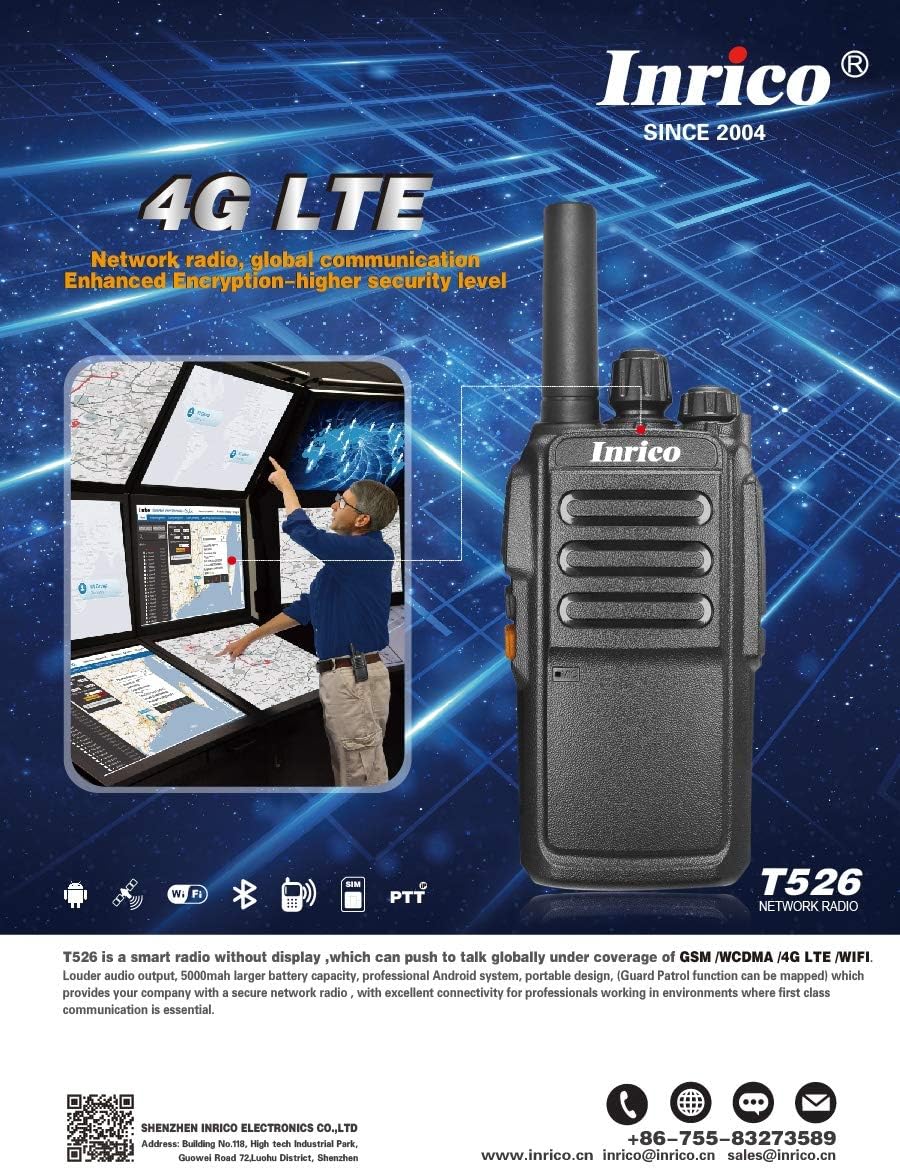
Image: Promotional image highlighting the Inrico T526's 4G LTE capabilities and showing an application schematic for network radio convergence.
Garanti og support
Inrico products are designed for reliability and performance. For warranty information, technical support, or service inquiries, please contact Inrico directly. Keep your purchase receipt as proof of purchase.
Kontaktoplysninger:
- Webwebsted: www.inrico.cn
- E-mail: sales@inrico.cn
- Telefon: +86-755-83273589
- Yderligere ressourcer: http://733597.clewm.net/Fn4pWUL


