1. Introduktion
The Celly FLIP1 True Wireless Bluetooth Earbuds provide a wireless audio experience with Bluetooth 5.0 connectivity. Designed for portability and convenience, these earbuds feature a compact charging case with a lanyard and support both stereo and mono audio modes. They are suitable for various activities, including sports, and offer integrated controls for music and call management.
This manual provides instructions for setting up, operating, and maintaining your Celly FLIP1 earbuds.
2. Pakkens indhold
Bekræft at alle varer er til stede i pakken:
- Celly FLIP1 True Wireless Earbuds (Left and Right)
- Portable Charging Case with Lanyard
- MicroUSB ladekabel
- Brugervejledning (dette dokument)
3. Produktet er slutview
The Celly FLIP1 earbuds and charging case are designed for ease of use and portability. The earbuds fit securely in the ear, and the charging case protects them while providing additional battery life.

Image 3.1: Celly FLIP1 earbuds removed from the open charging case. The earbuds are white with a small blue indicator light on one, and the charging case is white and silver with battery indicator icons.
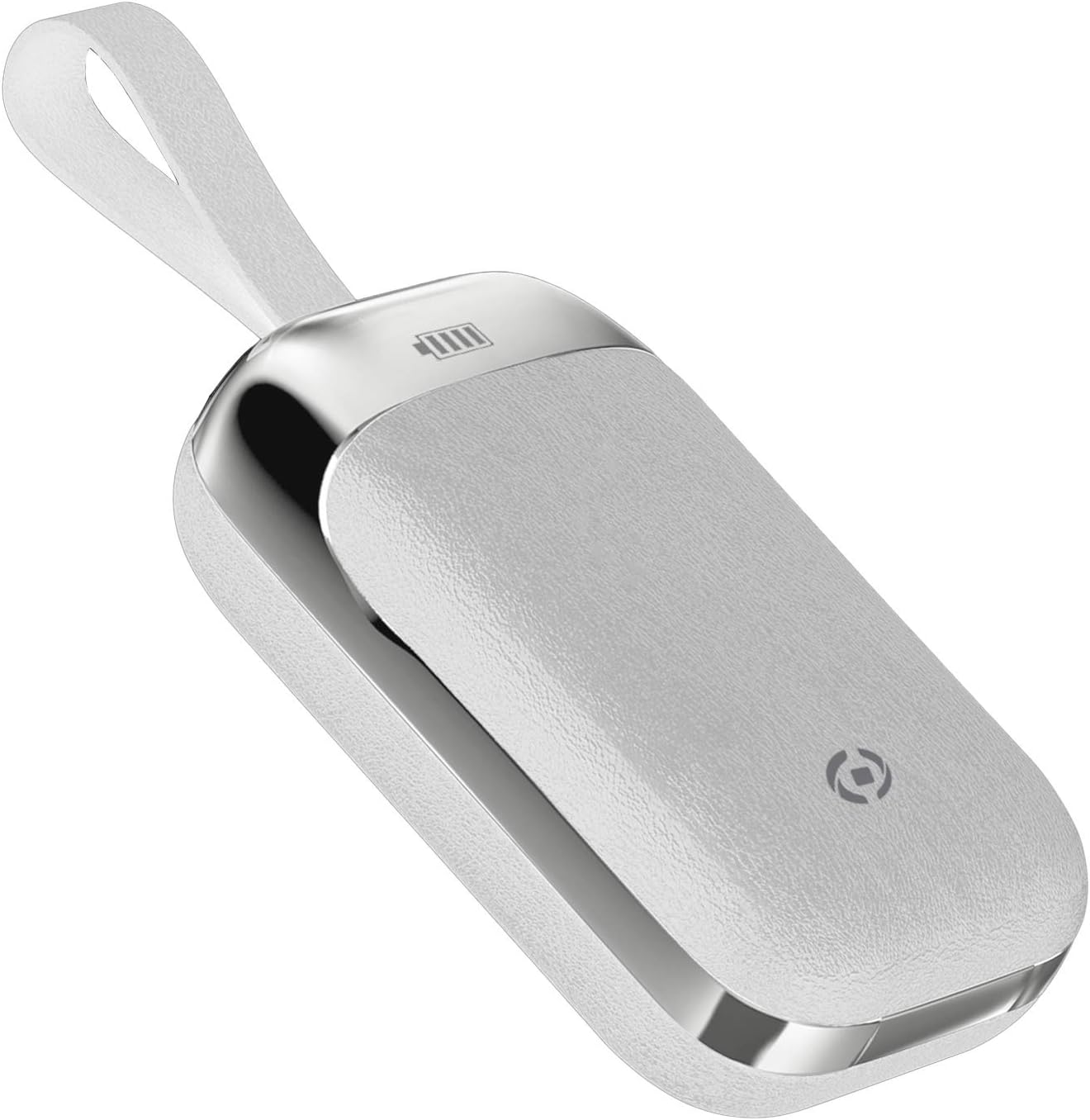
Image 3.2: The Celly FLIP1 charging case in a closed position, showing its compact design and integrated lanyard for easy carrying.

Billede 3.3: En eksploderet view illustrating the internal components of a Celly FLIP1 earbud, including the Bluetooth 5.0 chip, battery, and speaker driver.
4. Opsætning
4.1 Opladning af øretelefoner og etuiet
Oplad ørepropperne og opladningsetuiet helt inden første brug.
- Placer ørepropperne i opladningsetuiet. Sørg for, at de sidder korrekt i deres respektive holdere.
- Connect the MicroUSB charging cable to the charging port on the case and the other end to a USB power source (e.g., computer USB port, wall adapter).
- The indicator lights on the case and/or earbuds will show the charging status. Refer to the case for battery level indicators.
- A full charge typically takes approximately 1.5 hours. The charging case has a 400mAh capacity, and each earbud has a 50mAh battery.
Once fully charged, the earbuds provide approximately 4 hours of continuous music playback or talk time.
4.2 Parring med en Bluetooth-enhed
To connect your Celly FLIP1 earbuds to your smartphone or other Bluetooth-enabled device:
- Sørg for, at øretelefonerne er opladet.
- Open the charging case and remove both earbuds. They will automatically power on and enter pairing mode. You may hear an audio prompt indicating they are ready to pair.
- Gå til Bluetooth-indstillingerne på din enhed.
- Søg efter new devices. Select "Celly FLIP1" (or similar name) from the list of available devices.
- Once connected, you will hear a confirmation tone, and the earbuds' indicator lights may change.
- Hvis parringen mislykkes, skal du sætte ørepropperne tilbage i etuiet, lukke det og gentage trinnene.
The earbuds have a wireless range of up to 10 meters (33 feet) from your connected device.
5. Betjeningsvejledning
The Celly FLIP1 earbuds feature multifunction keys for controlling audio playback and calls.
5.1 Tænd/sluk
- Tænd: Remove earbuds from the charging case. They will power on automatically. Alternatively, press and hold the multifunction button on each earbud for a few seconds.
- Sluk: Place earbuds back into the charging case. They will power off automatically. Alternatively, press and hold the multifunction button on each earbud for several seconds until the indicator light turns off.
5.2 Musikafspilning
- Afspil/pause: Tryk én gang på multifunktionsknappen på begge øretelefoner.
- Næste nummer: Double-press the multifunction button on the right earbud.
- Forrige nummer: Double-press the multifunction button on the left earbud.
- Lydstyrkekontrol: Lydstyrken styres typisk via din tilsluttede enhed.
5.3 Opkaldshåndtering
- Besvar/afslut opkald: Tryk én gang på multifunktionsknappen på begge øretelefoner.
- Afvis opkald: Press and hold the multifunction button on either earbud for approximately 2 seconds.
- Stemmeassistent: Triple-press the multifunction button on either earbud to activate your device's voice assistant (e.g., Siri, Google Assistant).
5.4 Mono/Stereo Mode
The Celly FLIP1 earbuds support both stereo (using both earbuds) and mono (using a single earbud) modes. Each earbud has an integrated microphone.
- To use in mono mode, simply remove one earbud from the case and leave the other in the case. The single earbud will connect to your device.
- To switch back to stereo, remove the second earbud from the case. It will automatically connect to the first earbud and your device.

Image 5.1: A user wearing Celly FLIP1 earbuds while interacting with a smartphone, demonstrating typical use.
6. Vedligeholdelse
Korrekt vedligeholdelse sikrer dine øreproppers levetid og optimale ydeevne.
- Rensning: Brug en blød, tør og fnugfri klud til at rengøre ørepropperne og opladningsetuiet. Brug ikke slibende rengøringsmidler, alkohol eller kemiske opløsningsmidler.
- Opbevaring: When not in use, always store the earbuds in their charging case to protect them from dust, scratches, and damage.
- Undgå fugt: Do not expose the earbuds or charging case to water, rain, or excessive humidity.
- Temperatur: Avoid storing or using the device in extreme temperatures (hot or cold).
7. Fejlfinding
If you encounter issues with your Celly FLIP1 earbuds, refer to the following common solutions:
| Problem | Løsning |
|---|---|
| Ørepropperne tænder ikke. | Ensure earbuds are charged. Place them in the charging case and connect the case to a power source. |
| Øretelefoner parres ikke med enheden. | 1. Ensure Bluetooth is enabled on your device. 2. Place earbuds back in the case, close, then reopen and remove to re-enter pairing mode. 3. Forget/remove "Celly FLIP1" from your device's Bluetooth list and try pairing again. 4. Ensure earbuds are within 10 meters of your device. |
| Kun én øretelefon virker. | 1. Ensure both earbuds are charged. 2. Place both earbuds back in the charging case, close the lid, wait a few seconds, then open and remove both simultaneously. 3. Re-pair the earbuds with your device. |
| Lav lydstyrke eller dårlig lydkvalitet. | 1. Adjust the volume on your connected device. 2. Ensure earbuds are clean and free of debris. 3. Check the fit of the earbuds in your ears. |
| Opladningsetuiet oplader ikke. | 1. Ensure the MicroUSB cable is securely connected to both the case and the power source. 2. Try a different MicroUSB cable or power adapter. |
8. Specifikationer
| Feature | Detalje |
|---|---|
| Modelnavn | FLIP1 |
| Varemodelnummer | FLIP1WH |
| Forbindelsesteknologi | Trådløs (Bluetooth 5.0) |
| Wireless Range | Op til 10 meter (33 fod) |
| Earbud batterikapacitet | 50 mAh (hver) |
| Opladningsetui Batterikapacitet | 400 mAh |
| Opladningstid | Ca. 1.5 timer (ørepropper og etui) |
| Music Playback / Talk Time | Ca. 4 timer |
| Materiale | Plast |
| Farve | Hvid |
| Varens vægt | 50 g |
| Produktmål (kasse) | 10 x 17 x 3.5 cm |
| Inkluderede komponenter | Charging box, Headphones, MicroUSB Cable |
9. Sikkerhedsoplysninger
Læs og følg disse sikkerhedsretningslinjer for at forhindre skader på din enhed eller dig selv:
- Produktet må ikke skilles ad, repareres eller modificeres.
- Hold enheden væk fra ekstreme temperaturer, direkte sollys og åben ild.
- Undgå at udsætte enheden for vand eller andre væsker.
- Do not use the device at high volume for extended periods to prevent hearing damage.
- Opbevares utilgængeligt for børn og kæledyr.
- Bortskaf produktet og dets batterier på en ansvarlig måde i henhold til lokale regler.
10. Garanti og support
Celly products are designed and manufactured to the highest quality standards. For information regarding warranty coverage, technical support, or service, please refer to the warranty card included with your purchase or visit the official Celly webwebsted.
Gem venligst din købsbevis i tilfælde af garantikrav.


