Indledning
This manual provides essential instructions for the safe and effective operation of your SYMA Revolt Radio Control Battle Mode Tank Set. This set includes two remote-controlled battle tanks designed for interactive laser tag combat. Please read this manual thoroughly before use and retain it for future reference.

Image: The SYMA Revolt Radio Control Battle Mode Tank Set, including two tanks and two remote controllers, displayed in its retail packaging.
Hvad er inkluderet
The SYMA Revolt Radio Control Battle Mode Tank Set typically includes the following components:
- 2 x Revolt Battle Tanks (one red, one blue)
- 2 x fjernbetjeninger
- Instruktionsmanual (dette dokument)

Image: Contents of the SYMA Revolt Battle Mode Tank Set, showing two tanks and two remote controllers.
Opsætning
1. Batteriinstallation
Each tank and remote controller requires batteries for operation. Ensure you use fresh batteries of the correct type and polarity.
- Tanks: Each tank requires 4 x AAA batteries (not included). Open the battery compartment located on the underside of the tank, insert the batteries according to the polarity indicators (+/-), and close the compartment securely.
- Fjernbetjeninger: Each remote controller requires 2 x AAA batteries (not included). Open the battery compartment on the back of the controller, insert the batteries according to the polarity indicators (+/-), and close the compartment securely.

Image: A SYMA Revolt remote controller, illustrating the location for battery installation.
2. Tænd og parring
- Ensure fresh batteries are installed in both the tank and its corresponding remote controller.
- Turn on the tank using the power switch, usually located on the underside or rear.
- Turn on the remote controller by pressing the power button (often indicated by a power symbol).
- The tank and controller should automatically pair. If pairing fails, turn both devices off and on again.
Betjeningsvejledning
Grundlæggende kontrol
Familiarize yourself with the remote controller layout:
- Venstre joystick: Styrer bevægelse fremad og bagud.
- Højre joystick: Controls turning left and right.
- Brandknap: Activates the standard weapon.
- Special Weapon Button: Activates the special weapon for double damage.
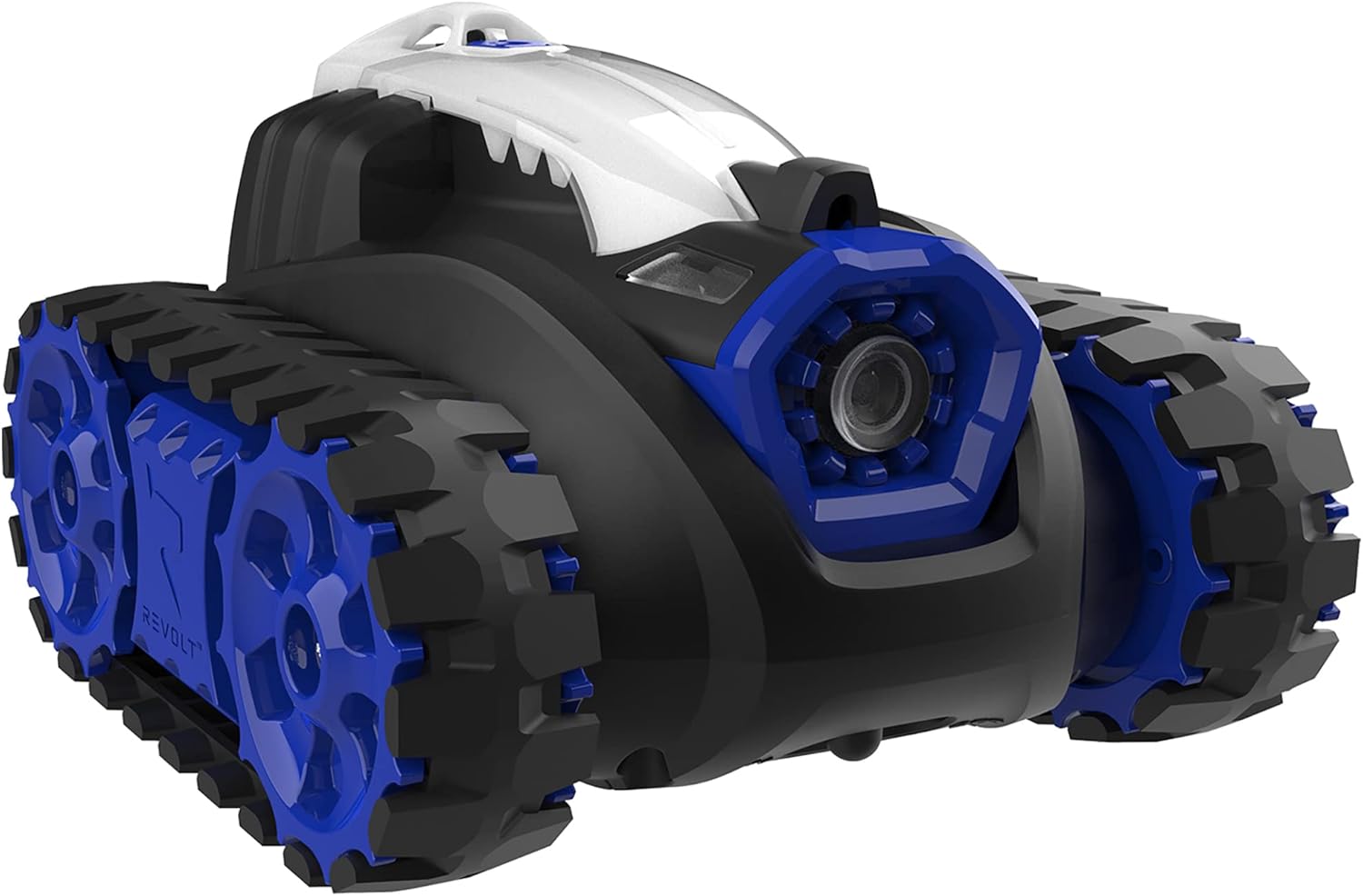
Billede: Forside view of a blue SYMA Revolt Battle Tank, highlighting its primary weapon emitter.
Battle Mode Gameplay
- Objektiv: The goal is to hit your opponent's tank with your laser weapon.
- Hits: Each tank has a damage indicator. A standard hit reduces your opponent's health by one point.
- Special Weapon: Using the special weapon button inflicts double damage (two health points) on your opponent.
- Vinder: The first player to inflict 5 hits on their opponent's tank wins the round. The defeated tank will typically stop functioning or indicate defeat with lights and sounds.
- Realistic Effects: Tanks feature realistic light and sound effects when firing and when a hit is registered.
- Flere spillere: The system supports an unlimited number of players, allowing for larger battles.

Billede: Forside view of a red SYMA Revolt Battle Tank, highlighting its primary weapon emitter.
Opretholdelse
Rensning
To maintain your tanks in optimal condition:
- Wipe the tanks and controllers with a soft, dry cloth after each use.
- Do not use water or cleaning solvents, as this can damage the electronic components.
- Ensure no dust or debris accumulates in the moving parts or sensor areas.
Vedligeholdelse af spor
The tank tracks are designed for durability but may occasionally require attention:
- Periodically inspect the tracks for any debris or hair that may impede movement.
- If a track comes off, carefully re-align it with the wheels and guide it back into place. Ensure it is seated correctly on all gears.
- Avoid operating the tanks on surfaces that may cause excessive wear or damage to the tracks.

Billede: Side view of a blue SYMA Revolt Battle Tank, illustrating its track system.
Fejlfinding
| Problem | Mulig årsag | Løsning |
|---|---|---|
| Tank does not respond to controller. |
|
|
| Tank tracks frequently come off. |
|
|
| Tank is not firing or registering hits. |
|
|
Specifikationer
- Modelnummer: ASYTG1004T
- Mærke: SYMA / Revolt
- Produktdimensioner: 39.14 x 13.87 x 24.77 cm
- Varens vægt: 1.25 kg
- Materiale: Plast
- Strømkilde: Batteri
- Tank Batteries: 4 x AAA batteries per tank (not included)
- Controller batterier: 2 x AAA batteries per controller (not included)
- Driftstilstand: Manual (Remote Control)
- Indendørs/udendørs brug: Anbefales indendørs
- Anbefalet alder: 12 år og opefter
- Antal spillere: Up to 10 (unlimited)
Sikkerhedsoplysninger
- Kvælningsfare: Små dele. Ikke for børn under 3 år.
- Batterisikkerhed:
- Bland ikke gamle og nye batterier.
- Bland ikke alkaliske, standard (kul-zink) eller genopladelige (nikkel-cadmium) batterier.
- Indsæt batterier med korrekt polaritet.
- Fjern udtjente batterier omgående.
- Fjern batterierne, hvis produktet ikke bruges i en længere periode.
- Driftsmiljø: Operate in open areas free from obstacles and hazards. Avoid operating near stairs, furniture, or other objects that could cause damage or injury.
- Voksenopsyn: Voksenopsyn anbefales, især for yngre brugere.
Garanti og support
For warranty information or technical support, please refer to the retailer where the product was purchased or visit the official SYMA website. Please have your model number (ASYTG1004T) and purchase details available when contacting support.
Bemærk: Specifikke garantivilkår kan variere afhængigt af region og forhandler.


