1. Introduktion
This manual provides detailed instructions for the COLMI Smart Watch, Model 649661853268. It covers initial setup, operation of various features, maintenance, and troubleshooting. Please read this manual thoroughly to ensure proper use and optimal performance of your device.
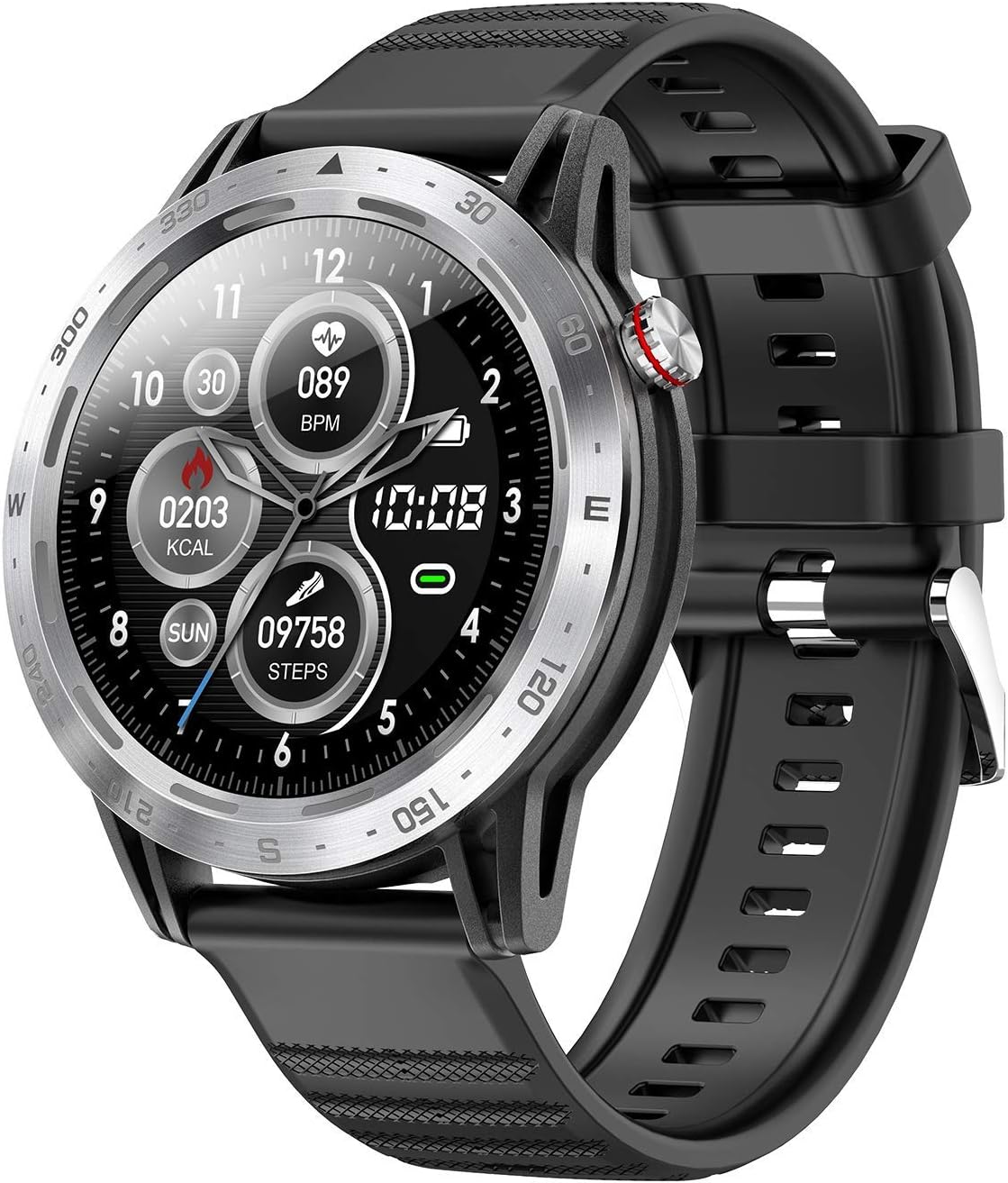
Image 1.1: The COLMI Smart Watch, featuring a silver bezel and black silicone strap, displaying time, heart rate, calories, and steps.
2. Opsætning
2.1 Første opladning og tænding
- Upon receiving the watch, connect it to the charging cable and a power source. Ensure the charging pins align correctly with the watch's charging contacts.
- Allow the watch to charge fully before first use.
- To power on, press and hold the side button until the screen illuminates.
2.2 Mobile Phone System Requirements
The COLMI Smart Watch is compatible with iOS and Android smartphones only. It is not compatible with iPads, tablets, or computers.
- Android: Version 4.4 eller nyere.
- iOS: Version 8.0 eller nyere.
To check your mobile phone's system version, navigate to your phone's settings, then typically 'About phone' or 'My device' to view systemoplysninger.
2.3 Connecting to Your Smartphone (H Band App)
The watch requires the 'H Band' application for full functionality and data synchronization.
- Download appen: Søg efter 'H Band' in the Google Play Store (for Android) or the App Store (for iOS) and install it.
- Bind the Device: Open the 'H Band' app. Navigate to 'Device' -> 'Bind Device'. Select 'SKY7P' (the watch's model identifier) from the list and confirm.
- Automatisk synkronisering: Once connected, the watch will automatically synchronize time, date, and weather information from your phone.
- Bluetooth Range: If the distance between the watch and phone exceeds 10 meters, the Bluetooth connection may disconnect. Reconnect via the app if this occurs.
3. Betjeningsvejledning
3.1 Sundhedsovervågning
The COLMI Smart Watch features advanced sensors for comprehensive health monitoring.
- Pulsmåler: Provides 24-hour continuous heart rate monitoring.
- Blodtryksmåler: Measures blood pressure levels.
- Blodoxygen (SpO2) monitor: Utilizes infrared light to measure blood oxygen saturation.

Billede 3.1: Bagside view of the watch highlighting the heart rate and blood oxygen (SpO2) sensors.

Image 3.2: The watch face showing current heart rate and a graphical representation of heart rate trends over time.
3.2 Søvnovervågning
The watch automatically tracks your sleep patterns, providing insights into deep sleep, light sleep, and awake times to help you optimize your resting habits.

Image 3.3: The watch and companion app displaying detailed sleep monitoring data.
3.3 Fitnesssporing
The watch serves as a professional fitness assistant, recording your activity and offering dedicated modes for various sports:
- Udendørs løb
- Udendørs gåtur
- Indendørs løb
- Indendørs gang
- Vandring
- Trappetrin
- Udendørs cyklus
- Stationær cykel
- Elliptisk
- Romaskine
- Svømning
3.4 Notifikationer og opkald
Receive and read SMS messages and notifications from social media applications directly on your watch. You can also hang up incoming phone calls from your wrist.

Image 3.4: The watch receiving a message notification, mirroring the phone's display.
3.5 Display og design
The COLMI Smart Watch features an HD IPS full touch screen, a durable metal frame, and comfortable, skin-friendly silicone bands.

Image 3.5: Key design elements of the COLMI Smart Watch, including the full touch screen and metal frame.
4. Vedligeholdelse
4.1 Vandtæthed
The COLMI Smart Watch is IP68 rated for water resistance, meaning it can withstand dust, dirt, and sand, and is resistant to submersion up to a maximum depth of 1.5m for up to 30 minutes. It is suitable for swimming but not for diving or high-pressure water activities.
4.2 Rengøring
To maintain your watch, regularly wipe the screen and strap with a soft, damp klæde. Undgå at bruge skrappe kemikalier eller slibende materialer.
4.3 Pleje af batterier
Charge the watch using the provided charging cable. Avoid exposing the watch to extreme temperatures, which can affect battery life.
5. Fejlfinding
5.1 Uret tænder ikke
- Sørg for, at uret er fuldt opladet. Tilslut det til opladeren i mindst 30 minutter.
- Press and hold the side button for an extended period (e.g., 10-15 seconds) to attempt a forced restart.
5.2 Bluetooth Disconnection
- Sørg for, at din smartphones Bluetooth er aktiveret.
- Keep the watch within 10 meters of your phone.
- Open the 'H Band' app and attempt to reconnect the device via 'Device' -> 'Bind Device'.
- Genstart både din telefon og uret.
5.3 Message Notifications Not Appearing
- App-tilladelser: When first downloading the 'H Band' app, ensure you grant all necessary permissions for Phone, Messaging, and Call logs.
- Telefonindstillinger: Verify that 'H Band' app notifications are enabled in your phone's system settings (e.g., Settings > Notifications > H Band > Allow Notifications). Do this for any specific apps (e.g., Instagram, Facebook, WhatsApp) from which you wish to receive notifications.
- In-App Notification Settings: Open the 'H Band' app, go to 'Notification', and ensure notifications are allowed. Tap the checkmark icon to save settings.
- Background Operation: Ensure the 'H Band' app is running in the background on your phone and that the watch is successfully paired.
5.4 Unøjagtige sundhedsdata
- Ensure the watch is worn snugly on your wrist, but not too tight, allowing the sensors to make proper contact with your skin.
- Keep the sensor area clean and free from debris.
- For best results, remain still during measurements.
6. Specifikationer
| Feature | Detalje |
|---|---|
| Modelnummer | 649661853268 |
| Mærke | COLMI |
| Forbindelse | Bluetooth |
| Vise | HD IPS Full Touch Screen |
| Vandmodstand | IP68 |
| Særlige funktioner | Sleep Monitor, Heart Rate Monitor, Blood Pressure Monitor, Blood Oxygen Monitor, Fitness Tracker |
| Kompatible enheder | Smartphones (Android 4.4+, iOS 8.0+) |
| Varens vægt | 1.76 ounces (50 gram) |
| Pakkedimensioner | 6.18 x 2.91 x 1.54 tommer |
| Hvad er der i æsken | Watch Band (Note: Watch unit and charging cable are also included) |
7. Garanti og support
7.1 Garantioplysninger
The COLMI Smart Watch comes with a one-year warranty from the date of purchase. Additionally, a one-month unconditional refund policy is offered.
7.2 Kundesupport
For any questions, technical assistance, or warranty claims, please contact the seller or COLMI customer support through the platform where the product was purchased. Provide your model number and purchase details for efficient service.


