Indledning
This user manual provides comprehensive instructions for the setup, operation, maintenance, and troubleshooting of your Trust Ozaa Rechargeable Wireless Mouse. Please read this manual carefully before using the product to ensure optimal performance and longevity.

Image: The Trust Ozaa Rechargeable Wireless Mouse shown with its USB receiver and micro-USB charging cable. This image illustrates the main components included with the mouse.
Pakkens indhold
Bekræft at alle varer er til stede i pakken:
- Trust Ozaa Rechargeable Wireless Mouse
- USB-modtager
- Micro-USB opladningskabel
- Brugsanvisning (denne vejledning)

Image: The retail packaging for the Trust Ozaa Rechargeable Wireless Mouse, highlighting its key features such as 10m wireless range, comfortable design, and silent click buttons.
Opsætning
- Oplad musen: Before first use, connect the supplied micro-USB charging cable to the mouse's charging port and to a USB power source (e.g., computer USB port, USB wall adapter). The charging indicator light will illuminate. Allow the mouse to fully charge.
- Indsæt USB-modtager: Locate the USB receiver, typically stored in a compartment on the underside of the mouse. Remove it and plug it into an available USB-A port on your computer (PC or Mac).
- Tænd: Turn on the mouse using the on/off switch located on the underside.
- Automatisk forbindelse: The mouse should automatically connect to your computer. No additional drivers are typically required for basic functionality (Plug and Play).

Image: A user operating the Trust Ozaa mouse wirelessly next to a laptop, demonstrating its plug-and-play functionality and 10-meter wireless range.
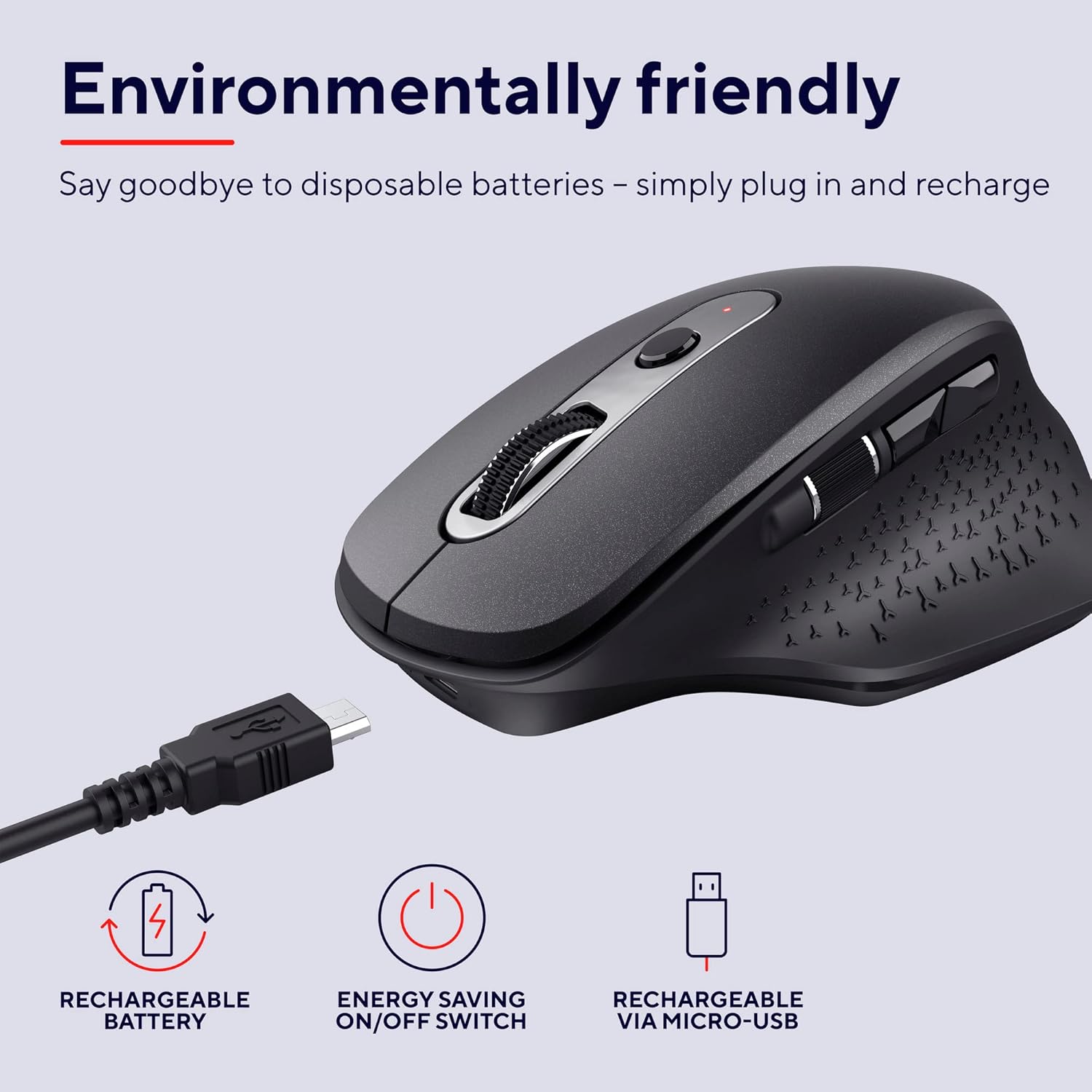
Image: The Trust Ozaa mouse being charged via its micro-USB cable, highlighting its rechargeable battery and energy-saving features.
Betjeningsvejledning
Knap funktioner
- Venstreklikknap: Standard primary click. Designed for silent operation.
- Højreklik-knap: Standard secondary click. Designed for silent operation.
- Scrollehjul (midterste knap): Rul lodret gennem dokumenter og web pages. Press down for middle-click functionality.
- DPI-justeringsknap: Located behind the scroll wheel. Press to cycle through different cursor speeds (DPI settings: 800, 1200, 1600, 2400 DPI).
- Sidehjul: Located on the left side. Allows for horizontal scrolling.
- Frem/Tilbage-knapper: Located above the side scroll wheel. Used for navigating forward and backward in web browsere eller file opdagelsesrejsende.

Billede: Et overheadbillede view of the Trust Ozaa mouse, visually indicating the DPI adjustment, silent buttons, and convenient side scroll wheel.
DPI justering
The mouse features an adjustable cursor speed (DPI) ranging from 800 to 2400 DPI. To change the DPI, press the dedicated DPI button located behind the main scroll wheel. Each press will cycle through the available settings, allowing you to select the sensitivity that best suits your task or preference.
Energibesparelse
To conserve battery life, the mouse is equipped with an on/off switch on its underside. It also features an automatic sleep mode that activates after a period of inactivity. To wake the mouse, simply move it or click any button.
Opretholdelse
- Rensning: Brug en blød, tør klud til at rengøre musen. Ved genstridigt snavs, brug en let tør klud.amp En klud kan bruges, men sørg for, at der ikke trænger fugt ind i de indvendige komponenter. Brug ikke skrappe kemikalier eller slibende rengøringsmidler.
- Opladning: Recharge the mouse when the battery indicator light signals low power or when performance degrades. Use only the provided charging cable or a compatible micro-USB cable.
- Opbevaring: When not in use for extended periods, turn off the mouse to preserve battery life. Store it in a cool, dry place.
Fejlfinding
| Problem | Mulig årsag | Løsning |
|---|---|---|
| Musen svarer ikke. |
|
|
| Markørbevægelsen er uregelmæssig eller hoppende. |
|
|
| Knapperne virker ikke. |
|
|
Specifikationer
| Mærke | Tillid |
| Modelnummer | 23812 |
| Forbindelsesteknologi | Radiofrekvens (trådløs) |
| Wireless Range | Op til 10 meter |
| DPI-indstillinger | 800, 1200, 1600, 2400 DPI (Adjustable) |
| Antal knapper | 6 (Left, Right, Scroll Wheel Click, DPI, Forward, Backward) + Side Scroll Wheel |
| Hovedknapper | Silent Left and Right Buttons |
| Strømkilde | Rechargeable Battery (1 AAA battery included, contained in equipment) |
| Opladningsport | Mikro-USB |
| Produktmål (L x B x H) | 7.7 x 11.8 x 4.6 cm |
| Varens vægt | 122 g |
| Kompatibilitet med hardwareplatforme | PC, Mac |
| Operativsystemkompatibilitet | Chrome OS, Windows, Mac OS |
| Særlige funktioner | Wireless, Rechargeable, Quiet, Ergonomic Design, Energy-saving On/Off Switch |
Garanti og support
For garantioplysninger og teknisk support henvises til den officielle Trust webwebstedet eller kontakt deres kundeservice direkte. Gem din købsbevis til garantikrav.
Tillidsansvarlig Webwebsted: www.trust.com
Der var ingen officielle produktvideoer fra sælgeren tilgængelige til medtagelse i denne manual.


