1. Introduktion
The PeakTech P 8005 is a high-precision Class 2 sound level meter designed for accurate noise measurement and data logging. It is suitable for a wide range of applications including noise projects, quality control, disease prevention, and environmental sound measurements in factories, schools, offices, traffic, and households. This device features a 4-digit 20mm LCD multi-function display with a bargraph and backlight, a USB interface for continuous measurements, and AC/DC outputs for connection to frequency analyzers or X-Y wave recorders. This manual provides detailed instructions for the proper use, maintenance, and troubleshooting of your PeakTech P 8005.
2. Sikkerhedsoplysninger
Please read all safety instructions carefully before operating the device. Failure to follow these instructions may result in damage to the device or personal injury.
- Udsæt ikke enheden for ekstreme temperaturer, fugt eller direkte sollys.
- Undgå kraftige vibrationer eller stød.
- Forsøg ikke at åbne eller ændre enheden. Reparationer bør kun udføres af kvalificeret personale.
- Hold enheden væk fra stærke elektromagnetiske felter.
- Ensure proper ventilation when using the AC adapter for extended periods.
- Bortskaf batterier i henhold til lokale regler.
3. Pakkens indhold
Bekræft, at alle nedenstående varer er inkluderet i din pakke:
- PeakTech P 8005 Sound Level Meter
- Bæretaske
- 3m Additional Microphone Cable
- USB interface kabel
- Software for Windows (on CD-ROM)
- Mini stativ
- 9V AC Power Adapter
- 9V batteri
- Brugermanual

4. Produktet er slutview
The PeakTech P 8005 is designed for user-friendly operation while providing professional-grade accuracy. Familiarize yourself with the main components and controls.
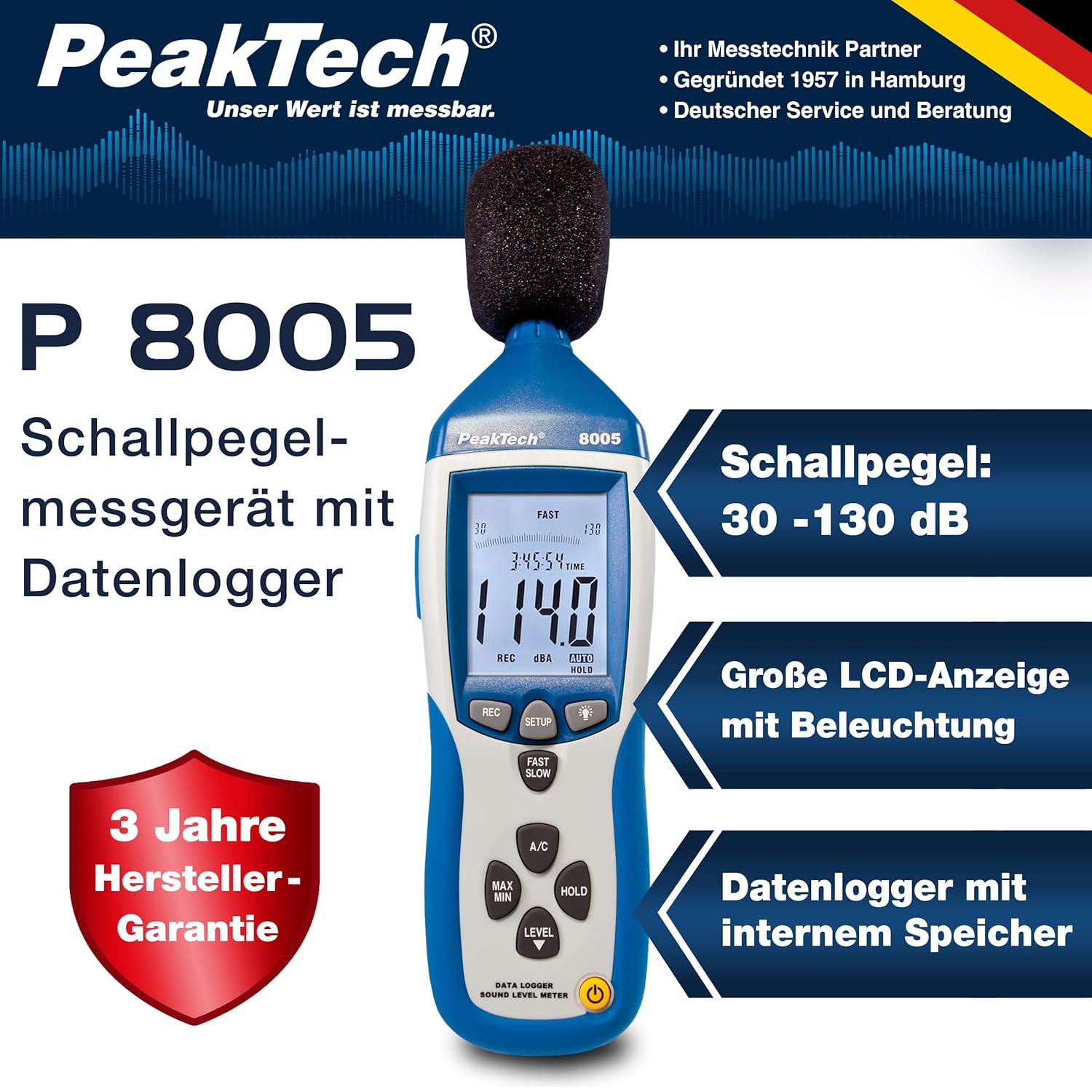
4.1. Hovedtræk
- Præcisionsmåling: Class 2 sound level meter (IEC-61672-1 compliant) for accurate readings even in noisy environments.
- Bredt måleområde: 30 to 130 dB across 4 ranges with 0.1 dB resolution.
- Datalogning: Internal memory for up to 32,000 readings (1x/sec to 1x/min).
- Forbindelse: USB 2.0 interface for PC connection and data transfer.
- Analoge udgange: AC/DC outputs for connecting to frequency analyzers or X-Y wave recorders.
- Vise: 4-digit 20mm LCD with bargraph and backlight.
- Måletilstande: Fast (125 ms) and Slow (1 s) response times, A and C weighting.
- Yderligere funktioner: MIN/MAX measurements, over-range/under-range indication.

5. Opsætning
5.1. Batteriinstallation
The PeakTech P 8005 operates on a 9V battery or via the included 9V AC power adapter.
- Find batterirummet på bagsiden af enheden.
- Åbn batteridækslet.
- Isæt 9V-batteriet, og sørg for at polariteten vender korrekt.
- Luk batteridækslet forsvarligt.
5.2. Strømforsyning til enheden
- For at tænde skal du trykke på MAGT knap.
- For at slukke, skal du trykke på og holde nede MAGT knappen, indtil displayet slukker.
- For continuous operation, connect the 9V AC power adapter to the DC 9V input port on the side of the device.
5.3. Mikrofontilslutning
The device comes with a built-in microphone. For remote measurements or specific setups, you can use the included 3m additional microphone cable.
- Unscrew the microphone cap from the top of the device.
- Connect the 3m microphone cable to the microphone input.
- Attach the external microphone to the other end of the cable.
- For stable measurements, attach the device to the mini tripod using the threaded mount at the bottom.

Video 5.1: En overview of the PeakTech 8005 Sound Level Meter, demonstrating its features and setup, including the use of the external microphone and power adapter.
6. Betjeningsvejledning
6.1. Grundlæggende måling
After powering on, the device will immediately begin measuring sound levels.
- The current sound level in dB is displayed on the LCD.
- Brug NIVEAU button to cycle through the four measurement ranges (30-80 dB, 50-100 dB, 80-130 dB, Auto 30-130 dB).
- Trykke HURTIG LANGSOM to switch between fast (125 ms) and slow (1 s) response times. Fast is suitable for sudden noise changes, while slow is for average noise levels.
- Trykke A/C to select A-weighting (dBA) or C-weighting (dBC). A-weighting mimics human ear response, C-weighting is for mechanical noise.

6.2. Data Logging and PC Connection
The P 8005 can record up to 32,000 measurement values internally. To access and analyze this data, use the included Windows software.
- Install the software from the provided CD-ROM onto a Windows PC (Windows 95/98/NT/2000/XP/VISTA/7/8/10 supported).
- Connect the sound level meter to your PC using the USB interface cable.
- Open the software. The software allows for real-time data display, data import from the device's internal memory, and export to formats like Excel for further analysis.
- Refer to the software's help documentation for detailed instructions on data logging setup and analysis.

7. Vedligeholdelse
7.1. Rensning
Clean the device regularly to ensure optimal performance.
- Tør ydersiden af med en blød, tør klud.
- Brug ikke slibende rengøringsmidler eller opløsningsmidler.
- Keep the microphone free from dust and debris.
7.2. Opbevaring
When not in use, store the device in its carrying case in a cool, dry place, away from direct sunlight and extreme temperatures.
7.3. Kalibrering
The PeakTech P 8005 is a precision instrument. Regular calibration is recommended to maintain accuracy, especially for professional applications. Refer to the included test report for the last calibration date. Contact PeakTech support for calibration services.
8. Fejlfinding
| Problem | Mulig årsag | Løsning |
|---|---|---|
| Enheden tænder ikke. | Low or dead battery; AC adapter not connected or faulty. | Replace the 9V battery or connect the AC adapter. Ensure the adapter is working. |
| Upræcise aflæsninger. | Incorrect measurement range; microphone obstructed; device needs calibration. | Adjust the measurement range using the NIVEAU button. Clear any obstructions from the microphone. Consider professional calibration. |
| Software not recognizing device. | USB cable faulty; driver issue; software compatibility. | Try a different USB port or cable. Reinstall the software and drivers. Check software compatibility settings (e.g., Windows 98 compatibility mode for older systems). |
| Data logging issues. | Memory full; incorrect logging settings. | Download and clear data from the device. Review data logging settings in the software. |
9. Specifikationer
| Parameter | Værdi |
|---|---|
| Anvendt standard | IEC-61672-1 Type 2, ANSI S1.4 Type 2 |
| Accuracy (1 kHz Sine; A, C) | ± 1.4 dB |
| Nøjagtighed (frekvensområde) | According to EN-61672-1 Class 2, max. ± 5.6 dB |
| Frekvensområde | 31.5 Hz - 8 kHz |
| Dynamisk rækkevidde | 50 dB |
| Niveauintervaller | Low: 30 dB ~ 80 dB, Med: 50 dB ~ 100 dB, High: 80 dB ~ 130 dB, Auto: 30 dB ~ 130 dB |
| Svartid | Fast: 125 ms / Slow: 1 s |
| Mikrofon | ½-inch Electret Condenser Microphone |
| Opløsning | 0.1 dB |
| Vis opdatering | 2 gange / sek. |
| Analog udgang | AC/DC Outputs, AC: 1 Veff = 10 mV/dB |
| Operation Voltage | 9V Battery or 9V AC Power Adapter |
| Dimensioner (BxHxD) | 80 x 280 x 50 mm |
| Vægt | 350 g |
| Data Logger Memory | Op til 32,000 målinger |
10. Garanti og support
PeakTech products are designed for reliability and performance. For warranty information and technical support, please refer to the documentation included with your product or visit the official PeakTech webwebsted. Behold din købskvittering som købsbevis i tilfælde af garantikrav.
Fabrikant: PeakTech
Webwebsted: PeakTech Official Store


