Indledning
Thank you for choosing the Discovery Art Tracing Projector Kit. This kit is designed to help users easily trace and create their own artwork. Please read this manual thoroughly before use to ensure proper setup and operation. Keep this manual for future reference.

Figure 1: Discovery Art Tracing Projector Kit components and packaging.
Pakkens indhold
Bekræft, at alle nedenstående varer er til stede i din pakke:
- 1 x Discovery Art Tracing Projector Unit
- 4 x Interchangeable Image Discs (featuring 32 illustrations)
- 12 x Colored Markers
- 20 x Sheets of Blank Drawing Paper

Figure 2: Projector unit with marker caddy and image discs.
Opsætning
1. Batteriinstallation
- Find batterirummet på undersiden af projektorenheden.
- Åbn dækslet til batterirummet med en skruetrækker (medfølger ikke).
- Insert 3 x AA 1.5V batteries (not included), ensuring correct polarity (+/-).
- Sæt batterirummets dæksel på igen og fastgør det med skruen.
2. Adjusting Projector Height
The projector features an adjustable arm. Gently pull the projector head upwards to extend the arm and increase the projection size. Push it down to retract the arm and reduce the projection size.

Figure 3: Projector height adjustment.
Betjeningsvejledning
- Select an Image Disc: Choose one of the four image discs. Each disc contains multiple illustrations.
- Insert Image Disc: Carefully slide the selected image disc into the slot on the projector head. Ensure it is fully seated.
- Place Paper: Position a sheet of the provided drawing paper directly beneath the projector lens on a flat surface.
- Tænd: Locate the power button on the projector head and press it to turn on the projection light.
- Juster fokus: Rotate the focus ring around the projector lens until the projected image appears clear and sharp on the paper.
- Trace the Image: Use one of the included markers to trace the projected image onto the paper.
- Color Your Art: Once traced, use the colored markers to fill in and personalize your drawing.
- Sluk: When finished, press the power button again to turn off the projector light.

Figure 4: Tracing an image with the projector.

Figure 5: Interchangeable image discs.
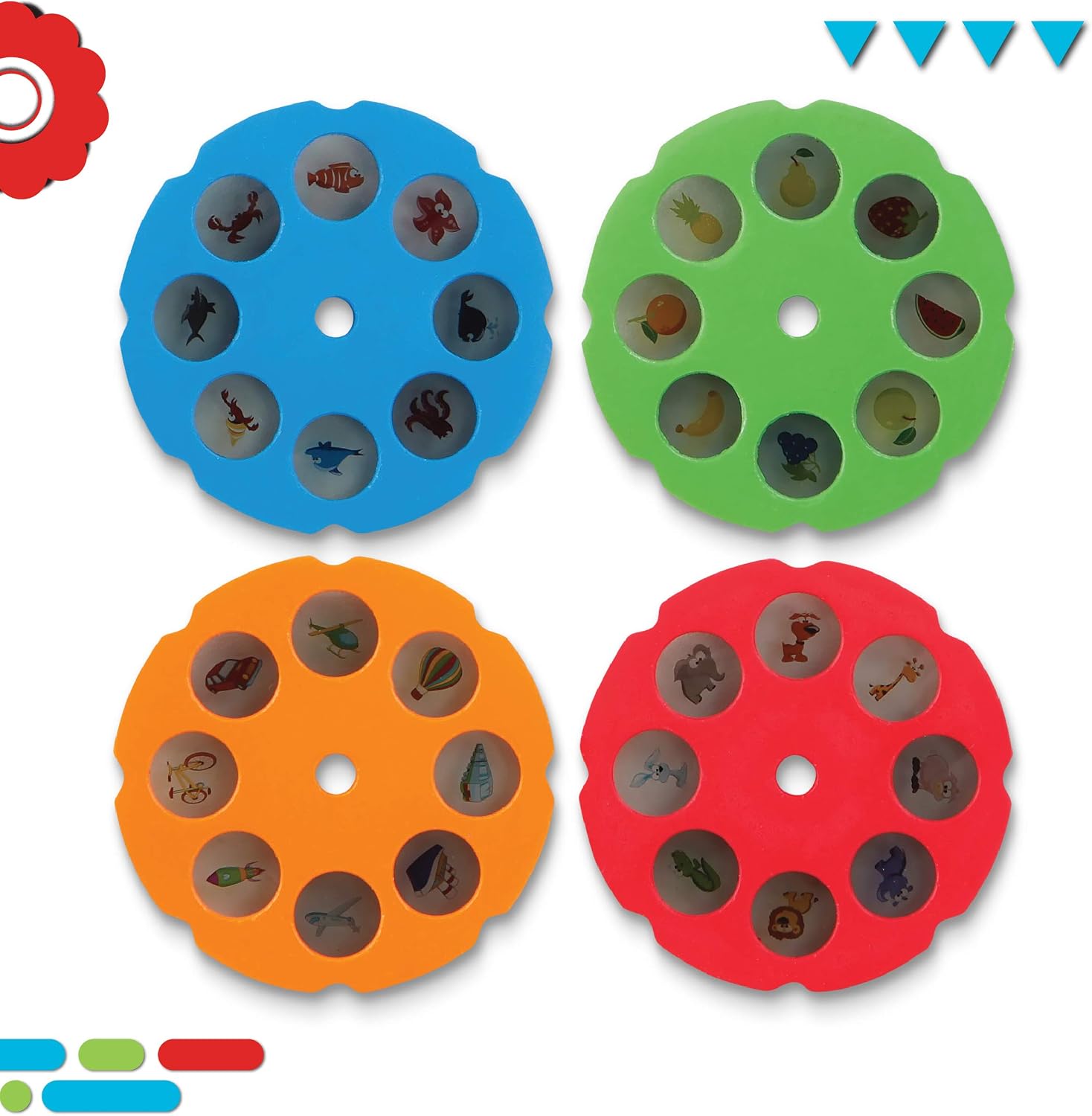
Figure 6: Included colored markers.
Opretholdelse
Rensning
- Wipe the projector unit and image discs with a soft, slightly damp klæde.
- Brug ikke slibende rengøringsmidler eller nedsænk enheden i vand.
- Ensure the projector lens is clean for optimal image clarity.
Opbevaring
- Always replace the caps on the markers securely after use to prevent them from drying out.
- Store the markers and image discs in the integrated storage caddy within the projector unit.
- Fold the projector arm down for compact storage when not in use.
- Opbevar sættet et køligt, tørt sted væk fra direkte sollys.
Fejlfinding
| Problem | Mulig årsag | Løsning |
|---|---|---|
| Projected image is blurry. | Fokus er ikke justeret korrekt. | Rotate the focus ring around the projector lens until the image is clear. |
| No image is projected. | Batteries are low or incorrectly installed; projector is off; image disc not inserted. | Check battery installation and replace if necessary. Ensure the power button is pressed. Verify the image disc is fully inserted. |
| Markers are not drawing. | Marker caps were left off; markers are dry. | Ensure marker caps are always replaced after use. If dry, markers may need replacement. |
Specifikationer
- Modelnummer: 1012386
- Mærke: Opdagelse
- Produktdimensioner: 10 x 0.01 x 10.5 tommer (L x B x H)
- Varens vægt: 2.57 pund
- Materiale: Plast
- Strømkilde: 3 x AA 1.5V batterier (medfølger ikke)
- Anbefalet alder: 6+ år

Figure 7: Projector dimensions.
Garantioplysninger
For detailed warranty information regarding your Discovery Art Tracing Projector Kit, please refer to the product packaging or visit the official Discovery webwebsted. Gem din købsbevis i tilfælde af garantikrav.
Støtte
If you encounter any issues not covered in this manual or require further assistance, please contact Discovery customer service. Contact details can typically be found on the product packaging or the official Discovery brand webwebsted.


