Indledning
This manual provides comprehensive instructions for the setup, operation, and maintenance of your ROCCAT Burst Core Gaming Mouse. Designed for performance and precision, the Burst Core features an extreme lightweight design, an 8,500 DPI optical sensor, and durable construction. Please read this manual thoroughly to ensure optimal use and longevity of your device.
Produkt overview
The ROCCAT Burst Core is an extreme lightweight optical gaming mouse engineered for core performance. It features a symmetrical ergonomic shape, a solid honeycomb shell, and ROCCAT's Titan Switch Optical technology.
- Symmetrical Ergonomic Shape: Crafted for comfort and performance.
- Letvægtsdesign: Weighs only 68g due to its solid honeycomb shell.
- Titan Switch Optical: Provides a mechanical feel with optical speed for rapid, precise clicks.
- PTFE musefødder: Ensures exceptional glide across various surfaces.
- 8,500 DPI Optical Sensor: Based on the PixArt PMW3330 sensor for high precision tracking.

Billede 1: Forrest til højre view of the ROCCAT Burst Core Gaming Mouse, showcasing its ergonomic design and scroll wheel.
Opsætning
1. Tilslutning af musen
- Find en ledig USB-port på din computer.
- Plug the USB connector of the ROCCAT Burst Core mouse into the USB port.
- Your operating system (Windows 7, Windows XP, Linux, or newer versions) should automatically detect and install the necessary drivers.
2. Softwareinstallation (ROCCAT Swarm)
For advanced customization options, including DPI control, button assignments, scroll speed, click speed, and RGB lighting effects, it is recommended to install the ROCCAT Swarm software.
- Besøg den officielle ROCCAT webwebsted (www.roccat.com/pages/swarm) to download the latest version of ROCCAT Swarm.
- Følg instruktionerne på skærmen for at fuldføre installationen.
- Once installed, launch ROCCAT Swarm to configure your mouse settings.

Billede 2: Top view of the ROCCAT Burst Core, highlighting the main buttons, scroll wheel, and DPI button.
Betjeningsvejledning
Grundlæggende funktioner
- Venstre klik: Primær handling, valg.
- Højreklik: Secondary action, context menu.
- Scrollhjul: Scroll up/down, middle click for universal scrolling or assigned function.
- DPI knap: Cycles through preset DPI (Dots Per Inch) sensitivity levels. Default settings can be customized via ROCCAT Swarm.
- Sideknapper: Typically assigned as 'Forward' and 'Back' in web browsere og file explorers. Customizable via ROCCAT Swarm.
Advanced Customization with ROCCAT Swarm
The ROCCAT Swarm software allows you to personalize your mouse experience.
- DPI-indstillinger: Adjust DPI steps and values to match your preference.
- Knap tildeling: Reassign functions to any of the mouse buttons, including macros.
- Afstemningsfrekvens: Configure the mouse's reporting rate to the computer.
- RGB belysning: Customize the illumination effects and colors of the scroll wheel.
- Profiles: Opret og gem flere profiles til forskellige spil eller applikationer.
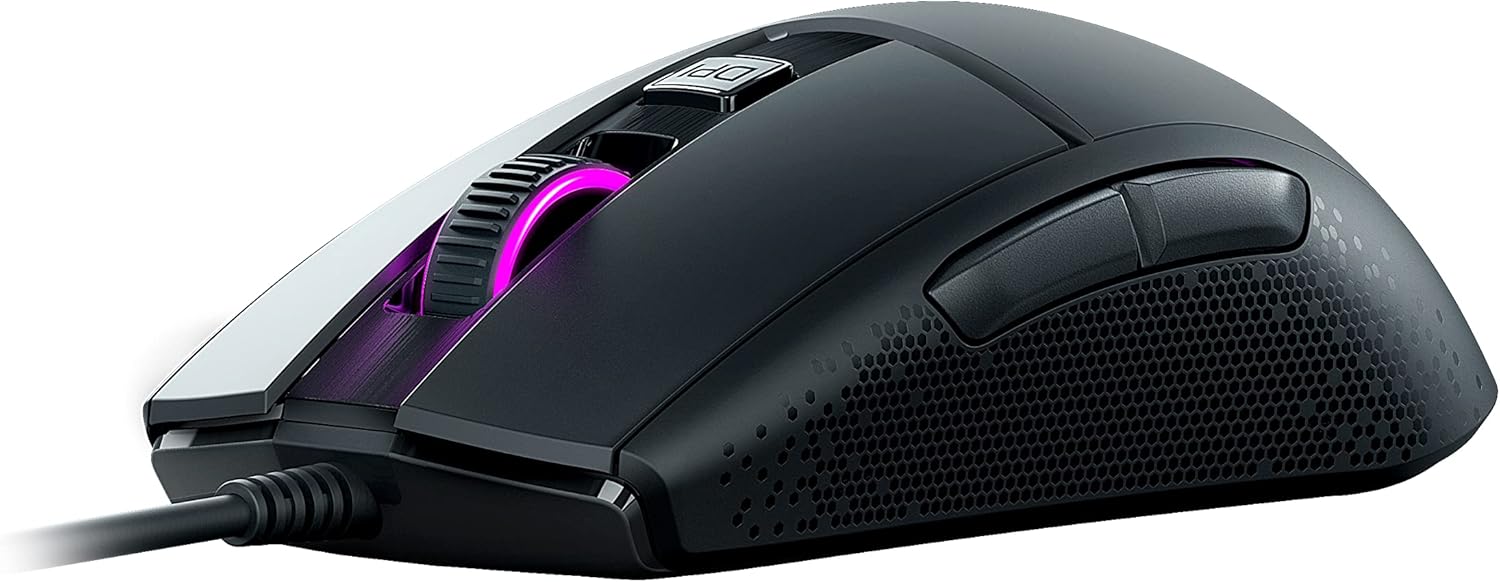
Billede 3: Side view of the ROCCAT Burst Core, illustrating the textured hexagonal pattern for enhanced grip.
Opretholdelse
Rengøring af din mus
- Frakobl musen fra computeren, før du rengør den.
- Brug en blød, fnugfri klud lidt dampafsluttes med vand eller en mild rengøringsopløsning.
- Undgå at bruge skrappe kemikalier, slibende rengøringsmidler eller opløsningsmidler.
- Gently wipe the surface of the mouse. For the optical sensor, use a cotton swab to carefully remove any dust or debris.
- Ensure the mouse is completely dry before reconnecting it to your computer.
Opbevaring
Store the mouse in a cool, dry place away from direct sunlight and extreme temperatures. Avoid placing heavy objects on the mouse or its cable.
Fejlfinding
| Problem | Mulig årsag | Løsning |
|---|---|---|
| Musen reagerer ikke |
|
|
| Unøjagtig sporing eller markørforsinkelse |
|
|
| Knapperne fungerer ikke |
|
|

Billede 4: Detaljeret view of the ROCCAT Titan Switch Optical mechanism, illustrating its internal components.
Specifikationer
| Mærke | ROCCAT |
| Modelnummer | ROC-11-750 |
| Forbindelsesteknologi | USB |
| Bevægelsesdetekteringsteknologi | Optical (PixArt PMW3330 based) |
| Max DPI | 8,500 DPI |
| Varens vægt | 68 g (2.4 ounce) |
| Produktmål (LxBxH) | 0.63 x 6.69 x 5.28 tommer |
| Farve | Sort |
| Hardware platform | PC |
| Operativsystemkompatibilitet | Windows 7, Windows XP, Linux (and newer versions) |
| Særlige funktioner | Ergonomic Design, Lightweight, Titan Switch Optical, PTFE Mouse Feet |
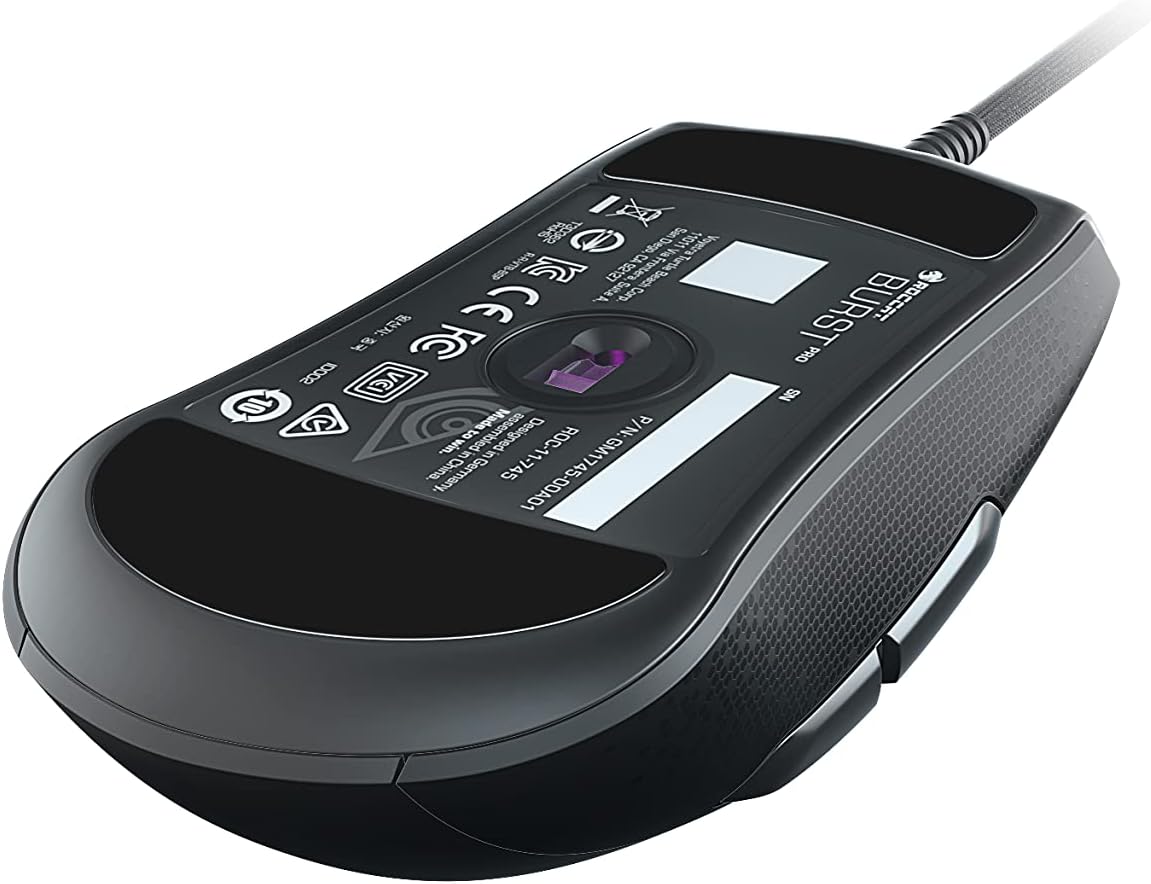
Billede 5: Bund view of the ROCCAT Burst Core Gaming Mouse, displaying the model number and regulatory certifications.
Garanti og support
Garantioplysninger
ROCCAT products typically come with a manufacturer's warranty. Please refer to the warranty card included with your product or visit the official ROCCAT webwebstedet for detaljerede garantivilkår og -betingelser, der er specifikke for din region. Gem din købsbevis til garantikrav.
Kundesupport
For technical assistance, troubleshooting, or product inquiries, please contact ROCCAT customer support.
- Webwebsted: Visit the official ROCCAT support page at support.roccat.com for FAQs, drivers, and contact options.
- Online ressourcer: Check for updated drivers and firmware on the ROCCAT website for at sikre optimal ydeevne.
Sikkerhedsoplysninger
- Do not expose the device to extreme temperatures, humidity, or liquids.
- Forsøg ikke at skille enheden ad eller ændre den. Dette vil ugyldiggøre garantien.
- Hold enheden væk fra børn og kæledyr.
- Dispose of the device according to local environmental regulations.


