1. Introduktion
The Hisense HS205 2.0ch Sound Bar is designed to enhance your television's audio experience. This manual provides detailed instructions for setting up, operating, and maintaining your sound bar to ensure optimal performance.
Nøglefunktioner omfatter:
- Roku TV Ready: Seamless integration with Roku TVs via HDMI (ARC) for simplified control.
- Flere tilslutningsmuligheder: HDMI (ARC), Optical, AUX, USB, and Bluetooth for versatile audio sources.
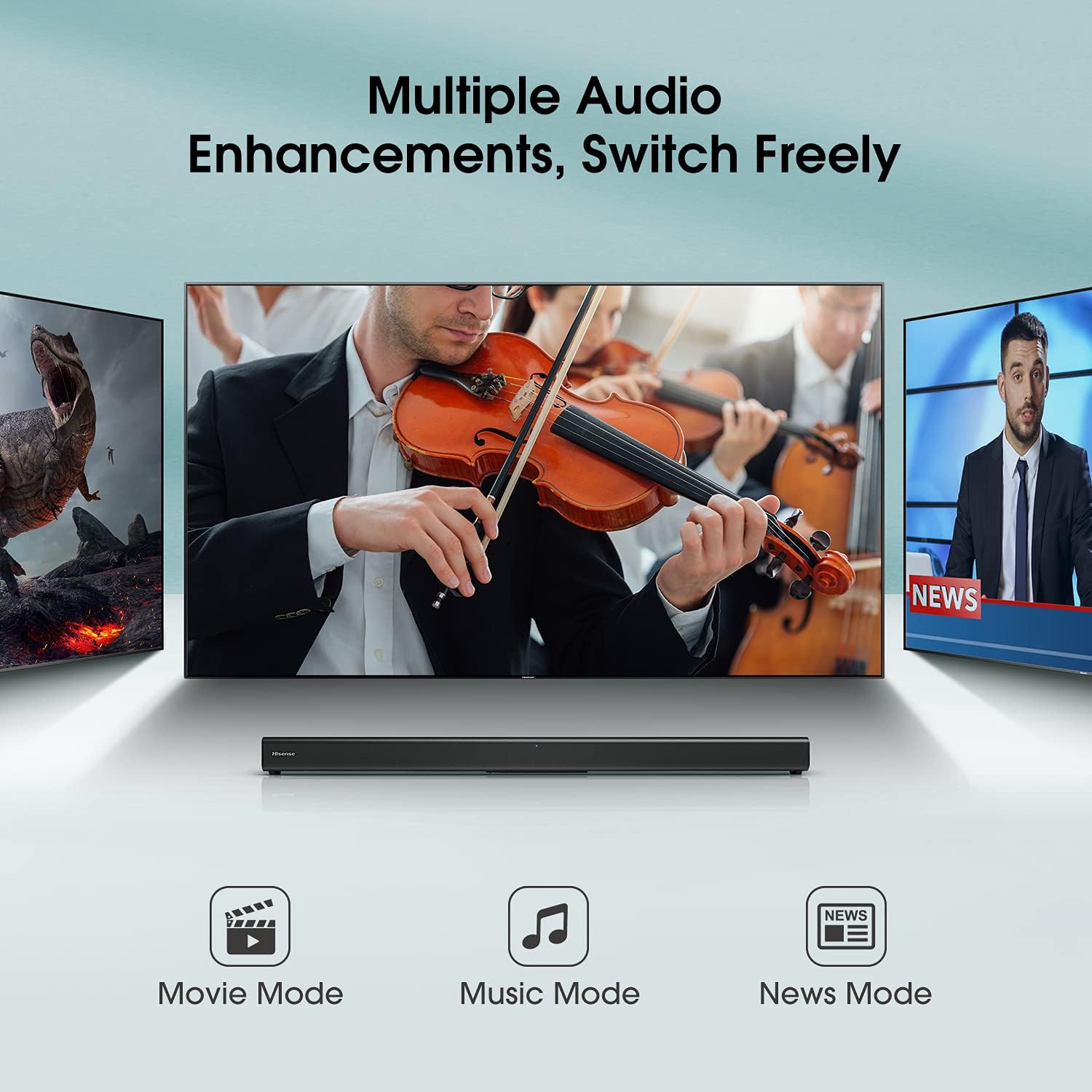
- Forudindstillede EQ-tilstande: Optimize audio for movies, music, or news with dedicated sound modes.
- Kompakt design: Fits easily into various living spaces without requiring a large subwoofer.
2. Hvad er der i æsken
Please check that all items are included:
- Hisense HS205 Soundbar
- Fjernbetjening
- HDMI kabel
- Optisk kabel
- Wall Mounting Kit (screws and anchors)
- Strømkabel
- AAA-batterier (til fjernbetjening)
- Brugervejledning & hurtigstartguide
3. Produktet er slutview
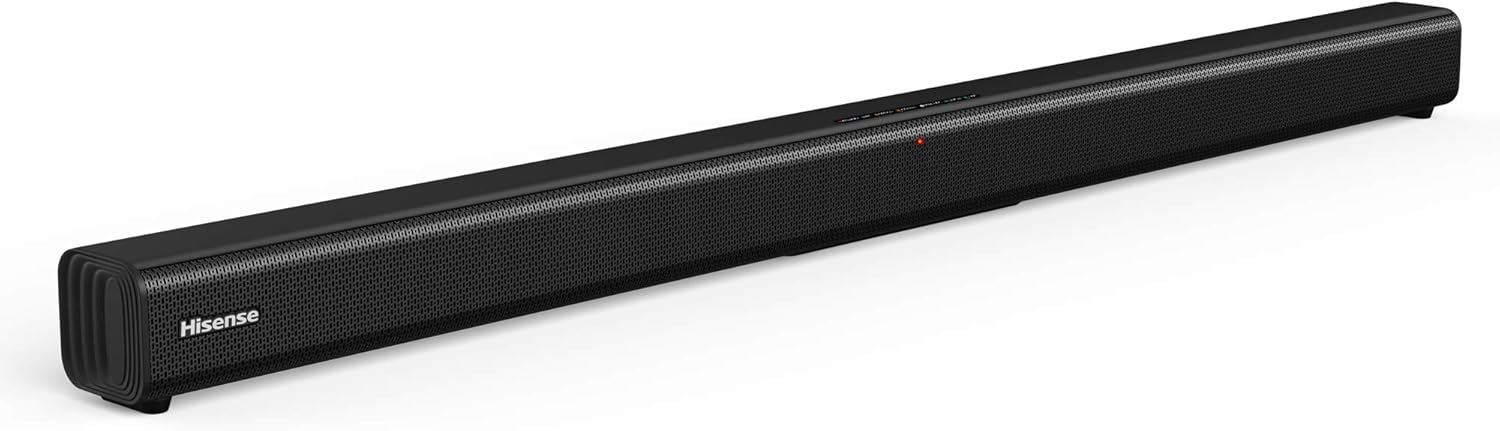
Figur 3.1: Front view of the Hisense HS205 Sound Bar, showcasing dens slanke, sorte design.

Figur 3.2: Visual representation of the sound bar's connectivity options: HDMI ARC, Bluetooth, USB Media, and Line In.

Figur 3.3: Dimensions of the Hisense HS205 Sound Bar: 37.4 inches in width, 2.4 inches in depth, and 2.4 inches in height.

Figur 3.4: Bag view of the sound bar, highlighting the power input, USB, HDMI ARC, Coaxial, and Optical ports.

Figur 3.5: The remote control for the Hisense HS205 Sound Bar, showing buttons for power, mute, volume, playback, EQ modes, and input selection.
Figur 3.6: Close-up of the sound bar's top panel, displaying the indicator lights for Standby, Bluetooth, Optical, Coaxial, HDMI ARC, Line In, and USB inputs.
4. Opsætningsvejledning
4.1 Strømtilslutning
- Tilslut strømkablet til AC IN-porten på bagsiden af soundbaren.
- Sæt den anden ende af strømkablet i en stikkontakt.
4.2 Tilslutning til dit tv
Vælg en af følgende tilslutningsmetoder:
4.2.1 HDMI ARC (anbefales)
- Connect one end of the HDMI cable (included) to the HDMI ARC port on your sound bar.
- Tilslut den anden ende af HDMI-kablet til HDMI ARC-porten på dit tv.
- Ensure your TV's HDMI-CEC feature (often called Anynet+, Bravia Sync, SimpLink, etc.) is enabled in your TV settings.
- Select the HDMI ARC input on your sound bar using the remote control.
4.2.2 Optisk forbindelse
- Connect one end of the Optical cable (included) to the OPTICAL port on your sound bar.
- Connect the other end of the Optical cable to the Optical Digital Audio Out port on your TV.
- Select the OPTICAL input on your sound bar using the remote control.
4.2.3 AUX-forbindelse
- Connect a 3.5mm audio cable (not included) from the LINE IN port on your sound bar to the Audio Out (headphone) jack on your TV or other audio device.
- Select the LINE IN input on your sound bar using the remote control.
4.3 Bluetooth -parring
- Press the Bluetooth button on the remote control or the sound bar's top panel to enter Bluetooth pairing mode. The Bluetooth indicator light will flash.
- On your smart device (smartphone, tablet, laptop), enable Bluetooth and search for available devices.
- Select "Hisense HS205" from the list of devices.
- Once connected, the Bluetooth indicator light on the sound bar will turn solid.
Video 4.1: Demonstration of connecting the Hisense HS205 Sound Bar via Bluetooth and testing its audio output.
4.4 USB-afspilning
- Indsæt et USB-drev, der indeholder lyd files into the USB port on the back of the sound bar.
- Press the USB button on the remote control to switch to USB input.
- Use the playback controls on the remote (Play/Pause, Next/Previous) to manage your music.
4.5 Vægmontering
The sound bar can be mounted on a wall using the included wall mounting kit. Refer to the Quick Start Guide for a detailed template and instructions for drilling and securing the sound bar.
5. Betjeningsvejledning
5.1 Fjernbetjeningsfunktioner
The remote control allows you to manage all functions of your sound bar:
- Power knap: Tænder/slukker soundbaren.
- Mute-knap: Slår lyden fra eller til.
- Volumen +/-: Justerer masterlydstyrkeniveauet.
- Afspil/pause: Controls playback for Bluetooth and USB sources.
- Næste/Forrige: Skips tracks for Bluetooth and USB sources.
- Input Selection Buttons (HDMI ARC, OPT/COAX, Bluetooth, LINE IN, USB): Vælger lydkilden.
- EQ Mode Buttons (MOVIE, MUSIC, NEWS): Switches between preset sound modes.
5.2 EQ-tilstande
Optimize your audio experience with three preset equalizer modes:
- Filmtilstand: Forbedrer dialogens klarhed og det dynamiske område i film.
- Musiktilstand: Giver balanceret lyd til musikafspilning.
- Nyhedstilstand: Optimizes vocal frequencies for clear speech.

Figur 5.1: The sound bar displaying different audio enhancement modes for Movie, Music, and News content.
6. Vedligeholdelse
To ensure the longevity and optimal performance of your Hisense HS205 Sound Bar, follow these simple maintenance guidelines:
- Rensning: Brug en blød, tør klud til at rengøre overfladen på soundbaren. Brug ikke flydende rengøringsmidler eller slibende materialer.
- Ventilation: Sørg for tilstrækkelig ventilation i soundbaren. Bloker ikke ventilationsåbninger.
- Placering: Avoid placing the sound bar in direct sunlight, near heat sources, or in areas with high humidity or dust.
- Sluk: If the sound bar will not be used for an extended period, unplug it from the power outlet.
7. Fejlfinding
If you encounter issues with your sound bar, refer to the following common solutions:
7.1 Ingen lyd
- Tjek forbindelser: Ensure all cables (HDMI, Optical, AUX) are securely connected to both the sound bar and your TV/audio source.
- Korrekt indtastning: Verify that the correct input source is selected on the sound bar (e.g., HDMI ARC, Optical, Bluetooth).
- TV-lydindstillinger: Access your TV's audio settings and ensure the audio output is set to the correct external speaker option (e.g., HDMI ARC, Optical). For some Hisense TVs, the "Digital Output" setting may need to be set to "PCM" instead of "Auto" for sound to be transmitted via optical or HDMI ARC.
- Lydstyrkeniveauer: Increase the volume on both the sound bar and your TV. Ensure neither device is muted.
7.2 Automatisk slukning
- The sound bar may have an automatic power-off feature to conserve energy if no audio signal is detected for a period.
- If using an external audio source (e.g., computer), ensure the audio output volume from the source is sufficiently high for the sound bar to detect the signal. Even if the sound bar's volume is set low, the source volume should be adequate.
7.3 Problemer med Bluetooth-forbindelse
- Reparer enhed: Delete "Hisense HS205" from your device's Bluetooth list and attempt to pair again.
- Afstand: Ensure your Bluetooth device is within the 10-meter (33 feet) range of the sound bar.
- Interferens: Move the sound bar and Bluetooth device away from other wireless devices that may cause interference.
8. Specifikationer
| Feature | Specifikation |
|---|---|
| Modelnavn | HS205 |
| Højttaler type | Soundbar |
| Surround Sound Kanalkonfiguration | 2.0 |
| Højttaler Maksimal udgangseffekt | 30 watt |
| Forbindelsesteknologi | Auxiliary, Bluetooth, HDMI, Optical, USB |
| Trådløs kommunikationsteknologi | Bluetooth |
| Bluetooth rækkevidde | 10 meter |
| Lydudgangstilstand | Multiple audio enhancements: Movie mode, Music mode, News mode |
| Produktdimensioner | 2.4" D x 37.4" B x 2.4" H |
| Varens vægt | 3.3 pund |
| Farve | Sort |
| Monteringstype | Vægmontering |
| Kontrolmetode | Fjern |
9. Garanti og support
The Hisense HS205 Sound Bar comes with a Begrænset garanti. Please refer to the included Warranty Card for detailed terms and conditions, including coverage period and how to obtain service.
For further assistance, technical support, or warranty claims, please contact Hisense customer service through their official webwebstedet eller kontaktoplysningerne i din garantidokumentation.


