Produkt overview
The Linsoul TRN BT20S PRO is a high-fidelity Bluetooth 5.0 earphone module designed to convert your wired MMCX-compatible in-ear monitors (IEMs) into wireless headphones. Featuring the Qualcomm QCC3020 chipset, it supports APT-X, AAC, and SBC audio codecs, providing stable and high-quality wireless audio transmission. The module incorporates DSP noise reduction for clear calls and an ergonomic design with flexible earhooks for comfortable wear during various activities.

Image: The TRN BT20S PRO modules shown inside their compact charging case, highlighting their total wireless design.
Nøglefunktioner
- Bluetooth 5.0-forbindelse: Sikrer en stabil og effektiv trådløs forbindelse.
- Qualcomm QCC3020 Chipset: Provides advanced audio processing and reliable performance.
- Audio Codec Support: Compatible with APT-X, AAC, and SBC for high-quality audio streaming.
- DSP Noise Reduction: Enhances call clarity by reducing ambient noise.
- MMCX Connector: Designed for compatibility with a wide range of MMCX-interfaced in-ear monitors.
- Flexible Earhooks: Made from Thermoplastic Elastomer (TPE) for comfortable and secure fit.
- Lang batterilevetid: Up to 72 hours of non-stop music playback with the charging case.
- USB Type-C opladning: Moderne og praktisk opladningsgrænseflade.
- Vandtæt: Suitable for exercising, outdoor running, and light rain use.
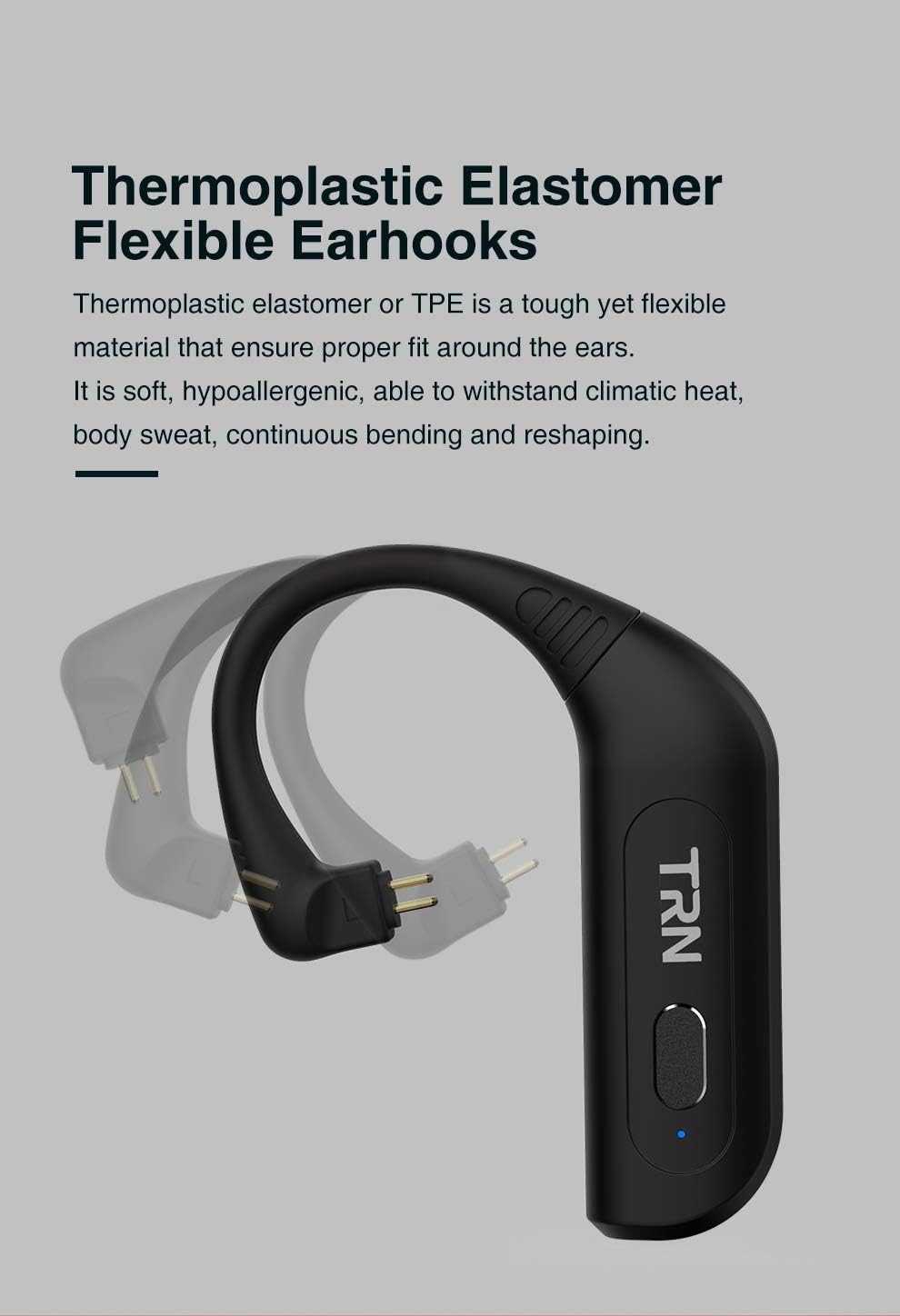
Billede: En detaljeret view of the flexible thermoplastic elastomer earhooks, demonstrating their ability to bend and conform for a comfortable fit.

Image: The TRN BT20S PRO charging case, highlighting the USB Type-C charging port and indicating up to 72 hours of non-stop music playback.
Opsætningsvejledning
1. Pakkens indhold
Før du begynder, skal du sørge for, at alle varer er til stede i pakken:
- TRN BT20S PRO Bluetooth Earphone Modules (Left and Right)
- Opladningsetui
- USB Type-C Charging Cable ([POSSIBLY] Cable)
- Brugervejledning (dette dokument)
- [POSSIBLY] Ear Cushions (if included with your specific package)
2. Charging the Modules and Case
For optimal performance, fully charge the modules and the charging case before first use.
- Oplad opladningsetuiet: Connect the provided USB Type-C cable to the charging port on the case and plug the other end into a USB power source (e.g., computer USB port, wall adapter). The indicator light on the case will show charging status.
- Charge the Modules: Place the left and right TRN BT20S PRO modules into their respective slots in the charging case. Ensure the connectors align properly. The modules will begin charging automatically when placed in the powered case. Indicator lights on the modules will show their charging status (e.g., red for charging, blue for fully charged).
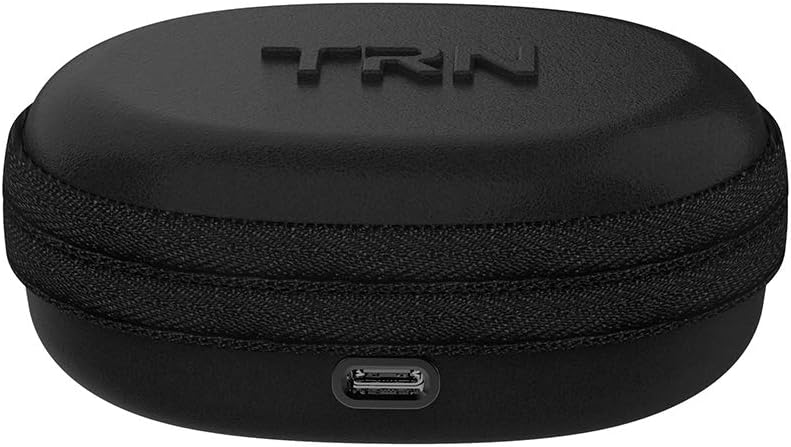
Image: The compact charging case for the TRN BT20S PRO, showing the USB Type-C charging port located at the front.
3. Connecting to In-Ear Monitors (IEMs)
The TRN BT20S PRO modules are designed for use with MMCX-compatible IEMs.
- Identify the MMCX connectors on your IEMs and on the TRN BT20S PRO modules. The module connectors are typically gold-plated.
- Gently align the MMCX connector of your IEM with the corresponding connector on the TRN BT20S PRO module.
- Push the IEM connector firmly into the module connector until you feel a click. Ensure a secure connection.
- Repeat for the other module and IEM.
Note: Ensure the correct left (L) and right (R) modules are connected to their respective IEMs for proper stereo sound.
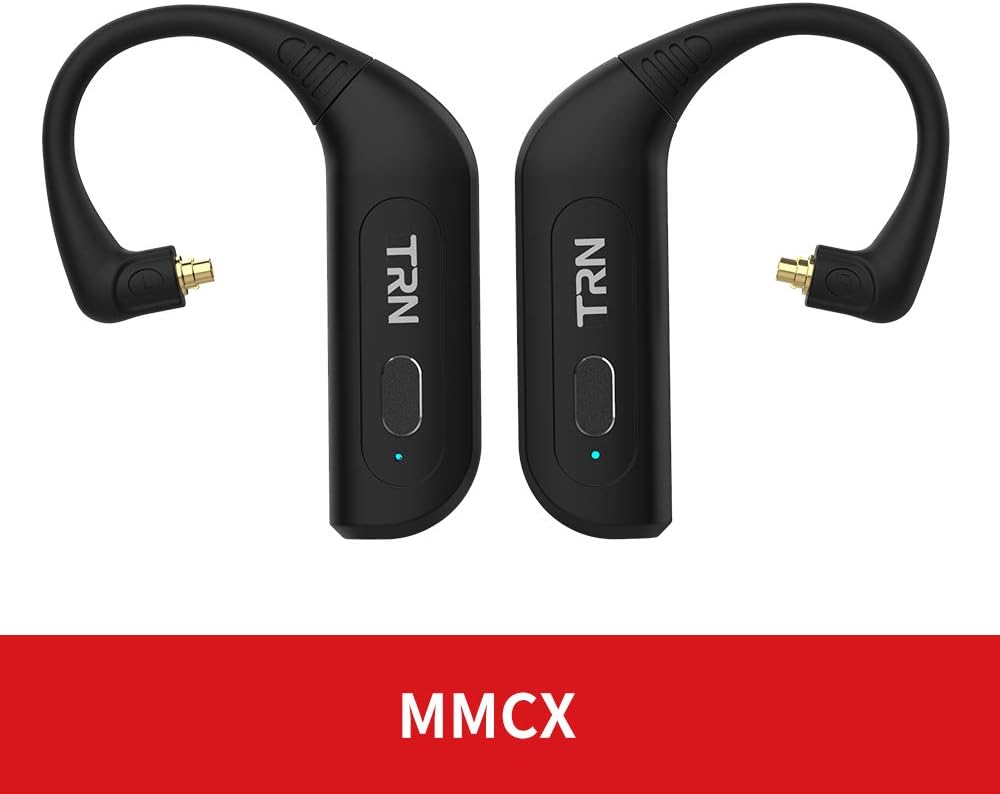
Image: The TRN BT20S PRO modules, clearly displaying their MMCX connectors, indicating compatibility with MMCX-interfaced earphones.

Image: The TRN BT20S PRO modules with in-ear monitors attached, placed within their charging case, demonstrating how they fit together for storage and charging.
4. Bluetooth-parring
To connect your TRN BT20S PRO modules to a Bluetooth-enabled device:
- Tænd: Take the modules out of the charging case. They will automatically power on and enter pairing mode. The indicator lights will flash (e.g., blue and red alternately) to indicate pairing mode.
- Aktiver Bluetooth: Aktiver Bluetooth på din enhed (smartphone, tablet, computer).
- Søg efter Enheder: Søg efter tilgængelige enheder i din enheds Bluetooth-indstillinger.
- Select "TRN BT20S PRO": From the list of found devices, select "TRN BT20S PRO" to initiate pairing.
- Bekræft forbindelse: Once successfully paired, the indicator lights on the modules will typically turn solid blue or stop flashing. You may hear an audible confirmation.
Note: The modules should automatically reconnect to the last paired device when powered on and within range.
Betjeningsvejledning
Tænd/sluk
- Tænd: The modules automatically power on when removed from the charging case. Alternatively, press and hold the multi-function button on each module for approximately 3 seconds until the indicator light illuminates.
- Sluk: Place the modules back into the charging case. They will automatically power off and begin charging. Alternatively, press and hold the multi-function button on each module for approximately 5 seconds until the indicator light turns off.
Wearing the Modules
The TRN BT20S PRO modules are designed to be worn over the ear, with the earhook conforming to the shape of your ear.
- With your IEMs attached, gently loop the earhook portion of the module over the top of your ear.
- Adjust the IEM into your ear canal for a comfortable and secure fit.
- Ensure the module body rests comfortably behind your ear.
Controls (Touch/Button)
The TRN BT20S PRO features a multi-function button and touch controls for various operations:
| Fungere | Handling |
|---|---|
| Afspil/pause musik | Single press the multi-function button on either module. |
| Næste spor | Double press the multi-function button on the Right module. |
| Forrige spor | Double press the multi-function button on the Left module. |
| Besvar/afslut opkald | Single press the multi-function button on either module during an incoming call. |
| Afvis opkald | Press and hold the multi-function button on either module for 2 seconds during an incoming call. |
| Aktiver Voice Assistant | Triple press the multi-function button on either module. |
| Lydstyrke op | (Specific touch control gesture, refer to product documentation if available, otherwise controlled via connected device) |
| Lydstyrke ned | (Specific touch control gesture, refer to product documentation if available, otherwise controlled via connected device) |
Note: Volume control may primarily be managed through your connected Bluetooth device. The product specifications mention "Control Type: Media Control" and "Control Method: Touch", "Controller Type: Touch Controller", but specific volume gestures are not detailed in the provided data. Please refer to the official product manual for precise touch control gestures if available.
Opretholdelse
Proper maintenance ensures the longevity and optimal performance of your TRN BT20S PRO modules.
- Rensning: Use a soft, dry, lint-free cloth to wipe the modules and charging case. Do not use abrasive cleaners, solvents, or strong chemicals.
- Forbindelser: Keep the MMCX connectors and charging contacts clean and free of dust or debris. Use a dry cotton swab if necessary.
- Opbevaring: When not in use, store the modules in their charging case to protect them from dust and physical damage. Store in a cool, dry place away from direct sunlight and extreme temperatures.
- Batteripleje: To preserve battery life, avoid fully discharging the modules frequently. If storing for an extended period, charge them to about 50% every few months.
- Vandtæthed: While water resistant, avoid submerging the modules in water. Dry them thoroughly if they come into contact with sweat or light rain before placing them back in the charging case.
Fejlfinding
If you encounter issues with your TRN BT20S PRO modules, refer to the following common problems and solutions:
| Problem | Mulig årsag/løsning |
|---|---|
| Modules do not power on. |
|
| Kan ikke parres med enheden. |
|
| Ingen lyd eller intermitterende lyd. |
|
| Poor sound quality or noise. |
|
| Opladningsetuiet oplader ikke. |
|
Specifikationer
| Feature | Detalje |
|---|---|
| Modelnavn | BT20S PRO |
| Mærke | Linsoul |
| Forbindelsesteknologi | Trådløs (Bluetooth) |
| Bluetooth version | 5.0 |
| Bluetooth rækkevidde | 10 meter (ca. 33 fod) |
| Frekvensområde | 20 Hz - 20,000 Hz |
| Chipsæt | Qualcomm QCC3020 |
| Understøttede codecs | APT-X, AAC, SBC |
| Connector Type | MMCX |
| Kontroltype | Mediekontrol, berøring |
| Vandmodstandsniveau | Vandtæt |
| Materiale | Aluminum (module body), Thermoplastic Elastomer (earhooks) |
| Varens vægt | 5.3 ounce (ca. 150 gram) |
| Fabrikant | TRN |
| Kompatible enheder | Bluetooth-aktiverede enheder |
| Særlige funktioner | Microphone Included, DSP Noise Reduction |
Garanti og support
Garantioplysninger: Specific warranty terms and conditions for the Linsoul TRN BT20S PRO are typically provided by the seller or manufacturer at the time of purchase. Please refer to your purchase documentation or contact the retailer/Linsoul directly for detailed warranty coverage.
Kundesupport: For technical assistance, troubleshooting beyond this manual, or warranty claims, please contact the seller from whom you purchased the product. You may also visit the official Linsoul website for support resources or contact their customer service department.
Ansvarsfraskrivelse: This manual provides general instructions. Product features and specifications are subject to change without notice. For the most up-to-date information, please refer to the manufacturer's official webwebstedet eller kontakt deres support.


