
Produkt overview
The Bietrun YXM06 is an omnidirectional wired lavalier microphone designed for high-quality audio recording across various devices. It features noise-cancelling technology and a long cable for flexible use in interviews, YouTube videos, TikTok content, and general recording. This manual provides essential information for its proper setup, operation, and maintenance.

Image: The Bietrun YXM06 microphone system, including the main control unit, lavalier microphone with foam windscreen, furry outdoor windscreen, and extension cable.
Opsætningsvejledning
1. Opladning af mikrofonen
Before first use, ensure the microphone's built-in lithium-ion polymer rechargeable battery is fully charged. Use the provided universal USB charge cable to connect the microphone to a power source. A full charge typically provides 45-50 working hours. The low power indicator will alert you when charging is needed.

Image: Illustration of the Bietrun YXM06's rechargeable battery, indicating approximately 3 hours of working time per charge and 40 hours of charging time.
2. Tilslutning til din enhed
The Bietrun YXM06 is compatible with smartphones, DSLR cameras, laptops, and PCs. Proper connection requires selecting the correct mode on the microphone's control unit.
- Til smartphones: Switch the microphone's mode switch to the "phone" setting.
- For DSLR Cameras, Laptops, and PCs: Switch the microphone's mode switch to the "camera" setting. For laptops/PCs, this selects the microphone input mode.
- Important Adapters: If your smartphone lacks a 3.5mm jack (e.g., USB-C or Lightning only), you skal use an original phone adapter (USB-C to 3.5mm or Lightning to 3.5mm cable). These adapters are not included in the package. Failure to use an original adapter may result in no sound.
- GoPro Connection: To connect for GoPro recording, use an official GoPro adapter.

Image: The Bietrun YXM06 control unit with a switch for Camera/Phone mode, illustrating connections to iPhone, Android phone, desktop PC, DSLR camera, and camcorder. Note on required genuine conversion cables for USB-C and Lightning devices.
3. Montering af mikrofonen
Clip the lavalier microphone to your clothing, approximately 6-8 inches from your mouth, for optimal sound capture. Ensure the microphone is not covered by clothing or other obstructions.
4. Using the Extension Cable and Windshields
The microphone comes with a 6.5-foot original cord and an additional 13-foot extension cord, providing a total length of 19.6 feet. This allows for increased movement range during recording. Use the appropriate windscreen:
- Skum forrude: Suitable for indoor use to reduce minor plosives and breath sounds.
- Furry forrude: Recommended for outdoor use to significantly reduce wind noise.

Image: Diagram illustrating the standard 6.6-foot cable length, the 13-foot extension cable, and the two types of windshields included: an indoor foam windscreen and an outdoor furry windscreen.
Betjeningsvejledning
1. Omnidirectional Sound Pickup
The Bietrun YXM06 features a 360° omnidirectional sound pickup pattern, ensuring that sound is captured equally from all directions. This makes it ideal for interviews, podcasts, and any recording scenario where sound may come from multiple sources. It offers a high sensitivity of -34dB+/- 1dB and a frequency response of 20Hz~16KHz for clear audio.
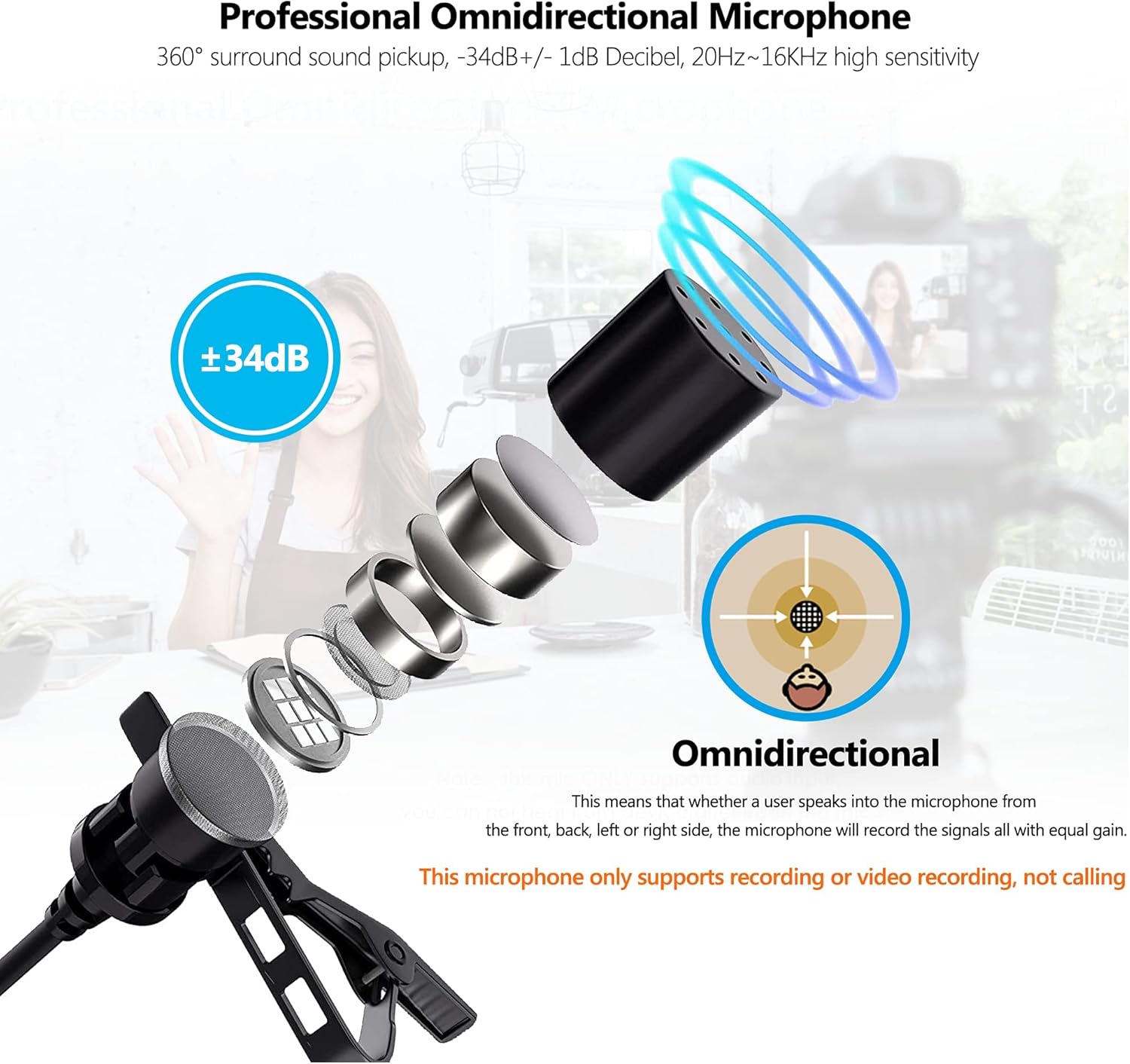
Billede: En eksploderet view of the Bietrun YXM06 microphone head, illustrating its omnidirectional sound pickup capability, meaning it records signals with equal gain from all directions.
2. Noise Reduction Feature
The microphone incorporates a 7-Layer Noise Reduction system with a high-quality aluminum chip and a professional sound chip. This, combined with a thicker anti-interference cable, helps reduce ambient noise. To activate noise reduction, locate the noise cancellation switch on the control unit and turn it on. This feature significantly eliminates surrounding white noise, car sounds, industrial sounds, voices, and atmospheric sounds.

Image: The Bietrun YXM06 control unit highlighting the noise cancellation switch and illustrating how it reduces various noises such as car sounds, industrial sounds, voices of people, and atmospheric sounds.
3. Monitoring Your Recording
The Bietrun YXM06 is equipped with a headphone jack. You can connect headphones to this jack to monitor your audio in real-time, ensuring optimal recording quality and detecting any issues during your session.
Opretholdelse
- Rensning: Use a soft, dry cloth to clean the microphone and control unit. Avoid using harsh chemicals or abrasive materials.
- Opbevaring: Store the microphone in a cool, dry place away from direct sunlight and extreme temperatures. When not in use, it is recommended to store it in its original packaging or a protective pouch to prevent damage.
- Kabelpleje: Avoid sharp bends or kinks in the cable, as this can damage the internal wiring. Coil the cable loosely when storing.
Fejlfinding
| Problem | Mulig årsag | Løsning |
|---|---|---|
| No sound or low volume during recording. | Incorrect mode selected (Phone/Camera). Improper adapter for smartphone. Mikrofonen er ikke helt tilsluttet. Lavt batteri. | Ensure the mode switch is set correctly for your device. Use an original USB-C to 3.5mm or Lightning to 3.5mm adapter for compatible smartphones. Bekræft, at alle forbindelser er sikre. Charge the microphone battery. |
| Overdreven baggrundsstøj. | Noise reduction feature is off. Incorrect windscreen used. Microphone placed too far from sound source. | Turn on the noise reduction switch on the control unit. Use the furry windscreen for outdoor or windy environments. Position the microphone closer to the speaker (6-8 inches). |
| Audio sounds muffled or unclear. | Microphone covered by clothing. Windscreen is dirty or damaged. Recording environment issues. | Sørg for, at mikrofonen ikke er blokeret. Clean or replace the windscreen. Optag i et mere stille miljø, hvis det er muligt. |
| Microphone not recognized by PC/Laptop. | Forkert tilstand valgt. PC audio input settings. | Ensure the mode switch is set to "camera" (PC mode). Kontrollér din computers lydindstillinger for at sikre, at mikrofonen er valgt som inputenhed. |
Specifikationer
| Feature | Specifikation |
|---|---|
| Modelnavn | YXM06 |
| Mikrofon formfaktor | Lavalier (Clip-On) |
| Polar mønster | Omnidirektionel |
| Audio Følsomhed | -34 dB (+/- 1dB) |
| Frekvensrespons | 20Hz ~ 16KHz |
| Forbindelsesteknologi | Hjælpeenhed (kablet) |
| Connector Type | 3.5 mm Jack |
| Kabellængde | 19.6 feet (6.5 ft original + 13 ft extension) |
| Strømkilde | Battery Powered (Built-in Lithium Polymer) |
| Batterilevetid | 45-50 working hours (fully charged) |
| Kompatible enheder | Camera, Laptop, Personal Computer, Smartphone (iPhone, Android) |
| Materiale | Acrylonitril-butadienstyren |
| Varens vægt | 40 gram (1.41 ounce) |
| Fabrikant | Bietrun |
| UPC | 793565294495 |
Garanti og support
Bietrun offers a 1 års garanti for the YXM06 Lapel Microphone, which includes free replacement service for eligible issues. For any questions, technical assistance, or warranty claims, please contact Bietrun customer support through the retailer's platform or the official Bietrun webwebsted.
Gem venligst din købsbevis for at validere garantien.


