Aftershokz OpenComm Wireless Stereo Bone Conduction Bluetooth Headset
Model: ASC100 | Brand: Aftershokz
Indledning
This manual provides detailed instructions for the proper use, setup, and maintenance of your Aftershokz OpenComm Wireless Stereo Bone Conduction Bluetooth Headset. The OpenComm headset utilizes bone conduction technology to deliver audio through your cheekbones, leaving your ears open to ambient sounds. This design is particularly beneficial for professional use, ensuring situational awareness while maintaining clear communication.
Pakkens indhold
Aftershokz OpenComm Headset
Magnetic Induction Charger
Hård bæretaske
Brugervejledning (dette dokument)
Produkt overview
Familiarize yourself with the key components of your OpenComm headset:
Figur 1: Aftershokz OpenComm Wireless Stereo Bone Conduction Bluetooth Headset. This image displays the full headset, highlighting its lightweight, open-ear design with the boom microphone extended.
Figur 2: Adjustable DSP Noise-Canceling Boom Microphone. This close-up shows the flexible boom microphone, designed to capture your voice clearly while minimizing background noise.
Opsætning
1. Charging Your Headset
Before initial use, fully charge your OpenComm headset. Use the provided magnetic induction charger. Align the charger with the charging port on the headset until it snaps into place. A full charge takes approximately 1 hour and provides up to 16 hours of talk time.
Figur 3: Headset charging, illustrating the long talk time capability. This image emphasizes the headset's extended battery life, crucial for prolonged use.
2. Parring med din enhed
The OpenComm headset supports Bluetooth 5.1 for stable wireless connectivity.
Tænd: Press and hold the Power/Volume+ button until the LED indicator flashes red and blue, indicating pairing mode.
Aktiver Bluetooth: Aktiver Bluetooth på din enhed (smartphone, computer osv.) og søg efter tilgængelige enheder.
Select 'OpenComm': Choose 'OpenComm' from the list of found devices. You will hear a voice prompt "Connected" when pairing is successful.
NFC-parring: For devices with NFC, simply tap the NFC area of your device to the NFC tag on the headset to initiate pairing.
Betjeningsvejledning
Tænd/sluk
Tænd: Press and hold the Power/Volume+ button for 2 seconds.
Sluk: Press and hold the Power/Volume+ button for 3 seconds.
Lydstyrkekontrol
Forøg lydstyrke: Tryk på Lydstyrke+-knappen.
Skru ned for lydstyrken: Tryk på lydstyrkeknappen.
Opkaldsstyring
Besvar/afslut opkald: Tryk én gang på multifunktionsknappen.
Afvis opkald: Tryk og hold multifunktionsknappen nede i 2 sekunder.
Slå mikrofon til/fra: During a call, press and hold both Volume+ and Volume- buttons simultaneously for 2 seconds.
Musikafspilning
Afspil/pause: Tryk én gang på multifunktionsknappen.
Næste nummer: Tryk to gange på multifunktionsknappen.
Forrige nummer: Tryk tre gange på multifunktionsknappen.
Mikrofonbrug
The adjustable DSP noise-canceling boom microphone ensures clear voice pickup, making it ideal for calls in noisy environments. Position the boom microphone close to your mouth for optimal performance.
Figur 4: Headset in use, demonstrating awareness and connection. This image shows a user wearing the headset, highlighting its ability to keep you connected to both your team and your surroundings.
Comfort and Awareness
The OpenComm headset's open-ear design provides bud-free listening, ensuring comfort during extended wear and allowing you to remain aware of your surroundings. This is particularly important for safety in outdoor or busy office environments.
Figur 5: Open-Ear Comfort. This image illustrates the headset's design that sits outside the ear, providing comfort and allowing ambient sound awareness.
Opretholdelse
Rensning
Tør headsettet af med en blød kludamp cloth. Avoid using harsh chemicals or abrasive materials. Ensure the charging port is dry before charging.
Opbevaring
Store the headset in its hard carrying case when not in use to protect it from dust and damage. Avoid storing in extreme temperatures.
Vandmodstand
The OpenComm headset is IP55 water-resistant, meaning it is protected against dust and low-pressure water jets. It is suitable for use in light rain or during sweaty workouts, but should not be submerged in water.
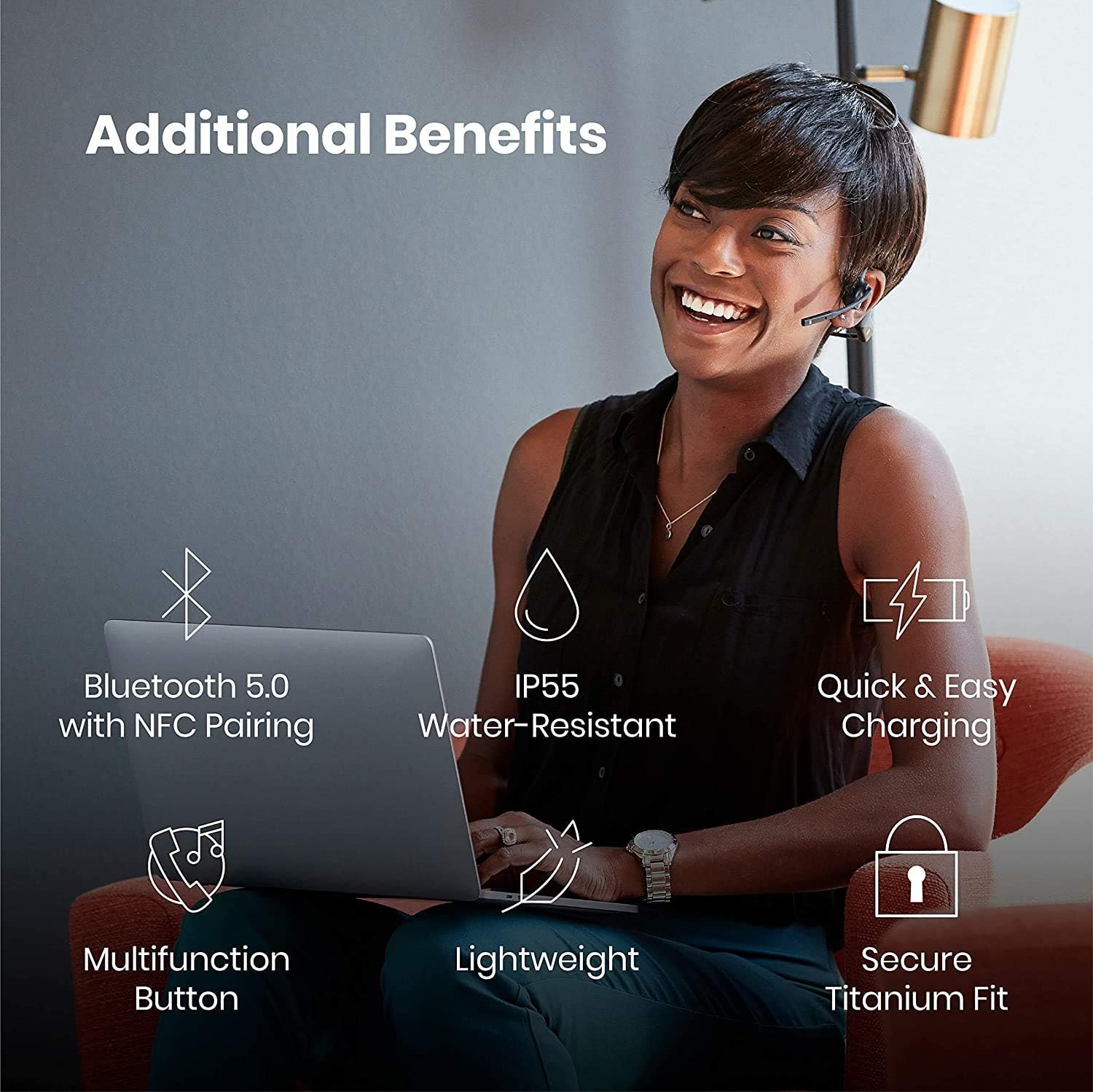
Figur 6: Overview of additional benefits including IP55 water resistance. This graphic highlights key features like Bluetooth 5.0 with NFC pairing, IP55 water resistance, quick charging, lightweight design, multifunction button, and secure titanium fit.
Fejlfinding
Problem
Løsning
Headset won't power on
Sørg for, at headsettet er fuldt opladet.
Kan ikke parres med enheden
Ensure the headset is in pairing mode (flashing red/blue LED). Turn off and on your device's Bluetooth. Clear previous pairings on your device.
Ingen lyd eller lav lydstyrke
Adjust volume on both the headset and your connected device. Ensure the headset is properly positioned on your cheekbones.
Mikrofon virker ikke
Sørg for, at mikrofonen ikke er slået fra. Kontroller mikrofonindstillingerne på din tilsluttede enhed.
Sound quality is poor (buzzy bass)
Bone conduction technology may produce a different bass experience compared to traditional headphones. This is normal.
Specifikationer
Feature
Detalje
Modelnavn
OpenComm
Varemodelnummer
ASC100
Forbindelsesteknologi
Bluetooth 5.1, Trådløs
Trådløs kommunikationsteknologi
Bluetooth
Inkluderede komponenter
Mikrofon
Materiale
Aluminum, Plastic, Rubber, Silicone
Specifikke anvendelser af produktet
Office work, call centers, truck driving, industrial environments, business meetings, hands-free communication
Anbefalet anvendelse af produktet
Ringer
Kontroltype
Stemmekontrol
Varens vægt
10.2 ounce (0.29 kilo)
Frekvensområde
20 Hz - 20,000 Hz
Batterilevetid
16 timer (taletid)
Bluetooth version
5.1
UPC
811071032087
Produktdimensioner
6.69 x 5.31 x 2.56 tommer
Vandmodstand
IP55
Garanti og support
Aftershokz products are designed and manufactured to the highest quality standards. For warranty information, technical support, or service inquiries, please visit the official Aftershokz webwebstedet eller kontakt deres kundesupportteam. Gem dit købsbevis til garantikrav.
AfterShokz OpenComm brugervejledning Omfattende brugervejledning til AfterShokz OpenComm-headsettet, der dækker opsætning, funktioner, specifikationer og vedligeholdelse. Lær, hvordan du parrer, tilslutter og bruger dit OpenComm for optimal ydeevne.
OpenComm brugervejledning - Opsætning og funktioner Omfattende brugervejledning til AfterShokz OpenComm-headsettet, der dækker opsætning, parring, tilslutning, multifunktionskontroller, specifikationer, vedligeholdelse og fejlfinding. Lær, hvordan du bruger dit OpenComm-headset effektivt.
AfterShokz Aeropex brugervejledning Denne brugervejledning indeholder omfattende instruktioner til AfterShokz Aeropex-hovedtelefonerne med benledning, der dækker opsætning, funktioner, specifikationer og fejlfinding.