Indledning
Thank you for choosing the pTron Tangent Plus Wireless Bluetooth Headphones. This manual provides essential information for setting up, operating, and maintaining your device. The Tangent Plus features Bluetooth 5.0 connectivity, magnetic in-ear earbuds, a flexible neckband design, and a built-in TF card slot for direct music playback. It offers extended battery life and is designed for comfort and durability, making it suitable for various activities including entertainment, fitness, and travel.
Hvad er der i æsken
- pTron Tangent Plus Wireless Bluetooth Headphones
- Micro USB opladningskabel
- Additional Eartips
- Brugermanual
Produkt overview
The pTron Tangent Plus features an ergonomic neckband design with magnetic earbuds for secure storage. The control module is conveniently located on the neckband for easy access to functions.
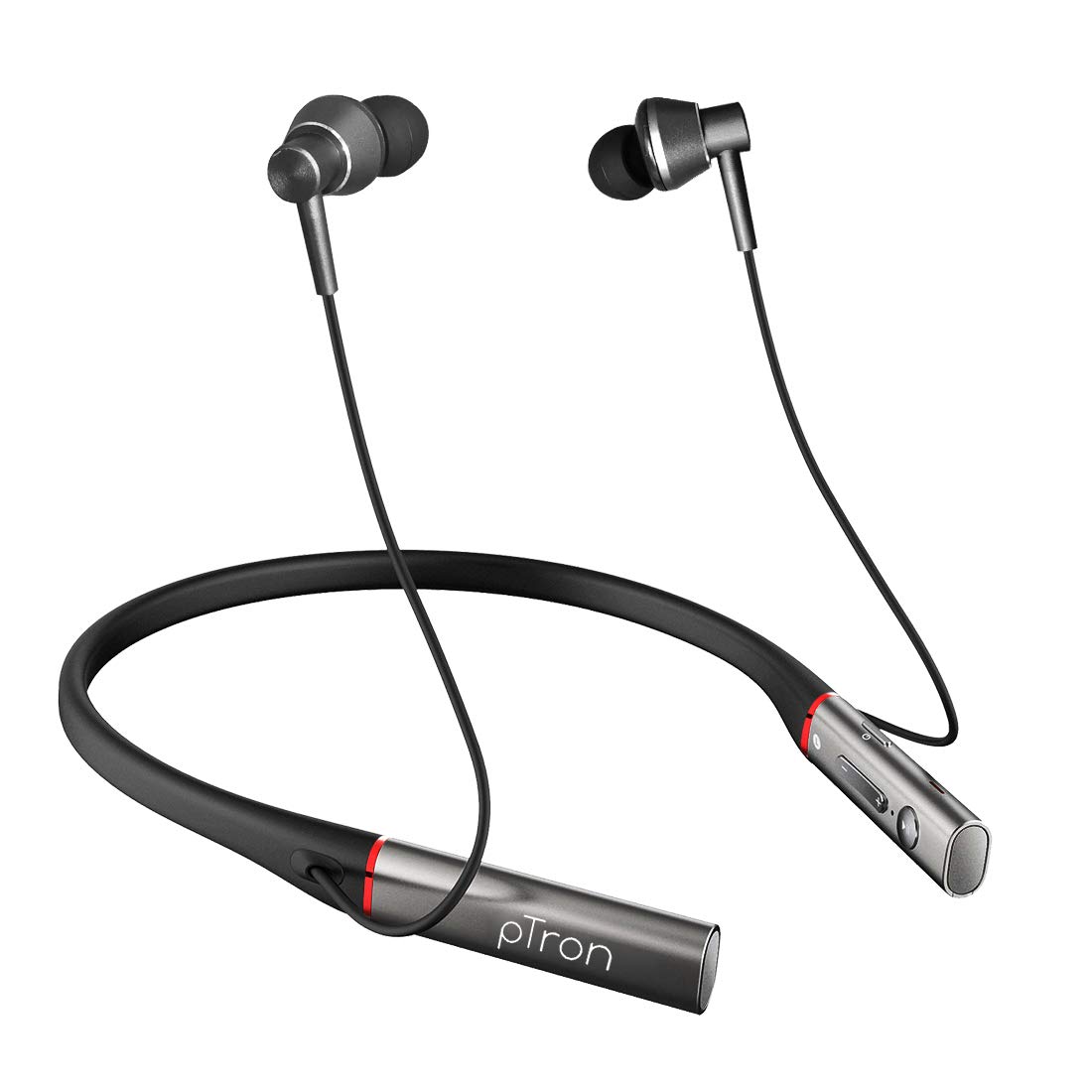
Billede: Forside view of the pTron Tangent Plus Wireless Bluetooth Headphones, showcasing the neckband and magnetic earbuds.

Image: Diagram illustrating the ergonomic and lightweight design of the pTron Tangent Plus, highlighting Bluetooth v5.0, 10m wireless range, quick pairing, built-in HD mic, and magnetic lock earbuds.
Opsætning
1. Opladning af hovedtelefonerne
Before first use, fully charge your pTron Tangent Plus headphones. Connect the provided Micro USB charging cable to the charging port on the neckband and the other end to a USB power source (e.g., computer USB port, wall adapter). The LED indicator will show charging status. A full charge takes approximately 2 hours.
2. Bluetooth-parring
- Sørg for, at hovedtelefonerne er slukket.
- Press and hold the Power/Call Answer button for 3 seconds until the LED indicator flashes blue and red alternately, indicating pairing mode.
- Aktiver Bluetooth på din enhed (smartphone, tablet, bærbar computer), og søg efter tilgængelige enheder.
- Select "pTron Tangent Plus" from the list of found devices.
- Når parringen er gennemført, blinker LED-indikatoren langsomt blåt, og du vil høre en bekræftelsestone.
- The headphones will automatically reconnect to the last paired device when turned on, if Bluetooth is enabled on the device and it is within range.
3. TF Card Usage
The pTron Tangent Plus features a built-in TF card slot for direct music playback without needing a connected device.
- Insert a TF (microSD) card with your music files into the designated slot on the control module.
- Press the "M" button twice to switch to TF Card mode. The headphones will automatically begin playing music from the card.
- Press the "M" button twice again to switch back to Bluetooth mode.
Betjeningsvejledning
Familiarize yourself with the control buttons located on the neckband for seamless operation.
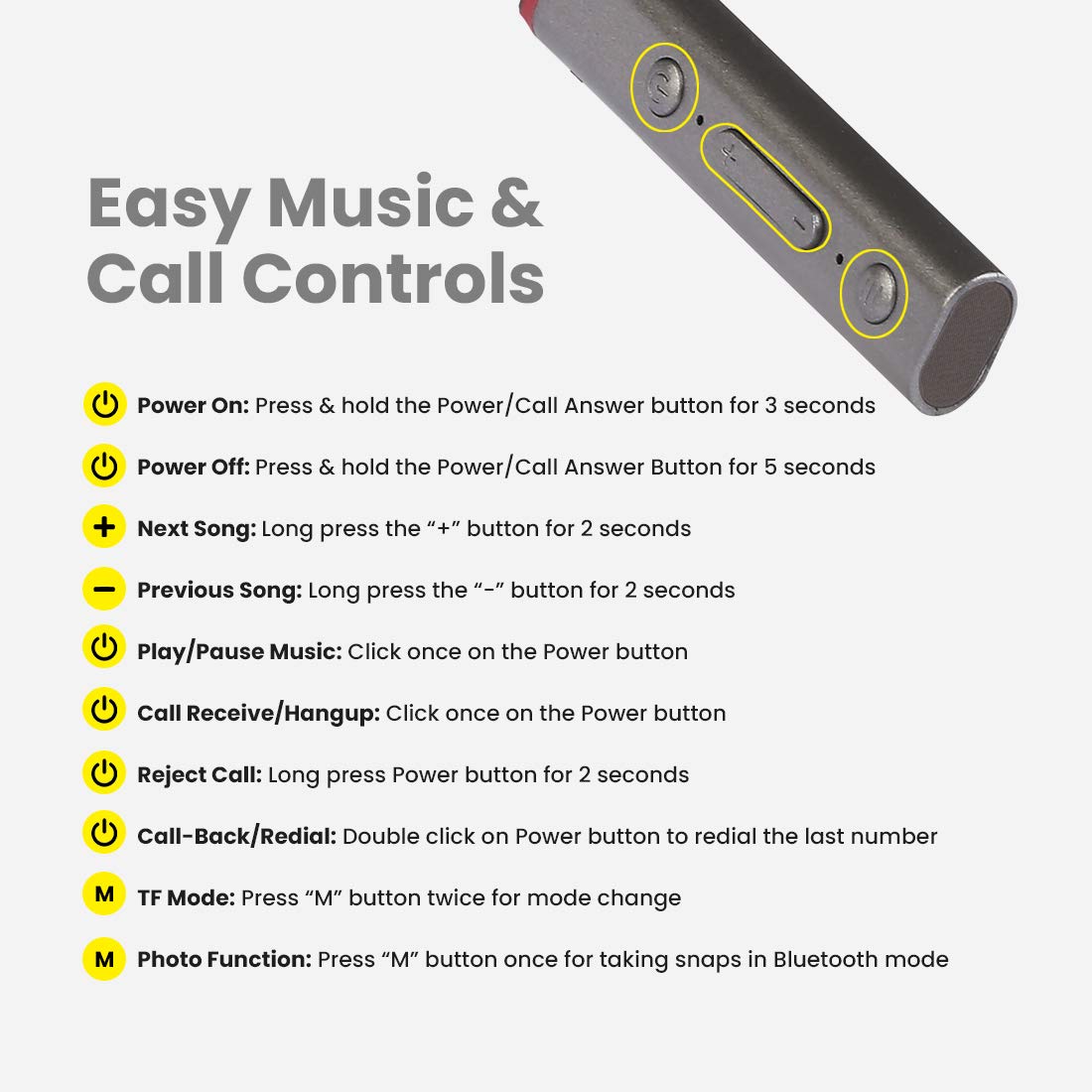
Image: Detailed diagram showing the control buttons on the pTron Tangent Plus neckband and their respective functions.
| Fungere | Handling |
|---|---|
| Tænd | Press & hold the Power/Call Answer button for 3 seconds. |
| Sluk | Press & hold the Power/Call Answer button for 5 seconds. |
| Næste sang | Tryk længe på "+"-knappen i 2 sekunder. |
| Forrige sang | Tryk længe på "-"-knappen i 2 sekunder. |
| Afspil/pause musik | Click once on the Power button. |
| Call Receive/Hangup | Click once on the Power button. |
| Afvis opkald | Long press Power button for 2 seconds. |
| Call-Back/Redial | Double click on Power button to redial the last number. |
| TF-tilstand | Press "M" button twice for mode change. |
| Photo Function (Selfie Remote) | Press "M" button once for taking snaps in Bluetooth mode. |
Opretholdelse
- Rensning: Brug en blød, tør klud til at rengøre hovedtelefonerne. Brug ikke skrappe kemikalier eller slibende materialer.
- Opbevaring: Når hovedtelefonerne ikke er i brug, skal de opbevares køligt og tørt, væk fra direkte sollys og ekstreme temperaturer.
- Vandtæthed: The headphones are IPX4 water/sweat resistant, meaning they can withstand splashes and sweat. Do not submerge them in water or expose them to heavy rain. Dry them thoroughly if they get wet.
- Batteripleje: For at forlænge batteriets levetid bør du undgå at aflade batteriet helt ofte. Oplad hovedtelefonerne regelmæssigt, selvom de ikke er i brug i længere perioder.
Fejlfinding
| Problem | Mulig løsning |
|---|---|
| Hovedtelefonerne tændes ikke. | Ensure the battery is charged. Connect to a power source and charge for at least 30 minutes before attempting to power on again. |
| Kan ikke parres med enheden. |
|
| Ingen lyd eller lav lydstyrke. |
|
| Intermittent connection/audio drops. |
|
| Mikrofon virker ikke. |
|
Specifikationer
| Feature | Detalje |
|---|---|
| Modelnavn | Tangent Plus |
| Bluetooth version | 5.0 |
| Wireless Range | Op til 10 meter (33 fod) |
| Batterikapacitet | 250mAh Li-Polymer |
| Musik afspilningstid | Op til 15 timer |
| Taletid | Op til 10 timer |
| Standby tid | Op til 200 timer |
| Opladningstid | Cirka 2 timer |
| Opladningsport | Micro USB |
| Driver størrelse | 10 mm dynamisk driver |
| Frekvensområde | 20Hz - 20kHz |
| Impedans | 32 Ohm |
| Vandmodstand | IPX4 (Water/Sweat Resistant) |
| Materiale | Acrylonitril Butadien Styren (ABS), Metal |
| Varens vægt | 38 gram |
| Produktdimensioner | 8.8 x 0.9 x 0.9 cm |
Garanti & Support
The pTron Tangent Plus Wireless Bluetooth Headphones come with a 1 års producentgaranti fra købsdatoen.
For warranty claims, technical support, or any product-related inquiries, please contact pTron customer care:
- Kundeservicekontakt: 040 - 67138888
- E-mail support: support@ptron.in
Please retain your purchase invoice for warranty validation.


