1. Produktet er slutview
The TIMEXT80 X Pac-Man Digital Watch is a unisex timepiece featuring a grey digital dial and a gold-tone stainless steel band. It includes a range of functions such as alarm, stopwatch, date display, and INDIGLO night-light, all housed in a durable resin case.

Figur 1.1: Forside view of the TIMEXT80 X Pac-Man Digital Watch.
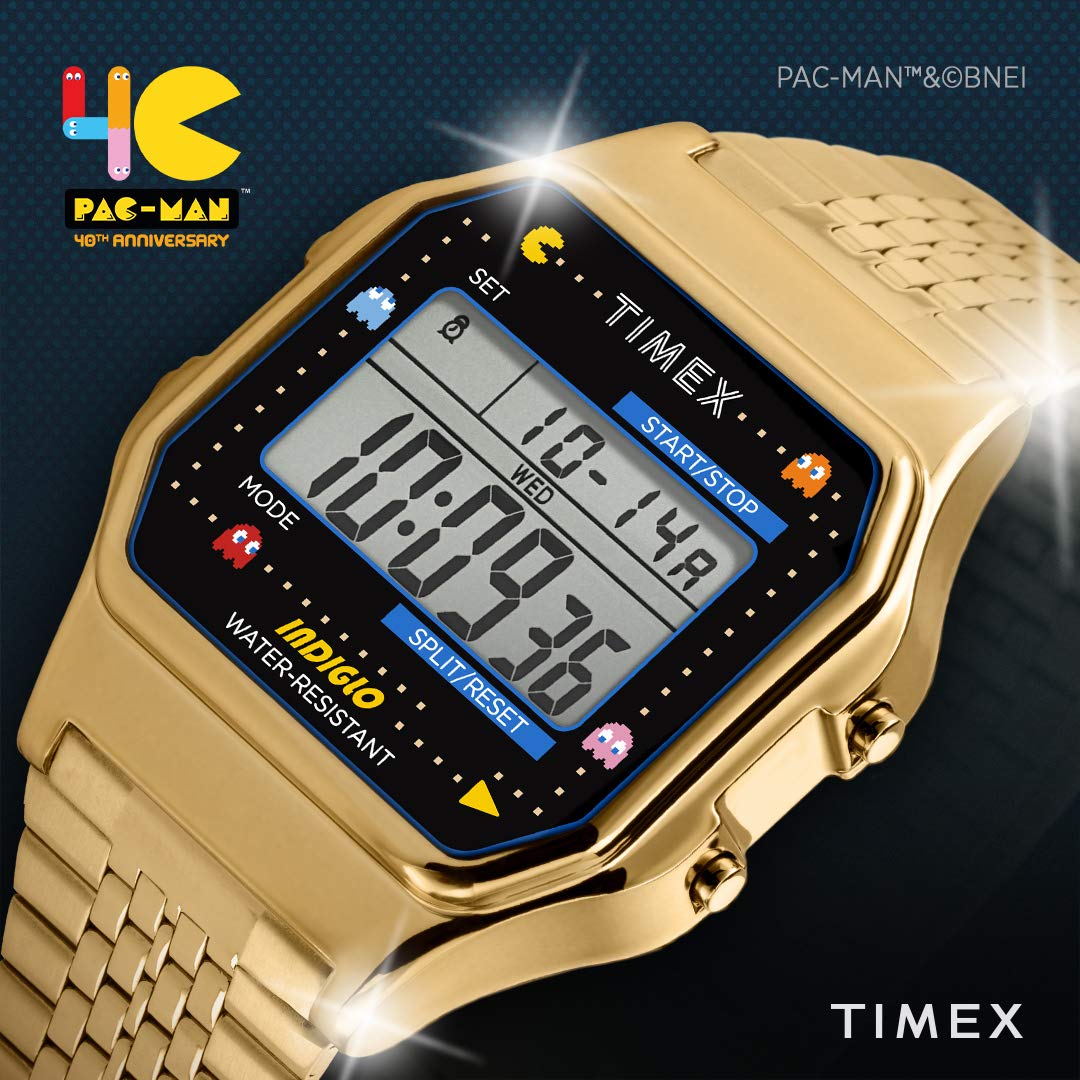
Figur 1.2: Vinklet view showcasing the Pac-Man design elements.

Figur 1.3: Detaljeret view of the watch face and display.

Figur 1.4: Sideprofile af uret.
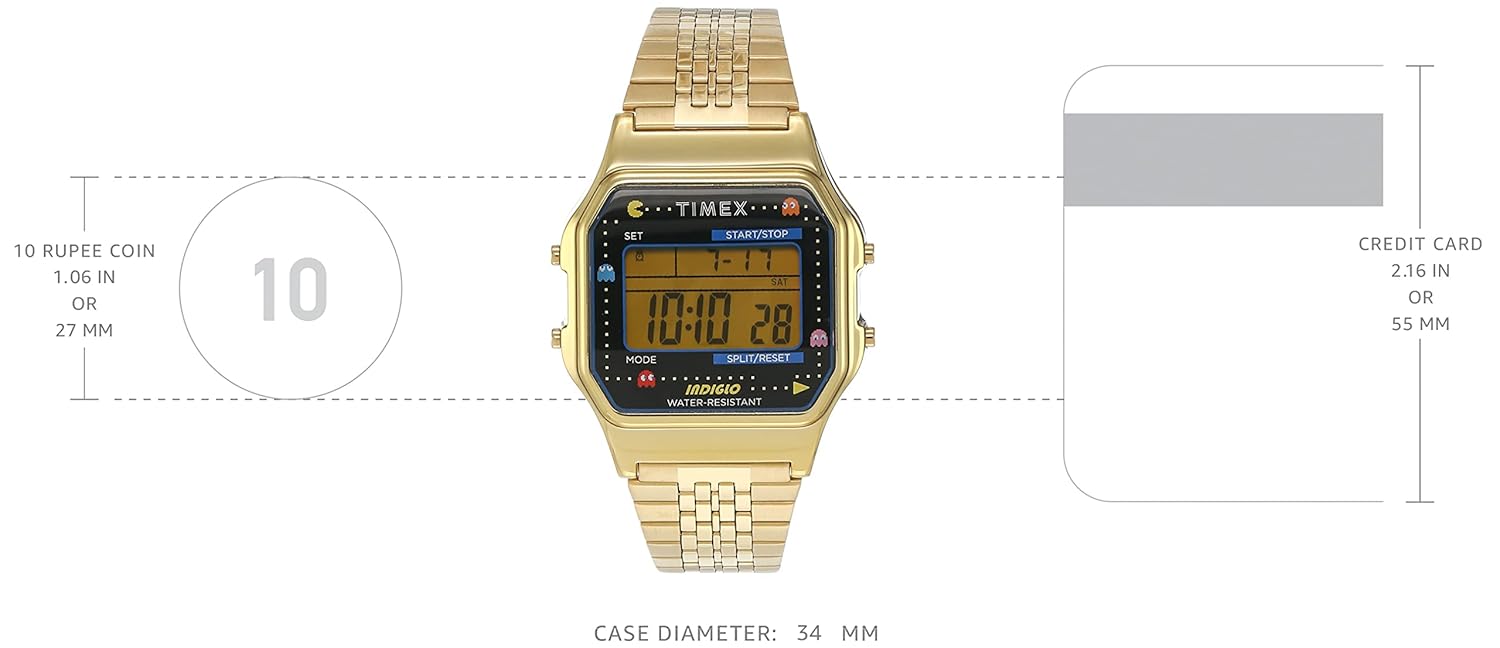
Figure 1.5: Watch as worn on a wrist.

Figure 1.6: Watch size comparison.

Figur 1.7: Bagside view af urkassen.
2. Opsætning
2.1 Indledende inspektion
Upon unboxing, inspect the watch for any visible damage. Ensure all protective films are removed from the display and case back.
2.2 Batterioplysninger
Your watch comes with a pre-installed battery. According to specifications, it requires 1 AA battery (included). Please note that for digital watches, this typically refers to a small button cell battery, not a standard AA battery. The watch is ready for immediate use.
2.3 Indstilling af tid og dato
Sådan indstilles tid og dato:
- Tryk på MODE knappen gentagne gange, indtil tidsindstillingstilstanden vises (normalt angivet med blinkende cifre).
- Brug SÆT or START/STOP button to adjust the flashing digit (hours, minutes, etc.).
- Trykke MODE again to move to the next setting (e.g., minutes, year, month, day).
- Repeat the adjustment process until all desired settings are correct.
- Trykke MODE or SÆT (afhængigt af modellen) for at afslutte indstillingstilstanden.
3. Betjeningsvejledning
3.1 Knapfunktioner
- SÆT: Bruges til at gå ind i indstillingstilstande og bekræfte valg.
- START / STOP: Initiates and pauses functions like the stopwatch or timer. Also used for adjusting values in setting modes.
- KØRSELSVEJLEDNING: Cycles through different watch modes (Time, Alarm, Stopwatch, Timer).
- SPLIT/RESET: Records lap times in stopwatch mode or resets the stopwatch/timer. Also used for adjusting values in setting modes.
3.2 Alarmfunktion
Sådan indstiller og bruger du alarmen:
- Trykke MODE until the alarm mode is displayed.
- Trykke SÆT to activate the alarm setting.
- Bruge START/STOP or SPLIT/NULSTIL for at justere alarmtidspunktet.
- Trykke MODE for at bekræfte og afslutte.
- For at tænde/slukke alarmen, tryk på START/STOP while in alarm mode.
3.3 Stopursfunktion
Sådan bruger du stopuret:
- Trykke MODE until the stopwatch mode is displayed (usually showing 00:00:00).
- Trykke START/STOP for at begynde timingen.
- Trykke SPLIT/NULSTIL to record lap/split times without stopping the main timer.
- Trykke START/STOP igen for at sætte stopuret på pause.
- Trykke SPLIT/NULSTIL for at nulstille stopuret.
3.4 Nedtællingstimer
Sådan bruger du nedtællingstimeren:
- Trykke MODE until the countdown timer mode is displayed.
- Trykke SÆT to set the desired countdown time using START/STOP or SPLIT/NULSTIL.
- Trykke START/STOP for at begynde nedtællingen.
- Uret udsender en lyd, når timeren når nul.
3.5 INDIGLO Natlampe
To activate the INDIGLO night-light, press the button located on the side of the watch (often the SÆT button or a dedicated light button). The entire watch face will illuminate for easy viewunder dårlige lysforhold.
4. Vedligeholdelse
4.1 Vandtæthed
This watch has a water resistance depth of 30 meters. This means it is suitable for everyday use and can withstand splashes or brief immersion in water. It is ikke egnet til svømning, badning eller dykning.
- Betjen ikke knapperne, mens uret er vådt eller nedsænket i vandet.
- Avoid exposing the watch to hot water or steam, as this can compromise the water resistance seals.
4.2 Rengøring
Sådan rengør du dit ur:
- Wipe the case and band with a soft, damp klæde.
- For the stainless steel band, a mild soap solution can be used, followed by rinsing with clean water and thorough drying.
- Undgå at bruge skrappe kemikalier, slibende rengøringsmidler eller opløsningsmidler, da disse kan beskadige urets finish.
4.3 Udskiftning af batteri
When the display becomes dim or functions become erratic, it may be time to replace the battery. It is recommended to have the battery replaced by a qualified watch technician to ensure proper sealing and maintain water resistance. The watch uses a button cell battery (despite the specification stating 'AA battery').
5. Fejlfinding
5.1 Skærmen er tom eller svag
- Årsag: Lavt batteri.
- Løsning: Udskift batteriet.
5.2 Buttons Are Unresponsive
- Årsag: Uret kan være i låst tilstand eller har en intern fejl.
- Løsning: Prøv at trykke alle knapper hårdt ned. Hvis den ikke reagerer, kan det være nødvendigt at nulstille batteriet (udtage og sætte batteriet i igen), men dette bør gøres af en professionel.
5.3 Time is Inaccurate
- Årsag: Forkert indstilling eller lavt batteri.
- Løsning: Re-set the time and date. If the problem persists, replace the battery.
5.4 Condensation Under Crystal
- Årsag: Eksponering for ekstreme temperaturændringer eller kompromitteret vandmodstand.
- Løsning: Seek professional service immediately to prevent internal damage.
6. Specifikationer
| Feature | Detalje |
|---|---|
| Modelnummer | TW2U32000 |
| Urskive farve | Grå |
| Case Form | Firkant |
| Skiveglasmateriale | Mineral |
| Bånd farve | Guld |
| Båndmateriale | Rustfrit stål |
| Bevægelsestype | Kvarts |
| Display Type | Digital |
| Etui materiale | Harpiks |
| Æske diameter | 34 millimeter |
| Sags tykkelse | 13 millimeter |
| Vandmodstandsdybde | 30 meter |
| Spændetype | Fold-Over Clasp |
| Varens vægt | 25 g |
| Batteri | 1 AA-batterier påkrævet (medfølger) |
7. Garanti og support
7.1 Garantioplysninger
This TIMEX watch comes with a 1 års garanti from the date of purchase. The warranty covers manufacturing defects under normal use. It does not cover damage resulting from misuse, accidents, unauthorized repairs, or normal wear and tear.
7.2 Kundesupport
For warranty claims, technical assistance, or service inquiries, please contact TIMEX customer support. Refer to the official TIMEX webwebstedet eller din købsdokumentation for at få de seneste kontaktoplysninger.
Producent: Timex


