1. Introduktion
Tak for købetasing the Yenkee YSP 2025 2.0 PC Speaker System. This manual provides detailed instructions for setting up, operating, and maintaining your new speakers. Please read this manual thoroughly before use to ensure proper operation and to maximize the lifespan of your product.
The Yenkee YSP 2025 speaker system is designed to enhance your multimedia audio experience with powerful and clear sound. It features versatile connectivity options including Bluetooth 5.0, 3.5mm audio input, TF card reader, and USB port for various audio sources.
2. Sikkerhedsoplysninger
For at sikre sikker drift og forhindre skader, bedes du overholde følgende sikkerhedsforanstaltninger:
- Do not expose the speakers to water, moisture, or extreme temperatures.
- Do not place the speakers near heat sources such as radiators, heat registers, stoves, or other apparatus (including ampløftere), der producerer varme.
- Brug kun tilbehør/tilbehør specificeret af producenten.
- Træk stikket ud af dette apparat under tordenvejr, eller når det ikke skal bruges i længere perioder.
- Overlad al service til kvalificeret servicepersonale. Service er påkrævet, når apparatet er blevet beskadiget på nogen måde, såsom strømforsyningsledning eller stik er beskadiget, væske er blevet spildt, eller genstande er faldet ind i apparatet, apparatet har været udsat for regn eller fugt, ikke fungerer normalt , eller er blevet droppet.
- Bloker ikke ventilationsåbninger. Installer i overensstemmelse med producentens anvisninger.
- Beskyt netledningen mod at blive trådt på eller klemt, især ved stik, stikkontakter og det sted, hvor de kommer ud af apparatet.
3. Pakkens indhold
Kontroller venligst pakkens indhold ved udpakning. Hvis der mangler eller er beskadigede dele, skal du kontakte din forhandler.
- Yenkee YSP 2025 2.0 PC Speaker System (2 speakers)
- Fjernbetjening
- 3.5 mm lydkabel
- Strømkabel
- Brugermanual
4. Produktet er slutview
Familiarize yourself with the components and controls of your Yenkee YSP 2025 speaker system.

Figur 4.1: Front view of the Yenkee YSP 2025 speakers, showing the main speaker with control panel on the side and the secondary speaker.
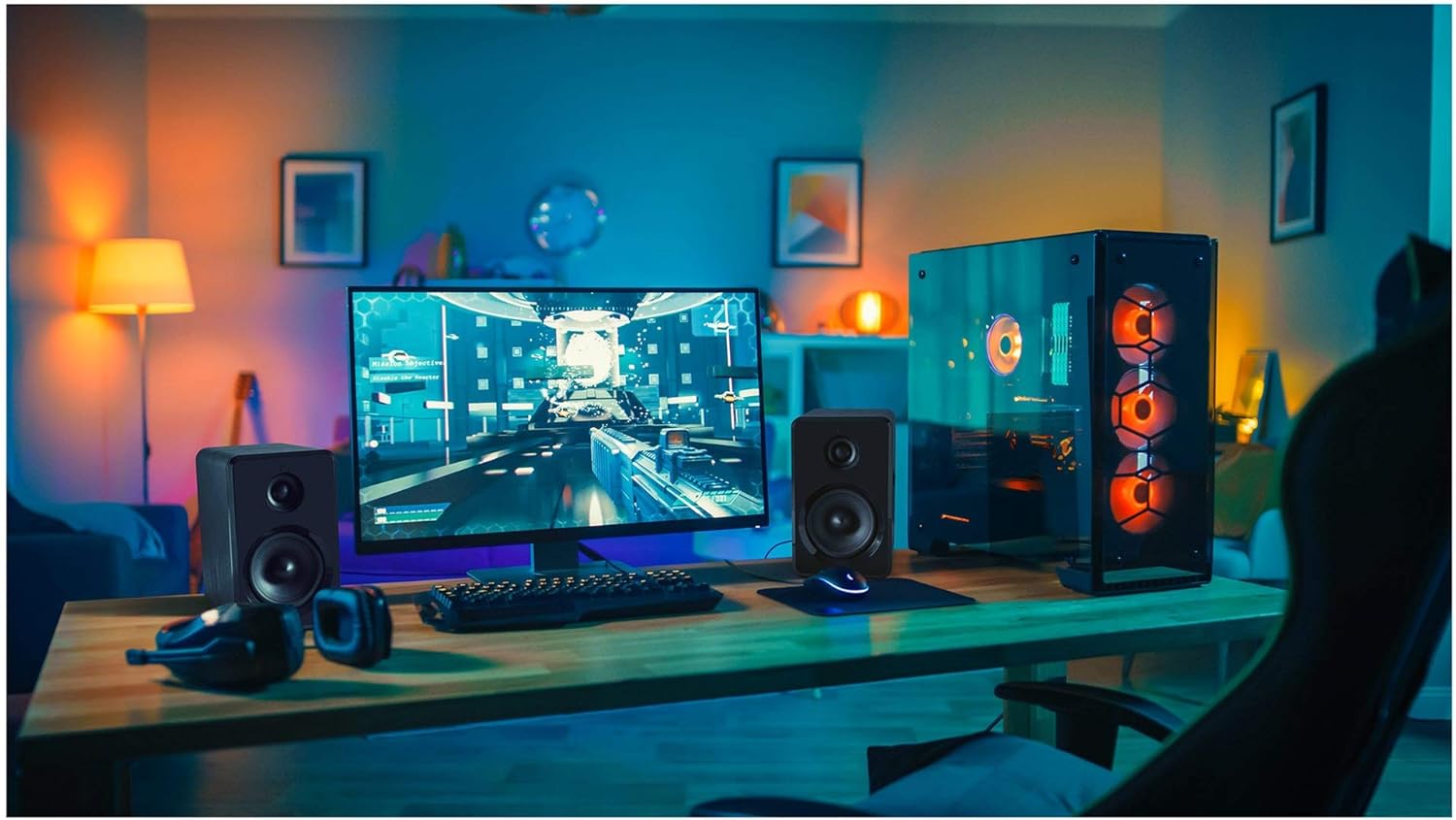
Figur 4.2: Yenkee YSP 2025 speakers integrated into a typical desktop computer setup, demonstrating their compact size and placement beside a monitor.

Figur 4.3: The retail packaging for the Yenkee YSP 2025 speakers, highlighting key features and including an image of the remote control.
4.1 Main Speaker Controls and Ports
The main speaker houses the primary controls and connectivity ports:
- Lydstyrkeknap: Justerer den samlede lydstyrke.
- Mode knap: Cycles through input modes (Bluetooth, AUX, USB, TF).
- Afspil/pause knap: Controls playback in Bluetooth, USB, and TF modes.
- Knapper til forrige/næste spor: Navigates tracks in Bluetooth, USB, and TF modes.
- USB-port: Til afspilning fra USB-flashdrev.
- TF-kortslot: For TF (microSD) card playback.
- AUX-indgang (3.5 mm): Til tilslutning af eksterne lydenheder via kabel.
- Strømindgang: Tilsluttes strømadapteren.
- Højttaler output: Connects to the secondary speaker.
4.2 Fjernbetjening
Den medfølgende fjernbetjening giver nem adgang til forskellige funktioner:
- Tænd/sluk
- Valg af tilstand
- Lydstyrke op/ned
- Stum
- Afspil/pause
- Forrige/Næste nummer
- EQ Presets (if available)
5. Opsætning
5.1 Højttalerplacering
For optimal sound quality, place the speakers on a stable, flat surface. Position them equidistant from your listening position, forming an equilateral triangle for the best stereo imaging. Ensure there is adequate ventilation around the speakers.
5.2 Tilslutning af højttalerne
- Connect the cable from the secondary speaker to the "Speaker Output" port on the main speaker.
- Connect the power cable to the "Power Input" on the main speaker, then plug the other end into a standard wall outlet (100-240V).
5.3 Tilslutning af lydkilder
5.3.1 AUX-forbindelse
Use the included 3.5mm audio cable to connect your device (e.g., computer, smartphone, MP3 player) to the "AUX Input" port on the main speaker.
5.3.2 USB/TF Card Connection
Insert a USB flash drive or TF (microSD) card into the respective port on the main speaker. The system will automatically switch to USB/TF mode and begin playing supported audio files.
6. Betjeningsvejledning
6.1 Tænd/sluk
Press the Power button on the remote control or the main speaker to turn the speakers on or off.
6.2 Valg af tilstand
Press the "MODE" button on the main speaker or the remote control to cycle through the available input modes: Bluetooth, AUX, USB, and TF.
6.3 Lydstyrkekontrol
Rotate the volume knob on the main speaker clockwise to increase volume and counter-clockwise to decrease. Alternatively, use the Volume Up/Down buttons on the remote control.
6.4 Bluetooth -parring
- Switch the speaker system to Bluetooth mode. The indicator light will flash, indicating it's ready for pairing.
- On your Bluetooth-enabled device (e.g., smartphone, tablet, computer), enable Bluetooth and search for available devices.
- Select "Yenkee YSP 2025" from the list of devices.
- Once paired, the indicator light will stop flashing and remain solid. You can now play audio wirelessly from your device.
6.5 USB/TF-afspilning
When a USB flash drive or TF card is inserted, the speakers will automatically switch to the corresponding mode and begin playing audio files. Use the Play/Pause and Previous/Next Track buttons on the main speaker or remote control to manage playback.
7. Vedligeholdelse
Korrekt vedligeholdelse sikrer dine højttaleres levetid og ydeevne:
- Rensning: Brug en blød, tør klud til at rengøre højttaleroverfladerne. Brug ikke slibende rengøringsmidler, voks eller opløsningsmidler.
- Opbevaring: If storing the speakers for an extended period, unplug them from the power outlet and store them in a cool, dry place, away from direct sunlight and extreme temperatures.
- Ventilation: Sørg for, at ventilationsåbningerne ikke er blokeret for at forhindre overophedning.
8. Fejlfinding
If you encounter issues with your Yenkee YSP 2025 speakers, refer to the following common problems and solutions:
| Problem | Mulig årsag | Løsning |
|---|---|---|
| Ingen lyd |
|
|
| Forvrænget lyd |
|
|
| Problemer med Bluetooth-parring |
|
|
| USB/TF-kort afspiller ikke |
|
|
9. Specifikationer
Detailed technical specifications for the Yenkee YSP 2025 speaker system:
| Modelnummer | YSP 2025 |
| Højttaler type | 2.0 PC Speaker System |
| Udgangseffekt (RMS) | 40 W |
| Frekvensrespons | 60 Hz - 20 kHz |
| Bluetooth version | 5.0 |
| Tilslutningsmuligheder | Bluetooth, 3.5mm AUX, USB, TF Card |
| Dimensioner (pr. højttaler) | 115 x 185 x 159 mm (B x H x D) |
| Samlet vægt | 2.5 kg |
| Strømforsyning | AC 100-240V |
| Kontrolmetode | Trykknap, fjernbetjening |
| Farve | Sort |
10. Garanti og support
Yenkee products are manufactured to the highest quality standards. For information regarding warranty terms and conditions, please refer to the warranty card included with your product or contact your local retailer. Keep your purchase receipt as proof of purchase.
For technical support or service inquiries, please contact the retailer where you purchased the product or visit the official Yenkee webwebsted for kontaktoplysninger.


