1. Introduktion
The Apple 2020 iPad Pro 12.9-inch Wi-Fi 128GB is a powerful and versatile tablet designed for a wide range of tasks, from creative work and gaming to productivity and entertainment. Featuring an immersive edge-to-edge Liquid Retina display, an A12Z Bionic chip, and advanced camera systems, this device offers a premium user experience.
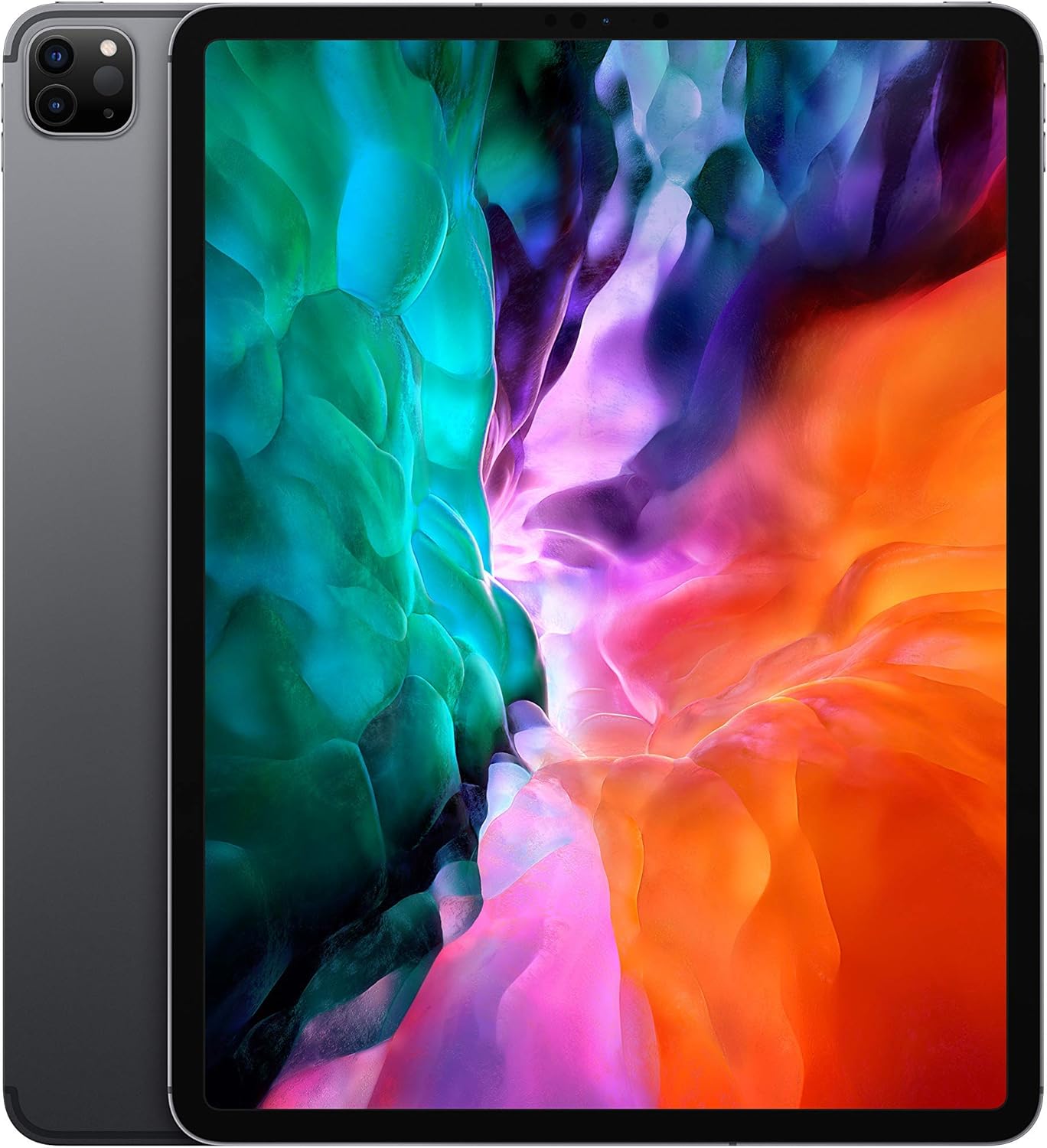
Billede: Forside view of the Apple 2020 iPad Pro 12.9-inch in Space Gray, showcasing its edge-to-edge Liquid Retina display.
2. Opsætning
2.1 Initial Power On and Activation
- Charge the iPad: Connect the provided USB charging cable to the iPad and a power adapter. Plug the adapter into a wall outlet. Allow the device to charge for at least 30 minutes before initial setup.
- Tænd: Press and hold the Top button until the Apple logo appears.
- Følg instruktionerne på skærmen: The iPad will guide you through the initial setup process, including language selection, region, and connecting to a Wi-Fi network.
- Set Up Face ID: Follow the prompts to configure Face ID for secure authentication.
- Gendan eller opsæt som ny: You can choose to restore from an iCloud or computer backup, or set up the iPad as a new device.
2.2 Tilslutning til Wi-Fi
- Gå til Indstillinger > Wi-Fi.
- Vælg dit ønskede Wi-Fi-netværk fra listen.
- Indtast netværksadgangskoden, hvis du bliver bedt om det, og tryk på Deltag.
3. Betjening af din iPad Pro
3.1 Navigating iPadOS
The iPad Pro runs on iPadOS, offering a user-friendly interface with intuitive gestures. Swipe up from the bottom to go to the Home screen, swipe down from the top-right for Control Center, and swipe down from the top-center for Notifications.
3.2 Skærmfunktioner
Your iPad Pro features a 12.9-inch edge-to-edge Liquid Retina display with ProMotion technology for adaptive refresh rates up to 120Hz, True Tone for ambient light color adjustment, and P3 wide color for vibrant visuals.

Image: A visual summary of key iPad Pro features, including the A12Z Bionic chip, Face ID, 10-hour battery life, 4-speaker audio, and Apple Pencil compatibility.
3.3 Performance and Security
Powered by the A12Z Bionic chip with Neural Engine, the iPad Pro delivers fast and efficient performance for demanding applications and multitasking. Face ID provides secure and convenient authentication for unlocking your device and making purchases.

Billede: Detaljeret view of the advanced dual camera system and LiDAR scanner located on the rear of the iPad Pro.
3.4 Kamerasystem
The device includes a 12MP Wide camera, a 10MP Ultra Wide camera, and a LiDAR Scanner for advanced photography and augmented reality (AR) experiences. The 7MP TrueDepth front camera supports Face ID and high-quality video calls.
3.5 Tilbehør
The iPad Pro is compatible with the Apple Pencil (2nd generation) for drawing, note-taking, and marking up documents, and the Magic Keyboard with a trackpad for a laptop-like typing experience.

Image: The Apple iPad Pro connected to a Magic Keyboard, with an Apple Pencil positioned in front, illustrating its versatility as a productivity tool.
4. Vedligeholdelse
4.1 Rengøring af din iPad Pro
- Brug en blød, fnugfri klud til at rengøre skærmen og ydersiden.
- Avoid using abrasive materials, aerosols, or harsh cleaning solutions.
- Til genstridige pletter, let dampen klud med vand.
4.2 Softwareopdateringer
Regularly check for and install iPadOS updates to ensure optimal performance, security, and access to new features. Go to Indstillinger > Generel > Softwareopdatering.
4.3 Pleje af batterier
For at maksimere batteriets levetid skal du undgå at udsætte din iPad for ekstreme temperaturer. Ved langtidsopbevaring skal du oplade batteriet til ca. 50 % og slukke for enheden.
5. Fejlfinding
5.1 Enheden svarer ikke
If your iPad Pro is unresponsive, try a force restart:
- Press and quickly release the Volume Up button.
- Press and quickly release the Volume Down button.
- Press and hold the Top button until the Apple logo appears.
5.2 Problemer med Wi-Fi-forbindelse
- Sørg for, at Wi-Fi er aktiveret i Indstillinger.
- Genstart din Wi-Fi-router.
- Forget the network (Indstillinger > Wi-Fi > tap the "i" next to the network > Glem dette netværk) and reconnect.
5.3 Appnedbrud eller frysning
- Luk og åbn appen igen.
- Søg efter appopdateringer i App Store.
- Genstart din iPad.
6. Specifikationer
| Feature | Detalje |
|---|---|
| Mærke | Æble |
| Modelnavn | 12.9-inch iPad Pro Wi-Fi 128GB - Space Gray |
| Stående skærm displaystørrelse | 12.9 tommer |
| Skærmopløsning | 2732x2048 |
| Max skærmopløsning | 2736 x 2048 pixel |
| Processor | 2.49 GHz (A12Z Bionic chip) |
| VÆDDER | 6 GB |
| Harddisk-/flashhukommelsesstørrelse | 128 GB |
| Operativsystem | iPadOS |
| Bag Webcam opløsning | 12 MP (Wide), 10 MP (Ultra Wide) |
| Forreste kamera | 7MP TrueDepth |
| Trådløs type | 2.4 GHz Radio Frequency, 5 GHz Radio Frequency, 802.11a/b/g/n/ac, 802.11ax, Bluetooth |
| Gennemsnitlig batterilevetid | 10 timer |
| Varens vægt | 10.4 ounce |
| Produktdimensioner | 12 x 10 x 10 tommer |
| Farve | Space Grey |
7. Garanti og support
This Apple 2020 iPad Pro is offered as an Amazon Renewed product. It comes with a 90-day return policy from the buybox winner, Tech Exchangee. For specific warranty details beyond this period, please refer to Apple's official warranty information or contact Apple Support directly.
Hvad er der i æsken:
- Apple iPad Pro
- USB opladningskabel


