1. Introduktion
The Beghelli SanificaAria 30 is an advanced air purification device designed to continuously disinfect air in various environments, including homes, offices, and public spaces. Utilizing patented UV-OXY technology, it effectively reduces viruses and bacteria in the air, ensuring a healthier environment even in the presence of people.
This manual provides essential information for the safe and efficient operation, installation, and maintenance of your SanificaAria 30 device. Please read it thoroughly before using the product and retain it for future reference.

Figure 1: Beghelli SanificaAria 30 UV-OXY Air Purifier. This image shows the main unit, a sleek, tall white rectangular device with a small blue indicator light on the front and a stable base.
2. Sikkerhedsoplysninger
Your safety is paramount. Observe the following precautions to prevent injury or damage to the device:
- No Ozone Emission: The SanificaAria 30 is designed to operate without producing ozone, making it safe for continuous use in occupied spaces.
- No Direct UV-C Exposure: The UV-C light source is fully enclosed within the device, preventing direct exposure to users. Do not attempt to open the device while it is operating.
- Strømforsyning: Connect the device only to a power outlet that matches the voltage angivet på produktmærkaten.
- Placering: Ensure the device is placed on a stable, flat surface to prevent it from tipping over. Keep it away from water and excessive humidity.
- Opretholdelse: Always unplug the device before performing any cleaning or maintenance.
- Børn og kæledyr: Keep the device out of reach of children and pets to prevent accidental damage or injury.
3. Opsætning og installation
3.1 Unboxing
Carefully remove the SanificaAria 30 from its packaging. Check for any signs of damage. Retain the packaging for future transport or storage.
3.2 Placering
For optimal performance, place the SanificaAria 30 in a central location within the room you wish to purify. The device is effective for areas up to 50 square meters. Ensure there is adequate space around the device for proper airflow.

Figur 2: Eksample placement of the SanificaAria 30 in an office environment. The device is shown on the floor, demonstrating its discreet integration into a living or working space.
3.3 Strømtilslutning
Plug the power cord into the designated port on the device, then connect it to a suitable electrical outlet. The device is ready for operation once connected.
4. Betjeningsvejledning
4.1 Tænd/sluk
To turn on the SanificaAria 30, locate the power switch (refer to the device diagram for exact location) and toggle it to the 'ON' position. The indicator light will illuminate, signifying that the device is active. To turn off, toggle the switch to the 'OFF' position.
4.2 How UV-OXY Technology Works
The SanificaAria 30 uses a system of internal fans to draw contaminated air into a sealed chamber. Within this chamber, the air is exposed to UV-C light, which neutralizes viruses and bacteria. The disinfected air is then released back into the environment. This process is continuous and safe, as the UV-C source is completely contained, preventing any direct exposure or ozone production.

Figure 3: Operational diagram of the UV-OXY technology. This visual explains how contaminated air is drawn into the unit, sanitized by UV-C light within a sealed chamber, and then released as clean air.
The effectiveness of the UV-OXY system has been tested and confirmed to reduce up to 99.9% of viruses and bacteria, including those responsible for common airborne illnesses. This continuous air sanitization contributes to a healthier indoor environment.
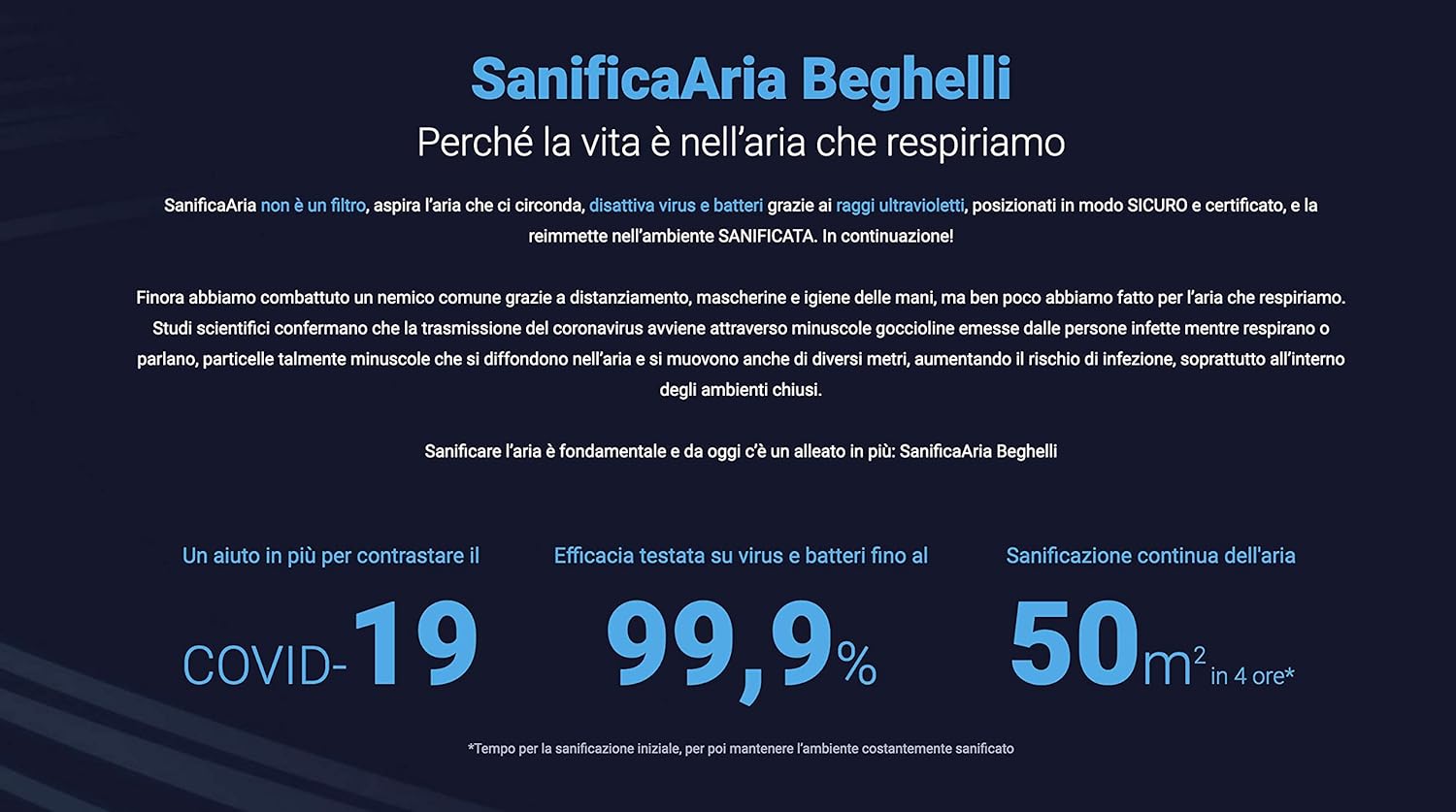
Figure 4: Key benefits of the SanificaAria Beghelli. This infographic highlights its role in combating airborne pathogens, its 99.9% efficacy against viruses and bacteria, and its capacity for continuous air sanitization in spaces up to 50 square meters.
5. Vedligeholdelse
Regular maintenance ensures the longevity and optimal performance of your SanificaAria 30.
5.1 Udskiftning af patron
The UV-C cartridge has a lifespan of approximately 12 months under continuous use. When the cartridge needs replacement, the device may indicate this (refer to specific model indicators if available). Always use genuine Beghelli replacement cartridges.
- Tag enheden ud af stikkontakten.
- Carefully open the access panel for the cartridge (consult the product diagram for location).
- Remove the old cartridge and dispose of it according to local regulations.
- Insert the new Beghelli replacement cartridge, ensuring it is securely seated.
- Close the access panel and plug the device back in.
5.2 Rengøring
Periodically wipe the exterior of the device with a soft, dry cloth. Do not use abrasive cleaners or solvents. Ensure the device is unplugged before cleaning.
6. Fejlfinding
If you encounter issues with your SanificaAria 30, refer to the following common problems and solutions:
| Problem | Mulig årsag | Løsning |
|---|---|---|
| Enheden tændes ikke. | Not plugged in; power outlet malfunction; power switch off. | Ensure power cord is securely plugged in. Test the outlet with another device. Turn the power switch to 'ON'. |
| Indicator light is off, but device is plugged in. | Power switch is off; internal component issue. | Check power switch. If problem persists, contact customer support. |
| Reduceret luftgennemstrømning. | Air inlets/outlets are blocked; internal fan issue. | Ensure no obstructions around the device. Clean exterior vents. If problem persists, contact customer support. |
For issues not listed here, or if solutions do not resolve the problem, please contact Beghelli customer support.
7. Specifikationer
- Modelnummer: 26700
- Dimensioner (L x B x H): 48 x 32 x 22 cm
- Vægt: 10 gram (Note: This weight appears unusually low for the stated dimensions. Please verify actual product weight.)
- Effektivt område: Op til 50 m²
- Cartridge Lifespan: Approximately 12 months (continuous use)
- Fabrikant: BEGHELLI
- Oprindelsesland: Italien
8. Garanti og support
8.1 Garantioplysninger
Beghelli products are manufactured to high-quality standards. For specific warranty terms and conditions, please refer to the warranty card included with your product or visit the official Beghelli webwebsted. Gem din købsbevis til garantikrav.
8.2 Kundesupport
For technical assistance, replacement parts, or any inquiries regarding your SanificaAria 30, please contact Beghelli customer support. Contact details can typically be found on the Beghelli official webwebstedet eller på produktemballagen.
Online ressourcer: www.beghelli.it


