1. Introduktion
This manual provides comprehensive instructions for setting up, operating, and maintaining your Microsoft Surface Go 2 tablet. The Surface Go 2 is a versatile 10.5-inch touch-screen device, powered by an Intel Pentium processor, 8GB of RAM, and a 128GB SSD, running Windows 10. It is designed for portability and efficiency, suitable for various tasks from productivity to entertainment.
2. Components and Ports
Familiarize yourself with the physical components and connection ports of your Surface Go 2.
2.1 Enhed overview
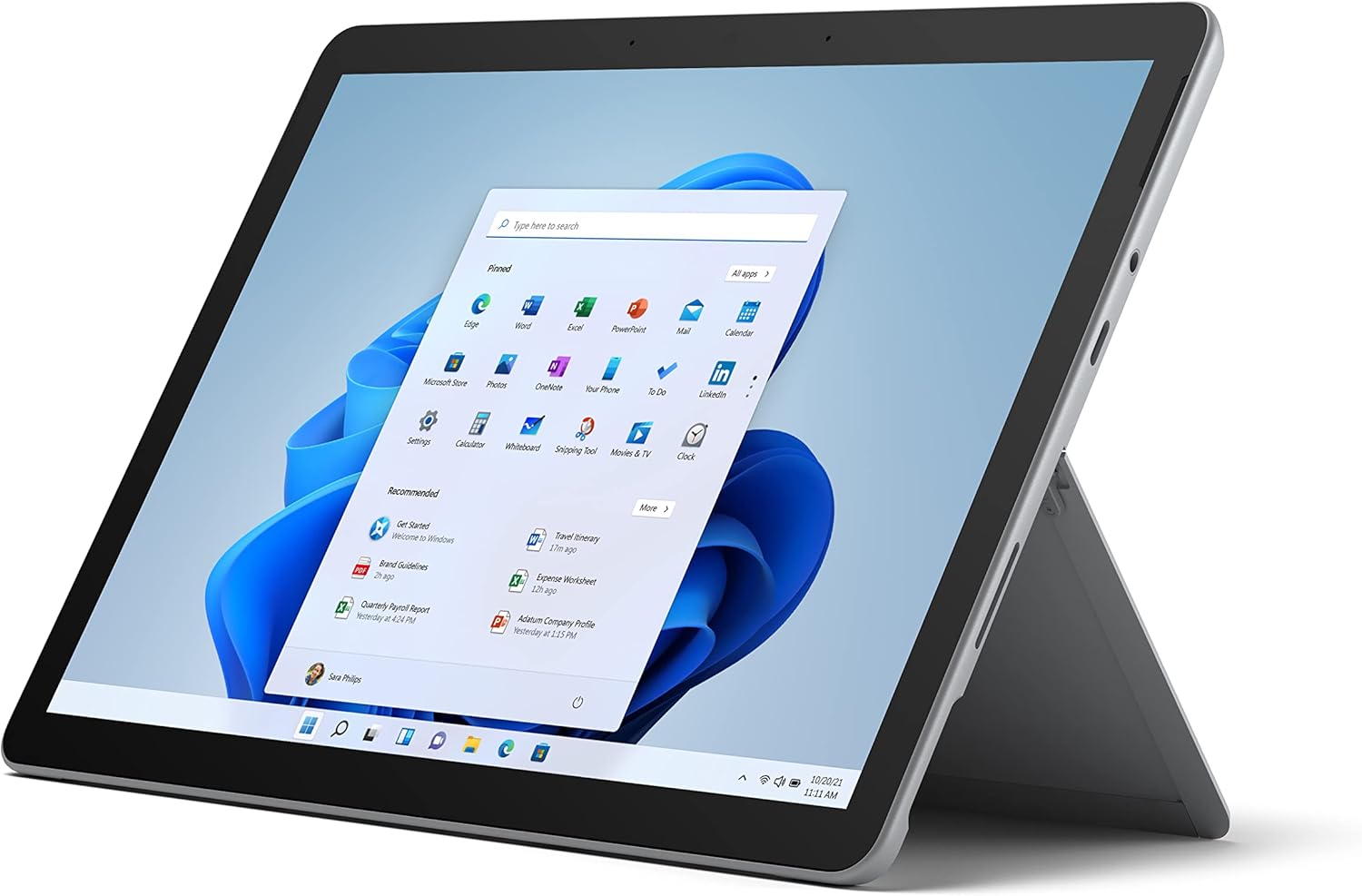
Figure 2.1: Microsoft Surface Go 2 tablet in landscape orientation, showcasing the Windows desktop interface.
2.2 Side Ports and Buttons
- USB Type-C-port: For data transfer, video output, and charging.
- 3.5 mm hovedtelefonstik: Til tilslutning af hovedtelefoner eller eksterne lydenheder.
- Surface Connect Port: Magnetic port for charging and connecting to Surface Dock (sold separately).
- MicroSD-kortlæser: For expanding storage with a microSD card.
- Lydstyrkeknapper: For at justere lydstyrken.
- Power knap: For at tænde/slukke enheden eller sætte den i dvaletilstand.

Figur 2.2: En sideprofile of the Surface Go 2, illustrating the various ports and buttons along its edge.
2.3 Integrated Kickstand
The Surface Go 2 features an integrated kickstand on the back, allowing for multiple viewing angles. This enables comfortable use in various modes, such as tablet, laptop (with Type Cover), or studio mode.

Figure 2.3: The Surface Go 2 with its Type Cover keyboard attached and the kickstand deployed, demonstrating its laptop-like configuration.
3. Indledende opsætning
Follow these steps to set up your Surface Go 2 for the first time.
3.1 Tænding og grundlæggende konfiguration
- Oplad enheden: Connect the included power adapter to the Surface Connect port on your device and plug it into a power outlet.
- Tænd: Press and hold the power button located on the top edge of the device until the Microsoft logo appears on the screen.
- Følg instruktionerne på skærmen: The device will guide you through selecting your region, language, and connecting to a Wi-Fi network.
- Microsoft Account Setup: Sign in with an existing Microsoft account or create a new one. This is essential for accessing Microsoft services and applications.
- Privatlivsindstillinger: Review and adjust your privacy settings as prompted.
- Windows Hello: Set up facial recognition for faster and more secure sign-in (optional).
4. Betjeningsvejledning
The Surface Go 2 offers flexible interaction methods.
4.1 Navigation med berøringsskærm
The 10.5-inch PixelSense display supports 10-point multi-touch. You can navigate Windows 10 using gestures similar to a smartphone or tablet:
- Tryk på: Vælg elementer eller åbn programmer.
- Stryg: Rul gennem indhold eller naviger mellem skærme.
- Knib-for-at-zoome: Forstør eller reducer indholdsstørrelsen.
- Tryk og hold: Access context menus (right-click equivalent).
4.2 Using the Type Cover Keyboard (Sold Separately)
Attach the Type Cover keyboard to transform your Surface Go 2 into a laptop. The keyboard connects magnetically to the bottom edge of the tablet.
- Vedhæftet fil: Align the Type Cover with the magnetic connector at the bottom of the Surface Go 2 until it snaps into place.
- Indtastning: Use the physical keys for efficient text input.
- Pegefelt: The integrated trackpad allows for precise cursor control and multi-touch gestures.

Figure 4.1: The Surface Go 2 tablet separated from its Type Cover keyboard, illustrating the modular design.
4.3 Using the Surface Pen (Sold Separately)
The Surface Pen (sold separately) enhances creativity and productivity, allowing for natural writing and drawing directly on the screen.

Figure 4.2: The Surface Go 2 tablet displayed with a compatible Surface Pen, highlighting its digital inking capabilities.
5. Vedligeholdelse
Proper care ensures the longevity and performance of your Surface Go 2.
- Rengøring af skærmen: Brug en blød, fnugfri klud lidt dampened with water or an approved screen cleaner. Avoid harsh chemicals.
- Rengøring af enhedens krop: Tør ydersiden af med en blød, tør klud.
- Softwareopdateringer: Søg regelmæssigt efter og installer Windows-opdateringer for at sikre optimal ydeevne og sikkerhed. Gå til Indstillinger > Opdatering og sikkerhed > Windows Update.
- Batteripleje: To maximize battery lifespan, avoid extreme temperatures and try to keep the battery charge between 20% and 80% when possible.
- Lagerstyring: Periodisk ryd midlertidigt files and unnecessary data to free up storage space. Go to Indstillinger > System > Lager.
6. Fejlfinding
Almindelige problemer og deres løsninger.
- Enheden tænder ikke: Sørg for, at enheden er opladet. Tilslut strømadapteren, og vent et par minutter, før du forsøger at tænde den igen.
- Touchskærm reagerer ikke: Restart the device. If the issue persists, check for pending Windows updates or consider a system restore.
- Problemer med Wi-Fi-forbindelse: Verify your Wi-Fi network is active. Restart your router and the Surface Go 2. Check Wi-Fi settings on the device.
- Langsom ydeevne: Close unnecessary applications. Check for background processes consuming high resources (Task Manager). Ensure sufficient free storage space.
- Batteriet aflades hurtigt: Adjust screen brightness, disable unnecessary background apps, and ensure all software is up to date.
7. Specifikationer
| Feature | Detalje |
|---|---|
| Vise | 10.5" PixelSense 10-Point Touch Display |
| Opløsning | 1920 x 1280 (216 ppi) |
| Processor | 1.6 GHz Intel Pentium 4425Y Dual-Core Processor |
| VÆDDER | 8 GB |
| Opbevaring | 128 GB SSD |
| Grafik | Integreret Intel HD Graphics 615 |
| Trådløs | Wi-Fi 5 (802.11ac) | Bluetooth 4.1 |
| Kameraer | 8MP Rear Camera | 5MP Front Camera |
| Havne | USB Type-C, 3.5 mm Headphone Jack, Surface Connect, MicroSD Card Reader |
| Batterilevetid | Op til 9 timer (typisk brug) |
| Operativsystem | Windows 10 |
| Vægt | 1.15 lbs (ca.) |
| Dimensioner | 6.8 x 9.64 x 0.32 tommer |
8. Garanti og support
This Microsoft Surface Go 2 is a renewed product. Renewed products are eligible for replacement or refund under the Amazon Renewed Guarantee if you are not satisfied with your purchase. For specific terms and conditions, please refer to the Amazon Renewed program details.
For further technical support or inquiries, please visit the official Microsoft Surface support webwebsted eller kontakt deres kundeservice.


