1. Introduktion
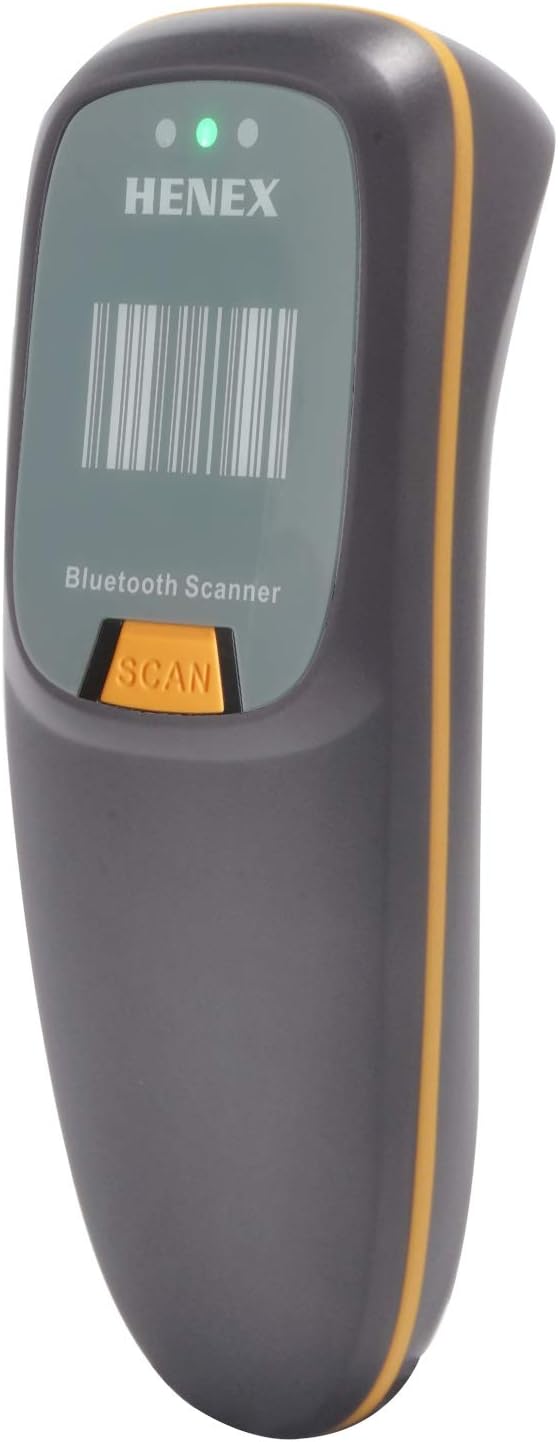
This manual provides comprehensive instructions for the HENEX Mini Bluetooth Barcode Reader (Model: HC-300R). This versatile 3-in-1 barcode scanner supports Bluetooth, 2.4G wireless, and wired USB connections, making it compatible with a wide range of devices and operating systems including Windows, Mac OS, Linux, and Android.
The device is designed for efficient scanning of both 1D and 2D QR codes from various surfaces, including paper and digital screens. Its compact and lightweight design ensures portability and ease of use in diverse environments.
2. Produktfunktioner
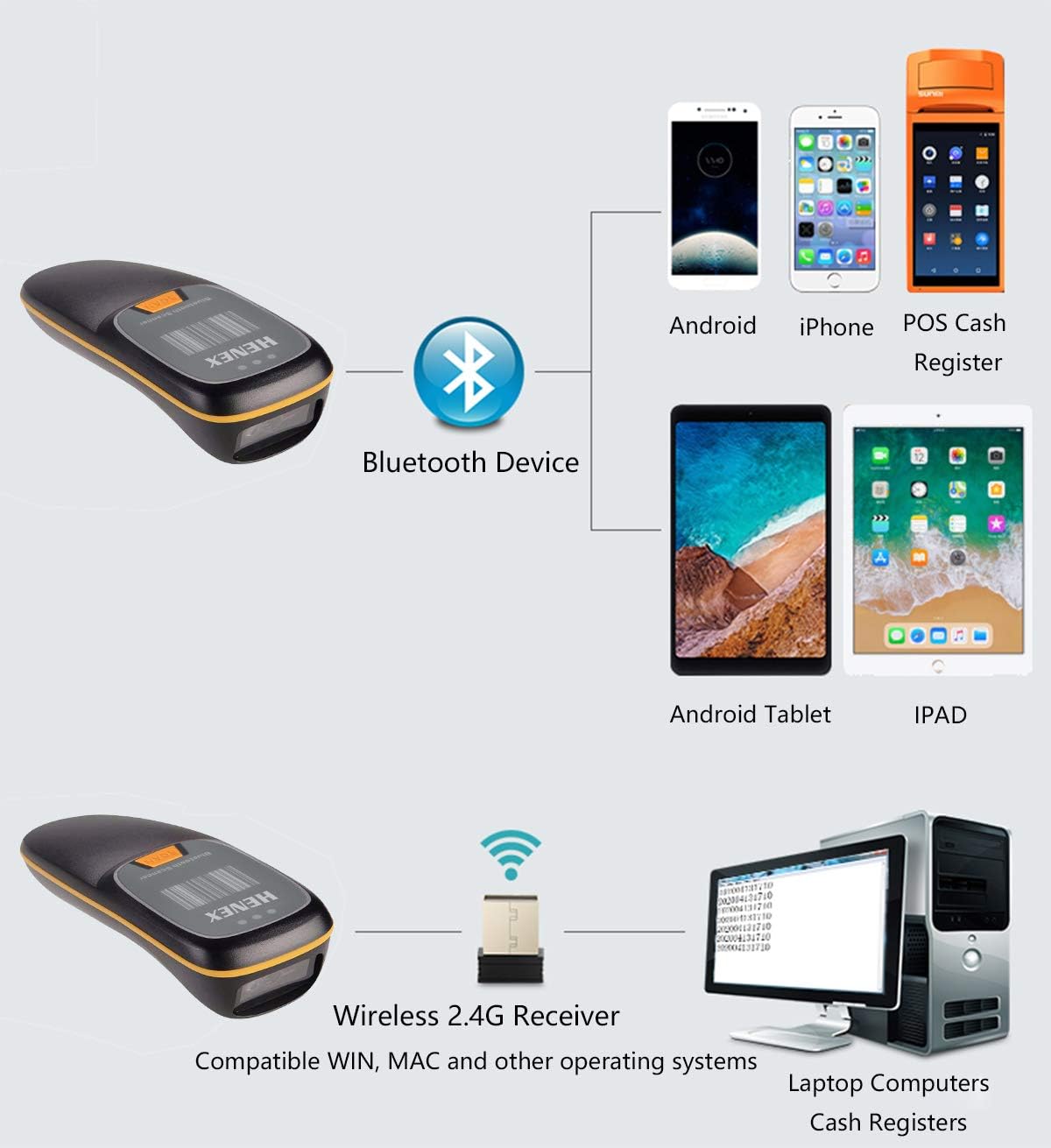
- 3-i-1-forbindelsesdesign: Supports Bluetooth, 2.4G Wireless (with USB adapter), and Wired USB connections for broad compatibility with laptops, PCs, POS systems, smartphones, and tablets.
- Instant Upload & Offline Storage: Equipped with 16MB memory, capable of storing up to 12,500 barcodes. Users can choose between immediate data upload or storing barcodes for later transmission. Features a Type-C USB cable for efficient data transfer and charging.
- Mini bærbart design: Small and lightweight (approximately 130g), designed for comfortable long-term handheld use and easy portability. Includes tactile vibration feedback for successful scans, alongside a buzzer and LED indicators. The buzzer can be muted for quiet environments.
- Advanced Decoding Ability: Capable of scanning a wide range of 1D and 2D barcodes, including PDF417, Data Matrix (ECC200, ECC000, etc.), QR Code, UPC, EAN, Code128, Code39, Code11, Interleaved 2 of 5, and Codabar.
- Lang batterilevetid: Features a 1200mAh battery for extended continuous use and standby time.
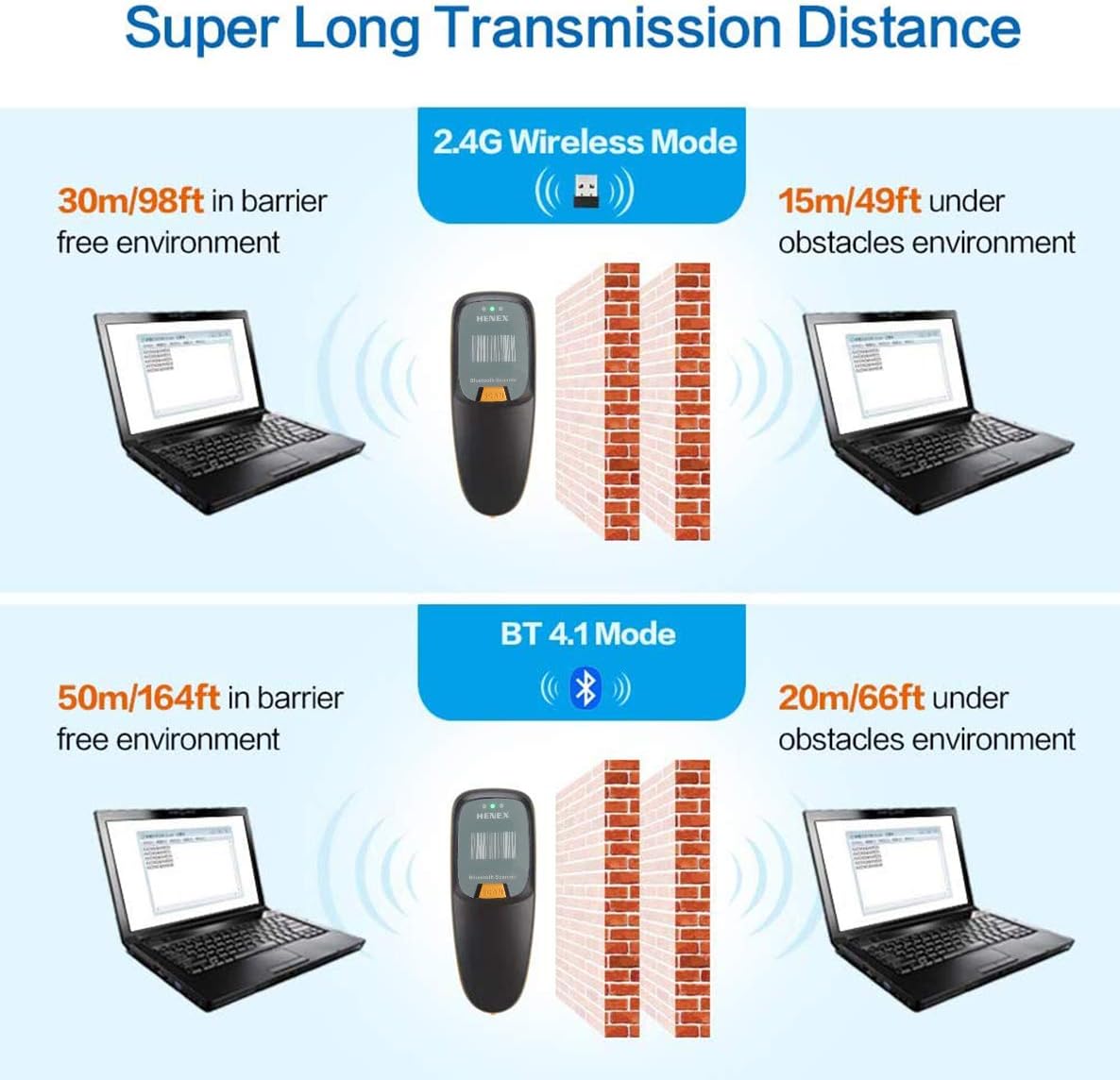
- Super Long Transmission Distance: Offers significant wireless range, up to 50m/164ft in barrier-free environments for Bluetooth 4.1 and up to 100m/328ft for 2.4GHz wireless.
- Holdbar konstruktion: Designed with anti-shock properties for enhanced durability.

3. Pakkens indhold
Tjek venligst pakken for følgende varer:
- HENEX Mini Bluetooth Barcode Reader (Model: HC-300R)
- USB Type-C opladnings-/datakabel
- 2.4G Wireless USB Adapter (Dongle)
- Brugervejledning (dette dokument)

4. Opsætning og tilslutning
4.1 Opladning af scanneren
Before first use, fully charge the scanner. Connect the provided USB Type-C cable to the scanner's charging port and the other end to a USB power source (e.g., computer USB port, USB wall adapter). The LED indicator will show charging status.

4.2 Forbindelsestilstande
The scanner supports three connection modes:
- Bluetooth-forbindelse: For wireless connection to Bluetooth-enabled devices like smartphones, tablets, and some laptops.
- 2.4G trådløs forbindelse: Uses the included USB adapter for wireless connection to computers without built-in Bluetooth or for a dedicated wireless link.
- Kablet forbindelse: Connects directly via the USB cable, allowing scanning while charging.


4.3 Parringsinstruktioner
Bluetooth-parring:
- Tænd for scanneren.
- Scan the "Bluetooth Pairing" barcode (usually found in a separate quick start guide or on a configuration sheet). The scanner will enter pairing mode.
- Aktiver Bluetooth på din værtsenhed (smartphone, tablet, pc) og søg efter tilgængelige enheder.
- Select "HENEX Barcode Scanner" (or similar name) from the list of found devices.
- Once paired, the scanner will emit a confirmation tone, and the Bluetooth indicator light will stabilize.
2.4G trådløs forbindelse:
- Plug the 2.4G USB adapter into an available USB port on your computer.
- Turn on the scanner. It should automatically connect to the adapter.
- A confirmation tone will indicate a successful connection.
Kablet forbindelse:
- Connect the USB Type-C cable to the scanner and the standard USB-A end to your computer's USB port.
- The scanner will function as a wired scanner and also charge simultaneously.
5. Betjeningsvejledning
5.1 Grundlæggende scanning
Point the scanner's window at the barcode you wish to scan and press the "SCAN" button. A successful scan will be indicated by a beep, a flash of the LED, and a slight vibration (if enabled).

5.2 Instant Upload vs. Offline Storage
The scanner supports two data transmission modes:
- Øjeblikkelig upload-tilstand: Scanned barcodes are immediately transmitted to the connected device. This is the default mode when connected.
- Offline lagringstilstand: If the scanner is out of range or not connected, scanned barcodes are stored in the internal 16MB memory (up to 12,500 barcodes). To upload stored data, reconnect the scanner to your device and scan the "Upload Data" barcode (refer to your quick start guide for specific configuration barcodes).

5.3 Sletning af lagrede data
To clear all stored barcode data from the scanner's memory, scan the "Clear Data" barcode (refer to your quick start guide for specific configuration barcodes). Ensure all necessary data has been uploaded before clearing.
5.4 Sound and Vibration Settings
The scanner provides audible beeps and tactile vibrations for scan confirmations. Refer to your quick start guide or configuration sheet for barcodes to enable/disable the buzzer or vibration feedback.
5.5 Applikationsscenarier
The HENEX Mini Bluetooth Barcode Reader is suitable for a wide range of applications across various industries due to its versatility and decoding capabilities.


6. Vedligeholdelse
- Rensning: Use a soft, dry cloth to clean the scanner's exterior. For the scanning window, use a lens cleaning cloth or a soft cloth lightly damprengøres med vand eller et mildt, ikke-slibende rengøringsmiddel. Brug ikke skrappe kemikalier eller slibende materialer.
- Batteripleje: To prolong battery life, avoid fully discharging the battery frequently. Store the scanner in a cool, dry place when not in use for extended periods.
- Opbevaring: Store the scanner in a safe place, away from extreme temperatures, direct sunlight, and excessive moisture.

7. Fejlfinding
| Problem | Mulig årsag | Løsning |
|---|---|---|
| Scanneren tænder ikke. | Lavt batteri. | Oplad scanneren helt. |
| Kan ikke oprette forbindelse via Bluetooth. | Scanner not in pairing mode; Bluetooth disabled on host device; interference. | Ensure scanner is in pairing mode. Enable Bluetooth on host device. Move closer to host device. Try re-pairing. |
| Cannot connect via 2.4G Wireless. | USB adapter not properly inserted; scanner not linked to adapter. | Ensure USB adapter is fully inserted. Re-plug the adapter. Turn scanner off and on. |
| Scanneren læser ikke stregkoder. | Barcode damaged or unclear; incorrect symbology setting; scanner lens dirty. | Ensure barcode is clear and flat. Check if the barcode type is supported. Clean the scanner lens. Try scanning a different, known good barcode. |
| Scannede data vises ikke på enheden. | Not connected; in offline storage mode; application not ready to receive input. | Verify connection status. If in offline mode, upload data. Ensure cursor is in a text field on your device. |
| Scanneren bipper, men der sendes ingen data. | Likely in offline storage mode. | Scan the "Upload Data" barcode to transmit stored data. |
8. Specifikationer
| Feature | Detalje |
|---|---|
| Modelnummer | HC-300R |
| Produktdimensioner | 5.31 x 2.05 x 1.57 tommer |
| Varens vægt | 4.6 ounces (ca. 130 g) |
| Forbindelsesteknologi | Bluetooth, 2.4G trådløs, USB-kablet |
| Batteritype | 1 lithium-ion batteri (medfølger) |
| Batterikapacitet | 1200mAh |
| Offline opbevaring | 16 MB (gemmer op til 12,500 stregkoder) |
| Afkodningsevne (1D) | UPC, EAN, Code128, Code39, Code11, Interleaved 2 of 5, Codabar, etc. |
| Afkodningsevne (2D) | PDF417, Data Matrix (ECC200, ECC000, 050, 080, 100, 140), QR Code, etc. |
| Kompatible operativsystemer | Windows XP/7/8/10, Mac OS, Linux, Windows Mobile, Android, iOS |
| Fabrikant | HENEX |
9. Garanti og support
For warranty information and technical support, please contact HENEX customer service. Refer to the product packaging or the official HENEX webhjemmeside for de mest opdaterede kontaktoplysninger.
For general inquiries or to find more information about HENEX products, you may visit: http://m.atobo.com.cn/u/winningqd


