1. Introduktion
This manual provides detailed instructions for the installation, operation, and maintenance of your Imou A1 Indoor IP Security Camera. The Imou A1 is a spherical indoor security camera designed for reliable surveillance, offering 1080p video resolution and Wi-Fi connectivity. Please read this manual thoroughly before using the product to ensure proper setup and functionality.

Figur 1: Forside view of the Imou A1 Indoor IP Security Camera.
2. Pakkens indhold
Bekræft at alle komponenter er til stede i pakken:
- Imou A1 Camera Unit
- Strømadapter
- Monteringsplade
- Monteringsskruer og vægdyvler
- Hurtig startvejledning
3. Kamera overview
Gør dig bekendt med kameraets komponenter.

Figure 2: Imou A1 camera with key features highlighted (e.g., lens, microphone, speaker, status LED, power port, reset button, microSD card slot).
- Linse: Optager video.
- Status-LED: Indicates camera status (e.g., solid green for connected, flashing red for network error).
- Mikrofon: Til lydindgang.
- Højttaler: Til tovejs audiokommunikation.
- Strømport: Tilsluttes strømadapteren.
- Nulstil knap: Press and hold for 10 seconds to factory reset the camera.
- MicroSD -kortplads: Til lokal videolagring (kort medfølger ikke).
4. Opsætning
4.1 Download Imou Life-appen
The Imou Life app is required to set up and manage your camera.
- Scan the QR code below or search for "Imou Life" in the App Store (iOS) or Google Play Store (Android).
- Download og installer appen.
- Opret en konto eller log ind, hvis du allerede har en.
(QR code image placeholder for app download)
4.2 Tænding af kameraet
Connect the power adapter to the camera's power port and plug it into a wall outlet. The camera will power on, and the status LED will flash green.
4.3 Adding the Camera to the Imou Life App
- Åbn Imou Life-appen.
- Tryk på "+"-ikonet i øverste højre hjørne for at tilføje en ny enhed.
- Scan QR-koden i bunden af dit kamera.
- Follow the on-screen instructions to connect the camera to your Wi-Fi network. Ensure your phone is connected to a 2.4GHz Wi-Fi network during setup.
- Once connected, the status LED will turn solid green.
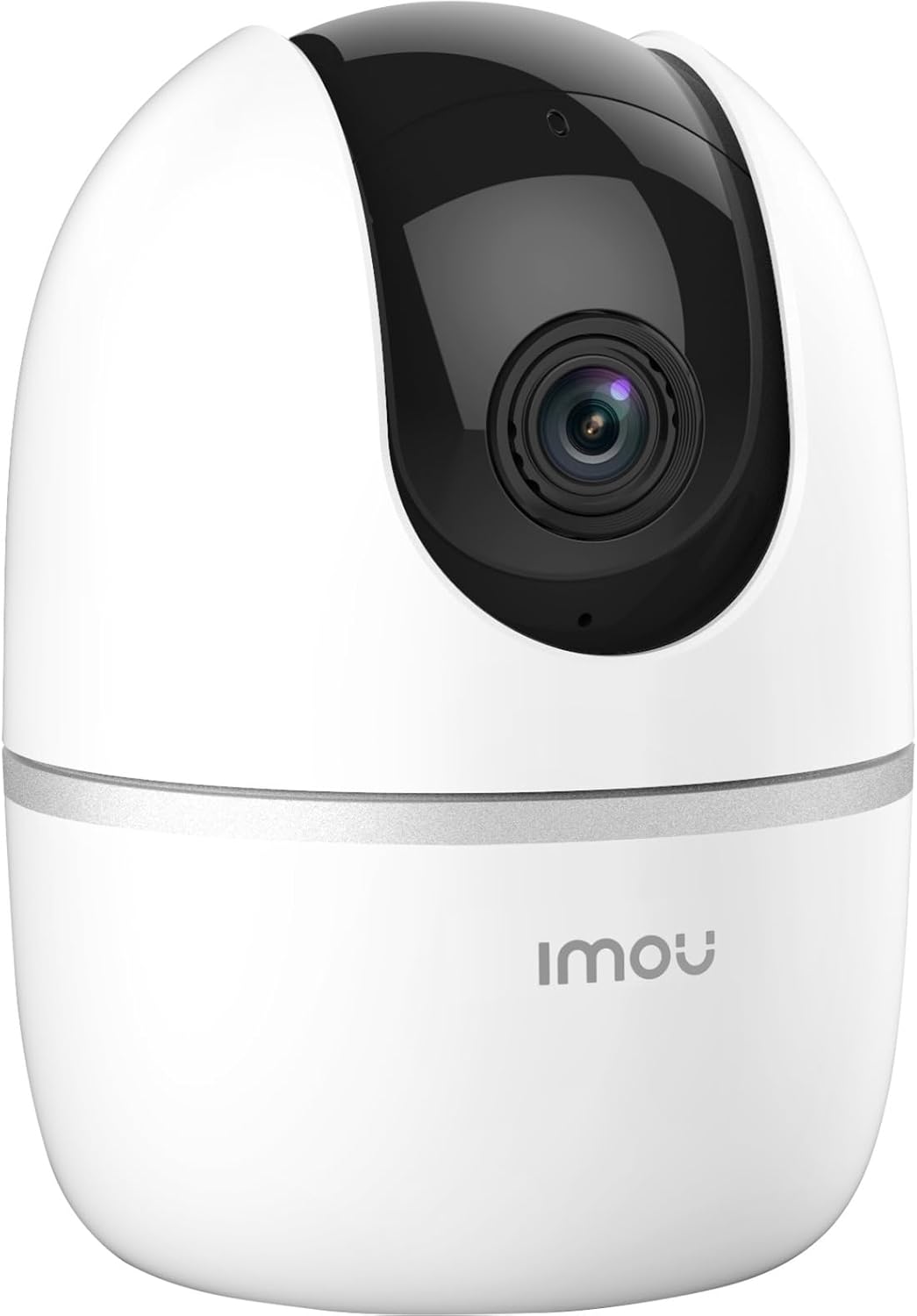
Figure 3: Bottom of the Imou A1 camera, where the QR code for app pairing is located.
4.4 Mounting the Camera (Optional)
The camera can be placed on a flat surface or mounted to a wall or ceiling.
- Vælg et passende sted til montering.
- Secure the mounting plate to the desired surface using the provided screws.
- Attach the camera to the mounting plate by twisting it until it locks into place.

Figur 4: Eksample of the Imou A1 camera mounted on a ceiling.
5. Betjening af kameraet
Once set up, you can access and control your camera through the Imou Life app.
5.1 Live View
Åbn Imou Life-appen, og vælg dit kamera for at view the live feed. You can pan and tilt the camera remotely using the controls in the app.
5.2 Tovejslyd
Tryk på mikrofonikonet i live-udsendelsen view to speak through the camera's speaker. Tap again to end.
5.3 Optagelse og afspilning
The camera supports continuous recording or event-triggered recording to a microSD card (if installed) or to the Imou Cloud (subscription may be required). Access recorded footage via the playback feature in the app.
5.4 Bevægelsesdetektion og advarsler
Enable motion detection in the app settings to receive instant alerts on your smartphone when movement is detected. You can customize detection zones and sensitivity.
6. Vedligeholdelse
6.1 Rengøring
Tør forsigtigt kameralinsen og huset af med en blød, tør klud. Undgå at bruge skrappe kemikalier eller slibende rengøringsmidler.
6.2 firmwareopdateringer
Regularly check for firmware updates through the Imou Life app to ensure optimal performance and access to new features.
7. Fejlfinding
| Problem | Mulig løsning |
|---|---|
| Kameraet kan ikke oprette forbindelse til Wi-Fi. |
|
| Dårlig videokvalitet. |
|
| Ingen bevægelsesdetektionsalarmer. |
|
| Camera offline. |
|
8. Specifikationer
| Feature | Detalje |
|---|---|
| Modelnummer | IPC-A22EP-V2-IMOU |
| Video opløsning | 1080p (1920 x 1080 pixels) |
| Trådløs teknologi | Wi-Fi (2.4 GHz) |
| Magt | 3.5 watt |
| Dimensioner (L x B x H) | 7.74 x 7.74 x 10.61 cm |
| Vægt | 238 gram |
| Særlige funktioner | Nattesyn, tovejslyd, bevægelsesdetektion |
| Opbevaringsmuligheder | MicroSD-kort (op til 256 GB, medfølger ikke), Cloud-lagring |
| Monteringstype | Wall/Ceiling/Tabletop |
9. Garantioplysninger
The Imou A1 camera comes with a 2 års producentgaranti. Please retain your proof of purchase for warranty claims. For detailed terms and conditions, refer to the official Imou webwebsted eller kontakt kundesupport.
Reservedele tilgængelighed: 1 år.
10. Kundesupport
If you encounter any issues not covered in this manual or require further assistance, please contact Imou customer support.
- Besøg den officielle Imou webwebsted for ofte stillede spørgsmål og supportressourcer.
- Contact technical support via the Imou Life app or the website's contact page.


