1. Introduktion
This manual provides detailed instructions for the safe and effective use of your TrustFire MC12 1000 Lumen Rechargeable HeadlampLæs venligst denne manual grundigt, inden du bruger apparatet, og gem den til senere brug.
2. Produktet er slutview
The TrustFire MC12 is a versatile, high-performance headlamp designed for various outdoor and indoor activities. It features a powerful LED, multiple lighting modes, and a durable, waterproof construction.
2.1 Nøglefunktioner
- Dual-use design: Functions as both a headlamp with the included headband and a compact EDC (Everyday Carry) flashlight.
- Fem belysningstilstande: High (1000 lumens), Medium (200 lumens), Low (60 lumens), Moonlight (3 lumens), and Strobe (1000 lumens).
- IP68 vandtæt rating: Ensures reliable performance in heavy rain or splashing water.
- Magnetisk USB-opladning: Convenient and efficient charging with a magnetic USB cable.
- Magnetisk bagkappe: Giver mulighed for håndfri fastgørelse på metaloverflader.
- Justerbar krop: The light head can be adjusted 180 degrees to direct illumination.
- Aftagelig lommeclips: For easy attachment to clothing, backpacks, or belts.
- Kompakt og let: Designed for portability and comfort.
2.2 Pakkens indhold
- TrustFire MC12 Headlamp
- Pandebånd
- Magnetisk USB-opladerkabel
- 1 x CR123A Battery (included)
- Brugervejledning (dette dokument)
2.3 Produktdiagram

Image: TrustFire MC12 Headlamp shown with its adjustable headband and magnetic USB charging cable.

Billede: Forside view of the TrustFire MC12 Headlamp securely attached to its headband.
3. Opsætning
3.1 Batteriinstallation
The TrustFire MC12 comes with a pre-installed rechargeable CR123A battery. If you need to replace the battery, unscrew the tail cap, insert a compatible 16340 (3.6V/3.7V) or CR123A (3V) battery with the positive (+) end facing the head of the lamp, and then screw the tail cap back on securely.
3.2 Opladning af batteriet
Oplad hovedtelefonen helt før første brug.amp. The magnetic charging cable allows for convenient charging.
- Connect the USB end of the magnetic charging cable to a power source (e.g., USB wall adapter, computer, power bank, car charger).
- Attach the magnetic end of the cable to the charging port on the headlamp. The indicator light on the cable will show red during charging and turn green when fully charged.

Image: The TrustFire MC12 Headlamp connected to its magnetic USB charging cable, illustrating compatibility with various USB power sources.
3.3 Fastgørelse af pandebåndet
Skub hovedetamp into the rubber mount on the elastic headband. Ensure the light is securely seated. Adjust the headband for a comfortable and snug fit on your head.

Image: A family wearing TrustFire MC12 headlamps, highlighting the comfortable and user-friendly design for various users.
4. Betjeningsvejledning
4.1 Tænd/sluk
- At tænde: Tryk én gang på tænd/sluk-knappen. Hovedtelefonerneamp will turn on in the last used mode (memory function).
- At slukke: Tryk og hold tænd/sluk-knappen nede i cirka 0.5 sekunder.
4.2 Skift tilstande
Når hovedlamp is on, single-press the power button to cycle through the modes in the following order: High > Medium > Low > Moonlight. Release the button to select the desired mode.
4.3 Strobe-tilstand
From any mode (or when off), double-press the power button quickly to activate Strobe mode. Single-press again to return to the previous mode or turn off.
4.4 Spærrefunktion
To prevent accidental activation, the headlamp features a lockout function. Double-press the power button quickly when the light is off to engage the lockout. The light will flash twice to indicate it is locked. To unlock, double-press the power button again.
4.5 Adjustable Light Head
Overskriftenamp body can be rotated up to 180 degrees within its mount, allowing you to direct the light precisely where needed.
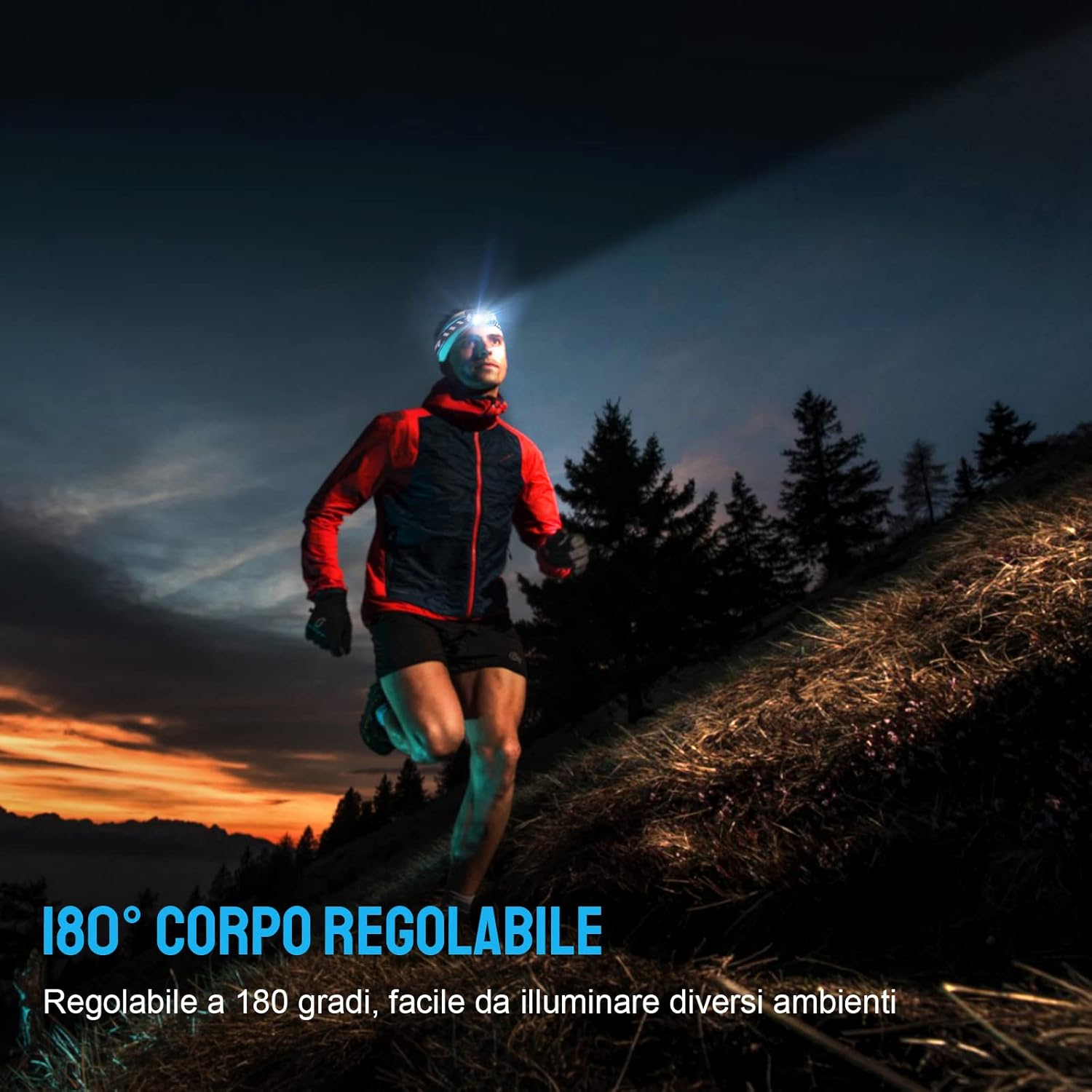
Image: A person running outdoors with the TrustFire MC12 headlamp, illustrating the flexibility of its 180-degree adjustable body to illuminate different areas.
4.6 Using as an EDC Flashlight
The MC12 can be removed from the headband and used as a compact, handheld flashlight. Its dual-direction pocket clip allows for easy attachment to pockets, belts, or hat brims.

Image: The TrustFire MC12 Headlamp detached from its headband, functioning as a compact Everyday Carry (EDC) flashlight.

Image: A person demonstrating the removable pocket clip of the TrustFire MC12, attaching it to a shirt pocket for hands-free use.
4.7 Magnetic Tailcap Functionality
The magnetic tailcap allows the headlamp to be securely attached to ferrous metal surfaces, providing hands-free illumination in various work environments.

Image: The TrustFire MC12 Headlamp magnetically secured to the underside of a car hood, providing hands-free lighting for automotive repair.
5. Vedligeholdelse
5.1 Rengøring
Tør hovedet afamp med en blød, damp cloth. Do not use abrasive cleaners or solvents. Keep the charging port clean and free of debris.
5.2 Pleje af batterier
- Recharge the battery regularly, even if not in frequent use, to maintain optimal performance and extend battery life.
- Undgå at aflade batteriet helt.
- If storing for an extended period, remove the battery or ensure it is partially charged (around 50%).
5.3 Opbevaring
Opbevar hovedlamp in a cool, dry place away from direct sunlight and extreme temperatures. If storing for a long time, consider removing the battery.
6. Fejlfinding
| Problem | Mulig årsag | Løsning |
|---|---|---|
| Headlamp tændes ikke. | Batteriet er afladet. | Oplad batteriet. |
| Batteriet er installeret forkert. | Kontroller batteriets polaritet (+/-). | |
| Headlamp is in lockout mode. | Double-press the power button to unlock. | |
| Headlamp oplader ikke. | Ladekabel ikke korrekt tilsluttet. | Ensure magnetic cable is firmly attached to the charging port and USB end is connected to a working power source. |
| Opladningsporten er snavset. | Clean the charging port with a dry cotton swab. | |
| Light output decreases or headlamp bliver varm. | Automatic thermal regulation. | This is normal behavior to prevent overheating and protect the LED. The light will automatically reduce brightness. |
7. Specifikationer
| Feature | Detalje |
|---|---|
| Model | MC12 |
| Mærke | TrustFire |
| Lyskildetype | LED |
| Hvid lysstyrke | 1000 lumen (maks.) |
| Strømkilde | Batteridrevet |
| Batteritype | Rechargeable Lithium-Ion (16340/CR123A compatible) |
| Voltage | 3.7 volt |
| Vandmodstandsniveau | IP68 vandtæt |
| Varens vægt | 135 gram (ca. 4.8 ounces) |
| Dimensioner (hoved)amp) | Length: 65 mm (2.4 in), Diameter: 20.6 mm (0.79 in) |
| Inkluderede komponenter | USB Cable, Headband |
| Monteringstype | Clip Mount, Belt Mount |
| Anbefalede anvendelser | Camping, Cycling, Exploring, Fishing, Hiking, Hunting, Indoor activities, Repairing |
| UPC | 751433559831 |

Image: Individuals using the TrustFire MC12 headlamp in challenging weather, demonstrating its IP68 waterproof capability in snow and rain.
8. Sikkerhedsoplysninger
- Øjensikkerhed: Lyset må ikke skinne direkte ind i øjnene. Højintensitetslyset kan forårsage midlertidig synsnedsættelse eller permanent øjenskade.
- Børn: Opbevares utilgængeligt for børn.
- Varme: Overskriftenamp may become warm during prolonged use, especially in High mode. This is normal. Avoid direct contact with hot surfaces.
- Batterisikkerhed: Use only recommended batteries. Do not mix old and new batteries or different types of batteries. Do not dispose of batteries in fire.
- Demontering: Forsøg ikke at adskille eller modificere hovedetamp, da dette vil ugyldiggøre garantien og kan forårsage skade eller personskade.
9. Garanti og support
For warranty information, technical support, or customer service inquiries, please visit the official TrustFire webwebsted eller kontakt din forhandler.
Officiel Webwebsted: www.trustfire.com


