Vigtige sikkerhedsoplysninger
Please read this entire instruction manual before installation and assembly. If you have any questions regarding these instructions or encounter any issues, please contact PERLESMITH customer support.
- Overskrid ikke den maksimale vægtkapacitet på 50 kg.
- Ensure your TV's VESA pattern is compatible with the stand (100x100mm to 600x400mm).
- Never allow children to climb on the stand or hang from the television.
- Always ensure the tripod legs are fully extended and locked in place before mounting the TV.
- Use the safety pin and all securing knobs to prevent accidental collapse or movement.
- Do not attempt to adjust the height of the stand with the TV mounted. Always remove the TV first.
- Placer stativet på en stabil, plan overflade for at forhindre, at det vælter.
Pakkens indhold
Verify that all components are present and undamaged. If any parts are missing or defective, contact PERLESMITH for assistance.
- 1 x Tripod TV Stand Assembly
- 1 x Hardware Kit (various screws, washers, spacers)
- 1 x brugsanvisning

Billede: Overview of the PERLESMITH Tripod TV Stand PSTM2.
Opsætningsinstruktioner
Step 1: Verify VESA Compatibility
Before assembly, ensure your television's VESA mounting pattern is compatible with the stand. The stand supports VESA patterns from 100x100mm to 600x400mm. Measure the horizontal and vertical distance between the mounting holes on the back of your TV.
Image: VESA measurement guide.
Step 2: Assemble the Tripod Base
- Unfold the tripod legs until they are fully extended.
- Tighten the Foot Adjustment Knob located at the base of the central pole to secure the legs in their open position.
- Ensure the stand is stable and balanced on a flat surface.
Trin 3: Fastgør tv-beslag til fjernsynet
- Identify the correct screws, washers, and spacers from the hardware kit that fit your TV's mounting holes.
- Attach the two vertical TV brackets to the back of your television using the selected hardware. Ensure the brackets are securely fastened and evenly aligned.
- If your TV has recessed mounting holes or cable outlets that might be blocked, use the appropriate spacers to create clearance.
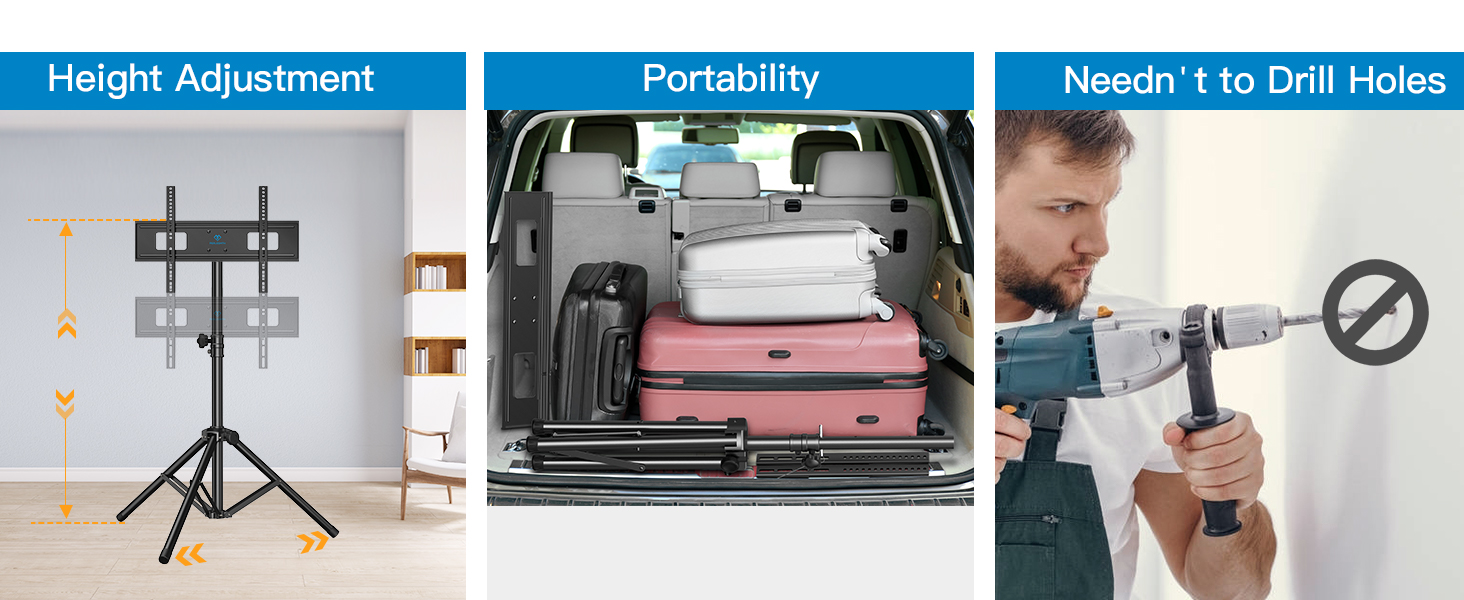
Image: Attaching TV brackets and checking cable outlets.
Step 4: Mount Television onto Stand
- With assistance, carefully lift the television and hook the attached TV brackets onto the mounting plate of the tripod stand.
- Ensure the TV is centered and seated correctly on the mounting plate.
- Locate the safety screws on the bottom of the TV brackets and tighten them to secure the TV to the stand, preventing accidental dislodgement.
Trin 5: Juster højden
The stand offers 5 height adjustment positions. To adjust the height:
- Vigtig: Remove the television from the stand before attempting to adjust the height.
- Loosen the Height Adjustment Knob and remove the Security Pin from the central pole.
- Adjust the pole to the desired height position.
- Reinsert the Security Pin into the nearest hole and tighten the Height Adjustment Knob to secure the pole.
- Remount the television onto the stand.

Image: Height adjustment mechanism.
Betjeningsvejledning
Justering af drejning
The TV can be swiveled 360° to achieve optimal viewing angles. Gently rotate the television to the left or right as needed.
Tilt justering
The stand allows for an advanced tilt of ±20°. Loosen the Tilt Adjustment Screws on the TV brackets, adjust the screen to the desired vertical angle, and then securely tighten the screws.
Niveaujustering
Fine-tune the horizontal level of your TV by adjusting the Level Adjustment Screws on the TV brackets. This allows for a ±3° leveling adjustment.
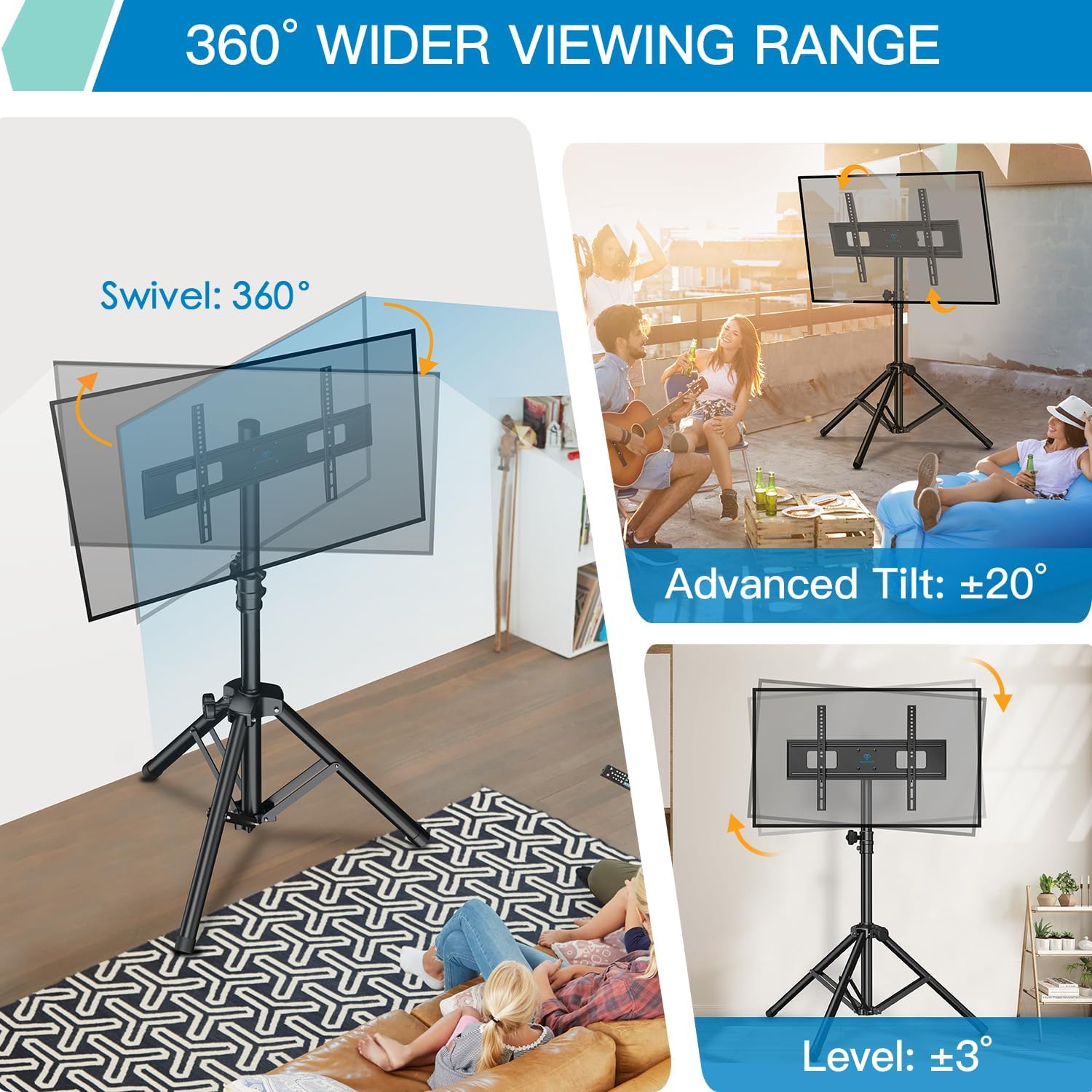
Image: Swivel, tilt, and level adjustment capabilities.
Opretholdelse
- Kontrollér regelmæssigt alle skruer og forbindelser for at sikre, at de forbliver stramme og sikre.
- Clean the stand with a soft, dry cloth. Avoid abrasive cleaners or solvents.
- Store the stand in a dry place when not in use, especially if disassembled for portability.
Fejlfinding
- TV'et er ikke i vater: Check the Level Adjustment Screws on the TV brackets and adjust as needed. Ensure the tripod base is on a flat surface.
- Stativet føles ustabilt: Verify that the tripod legs are fully extended and the Foot Adjustment Knob is securely tightened. Ensure the stand is placed on a firm, level surface. Do not exceed the maximum weight capacity.
- Vanskeligheder med at justere højden: Ensure the television has been removed from the stand before attempting height adjustment. Loosen the Height Adjustment Knob and remove the Security Pin completely before repositioning.
- TV cannot be mounted: Re-check your TV's VESA pattern against the stand's compatibility. Ensure the correct screws and spacers are used.
Produktspecifikationer
| Mærke | PERLESMITH |
| Modelnummer | PSTM2 |
| Kompatible tv-størrelser | 37-85 tommer |
| Vægt kapacitet | Op til 110 lbs (50 kg) |
| VESA-kompatibilitet | 100x100mm, 200x100mm, 100x200mm, 200x200mm, 300x200mm, 200x300mm, 200x400mm, 300x300mm, 400x300mm, 400x400mm, 600x400mm |
| Højdejusteringsområde | 39.76" to 69.49" (5 positions) |
| Drejevinkel | 360° |
| Tilt vinkel | ±20° |
| Niveaujustering | ±3° |
| Materiale | Legeret stål |
| Produktdimensioner | 43 x 9 x 6 tommer (pakket) |
| Varens vægt | 16.32 pund |
Garanti og kundesupport
PERLESMITH products are designed for durability and performance. For warranty information or technical support, please contact PERLESMITH customer service directly. You can find more information and contact details on the official PERLESMITH webwebsted eller via din købsplatform.
Besøg PERLESMITH Store for yderligere produkter og supportressourcer.
Videoressourcer
No official product videos from the seller were available for embedding based on the provided data. Please refer to the written instructions and diagrams for assembly and operation guidance.


