1. Produktet er slutview
The Dynamic Barcelona DYN-6106-01 Infrared Sauna is designed to provide a relaxing and beneficial sauna experience within your home. This 1 to 2-person sauna features low EMF FAR infrared carbon heating panels, natural hemlock wood construction, and integrated audio capabilities for enhanced relaxation.

Image 1.1: The Dynamic Barcelona DYN-6106-01 Infrared Sauna positioned in a home environment, showcasing its compact design and wooden finish.
Nøglefunktioner:
- Low EMF FAR Infrared Heat: Utilizes six carbon heating elements designed to emit low electromagnetic fields (under 8 mG), promoting a safe and effective infrared sauna experience.
- Natural Hemlock Wood Construction: Crafted from lightweight yet durable hemlock wood, providing a traditional aesthetic and robust structure.
- Integrated Audio System: Features Bluetooth connectivity and an MP3 auxiliary connection with built-in speakers, allowing users to enjoy music or audio during sessions.
- Chromotherapy and Red-Light Therapy: Includes interior chromotherapy lighting and a red-light therapy feature for additional health benefits and ambiance.
- Brugervenlig kontrol: Equipped with an LED display and soft-touch control panel for easy operation of temperature, time, and lighting.
- Hærdet glasdør: Allows for visibility while maintaining internal heat.
2. Sikkerhedsoplysninger
Please read all safety instructions carefully before operating your sauna. Failure to follow these instructions may result in injury or damage to the unit.
Vigtige forholdsregler:
- Consult a physician before use if you have any medical conditions, are pregnant, or are taking medication.
- Do not use the sauna under the influence of alcohol or drugs.
- Ensure the sauna is plugged into a dedicated 15-amp, 120-volt outlet. Do not use extension cords or multi-outlets.
- Hold børn og kæledyr væk fra saunaen under drift.
- Undgå at berøre varmeelementerne direkte under drift.
- Do not pour water or any liquids onto the heating elements or interior of the sauna.
- Limit sauna sessions to recommended durations to prevent overheating or dehydration.
- Always ensure proper ventilation around the sauna.
3. Opsætning og montering
The Dynamic Barcelona sauna is designed for simple clasp-together assembly. While straightforward, it is recommended that two people assist with the assembly process due to the size and weight of the panels.
Samlingstrin (generel vejledning):
- Udpak komponenter: Carefully unpack all components and verify against the packing list. Ensure no parts are damaged.
- Forbered placering: Choose a flat, stable indoor location. The sauna can be placed on carpet. Ensure access to a dedicated 15-amp, 120-volt stikkontakt.
- Saml bund og bagpanel: Position the base, then connect the back panel securely.
- Fastgør sidepaneler: Connect the left and right side panels to the back panel and base, ensuring all clasps are engaged.
- Install Front Panel and Door: Secure the front panel, which includes the tempered glass door.
- Place Bench and Floor Grate: Insert the wooden bench and floor grate into their designated positions.
- Installer tagpanel: Carefully place the roof panel on top, aligning all electrical connections. The roof panel typically houses the main control unit and wiring.
- Tilslut intern ledningsføring: Connect any internal wiring for heaters, lights, and control panel as per the detailed assembly manual included with your product. All plugs and cords are typically labeled for ease of connection.
- Afsluttende inspektion: Before plugging in, ensure all panels are securely fastened, and all electrical connections are firm.


Image 3.1: Exterior and interior views of the Dynamic Barcelona sauna, illustrating its design and internal layout.
4. Betjeningsvejledning
Once assembled and connected to power, your Dynamic Barcelona sauna is ready for use. The control panel allows you to manage temperature, time, lighting, and audio.
4.1. Kontrolpanel overview

Image 4.1: The soft-touch control panel, displaying temperature, time, and various function buttons.
Kontrolpanelet indeholder typisk:
- Power knap: Turns the sauna on/off.
- Temperature Display/Adjustment: Shows current and set temperature. Use arrow buttons to adjust.
- Time Display/Adjustment: Shows remaining and set session time. Use arrow buttons to adjust.
- Lys knap: Controls interior lighting, including chromotherapy and red-light therapy features.
- Bluetooth/MP3 Button: Activates audio functions.
- °C/°F knap: Skifter temperaturvisning mellem Celsius og Fahrenheit.
4.2. Starting a Sauna Session
- Ensure the sauna is properly plugged into a dedicated 120V/15A outlet.
- Tryk på Power knap to turn on the sauna.
- Use the temperature adjustment buttons to set your desired temperature (e.g., 120°F - 150°F). The sauna will begin to heat up.
- Set your desired session time using the time adjustment buttons (e.g., 30-60 minutes).
- Allow the sauna to preheat for 10-15 minutes to reach the set temperature.
- Gå ind i saunaen og luk døren forsvarligt.
- To end a session early, press the Power knap igen.
4.3. Using Audio Features (Bluetooth/MP3)
- Bluetooth: Activate Bluetooth on your mobile device. On the sauna control panel, press the Bluetooth/MP3 button to enable pairing mode. Select "Dynamic Sauna" or similar from your device's Bluetooth list to connect.
- MP3 Auxiliary Input: Locate the MP3 AUX INPUT jack inside the sauna (refer to Image 4.2). Connect your audio device using a standard 3.5mm audio cable.

Image 4.2: MP3 Auxiliary Input jack for connecting external audio devices.
4.4. Chromotherapy and Red-Light Therapy
Tryk på Lys knap on the control panel to cycle through different light modes, including various colors for chromotherapy and the red-light therapy feature. Each press will change the light setting.

Billede 4.3: Eks.amples of chromotherapy lighting options available within the sauna.
5. Vedligeholdelse
Proper maintenance will ensure the longevity and optimal performance of your Dynamic Barcelona sauna.
Rensning:
- Indre: Wipe down the interior wood surfaces with a clean, damp cloth after each use. For deeper cleaning, use a mild, non-toxic wood cleaner specifically designed for saunas. Do not use harsh chemicals or abrasive cleaners.
- Ydre: Rengør ydersiden med en blød, tør klud.
- Glasdør: Use a standard glass cleaner for the tempered glass door.
- Gulvrist: The floor grate can be removed for easier cleaning underneath.
Træpleje:
- Hemlock wood is naturally resistant to moisture, but avoid excessive moisture exposure.
- Do not apply wood stains or sealants to the interior of the sauna, as they can release harmful fumes when heated.
- Minor scuffs or marks on the wood can often be lightly sanded with fine-grit sandpaper.
6. Fejlfinding
Hvis du støder på problemer med din sauna, kan du se følgende almindelige problemer og løsninger:
| Problem | Mulig årsag | Løsning |
|---|---|---|
| Sauna does not turn on. | Ingen strøm, løs forbindelse, udløst afbryder. | Check power cord connection. Ensure outlet has power. Reset circuit breaker. Verify all internal wiring connections are secure. |
| Saunaen varmer ikke tilstrækkeligt op. | Temperature set too low, door not fully closed, faulty heating element. | Increase set temperature. Ensure door is latched. Contact customer service if heating elements appear non-functional (refer to Image 6.1 for a typical heating panel). |
| Kontrolpanelet reagerer ikke. | Loose wiring, power surge. | Turn off and unplug the sauna, wait 5 minutes, then plug back in and restart. Check control panel wiring connections. |
| Bluetooth opretter ikke forbindelse. | Device too far, pairing mode not active, interference. | Ensure your device is close to the sauna. Activate Bluetooth pairing mode on the sauna. Restart both devices. |
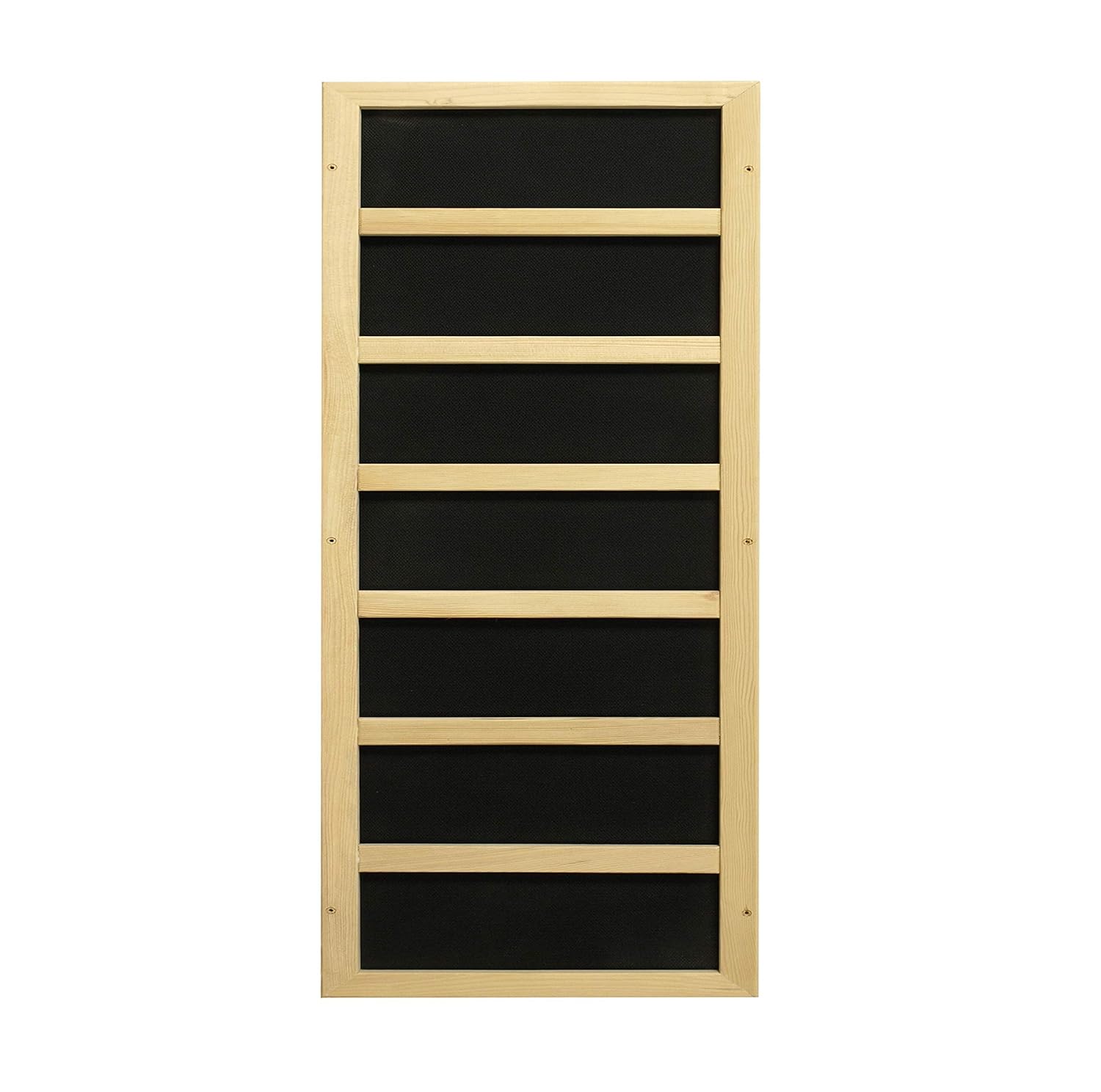
Billede 6.1: Eks.ample of a carbon infrared heating panel, one of six in the sauna.
7. Specifikationer
| Attribut | Detalje |
|---|---|
| Model | DYN-6106-01 |
| Type | FAR Infrarød Sauna |
| Kapacitet | 1 til 2 personer |
| Varmeelementer | 6 Low EMF FAR Infrared Carbon Heaters |
| Trætype | Natural Hemlock Wood |
| Strømbehov | Dedikeret 15 Amp, 120 Volt Outlet |
| Kontrolsystem | LED Display with Soft-Touch Control Panel |
| Lydfunktioner | Bluetooth, MP3 Auxiliary Connection, Built-in Speakers |
| Belysning | Chromotherapy Lighting, Red-Light Therapy |
| Fabrikant | Golden Designs Inc. (NA) |
| ASIN | B089FNDFBG |
8. Garanti og kundesupport
For customer service, warranty inquiries, or technical support regarding your Dynamic Barcelona sauna, please contact the manufacturer directly.
- Telefon: 888-939-8877
- E-mail: info@goldendesignsinc.com
Please have your model number (DYN-6106-01) and purchase information ready when contacting support.