1. Introduktion
Tak for købetasing the LEMEGA DR3 Portable Digital Radio. This manual provides essential information for setting up, operating, and maintaining your device. Please read it thoroughly before use to ensure optimal performance and longevity.

Billede: Forside view of the LEMEGA DR3 Portable Digital Radio. The radio is grey with a speaker grille on the left and a color display on the right, surrounded by control buttons and a volume knob.
Nøglefunktioner:
- DAB/DAB+ and FM Digital Radio
- Integrated Bluetooth for wireless streaming
- 2.4-inch Color TFT Display
- 40 stationsforudindstillinger (20 DAB/20 FM)
- Dobbelt vækkeur med snooze-funktion
- Sleep Timer
- Hovedtelefonudgang
- Compact and Portable Design (Mains or Battery Powered)
2. Pakkens indhold
Sørg for, at alle varer er til stede i kassen:
- LEMEGA DR3 Portable Digital Radio
- Strømadapter
- Brugervejledning (dette dokument)

Image: The LEMEGA DR3 radio, its power adapter, and user manual are shown neatly arranged next to the product box.
3. Opsætning
3.1 Strømforsyning til enheden
The LEMEGA DR3 can be powered by mains electricity or AA batteries for portability.
- Netstrøm: Connect the supplied power adapter to the DC IN port on the back of the radio and plug it into a wall outlet.
- Batteristrøm: Open the battery compartment on the back and insert 4 x AA batteries (not included), ensuring correct polarity.
3.2 Antenne
Træk teleskopantennen helt ud for optimal DAB/DAB+ og FM-radiomodtagelse.
3.3 Initial Setup and Auto Scan
Upon first power-on, the radio will automatically scan for available DAB/DAB+ and FM stations. This process may take a few minutes. The time and date will be automatically set from the broadcast signal.
- Tryk på POWER/LYDSTYRKE knappen for at tænde radioen.
- The display will show "Scanning..." as it searches for stations.
- Once scanning is complete, the radio will tune to the first available station.
4. Betjeningsvejledning
4.1 kontroller overview
The LEMEGA DR3 features intuitive controls on its front panel:
| Knap / knap | Fungere |
|---|---|
| POWER/LYDSTYRKE knop | Press to turn On/Off. Rotate to adjust volume. |
| MENU | Adgang til menuindstillinger. |
| TILBAGE | Go back to the previous menu/screen. |
| INFO | Display station information (e.g., program type, signal strength). |
| KILDE | Switch between DAB/DAB+, FM, and Bluetooth modes. |
| PRESET 1, 2, 3+ | Quick access to saved stations. Press and hold to save. |
| Forrige/Næste knapper | Navigate through stations or menu options. |
| Afspil/pause knap | Play/pause in Bluetooth mode. |
4.2 Radio Modes (DAB/DAB+ and FM)
The DR3 supports both digital (DAB/DAB+) and analog (FM) radio broadcasts.

Image: The LEMEGA DR3 radio showing a DAB station on its color display, indicating digital radio functionality.
Skiftemetoder:
Tryk på KILDE button repeatedly to cycle between DAB, FM, and Bluetooth modes.
Tuning stationer:
- I DAB-tilstand skal du bruge Forrige/Næste knapperne til at navigere gennem listen over tilgængelige stationer.
- I FM-tilstand skal du bruge Forrige/Næste buttons to auto-tune to the next available station. For manual tuning, press and hold the Forrige/Næste knapper.
Lagring og genkaldelse af forudindstillinger:
The DR3 allows you to save up to 40 favorite stations (20 DAB, 20 FM).
- At gemme: Tune to the desired station. Press and hold one of the FORUDINDSTILLING buttons (1, 2, or 3+) until "Preset Saved" appears on the display. For presets beyond 3, use the MENU button to access the full preset list.
- At erindre: Tryk kort på en af FORUDINDSTILLING buttons (1, 2, or 3+) to instantly tune to the saved station.
4.3 Bluetooth-tilstand
Stream lyd trådløst fra din smartphone, tablet eller andre Bluetooth-aktiverede enheder.

Image: The LEMEGA DR3 radio displaying "Bluetooth Pairing" on its screen, with a smartphone nearby showing a music app, illustrating wireless audio streaming.
- Tryk på KILDE button until "Bluetooth" mode is selected. The radio will enter pairing mode, indicated by "Bluetooth Pairing" on the display.
- On your Bluetooth device, enable Bluetooth and search for "LEMEGA DR3" in the list of available devices.
- Select "LEMEGA DR3" to pair. Once connected, "Bluetooth Connected" will appear on the radio's display.
- You can now play audio from your device, and it will stream through the DR3 radio. Use the radio's volume knob or your device's volume controls.
4.4 Vækkeur og sleeptimer
The DR3 features dual alarms and a sleep timer for convenience.
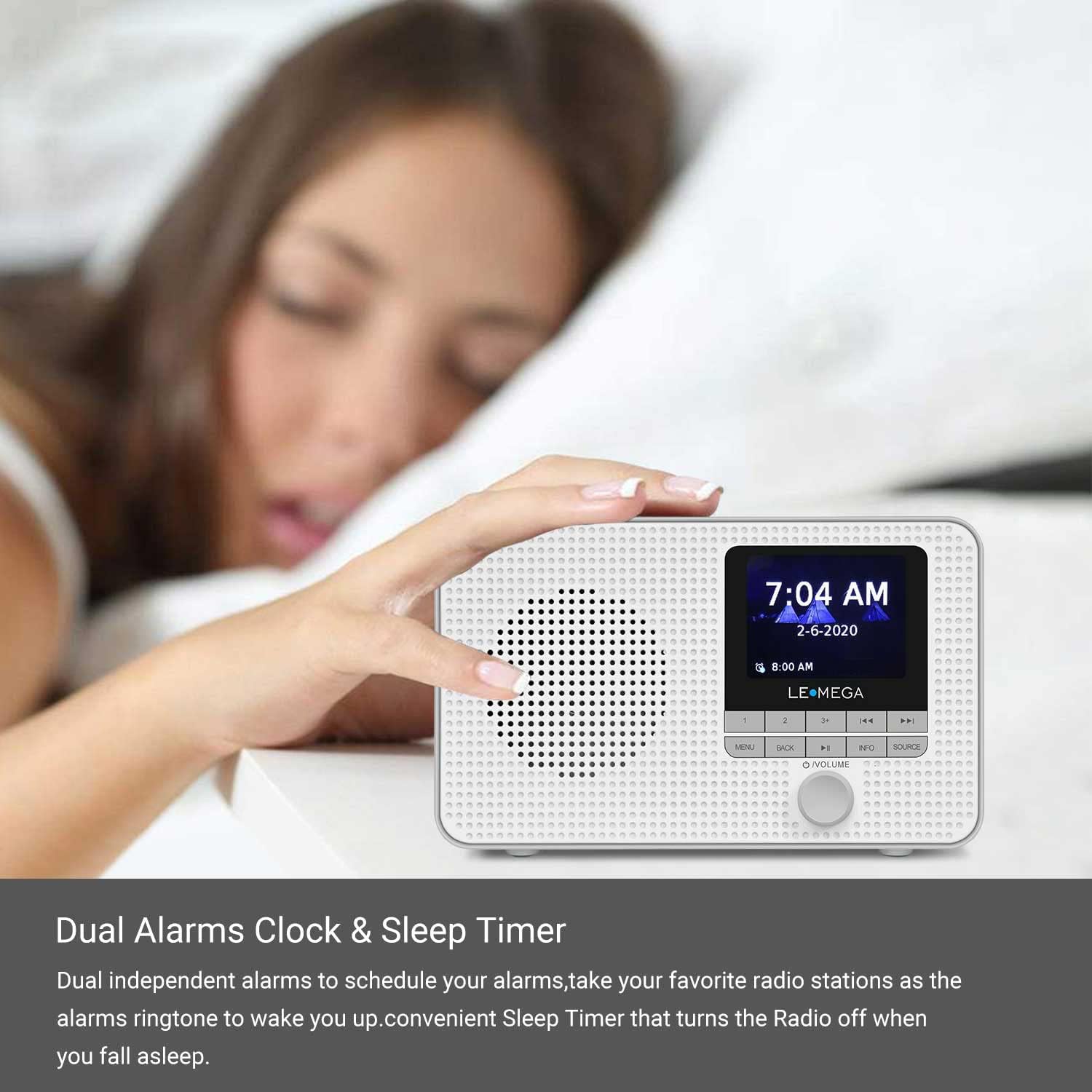
Image: The LEMEGA DR3 radio on a bedside table, displaying the time and an alarm setting, indicating its dual alarm and sleep timer capabilities.
Indstilling af alarmer:
- Tryk på MENU button and navigate to "Alarms".
- Vælg Alarm 1 eller Alarm 2.
- Configure the alarm time, duration, source (Buzzer, DAB, or FM), and frequency (Daily, Weekdays, Weekends, Once).
- Trykke MENU or TILBAGE for at forlade indstillingerne.
Snooze-funktion:
Når en alarm lyder, skal du trykke på POWER/LYDSTYRKE knob to activate snooze. The alarm will temporarily stop and sound again after a set interval.
Sleep timer:
Sleep-timeren gør det muligt for radioen at spille i et indstillet tidsrum, før den automatisk slukker.
- Tryk på MENU button and navigate to "Sleep Timer".
- Vælg den ønskede søvnvarighed (f.eks. 15, 30, 60 minutter).
4.5 Hovedtelefonudgang
For private listening, connect standard 3.5mm headphones to the headphone jack located on the side of the radio. The internal speaker will automatically mute when headphones are connected.

Image: A person is shown relaxing outdoors, listening to the LEMEGA DR3 radio with headphones, highlighting its portability and headphone output feature.
5. Vedligeholdelse
5.1 Rengøring
Wipe the radio with a soft, dry cloth. Do not use abrasive cleaners or solvents, as they may damage the surface.
5.2 Pleje af batterier
Hvis der bruges batterier, skal de fjernes, hvis radioen ikke skal bruges i længere tid, for at forhindre lækage.
6. Fejlfinding
If you encounter issues with your LEMEGA DR3, please refer to the following common problems and solutions:
| Problem | Mulig løsning |
|---|---|
| Ingen strøm / Radioen tænder ikke. |
|
| Dårlig radiomodtagelse (DAB/FM). |
|
| Bluetooth-parring mislykkes. |
|
| Ingen lyd. |
|
7. Specifikationer
| Feature | Detalje |
|---|---|
| Mærke | LEMEGA |
| Modelnummer | DR3 |
| Farve | Grå |
| Forbindelsesteknologi | Bluetooth |
| Særlige funktioner | Let, bærbar, trådløs |
| Kompatible enheder | Hovedtelefoner |
| Genopladeligt batteri | No (Uses 4 x AA batteries) |
| Produktmål (L x B x H) | 17.5 x 11.5 x 7.7 cm |
| Tuningteknologi | DAB |
| Understøttede radiobånd | FM |
| Strømkilde | Battery Powered / Mains Adapter |
| Inkluderede komponenter | Strømadapter |
| Vandmodstandsniveau | Ikke vandtæt |
8. Garanti og support
LEMEGA offers a 3 års garanti on the DR3 Portable Digital Radio. To register your product and for further support, please visit the official LEMEGA webwebsted:
For technical assistance or inquiries not covered in this manual, please contact LEMEGA customer support through their webwebsted.


