1. Introduktion
The JSAUX USB-A Data Blocker is designed to provide secure charging for your electronic devices. This device prevents unwanted data transfer when charging your smartphone, tablet, or other USB-powered devices from public charging stations, computers, or other untrusted power sources. By physically disabling the data pins, it ensures that only power is transmitted, protecting your device from potential data theft, malware, and "juice jacking" attacks.
This manual provides essential information on how to use and maintain your JSAUX USB-A Data Blocker.

Image: The JSAUX USB Data Blocker connected to a public charging port, illustrating its role in preventing data theft, hacking, and malware.
2. Produktet er slutview
The JSAUX USB-A Data Blocker features a compact and durable design, making it ideal for travel and daily use. Each blocker is constructed with a premium aluminum shell for enhanced durability and protection of internal components.
Nøglefunktioner:
- Charge-Only Functionality: Ensures power transfer without data synchronization.
- 2.4A Fast Charging: Supports up to 2.4A for efficient charging of compatible devices.
- Holdbar konstruktion: Premium aluminum alloy shell provides robust protection.
- Kompakt og bærbar: Small and lightweight design for easy transport.
- No Pop-ups: Prevents data transmission requests on your device.

Image: A set of four JSAUX USB-A Data Blockers, highlighting their sleek red metallic finish and compact form factor.
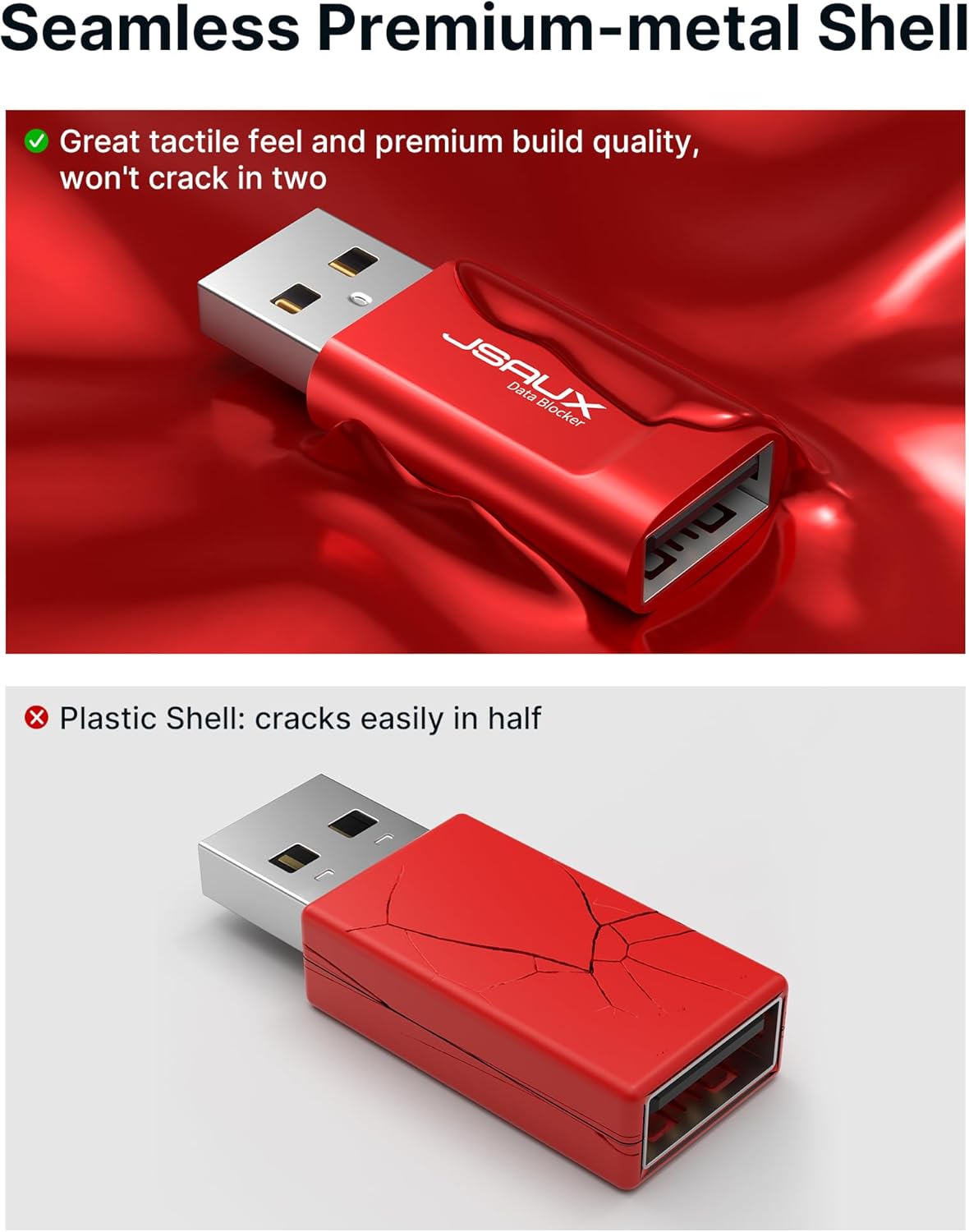
Image: A visual comparison demonstrating the durability of the JSAUX premium metal shell versus a fragile plastic shell, which is prone to cracking.
3. Opsætning
The JSAUX USB-A Data Blocker is a plug-and-play device that requires no software installation or complex setup. Follow these simple steps to begin using your data blocker:
- Identify the Charging Port: Locate the USB-A charging port on the power source (e.g., wall adapter, public charging station, computer USB port).
- Insert the Data Blocker: Plug the male USB-A end of the JSAUX Data Blocker into the charging port. Ensure it is fully inserted.
- Tilslut din enhed: Plug your device's USB charging cable into the female USB-A port of the data blocker.
- Bekræft opladning: Confirm that your device begins charging. No data transfer prompts should appear on your device.

Image: The JSAUX USB-A Data Blocker shown with its male end inserted into a wall power outlet and its female end ready to receive a USB charging cable.
4. Betjeningsvejledning
The JSAUX USB-A Data Blocker operates automatically once connected. Its primary function is to allow electrical current to pass through for charging while physically blocking the data transfer pins. This ensures that your device can receive power without establishing a data connection with the power source.
Sådan virker det:
The internal design of the data blocker physically cuts off the data pins (D+ and D-), which are responsible for data communication in a USB connection. The power pins (VBUS and GND) remain connected, allowing electricity to flow to your device for charging. This method provides a robust defense against "juice jacking," where malicious actors attempt to install malware or steal data through public charging ports.
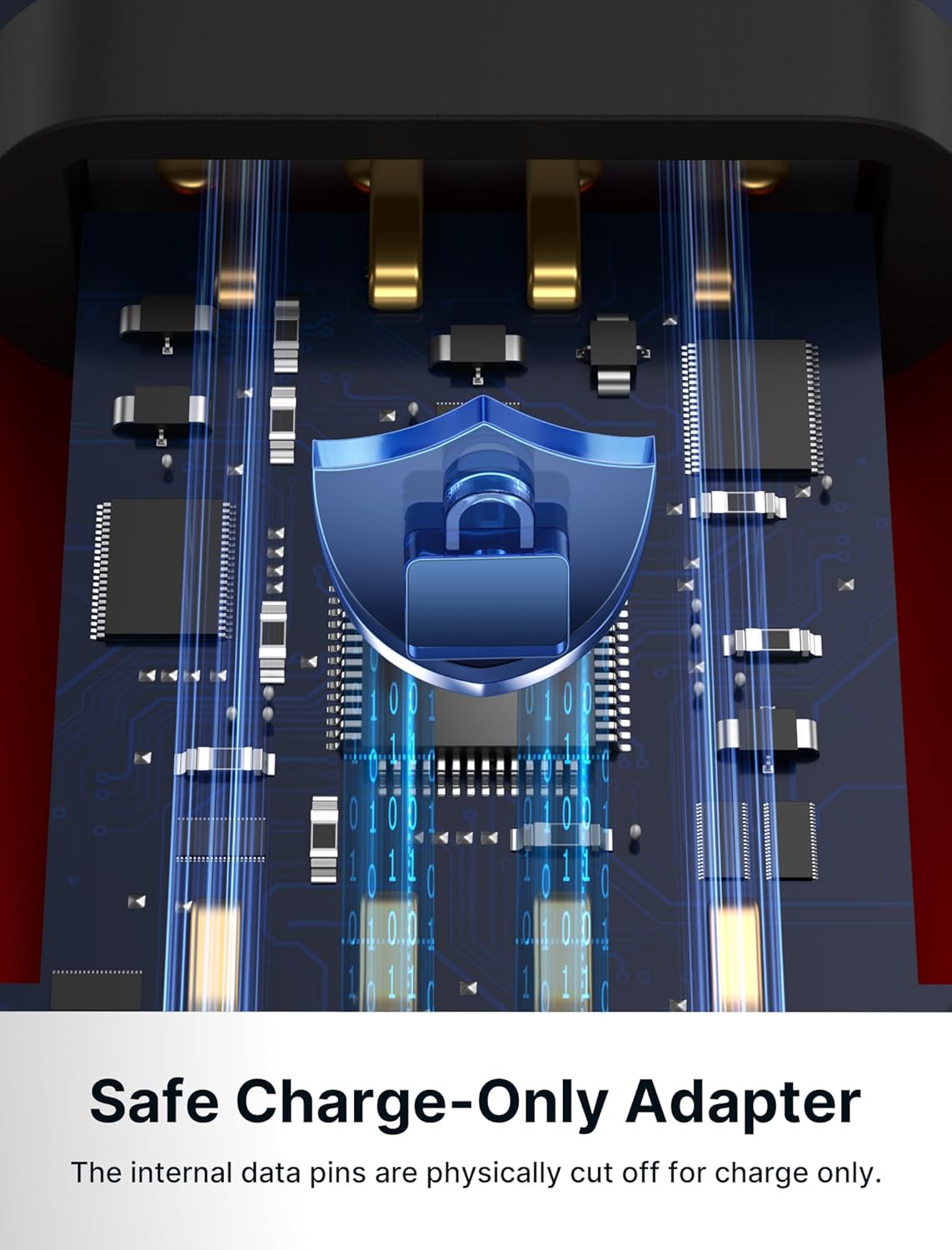
Billede: Et røntgenbillede view illustrating the internal mechanism of the JSAUX data blocker, where the data pins are physically disconnected to prevent data transfer.
Opladningsydelse:
The data blocker supports up to 2.4A for fast charging. It is important to note that because the data pins are physically cut off, the data blocker cannot communicate with your device or charger to negotiate advanced fast charging protocols such as USB Power Delivery (PD 3.0) or Qualcomm Quick Charge (QC 3.0). Therefore, charging speed will be limited to standard 2.4A charging, which may be slower than proprietary fast charging methods your device typically uses with a direct data-enabled cable.

Image: A smartphone being charged securely via the JSAUX data blocker plugged into a public power outlet, demonstrating safe charging in a public environment.
5. Vedligeholdelse
The JSAUX USB-A Data Blocker is designed for durability and requires minimal maintenance. To ensure its longevity and proper function, please follow these guidelines:
- Rensning: Use a soft, dry cloth to wipe the exterior of the data blocker. Avoid using liquid cleaners, solvents, or abrasive materials, as these can damage the finish or internal components.
- Opbevaring: Store the data blocker in a cool, dry place away from direct sunlight and extreme temperatures.
- Håndtering: While durable, avoid dropping the device or subjecting it to excessive force, which could damage the connectors or internal circuitry.
- Fugtighed: Keep the data blocker away from water and other liquids. If it comes into contact with moisture, ensure it is completely dry before use.
6. Fejlfinding
If you encounter any issues while using your JSAUX USB-A Data Blocker, please refer to the following common problems and solutions:
Problem: Device is not charging.
- Tjek forbindelser: Ensure both the data blocker and your charging cable are fully and securely inserted into their respective ports.
- Bekræft strømkilden: Confirm that the power source (e.g., wall outlet, public charging station) is active and providing power. Try plugging a different device or cable directly into the power source to test it.
- Testkabel: Try using a different USB charging cable to rule out a faulty cable.
- Test Data Blocker: If possible, try the data blocker with a different power source and device to determine if the blocker itself is faulty.
Problem: Charging is slower than expected.
- Forventet adfærd: The JSAUX Data Blocker is designed to block data pins, which means it cannot support advanced fast charging protocols like PD 3.0 or QC 3.0. Charging will be limited to a maximum of 2.4A. This is normal operation for a data blocker and not a defect.
- Power Source Output: Ensure your power source can deliver at least 2.4A. Lower output power from the source will result in slower charging.
Problem: USB-A plug feels too snug or requires force to insert/remove.
- Initial Snug Fit: A snug fit can be normal, especially with new devices, to ensure a secure connection. Apply firm, steady pressure when inserting or removing. Avoid twisting or excessive force that could damage the ports.
- Tjek for forhindringer: Inspect both the data blocker's ports and the cable/power source ports for any debris or obstructions.
7. Specifikationer
| Feature | Detalje |
|---|---|
| Modelnummer | UAMTFDBUAMTFDB |
| Mærke | JSAUX |
| Connector Type | USB Type A Male to USB Type A Female |
| Opladningsudgang | Up to 2.4A (Charge-Only) |
| Dataoverførsel | Handicappet |
| Kompatible enheder | Samsung Galaxy, Apple iPhone, LG, Sony, OnePlus, and other USB devices |
| Farve | Rød |
| Produktmål (L x B x H) | 1.18 x 0.39 x 0.39 tommer (30 x 10 x 10 mm) |
| Varens vægt | 1.06 ounce (30 gram) |
| Materiale | Premium Aluminum Shell |
8. Garanti og support
For warranty information, please refer to the documentation included with your purchase or visit the official JSAUX website. JSAUX products typically come with a manufacturer's warranty covering defects in materials and workmanship.
If you require technical support or have questions regarding your JSAUX USB-A Data Blocker, please contact JSAUX customer service through their official website or the retailer from whom you purchased the product. Please have your model number (UAMTFDBUAMTFDB) and purchase details ready when contacting support.


