1. Introduktion
Tak for købetasing the Everycom X10 Home & Business Native Full HD 1080p LED Projector. This projector is designed to provide a superior viewing experience with its impressive native resolution of 1920 x 1080, 5500 Lumens of brightness, and a high contrast ratio of 5000:1. This manual provides detailed instructions for setting up, operating, and maintaining your projector to ensure optimal performance and longevity. Please read this manual thoroughly before using the product and keep it for future reference.
2. Sikkerhedsoplysninger
For at undgå brand eller elektrisk stød må dette apparat ikke udsættes for regn eller fugt. For at undgå elektrisk stød må kabinettet ikke åbnes. Overlad kun service til kvalificeret personale.
- Bloker ikke ventilationsåbninger.
- Brug kun tilbehør/tilbehør specificeret af producenten.
- Træk stikket ud af dette apparat under tordenvejr, eller når det ikke skal bruges i længere perioder.
- Beskyt netledningen mod at blive trådt på eller klemt, især ved stik, stikkontakter og det sted, hvor de kommer ud af apparatet.
- Se ikke direkte ind i projektorlinsen, når lamp er tændt.
- Sørg for, at projektoren er placeret på en stabil, plan overflade.
3. Hvad er der i æsken
Kontroller venligst, at alle følgende varer er inkluderet i din pakke:
- Everycom X10 Projector
- Fjernbetjening
- Brugermanual
- AV-kabel
- HDMI kabel
- Strømledning
4. Produktet er slutview
4.1 Foran View
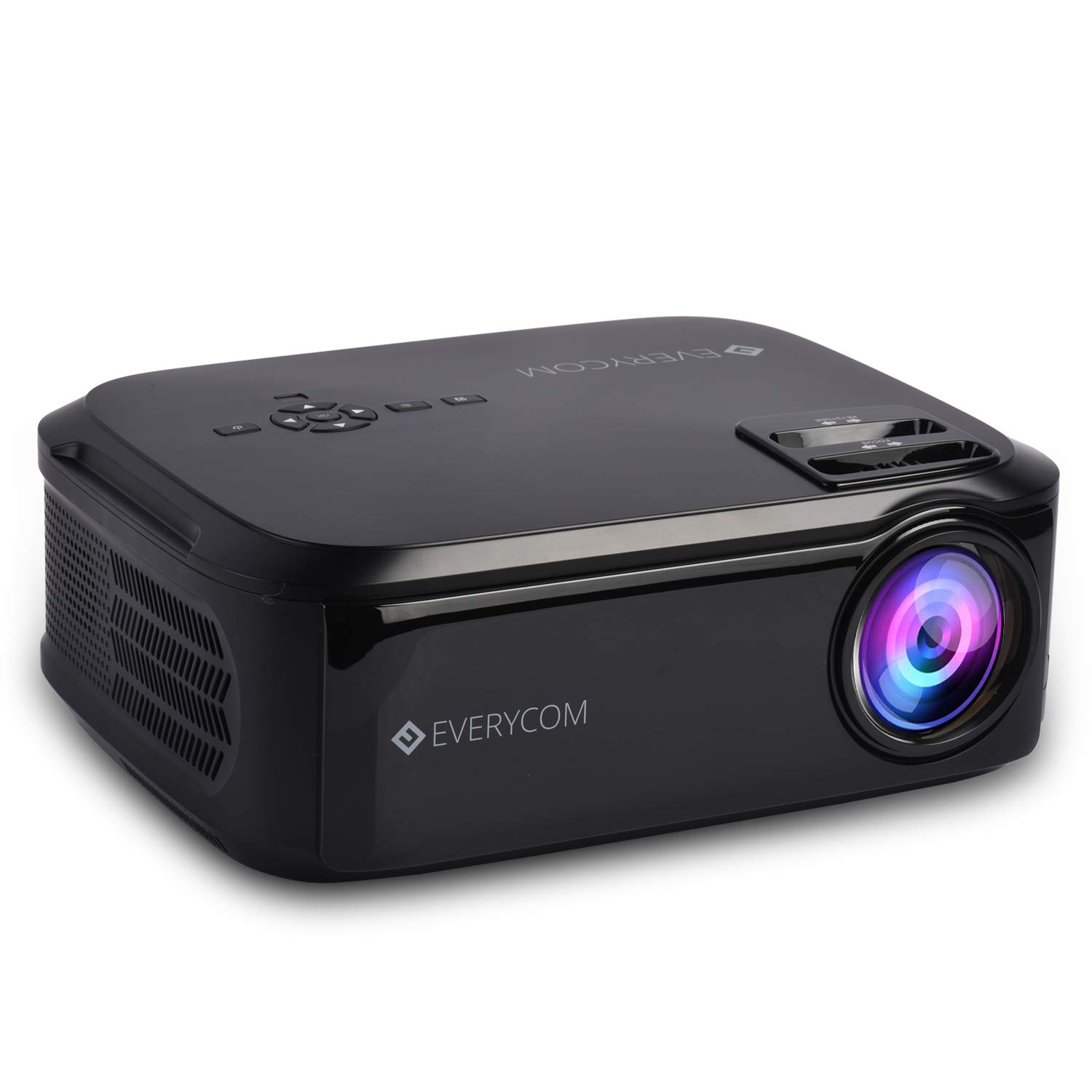
This image displays the front of the Everycom X10 projector, highlighting the main lens and the sleek black casing. The lens is the primary component for projecting images onto a screen or wall.
4.2 Side View (Havne)

This image shows the side of the Everycom X10 projector, featuring the various input and output ports. These include two HDMI inputs, two USB inputs, and a VGA port, allowing for versatile connectivity with different devices.
4.3 Top View (Kontroller)

Toppen view of the Everycom X10 projector displays the integrated control panel and the focus and keystone adjustment dials. The control panel allows for basic navigation and settings adjustments directly on the unit, while the dials are used to fine-tune image clarity and shape.
4.4 Nederst View

This image shows the bottom of the Everycom X10 projector, revealing the product label with model information, serial number, and certification marks. It also shows the adjustable feet for leveling and mounting points.
5. Opsætning
5.1 Placering
Place the projector on a stable, flat surface. Ensure there is adequate ventilation around the projector to prevent overheating. The projection distance can range from 1.6m to 7.1m to achieve a screen size of 45" to 200".
5.2 Strømtilslutning
- Tilslut netledningen til projektorens strømindgang.
- Sæt den anden ende af netledningen i en stikkontakt.
5.3 Tilslutning af inputenheder
The Everycom X10 supports multiple input sources:
- HDMI: Connect your PC, laptop, gaming console, Amazon Fire TV, or Chromecast using an HDMI cable to one of the two HDMI ports.
- USB: Insert a USB stick or connect a media player to one of the two USB ports.
- VGA: Tilslut ældre pc'er eller bærbare computere med et VGA-kabel.
- AV: Use the provided AV cable to connect DVD players or other devices with AV output.
5.4 Fokus- og Keystone-justering
- Fokus: Rotate the focus ring on the top of the projector until the projected image is clear and sharp.
- Keystones: Use the keystone correction dial (vertical ±15 degrees) to adjust the image shape if it appears trapezoidal. This ensures the projected image is rectangular.
6. Betjeningsvejledning
6.1 Tænd/sluk
- Tænd: Tryk på tænd/sluk-knappen på projektoren eller fjernbetjeningen. Indikatorlampen tændes.
- Sluk: Press the power button again. The projector will shut down. Always allow the projector to cool down properly before unplugging it.
6.2 Kildevalg
Når du har tændt for strømmen, skal du vælge den ønskede inputkilde:
- Press the 'Source' button on the remote control or the projector's control panel.
- Use the arrow keys to navigate through the input options (HDMI1, HDMI2, USB1, USB2, VGA, AV).
- Tryk på 'OK' for at bekræfte dit valg.
6.3 Menunavigation
Use the 'Menu' button on the remote or projector to access settings:
- Billedindstillinger: Adjust brightness, contrast, color, and aspect ratio (16:9/4:3).
- Lydindstillinger: Control volume and audio modes for the built-in dual stereo speakers.
- Tidsindstillinger: Set sleep timer or adjust time-related functions.
- Indstillinger for valgmuligheder: General settings like language, factory reset, etc.
7. Vedligeholdelse
7.1 Rengøring af linsen
Use a soft, lint-free cloth or lens cleaning paper to gently wipe the lens. Do not use abrasive cleaners or solvents.
7.2 Rengøring af projektorhuset
Wipe the projector's exterior with a soft, dry cloth. For stubborn dirt, dampRengør kluden let med vand og et mildt rengøringsmiddel, og tør derefter tør.
7.3 Ventilatorvedligeholdelse
The projector features an innovative cooling system with heat dispersion and noise suppression. Ensure the ventilation vents are clear of dust and obstructions to maintain efficient cooling.
8. Fejlfinding
| Problem | Mulig årsag | Løsning |
|---|---|---|
| Intet billede vises | Power cord loose; Incorrect input source; Device not connected properly. | Kontroller strømforbindelsen; Vælg den korrekte inputkilde; Tilslut inputenheden igen. |
| Billedet er sløret | Fokus ikke justeret; Projektor for langt væk/tæt på. | Adjust focus ring; Adjust projection distance. |
| Billedet er trapezformet | Keystone ikke justeret. | Juster keystone-korrektionsknappen. |
| Ingen lyd | Lydstyrken er for lav; Lydkabel er ikke tilsluttet; Kildeenhedens lydindstillinger. | Increase volume; Check audio connections; Adjust audio output on source device. |
| Projektoren overophedes | Ventilation blocked; Prolonged use in hot environment. | Ensure vents are clear; Operate in a well-ventilated area; Allow cool-down periods. |
9. Specifikationer
| Feature | Specifikation |
|---|---|
| Mærke | Everycom |
| Model | X10 |
| Indfødt opløsning | 1920 x 1080 (Fuld HD) |
| Lysstyrke | 5500 lumen |
| Kontrastforhold | 5000:1 |
| Aspektforhold | 16:9 / 4:3 |
| Projektionsstørrelse | 45" til 200" |
| Projektionsafstand | 1.6m til 7.1m |
| Keystone korrektion | ±15° Lodret |
| Indgangsporte | 2 x HDMI, 2 x USB, 1 x VGA, 1 x AV |
| Lyd | Built-in Dual Stereo Speakers |
| Produktdimensioner | 32 x 26 x 12 cm |
| Varens vægt | 2.6 kg |
10. Garanti og support
10.1 Garantioplysninger

The Everycom X10 Projector comes with a Nationwide 1 Year Indian Warranty. This product is also Bureau of Indian Standards (BIS) certified.
10.2 Kundesupport

For any assistance, queries, or support regarding your Everycom X10 Projector, please contact our customer service team:
- Gratis nummer: 1800 121 4480
- Kundesupportens åbningstider: Mandag - lørdag, 10:00 - 6:30 (undtagen på helligdage)


