1. Introduktion
This manual provides detailed instructions for the proper use and maintenance of your SelfieShow L03 Cell Phone Selfie Stick Tripod. This versatile device functions as both an extendable selfie stick and a stable tripod, complete with a detachable wireless remote control. Please read this manual thoroughly before operating the product to ensure optimal performance and longevity.
2. Pakkens indhold
Bekræft at alle varer er til stede i din pakke:
- SelfieShow L03 Selfie Stick Tripod
- Detachable Wireless Remote Control (with 1 C battery included)
- Brugervejledning (dette dokument)
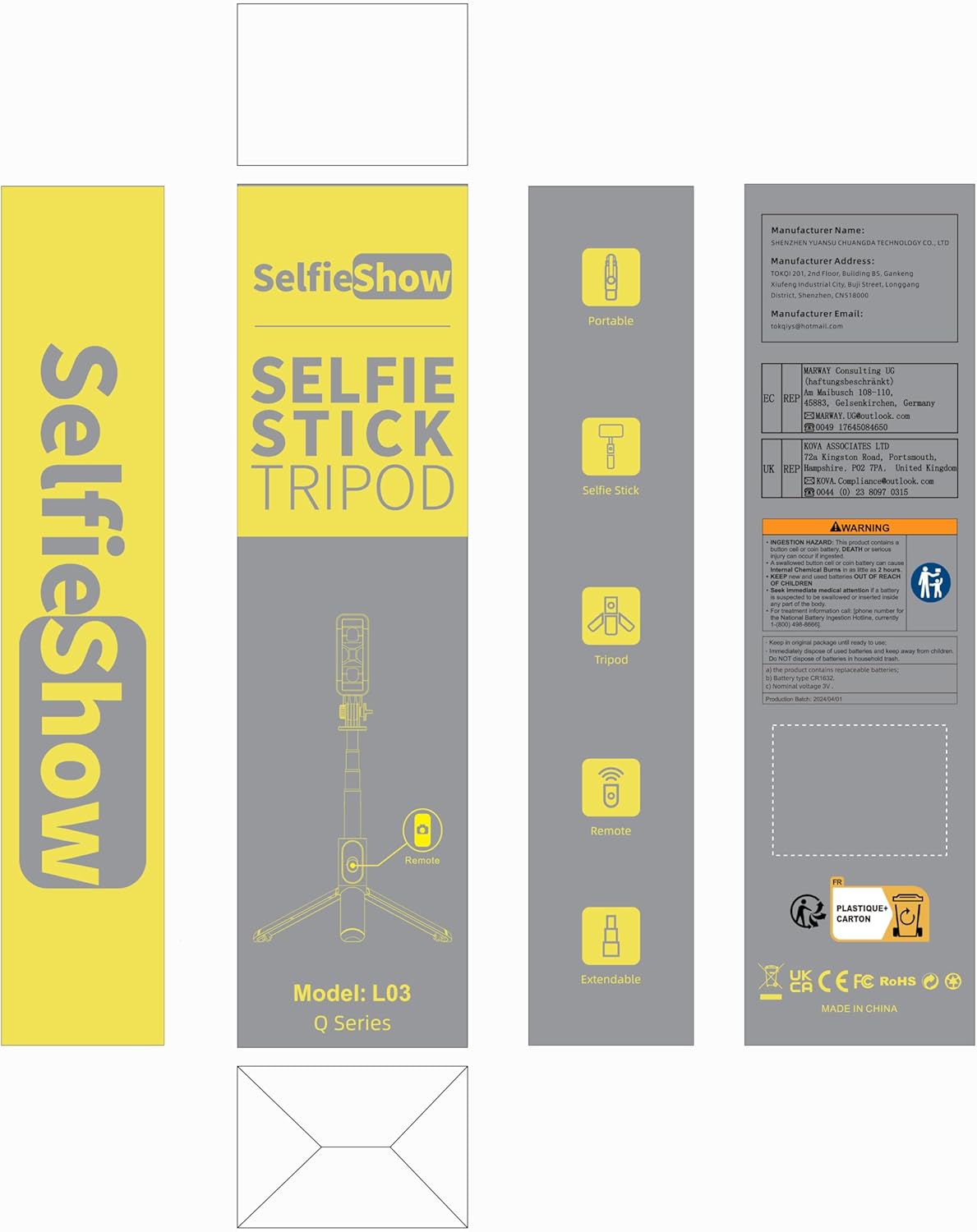
Image: Product packaging for the SelfieShow L03, showing the selfie stick, remote, and tripod components.
3. Produktet er slutview
Familiarize yourself with the main components of your SelfieShow L03 device:

Image: Diagram illustrating the key components of the SelfieShow L03, including the detachable phone mount, aluminum alloy rod, stable tripod, detachable remote control, and anti-slip pads.
- Detachable Phone Mount: Securely holds your smartphone. Features anti-slip pads for grip.
- Aluminiumslegeringsstang: Extendable and retractable for selfie stick functionality.
- Stativbase: Foldable legs provide a stable stand for tabletop or ground use. Includes anti-slip pads.
- Aftagelig trådløs fjernbetjening: For remote photo and video capture. Stores conveniently in the handle.
- Rotary Lock: Allows for 360° rotation and 270° adjustment of the phone mount.
4. Opsætningsvejledning
4.1. Tilslutning af din telefon
- Gently pull the top section of the phone mount upwards to expand it.
- Place your smartphone into the mount, ensuring it is securely held by the anti-slip pads. The mount supports phones with a width between 6.5cm and 9.5cm.
- The phone mount can also be detached and used as a separate phone stand. To detach, slide the phone mount upwards from the selfie stick.

Image: Step-by-step guide on detaching the phone mount and using it as a standalone phone stand.
4.2. Parring af den trådløse fjernbetjening
- Remove the wireless remote control from its slot in the selfie stick handle.
- Tryk og hold knappen på fjernbetjeningen nede, indtil indikatorlampen begynder at blinke, hvilket angiver, at den er i parringstilstand.
- Gå til Bluetooth-indstillinger på din smartphone.
- Søg efter available devices and select "SelfieShow" (or similar name like "Liangdianpai") to connect. The indicator light on the remote will stop flashing once successfully paired.
- The remote is compatible with Android 4.4+ and iOS 5.1+ devices.

Image: Visual guide for pairing the wireless remote control with a smartphone via Bluetooth.
5. Betjeningsvejledning
5.1. Selfie-stangtilstand
- Ensure your phone is securely mounted.
- Extend the aluminum alloy rod to your desired length. The stick can extend up to 34.4 inches (87.5 cm).
- Use the paired wireless remote control to capture photos or start/stop video recording.
5.2. Stativtilstand
- From the folded position, gently unfold the three legs at the bottom of the handle to form a stable tripod base.
- Place the tripod on a flat, stable surface. For maximum stability, keep the extension rod as short as possible.
- Adjust the height by extending the aluminum rod.
- Use the wireless remote for hands-free operation.
5.3. Adjusting Angle and Rotation
- The phone mount allows for 360° rotation. Loosen the rotary lock knob, adjust the phone to horizontal or vertical orientation, and then tighten the knob to secure.
- The phone mount also offers 270° adjustment for tilting the phone up or down. Loosen the rotary lock, set the desired angle, and tighten the knob.
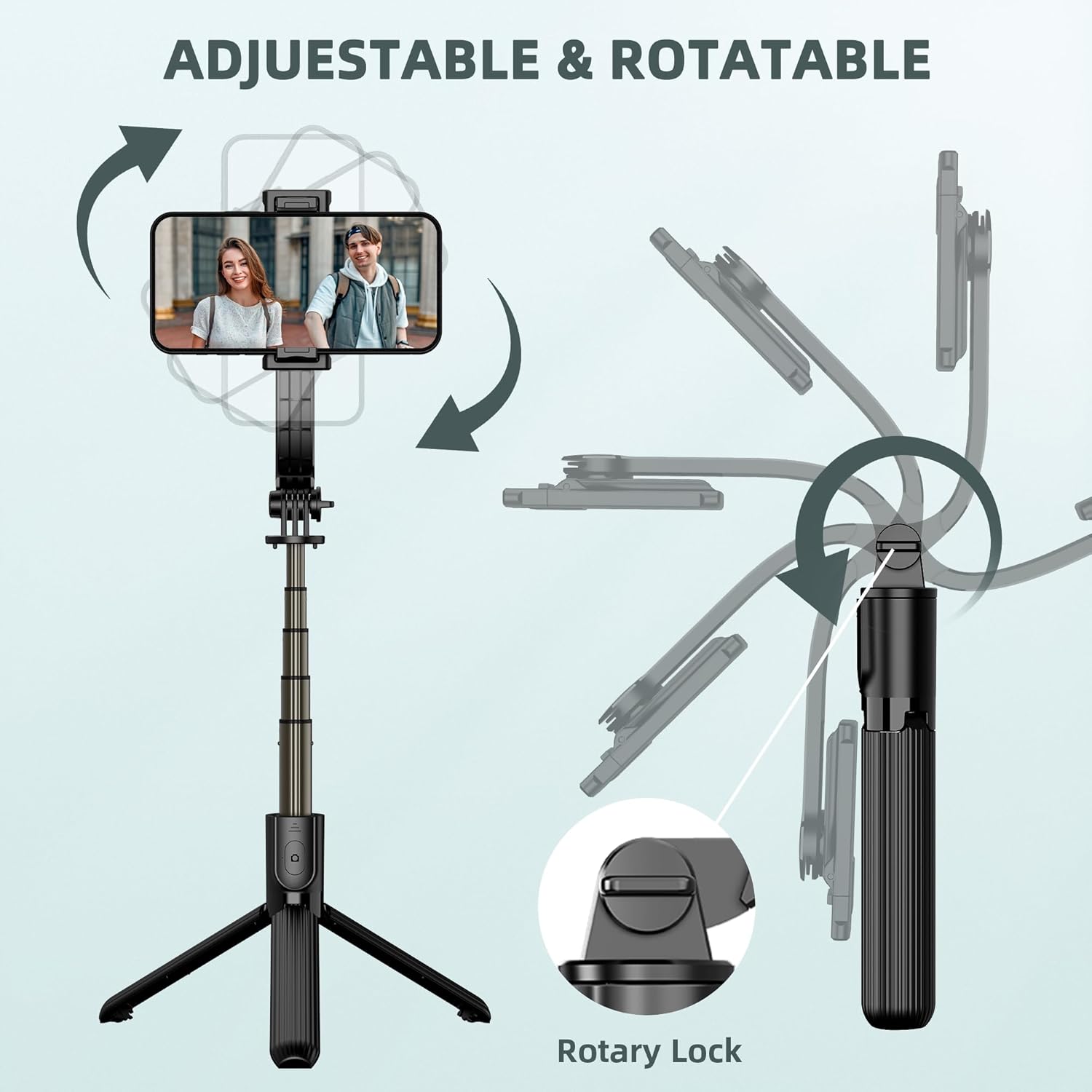
Image: Illustration demonstrating the 360° rotation and 270° tilt adjustment capabilities of the phone mount, secured by a rotary lock.
6. Vedligeholdelse
- Rensning: Tør enheden af med en blød, tør klud. Undgå at bruge skrappe kemikalier eller slibende materialer.
- Opbevaring: When not in use, fold the selfie stick tripod to its compact size (7.4 inches / 19 cm) and store it in a cool, dry place away from direct sunlight.
- Udskiftning af batteri: The remote control uses a replaceable C battery. If the remote's performance degrades, replace the battery.
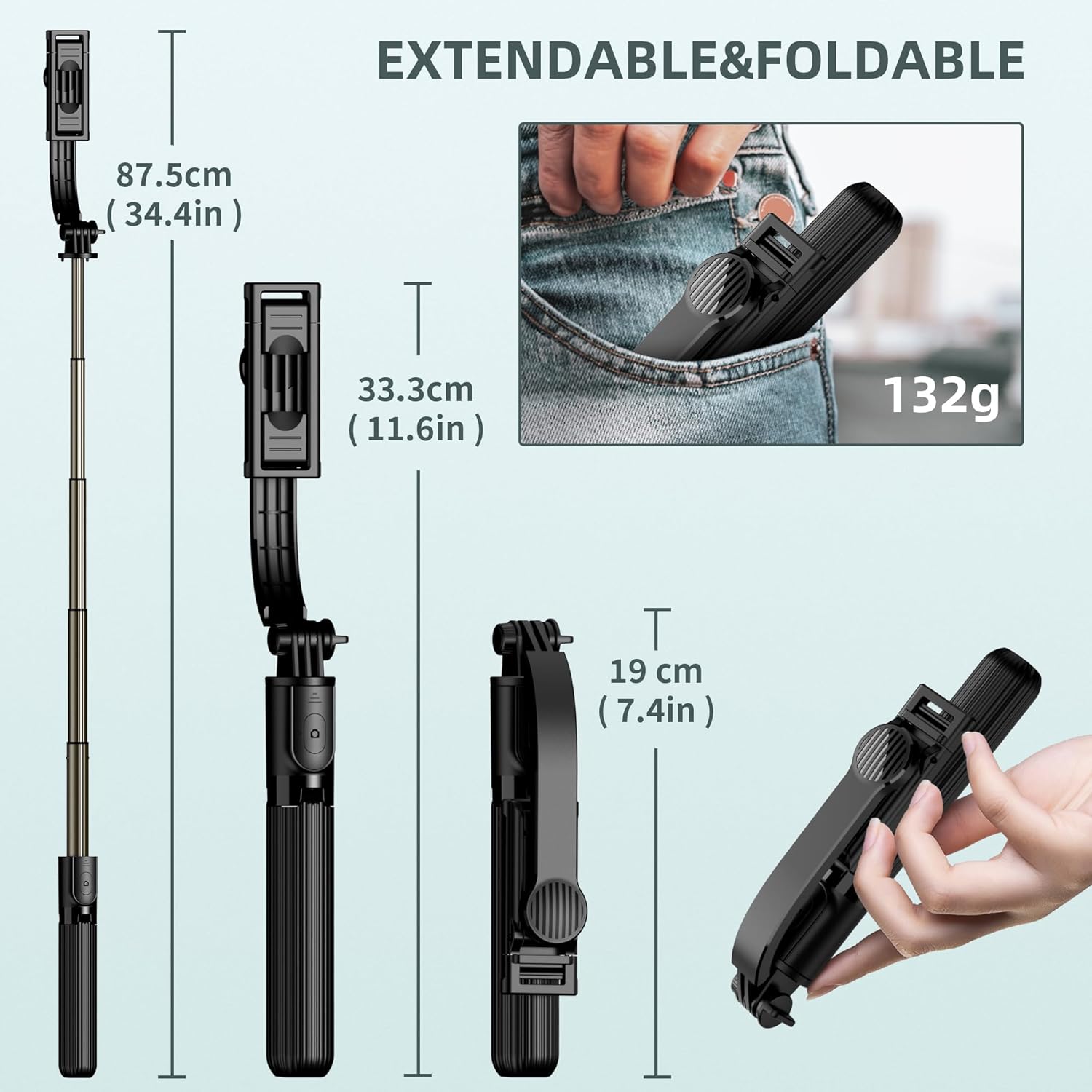
Image: Dimensions of the SelfieShow L03 when extended (34.4 inches) and folded (7.4 inches), highlighting its portability.
7. Fejlfinding
- Fjernbetjening parrer ikke:
- Ensure the remote control battery is not depleted. Replace if necessary.
- Sørg for at Bluetooth er aktiveret på din smartphone.
- Try unpairing and re-pairing the remote control in your phone's Bluetooth settings. - Stativustabilitet:
- Ensure the tripod legs are fully extended and locked into position.
- Use the tripod on a flat, level surface.
- For increased stability, keep the extension rod at a shorter length. - Phone Not Fitting in Holder:
- Verify your phone's width is within the supported range of 6.5cm to 9.5cm (2.5 to 3.7 inches). - GoPro Compatibility:
- The selfie stick includes an adapter for GoPro cameras. Note that the wireless remote control is designed for smartphones and may not sync with GoPro devices for remote capture.

Image: Diagram showing the phone holder's width compatibility (6.5-9.5cm) and the inclusion of a GoPro adapter for mounting action cameras.
8. Specifikationer
| Feature | Specifikation |
|---|---|
| Modelnummer | L03 |
| Produktdimensioner | 1.85 x 1.3 x 7.48 cm (foldet) |
| Varens vægt | 5.6 ounces (0.35 lbs) |
| Materiale | Aluminium |
| Maksimal højde | 860 millimeter (34.4 tommer) |
| Minimum højde | 190 millimeter (7.4 tommer) |
| Vægtgrænse | 158 gram |
| Kompatibel telefonbredde | 6.5 cm - 9.5 cm (2.5 - 3.7 tommer) |
| Fjernbetjenings batteri | 1 C-batteri (inkluderet) |
| Fjernbetjenings rækkevidde | Op til 10 meter |
| Kompatible enheder | Most smartphones (iPhone 15/14/13/12/11 series, Samsung Galaxy S/Note series, Google Pixel, OnePlus, etc.) and GoPro cameras. |
9. Garanti og support
The SelfieShow L03 Cell Phone Selfie Stick Tripod comes with a one-year warranty. If you encounter any issues or require assistance with your product, please refer to the contact information provided with your purchase or visit the official SelfieShow brand store for support.
For yderligere hjælp, besøg venligst SelfieShow Store on Amazon.


