Indledning
Thank you for choosing the 360 S9 Robot Vacuum and Mop. This intelligent cleaning device is designed to provide efficient and thorough cleaning of your home with advanced navigation and dual cleaning capabilities. Please read this manual carefully before using the product to ensure proper operation and maintenance.

The 360 S9 Robot Vacuum and Mop, showcasing its sleek design and the accompanying mobile application for control.
Sikkerhedsoplysninger
For at mindske risikoen for personskade eller beskadigelse skal du læse disse sikkerhedsinstruktioner omhyggeligt og opbevare dem ved hånden til senere brug.
- Dette apparat kan bruges af børn i alderen 8 år og derover og personer med nedsatte fysiske, sensoriske eller mentale evner eller mangel på erfaring og viden, hvis de har fået opsyn eller instruktion i brugen af apparatet på en sikker måde og forstår de involverede farer. .
- Børn må ikke lege med apparatet. Rengøring og brugervedligeholdelse må ikke udføres af børn uden opsyn.
- Brug kun den originale strømadapter, der er leveret af producenten.
- Brug ikke robotten i omgivelser med åben ild eller skrøbelige genstande.
- Sørg for, at robotten er fuldt opladet før første brug.
- Do not expose the robot to direct sunlight or extreme temperatures.
- Hold hår, løstsiddende tøj, fingre og alle dele af kroppen væk fra åbninger og bevægelige dele.
Pakkens indhold
Please check if all components are included in the package:
- 360 S9 robotstøvsuger og moppe
- Opladningsdock
- Strømadapter
- Vandtank
- Moppeklud
- Sidebørster (2x)
- Rengøringsværktøj
- Brugermanual
Produkt overview
Familiarize yourself with the different parts of your 360 S9 Robot Vacuum and Mop.
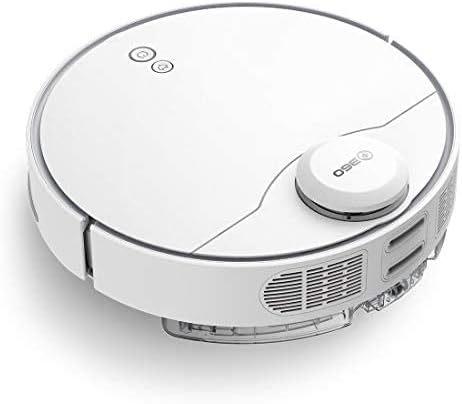
Side view of the 360 S9, highlighting the dustbin and side brush assembly.

Detaljeret side view of the 360 S9, illustrating its wheels and various sensors.
Top View
- LDS Laser Navigation Sensor: For precise mapping and navigation.
- Power/Clean Button: Start/pause cleaning.
- Recharge Button: Send robot back to charging dock.
- Dustbin Compartment: Houses the dustbin and water tank.
Bund View
- Side Brush: Sweeps debris into the main brush path.
- Main Brush: Collects dust and debris.
- Driving Wheels: For movement across various surfaces.
- Cliff Sensors: Prevents the robot from falling down stairs.
- Charging Contacts: For connecting with the charging dock.
Opsætning
1. Placering af ladestation
Place the charging dock against a wall on a hard, level surface. Ensure there is at least 0.5 meters (1.6 feet) of clear space on both sides and 1.5 meters (4.9 feet) in front of the dock. Connect the power adapter to the dock and plug it into a wall outlet. Ensure the indicator light on the dock is on.
2. Første opladning
Place the robot onto the charging dock, ensuring the charging contacts align. The robot will automatically begin charging. For first-time use, fully charge the robot before operation. A full charge takes approximately 4-5 hours.
3. Appinstallation og -forbindelse
Download the "360 Robot" app from the App Store (iOS) or Google Play Store (Android). Follow the in-app instructions to connect your robot to your home Wi-Fi network. This will enable advanced features like map management, scheduled cleaning, and remote control.

The 360 Robot app interface, demonstrating various cleaning modes and compatibility with Amazon Alexa and Google Assistant.
Betjeningsvejledning
Rengøringstilstande
The 360 S9 offers multiple cleaning modes to suit your needs:
- Auto rengøring: The robot intelligently plans its cleaning route using LDS Lidar and SLAM algorithm to cover the entire area. Press the Power/Clean button on the robot or select "Auto Cleaning" in the app.
- Kantrensning: The robot cleans along the edges of your rooms. Select "Edge Cleaning" in the app.
- Rengøring af pletter: The robot performs an intensive clean in a specific area. Place the robot in the desired area and select "Spot Cleaning" in the app.
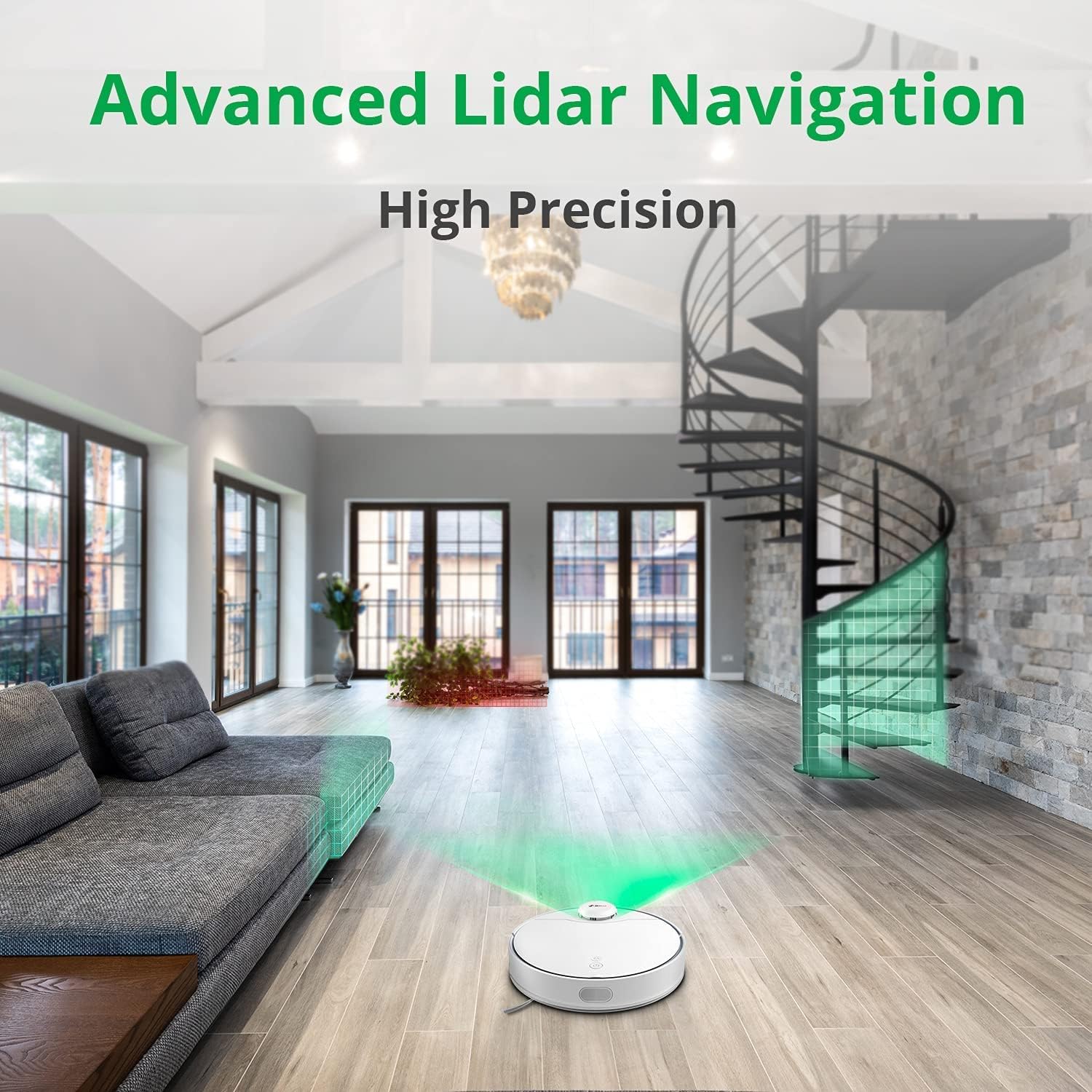
The 360 S9 utilizing its advanced Lidar navigation system for high-precision mapping and cleaning.
Støvsugning og mopping
The S9 can vacuum and mop simultaneously. To use the mopping function:
- Fill the water tank with clean water. Do not use detergents or corrosive liquids.
- Fastgør moppekluden sikkert til vandtanken.
- Insert the filled water tank into the robot's designated slot. The robot will automatically detect the water tank and switch to sweep+mop mode.

Visual representation of the 360 S9's 2-in-1 vacuuming and mopping function, showing the dustbin (0.42L) and water tank (0.2L) capacities.
The robot features a powerful 2650Pa suction with carpet boost, automatically increasing suction on carpets for deeper cleaning.

The 360 S9 showcasing its 2650Pa powerful suction with automatic carpet boost, effectively cleaning a rug.
No-Go Zones and Virtual Walls
Using the 360 Robot app, you can set up virtual walls or no-go zones to restrict the robot from entering certain areas. This is useful for protecting fragile items or preventing the robot from entering bathrooms while mopping.
Stemmekontrol
The 360 S9 is compatible with Amazon Alexa and Google Assistant. Link your robot vacuum to your smart home system through the 360 Robot app to control it with voice commands, such as "Alexa, tell 360 Robot to start cleaning" or "Hey Google, ask 360 Robot to go home."
Opretholdelse
Regelmæssig vedligeholdelse sikrer optimal ydeevne og forlænger levetiden på din robotstøvsuger.
1. Tømning af skraldespanden
It is recommended to empty the dustbin after each cleaning cycle. Open the top cover of the robot, remove the dustbin, open its lid, and discard the collected debris. The dustbin capacity is 0.42 Liters.
2. Genopfyldning af vandtanken
For mopping, ensure the water tank is filled with clean water. The water tank capacity is 0.2 Liters. Refill as needed before each mopping session.
3. Rengøringsbørster
- Hovedbørste: Remove the main brush cover and lift out the main brush. Use the provided cleaning tool to remove hair and debris tangled around the brush. Clean regularly, especially if pet hair is present.
- Sidebørster: Check side brushes for tangled hair or debris. If damaged or worn, replace them.
4. Rengøring af filtre
The filter inside the dustbin should be cleaned regularly. Tap the filter against a trash can to remove dust. For a more thorough clean, the filter can be rinsed with water, but ensure it is completely dry before reinserting it into the dustbin and robot.
5. Rengøring af sensorer
Wipe the cliff sensors (on the bottom of the robot), charging contacts (on the robot and dock), and the LDS laser sensor window (on top of the robot) with a clean, dry cloth. This prevents navigation errors and ensures proper charging.
Fejlfinding
| Problem | Mulig årsag | Løsning |
|---|---|---|
| Robotten tænder ikke. | Lavt batteri; Sluk for strømmen. | Oplad robotten; Sørg for, at tænd/sluk-knappen er tændt. |
| Robotten kan ikke finde ladestationen. | Dock is blocked or out of range. | Ensure clear space around dock; Manually place robot on dock. |
| Sugeevnen er svag. | Støvbeholder fuld; Filter tilstoppet; Hovedbørste sammenfiltret. | Tøm støvbeholderen; Rengør/udskift filteret; Rengør hovedbørsten. |
| Robotten sidder ofte fast. | Forhindringer; Klippesensorer snavsede. | Ryd forhindringer; Rengør klippesensorer. |
| Moppefunktionen virker ikke. | Vandtanken er tom; moppekluden er ikke fastgjort. | Fyld vandtanken; Fastgør moppekluden korrekt. |
Specifikationer
| Mærke | 360 |
| Modelnavn | S9 |
| Modelnummer | 360-S9-WHITE |
| Navigation | LDS Laser, SLAM Algorithm |
| Batterikapacitet | 5200mAh |
| Max sugekraft | 2650 Pa |
| Køretid | Op til 180 minutter |
| Skraldespandskapacitet | 0.42 liter |
| Vandtankkapacitet | 0.2 liter |
| Støjniveau | 53dB |
| Wi-Fi tilsluttet | Ja |
| Kontrolmetode | App, fjernbetjening |
| Kompatible enheder | Amazon Echo (Alexa), Google Assistent |
| Produktdimensioner | 13.78 cm L x 13.78 cm B x 3.94 cm H |
| Varens vægt | 8.47 pund |
Garanti og support
For warranty information and technical support, please refer to the official 360 webwebstedet eller kontakt deres kundeservice. Gem din købskvittering som købsbevis i tilfælde af garantikrav.
For yderligere hjælp kan du besøge produktside på Amazon or contact 360 Smart Network customer support.


