Indledning
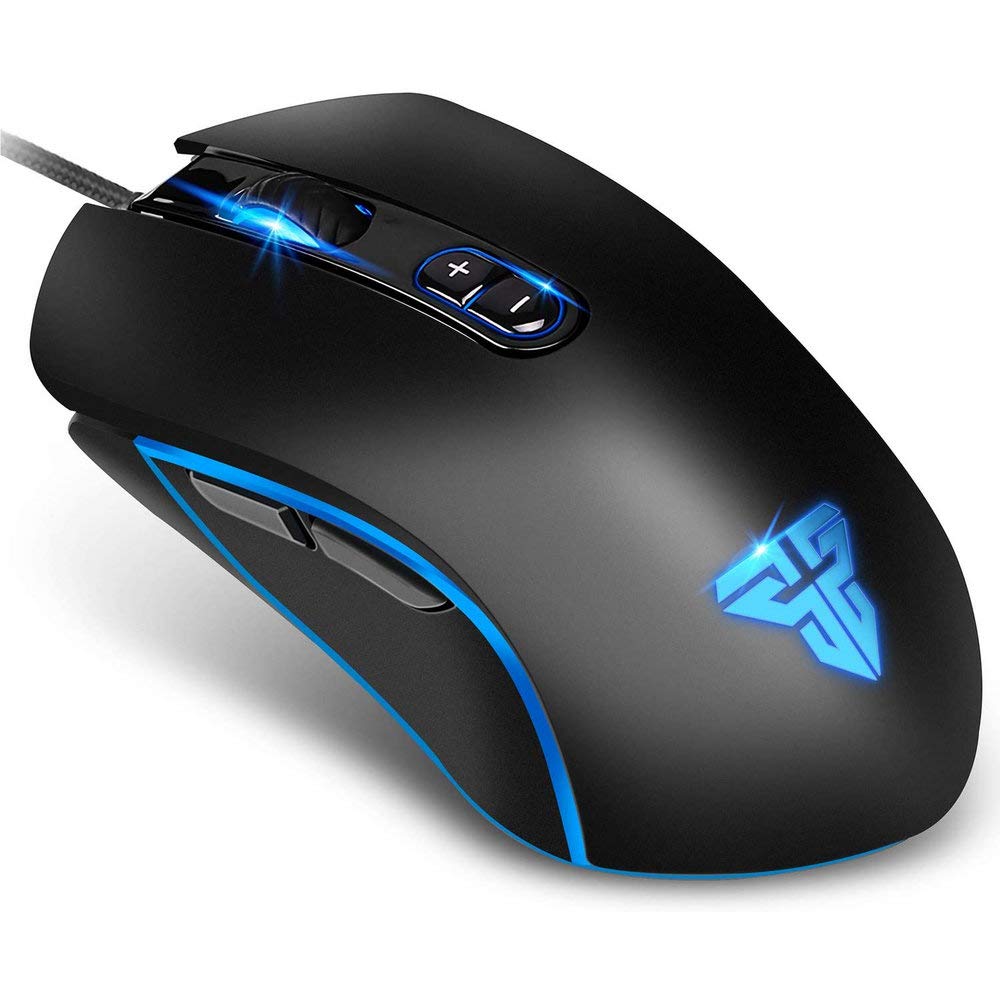
The FANTECH Basic Wired Gaming Mouse X9 is engineered for gamers and everyday users seeking a reliable and customizable input device. With its ergonomic design, programmable buttons, and vibrant RGB lighting, the X9 offers a comfortable and responsive experience for various applications, from intense gaming sessions to daily office tasks.
Nøglefunktioner
- Justerbar DPI på farten: 12 DPI levels available from 200 to 4800, configurable up to 6 gears for instant speed matching.
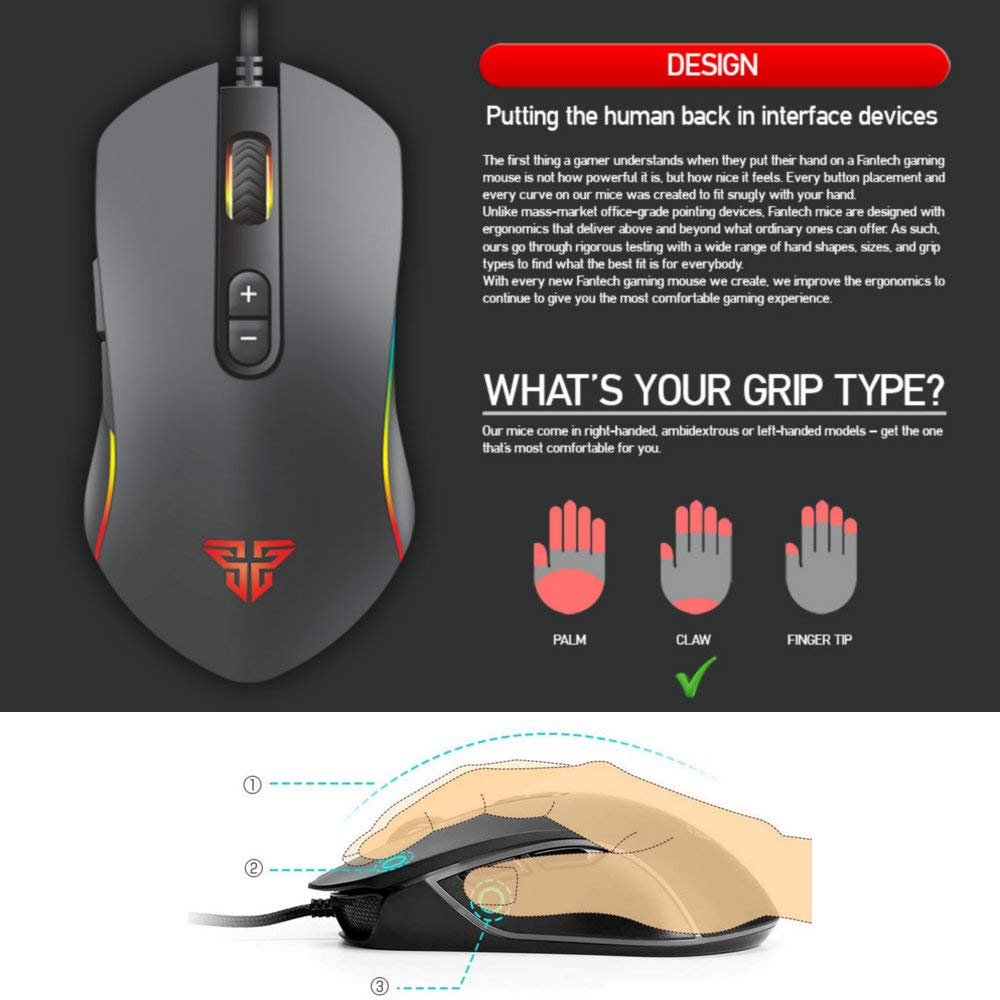
- Ergonomisk design: Curved shape designed for comfort, reducing muscle tension during prolonged use.
- 7 Programmable Macro Buttons: Customize button functions and create macros using the dedicated Fantech X9 software.
- Chroma RGB Backlit: Personalize lighting effects, pointer precision, wheel speed, and fire speed via software.
- Holdbar konstruktion: Features a 10 million clicks lifetime and a 6-foot nylon braided cable for enhanced durability.
- Bred kompatibilitet: Compatible with Windows PC 7/8/10/XP, suitable for gaming, office, and general use.

Hvad er der i æsken
Upon unboxing your FANTECH X9 Gaming Mouse, you should find the following items:
- THOR X9 Gaming Mouse
- Brugermanual
Opsætning
Setting up your FANTECH X9 Gaming Mouse is a straightforward process:
- Tilslut musen: Plug the USB connector of the FANTECH X9 mouse into an available USB port on your Windows PC.
- Driver installation: The mouse is plug-and-play, and basic functionality will be available immediately. For advanced customization, including macro programming and RGB lighting control, download and install the FANTECH X9 software from the official FANTECH webwebsted.
- Softwarekonfiguration: Once installed, launch the software to configure DPI settings, button assignments, and lighting effects to your preference.

Operating Your FANTECH X9 Mouse
DPI justering
The FANTECH X9 features on-the-fly DPI adjustment, allowing you to quickly change mouse sensitivity to suit different tasks or game scenarios. Use the dedicated DPI +/- buttons located near the scroll wheel to cycle through the preset DPI levels. These levels can be customized and saved using the Fantech X9 software.

Programmable Macro Buttons
The X9 mouse is equipped with 7 programmable buttons, offering extensive customization for gaming and productivity. Utilize the Fantech X9 software to assign macros, keyboard functions, or multimedia controls to these buttons. This allows for complex actions to be executed with a single click, enhancing efficiency.
Tilpasning af RGB-belysning
The FANTECH X9 features vibrant Chroma RGB backlighting with 16.8 million colors. The lighting effects can be fully customized through the Fantech X9 software, allowing you to choose from various modes like static, cyclic, or breathing, and select specific colors to match your setup or mood.

Video 1: En overview of the FANTECH X9 Gaming Mouse, demonstrating its ergonomic design, 7 programmable macro buttons, 10 million click lifetime, 4800 DPI sensor, and extensive personalization options through its software, including RGB Chroma lighting.
Opretholdelse
To ensure the longevity and optimal performance of your FANTECH X9 Gaming Mouse, follow these simple maintenance guidelines:
- Rensning: Regularly wipe the mouse surface with a soft, dry cloth to remove dust and grime. For stubborn dirt, a slightly damp klud kan bruges, så det sikres, at der ikke trænger fugt ind i de indvendige komponenter.
- Sensorrensning: Occasionally clean the optical sensor on the underside of the mouse with a cotton swab lightly dampendte med sprit.
- Kabelpleje: Undgå skarpe bøjninger eller overdreven trækkraft i det flettede kabel for at forhindre indre skader.
Fejlfinding
If you encounter issues with your FANTECH X9 Gaming Mouse, refer to the following common troubleshooting steps:
- Musen reagerer ikke:
- Sørg for, at USB-kablet er korrekt tilsluttet en fungerende USB-port.
- Prøv at tilslutte musen til en anden USB-port eller en anden computer for at udelukke portproblemer.
- Genstart din computer.
- DPI ændrer sig ikke:
- Verify that the Fantech X9 software is installed and running.
- Check the DPI settings within the software to ensure they are configured correctly.
- RGB-belysning virker ikke/forkert:
- Open the Fantech X9 software and navigate to the LED settings.
- Ensure the lighting is enabled and configured to your desired effect.
- Update the mouse firmware if available through the software.
- Macro Buttons Not Functioning:
- Ensure the Fantech X9 software is installed and the macro profiles er indlæst.
- Verify that the buttons are correctly assigned within the software.
Specifikationer
| Feature | Detalje |
|---|---|
| Modelnummer | X9 |
| Fabrikant | FANTECH |
| DPI niveauer | 200 - 4800 (adjustable) |
| Knapper | 7 Programmable Macro Buttons |
| Belysning | Chroma RGB Backlit (16.8 million colors) |
| Click Lifetime | 10 millioner klik |
| Kabellængde | 6 feet (nylon braided) |
| Produktdimensioner | 4.25 x 2.68 x 0.04 tommer |
| Varens vægt | 4.4 ounce |
| Kompatibilitet | Windows PC 7/8/10/XP |
Garanti og support
FANTECH products are manufactured to high-quality standards and are backed by a limited warranty. For specific warranty terms and conditions, please refer to the warranty card included with your product or visit the official FANTECH webwebsted.
For technical support, software downloads, or further assistance, please visit the FANTECH official website or contact their customer service through the channels provided on their webwebsted. Gem din købskvittering for garantikrav.


