1. Introduktion
This manual provides detailed instructions for the proper use, setup, and maintenance of your boAt Airdopes 131 Bluetooth Truly Wireless Earbuds. Please read this manual thoroughly before using the product to ensure optimal performance and longevity.

Image 1.1: The boAt Airdopes 131 Truly Wireless Earbuds in Midnight Blue, shown with their charging case.
2. Hvad er der i æsken
Bekræft, at alle nedenstående varer er til stede i din produktemballage:
- 1 x boAt Airdopes 131 Truly Wireless Earbuds (Left and Right)
- 1 x opladningsetui
- 1 x USB Type-C opladningskabel
- 1 x brugermanual
- 2 x Additional Ear Tips (various sizes)
3. Produktet er slutview
The boAt Airdopes 131 are designed for a seamless audio experience. Key features include:
- Virkelig trådløst design: Freedom from cables for unrestricted movement.
- Bluetooth v5.0: Stabil og effektiv trådløs forbindelse.
- IWP™ Technology: Instant Wake N' Pair for automatic connection upon opening the case.
- 13 mm dynamiske drivere: For immersive sound quality.
- Multifunction Button Control: Easy management of music, calls, and voice assistant.
- Indbygget mikrofon: For clear stereo calling.
- Type-C opladningsport: For convenient charging of the case.
- Stemmeassistent support: Hurtig adgang til din enheds stemmeassistent.

Image 3.1: An illustration of the boAt Airdopes 131 charging case with an earbud, highlighting features like IWP Technology, Bluetooth V5.0, 650mAh battery, Type-C charging, Instant Voice Assistant, and Multifunction Controls.
4. Opsætning
4.1 Opladning af enheden
Before initial use, ensure both the charging case and earbuds are fully charged.
4.1.1 Opladning af etuiet
- Tilslut USB Type-C-opladerkablet til opladningsporten på etuiet.
- Tilslut den anden ende af kablet til en USB-strømadapter (medfølger ikke) eller en computers USB-port.
- The LED indicators on the case will show charging status. A full charge typically takes approximately 1.5 hours.
4.1.2 Opladning af øretelefonerne
- Placer øretelefonerne i deres respektive åbninger i opladningsetuiet.
- Ensure the case has sufficient charge or is connected to a power source.
- The earbuds will begin charging automatically. The LED indicators on the earbuds will confirm charging status.

Image 4.1: The boAt Airdopes 131 earbuds illustrating the ASAP Charge feature, providing 90 minutes of playback from a 5-minute charge.
The Airdopes 131 offer up to 3 hours of playback per earbud charge and an additional 12 hours with the charging case. With ASAP™ Charge, 5 minutes of charging can provide up to 90 minutes of playback.
4.2 Initial Pairing (IWP™ Technology)
The Airdopes 131 feature Instant Wake N' Pair (IWP™) Technology for quick and effortless connection.
- Ensure the earbuds are inside the charging case and the case is charged.
- Åbn låget på opladningsetuiet. Øretelefonerne tænder automatisk og går i parringstilstand.
- Åbn Bluetooth-indstillingerne på din smartphone eller Bluetooth-aktiverede enhed.
- Søg efter "Airdopes 131" in the list of available devices and select it to connect.
- Når der er oprettet forbindelse, hører du en lydmeddelelse, og LED-indikatorerne på ørepropperne ændrer sig.

Image 4.2: A visual representation of the IWP Technology, showing a smartphone displaying a pairing notification for "Airdopes 131" as the charging case lid is opened.
4.3 Connecting to a New Device
To connect to a different device, first disconnect from the currently paired device. Then, follow the initial pairing steps (Section 4.2) to connect to the new device.
5. Betjeningsvejledning
The Airdopes 131 feature intuitive multifunction button controls on each earbud.
5.1 Tænd/sluk
- Tænd: Open the charging case lid (IWP™ Technology) or long-press the Multifunction Button on both earbuds for 3 seconds.
- Sluk: Place the earbuds back into the charging case and close the lid, or long-press the Multifunction Button on both earbuds for 5 seconds.
5.2 Musikkontrol
- Afspil/pause: Single tap the Multifunction Button on either earbud.
- Næste nummer: Double tap the Multifunction Button on the right earbud.
- Forrige nummer: Double tap the Multifunction Button on the left earbud.
5.3 Opkaldskontroller
- Besvar/afslut opkald: Single tap the Multifunction Button on either earbud.
- Afvis opkald: Long press the Multifunction Button on either earbud for 2 seconds.
5.4 Stemmeassistent
Activate your device's voice assistant (e.g., Google Assistant, Siri) with a single press.
- Aktiver stemmeassistent: Single press the Multifunction Button on either earbud.
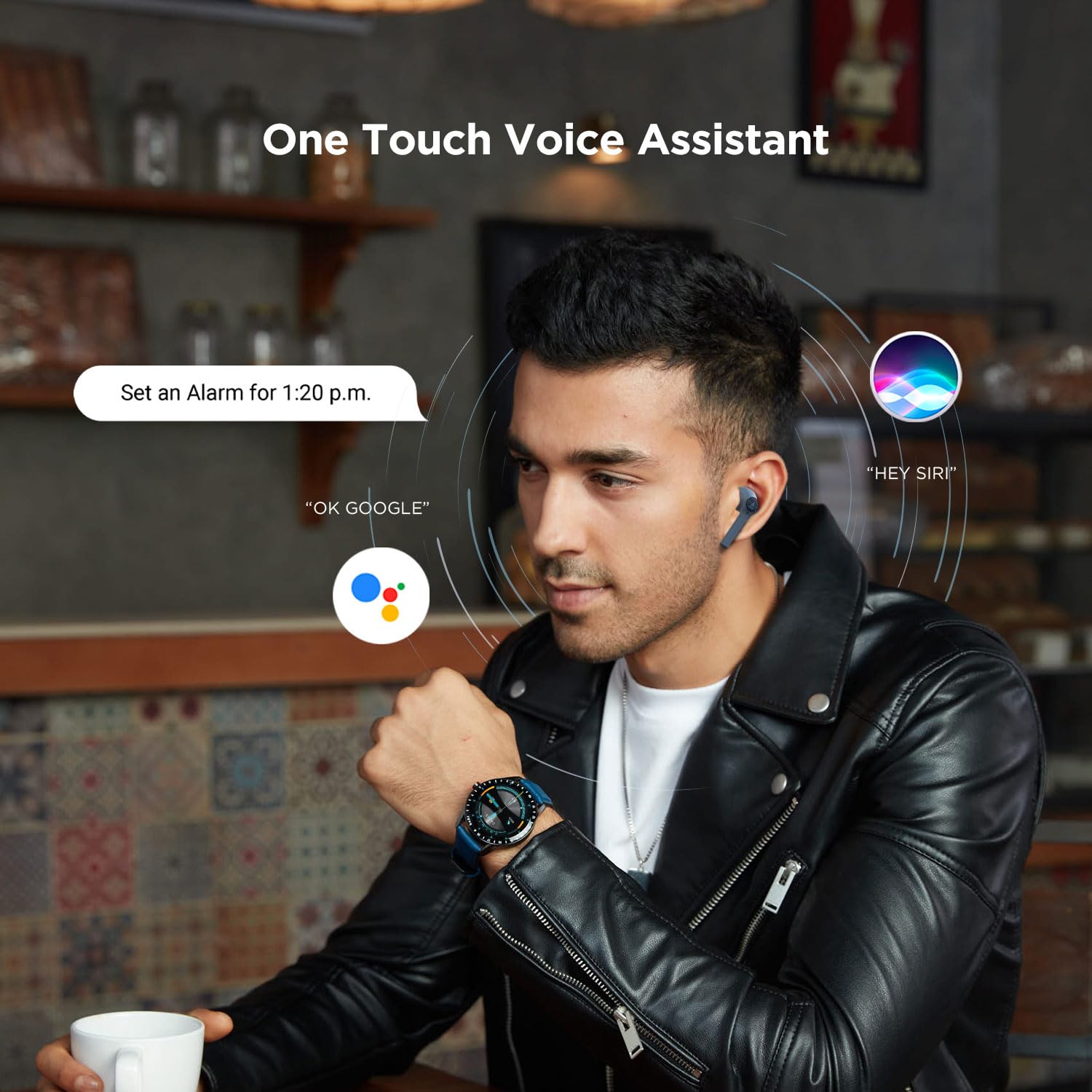
Image 5.1: A user interacting with a voice assistant via the boAt Airdopes 131 earbuds, demonstrating the "One Touch Voice Assistant" feature.
6. Vedligeholdelse
Proper maintenance ensures the longevity and optimal performance of your Airdopes 131.
6.1 Rengøring
- Brug en blød, tør og fnugfri klud til at rengøre ørepropperne og opladningsetuiet.
- Brug ikke skrappe kemikalier, rengøringsopløsningsmidler eller stærke rengøringsmidler.
- Undgå at fugt kommer ind i åbninger.
6.2 Opbevaring
- Når ørepropperne ikke er i brug, skal de opbevares i deres opladningsetui for at beskytte dem og holde dem opladede.
- Opbevar enheden et køligt, tørt sted, væk fra ekstreme temperaturer og direkte sollys.
6.3 Pleje af batterier
- To preserve battery life, charge the device regularly, even if not in frequent use.
- Undgå at aflade batteriet helt ofte.
7. Fejlfinding
If you encounter issues with your Airdopes 131, refer to the following common solutions:
| Problem | Løsning |
|---|---|
| Øretelefoner parres ikke med enheden. |
|
| Kun én øretelefon virker. |
|
| Opladningsetuiet oplader ikke. |
|
| Lav lydstyrke eller dårlig lydkvalitet. |
|
8. Specifikationer
| Feature | Detalje |
|---|---|
| Modelnavn | Airdopes 131 |
| Forbindelsesteknologi | Bluetooth |
| Trådløs kommunikationsteknologi | Virkelig trådløs |
| Bluetooth version | 5.0 |
| Bluetooth rækkevidde | 10 meter |
| Audio driver type | Dynamisk driver (13 mm) |
| Frekvensområde | 20Hz-20kHz |
| Øretelefon batterilevetid | Op til 3 timer pr. opladning |
| Samlet spilletid (med etui) | Op til 12 timer |
| Opladningstid (etui) | Cirka 1.5 timer |
| Opladningsport | USB Type-C |
| Mikrofonformat | Indbygget |
| Kontroltype | Multifunction Button, Voice Control |
| Vandmodstandsniveau | Vandtæt |
| Varens vægt | 7 gram (ørepropper) |
| Produktdimensioner | 5.3 x 2.5 x 2.5 cm |
| Materiale | Plast |
| Kompatible enheder | iOS, Android, Windows |
9. Garanti og support
For warranty information and customer support, please refer to the official boAt webhjemmeside eller kontakt deres kundeservice direkte.
- Officiel Webwebsted: Besøg boAt-butik på Amazon for produktinformation og support.
- Kundeservice: Contact boAt customer support for technical assistance, warranty claims, or service inquiries.

Image 9.1: A smartphone displaying the boAt Hearables App with a QR code for scanning and exploring. The app offers features like streaming music, listening to audiobooks, and accessing user help guides. Scan the QR code to access the app: https://l.ead.me/bdAX6k


