1. Introduktion
The i-Star Portable DAB/DAB+/FM Radio offers a versatile listening experience with clear digital and analog radio reception. Designed for portability, it features a built-in rechargeable battery and a compact design, making it suitable for use at home or on the go. This manual provides essential information for setting up, operating, and maintaining your radio.

Figur 1: Front view of the i-Star Portable DAB/DAB+/FM Radio, highlighting its compact design and user interface.
2. Opsætning
2.1 Udpakning og første opladning
- Tag forsigtigt radioen og alt tilbehør ud af emballagen.
- Connect the supplied USB charging cable to the radio's Micro USB port and to a compatible USB power adapter (not included) or a computer's USB port.
- Allow the radio to charge fully before first use. The charging indicator will typically change or turn off when charging is complete. A full charge provides up to 4 hours of playback.
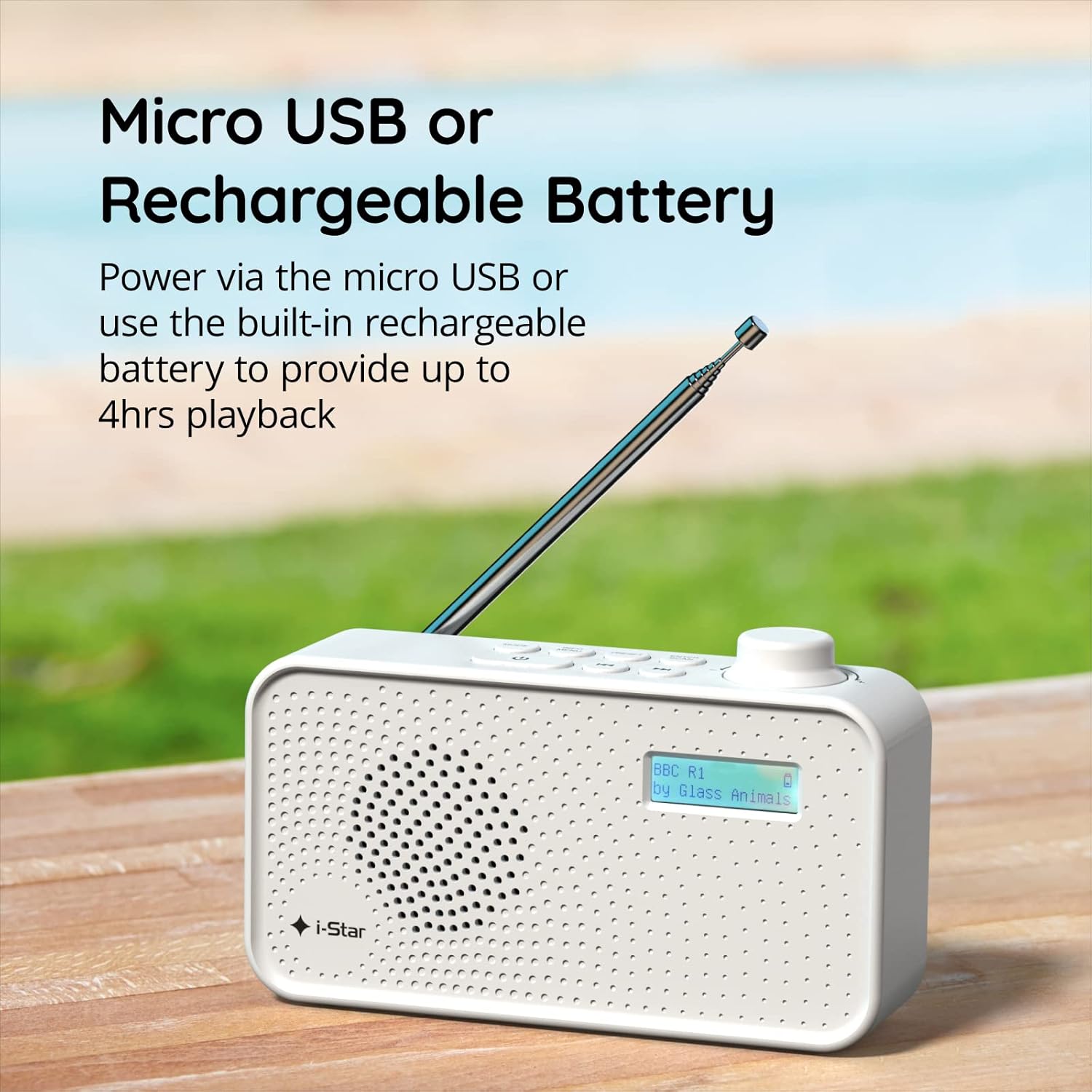
Figur 2: The radio powered via Micro USB or its built-in rechargeable battery.
2.2 First Power On and Automatic Scan
- Extend the telescopic antenna fully for optimal reception.
- Tryk og hold på STÅ VED knappen for at tænde for radioen.
- Når radioen tændes første gang, vil den automatisk scanne efter tilgængelige DAB/DAB+-stationer. Denne proces kan tage et par minutter.
- Når scanningen er færdig, vil radioen stille ind på den første tilgængelige station.
3. Betjeningsvejledning
3.1 Switching Between DAB/DAB+ and FM Modes
- Tryk på MODE button repeatedly to switch between DAB/DAB+ and FM radio modes. The current mode will be displayed on the LCD screen.

Figur 3: The radio supports DAB, DAB+, and FM for a wide range of listening options.
3.2 Tuning Stations
- DAB/DAB+ Mode: Brug FORUDINDSTILLING or TUNE buttons (left/right arrows) to navigate through the list of available stations. Press ENTER/SCAN for at vælge en station.
- FM-tilstand: Tryk på ENTER/SCAN button to automatically scan for the next available FM station. Alternatively, use the TUNE buttons for manual fine-tuning.
3.3 Lagring og genkaldelse af forudindstillinger
- Stil ind på den ønskede station.
- Tryk og hold på FORUDINDSTILLING button until 'Preset Store' appears on the display.
- Brug TUNE knapperne til at vælge et forudindstillet nummer (1-60).
- Trykke ENTER/SCAN for at bekræfte og gemme stationen.
- To recall a saved station, briefly press the FORUDINDSTILLING knappen, og brug derefter TUNE buttons to select the desired preset number, and press ENTER/SCAN.
3.4 Lydstyrkekontrol
- Drej på BIND knob (located on the right side) clockwise to increase volume and counter-clockwise to decrease volume.
3.5 Sleep Timer-funktion
- To activate the sleep timer, press the INFO / MENU button repeatedly until 'Sleep' appears.
- Brug TUNE buttons to select the desired sleep duration (e.g., 15, 30, 45, 60, 90 minutes).
- Trykke ENTER/SCAN to confirm. The radio will automatically turn off after the set time.

Figur 4: The sleep timer feature allows the radio to automatically switch off after a set period.
3.6 Headphone Listening
- Connect standard 3.5mm headphones (not included) to the headphone jack located on the side of the radio for private listening. The internal speaker will be muted automatically.

Figur 5: Connect headphones for personal listening without disturbing others.
4. Vedligeholdelse
4.1 Generel pleje
- Keep the radio away from direct sunlight, heat sources, and moisture.
- Undgå at tabe radioen eller udsætte den for kraftige stød.
- Do not attempt to disassemble the radio; this will void the warranty.
4.2 Rengøring
- Tør radioens yderside af med en blød, tør klud.
- Brug ikke slibende rengøringsmidler, voks eller opløsningsmidler, da de kan beskadige finishen.
5. Fejlfinding
- Ingen strøm: Ensure the radio is charged or connected to a power source via the USB cable. Check if the STANDBY button has been pressed.
- Ingen lyd: Check the volume level. Ensure headphones are not connected if you intend to use the speaker.
- Poor Reception (DAB/DAB+ or FM): Fully extend the telescopic antenna. Try repositioning the radio. Perform a full scan for DAB/DAB+ stations. In FM mode, try manual tuning.
- Radio Freezes/Unresponsive: Turn the radio off and on again. If the issue persists, allow the battery to fully discharge and then recharge it.
6. Specifikationer
| Feature | Specifikation |
|---|---|
| Mærke | i-Star |
| Modelnummer | 90059PI |
| Farve | Hvid |
| Radiobånd understøttet | DAB, DAB+, FM |
| Tuningteknologi | Digital (DAB/DAB+), Analog (FM) |
| Forbindelse | USB (for charging), 3.5mm Headphone Jack |
| Strømkilde | Rechargeable Lithium-ion Battery (1200 mAh), USB Power |
| Batterilevetid | Op til 4 timer (på en enkelt opladning) |
| Særlige funktioner | Portable, Sleep Timer, 60 Station Presets |
| Inkluderede komponenter | USB Charging Cable, User Manual |
| Varens vægt | 440 gram |
7. Garanti og support
This product is covered by a standard manufacturer's warranty. Please refer to the warranty card included in your packaging for specific terms and conditions. For technical support, troubleshooting assistance, or warranty claims, please contact your retailer or the i-Star customer service department. Contact details can typically be found on the product packaging or the official i-Star webwebsted.


