1. Introduktion
This manual provides detailed instructions for the safe and effective use of your Elecom LBT-TWS05BK True Wireless Bluetooth Earphones. Please read this manual thoroughly before using the product and retain it for future reference.
The Elecom LBT-TWS05BK earphones are designed for stable connectivity, superior comfort, and high usability, delivering rich audio performance. They feature an ergonomic design, advanced communication technology, and convenient smart features.
2. Sikkerhedsoplysninger
For at sikre sikker drift og forhindre skader, bedes du overholde følgende forholdsregler:
- Udsæt ikke øretelefonerne eller opladningsetuiet for ekstreme temperaturer, fugtighed eller væsker.
- Undgå at tabe eller udsætte enheden for kraftige stød.
- Forsøg ikke at skille produktet ad eller ændre det. Dette vil ugyldiggøre garantien.
- Opbevares utilgængeligt for børn og kæledyr.
- Lyt ved moderat lydstyrke for at undgå høreskader.
- Be aware of your surroundings when using the earphones, especially in traffic or dangerous situations.
3. Pakkens indhold
Bekræft, at alle varer er til stede i din produktpakke:
- Elecom LBT-TWS05BK True Wireless Bluetooth Earphones (Left and Right)
- Opladningsetui
- USB-opladerkabel (Type-A til Type-C)
- Ear Caps (XS, S, M, L sizes; M size pre-installed)
- Instruktionsmanual
4. Produktet er slutview
Familiarize yourself with the components of your Elecom LBT-TWS05BK earphones.

Billede: Nærbillede view of the Elecom LBT-TWS05BK true wireless earbuds, showcasing their sleek black design and the ELECOM branding.

Image: The Elecom LBT-TWS05BK earbuds placed inside their compact charging case, ready for storage or charging.
The earphones feature a compact design with a 6.0mm diameter external magnetic dynamic driver for clear sound. The charging case is designed for single-handed operation with a push-button lid.
5. Opsætning
5.1. Opladning af øretelefoner og etuiet
- Connect the supplied USB Type-A to Type-C cable to the charging case's USB Type-C port and a USB power source.
- The LED indicators on the charging case will show the charging status. Four LEDs indicate a full charge.
- Placer øretelefonerne i opladningsetuiet. De vil begynde at oplade automatisk.
- A 15-minute charge provides approximately 1 hour of music playback. A full charge of the earphones allows for about 5 hours of continuous music playback or 4.5 hours of talk time. The charging case can recharge the earphones up to 2.5 times, providing a total of about 17.5 hours of use.
5.2. Indledende parring
The Elecom LBT-TWS05BK supports auto-pairing and Google Fast Pair for compatible Android devices.

Image: An illustration demonstrating the Google Fast Pair feature, where simply opening the charging case near a compatible smartphone prompts a pairing notification. Also shows the one-push open mechanism of the case.
- Sørg for, at din smartphones Bluetooth er aktiveret.
- Åbn opladningsetuiet. Høretelefonerne går automatisk i parringstilstand.
- For Android devices with Google Fast Pair, a notification will appear on your screen. Tap to connect.
- For other devices, go to your device's Bluetooth settings and select "LBT-TWS05BK" from the list of available devices.
- Once paired, the earphones will automatically connect to the last paired device when removed from the case.
5.3. Tilpasning af ørepropperne
The earphones feature an ergonomic design for optimal fit and stability.
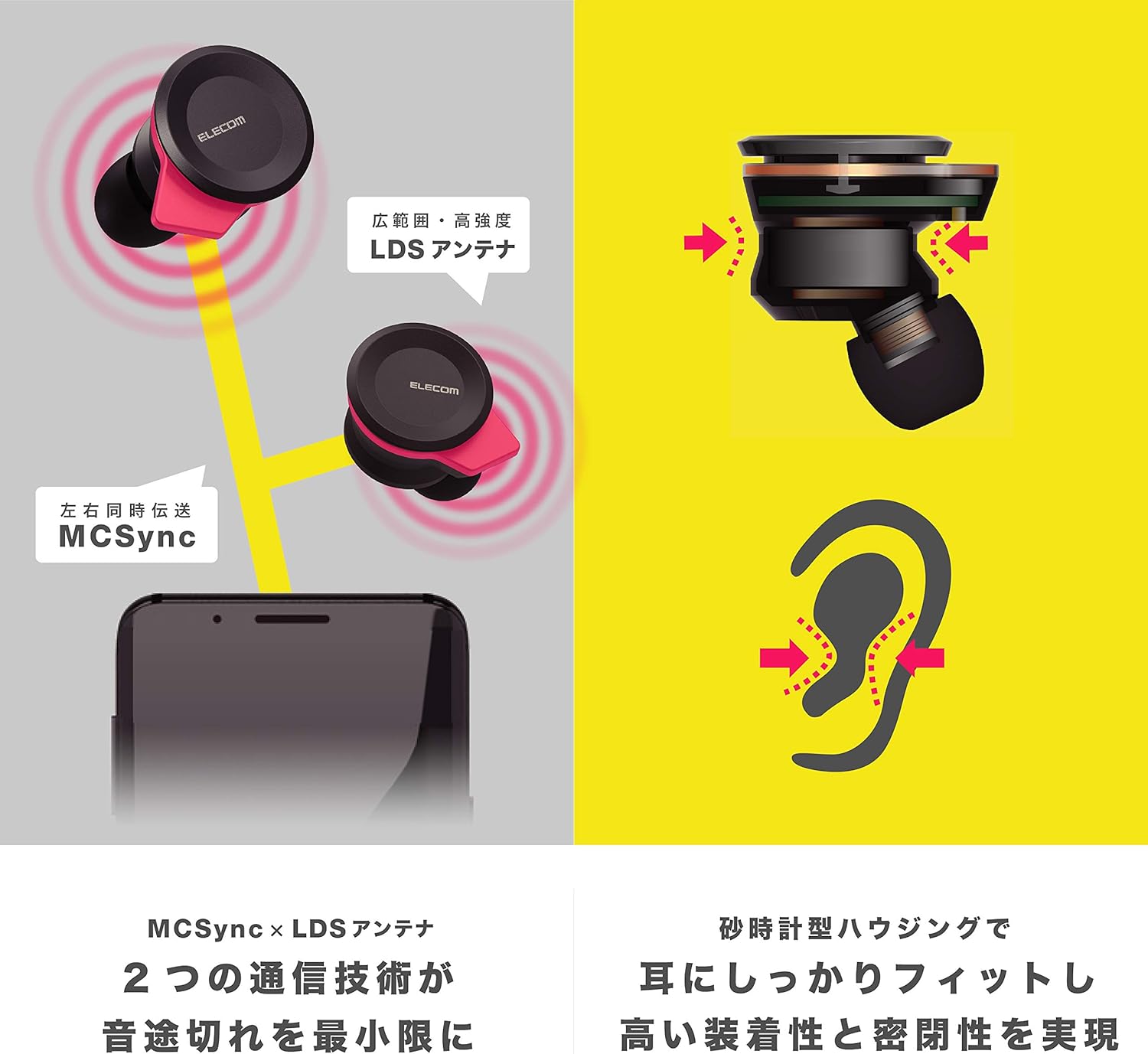
Image: An illustration showing the ergonomic hourglass shape of the earbud designed to fit securely in the ear, alongside a diagram explaining the MCSync and LDS antenna technologies for stable communication.
- Select the ear caps that provide the best seal and comfort from the four included sizes (XS, S, M, L). The M size is pre-installed.
- Indsæt forsigtigt øretelefonen i din øregang.
- Adjust the earbud so that the hourglass shape is firmly seated between your ear tragus and anti-tragus for a stable fit.
6. Betjeningsvejledning
The Elecom LBT-TWS05BK earphones offer various functions for audio playback, calls, and smart assistant interaction.
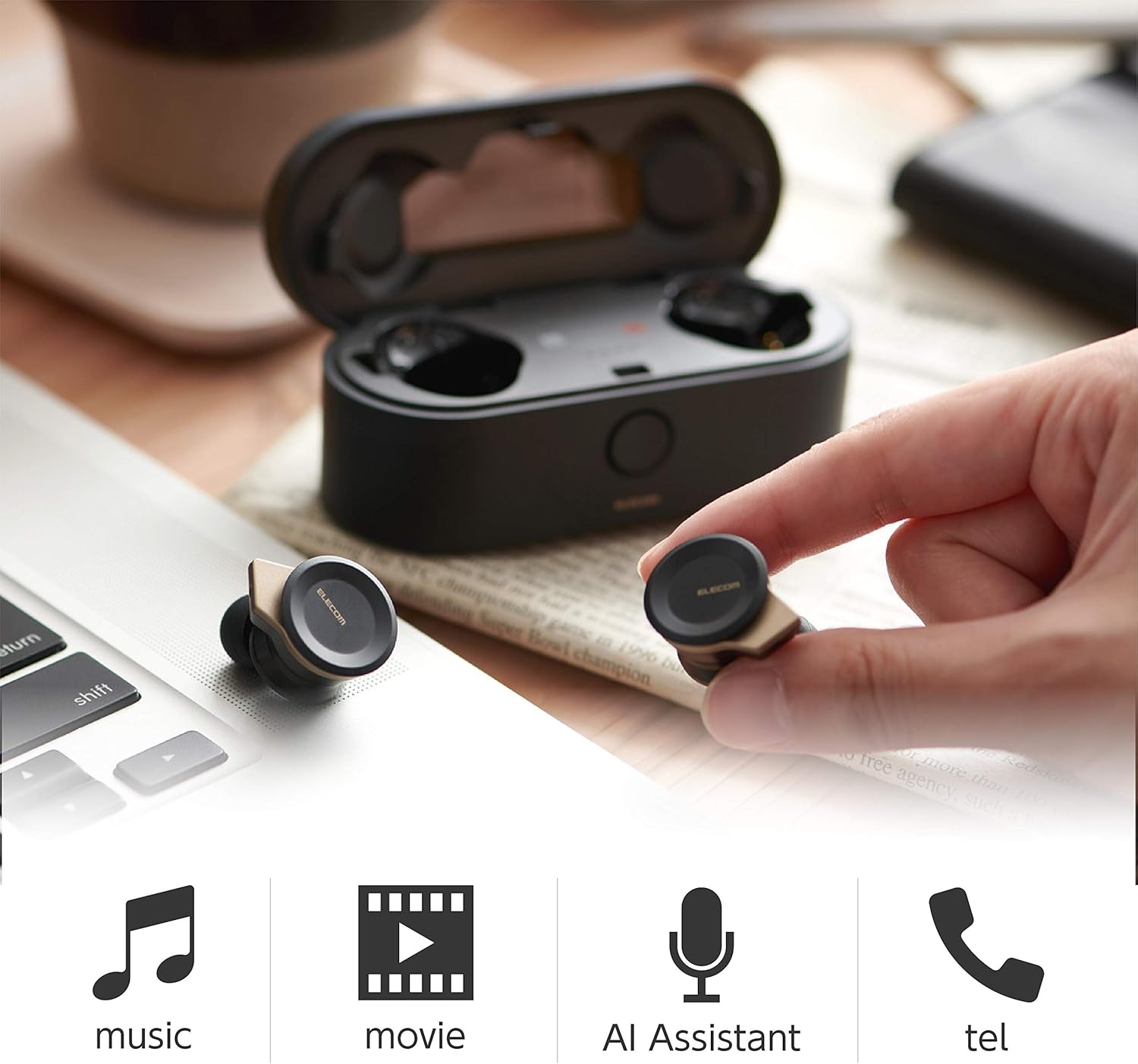
Image: The Elecom LBT-TWS05BK earbuds displayed with icons representing their versatile uses: music playback, movie watching, AI assistant activation, and phone calls.
6.1. Tænd/sluk
- Tænd: Remove the earphones from the charging case. They will power on automatically.
- Sluk: Sæt øretelefonerne tilbage i opladningsetuiet. De slukker automatisk.
6.2. Musikafspilning
Use the buttons on the earphones to control music playback (specific button functions may vary, refer to quick start guide for exact mapping):
- Afspil/pause: Enkelt tryk på begge øretelefoner.
- Næste nummer: Double press on the right earbud.
- Forrige nummer: Double press on the left earbud.
- Lydstyrkekontrol: Adjust via your connected device or voice assistant.
6.3. Opkaldshåndtering
The right earbud supports calls and voice AI functions.
- Besvar/afslut opkald: Single press on the right earbud.
- Afvis opkald: Tryk og hold den højre øretelefon nede i 2 sekunder.
6.4. Voice AI Activation
Compatible with voice AI assistants like Siri and Google Assistant.
- Activate Voice AI: Triple press on the right earbud.
6.5. External Sound Capture Function
This function allows you to hear surrounding sounds while wearing the earphones.
- Aktiver/deaktiver: Tryk og hold venstre øretelefon nede i 2 sekunder.
7. Vedligeholdelse
Korrekt vedligeholdelse sikrer dine øretelefoners levetid og ydeevne.
- Rensning: Brug en blød, tør klud til at rengøre øretelefonerne og opladningsetuiet. Brug ikke slibende rengøringsmidler eller opløsningsmidler.
- Ørepropper: Remove and clean ear caps regularly with water and mild soap. Ensure they are completely dry before reattaching.
- Opbevaring: Når de ikke er i brug, skal øretelefonerne opbevares i deres opladningsetui for at beskytte dem mod støv og skader.
- Batteripleje: Avoid fully discharging the battery frequently. Charge regularly to maintain battery health.
8. Fejlfinding
If you encounter issues with your Elecom LBT-TWS05BK earphones, refer to the following common solutions:
- Ingen lyd-/forbindelsesproblemer:
- Sørg for, at øretelefonerne er opladet og tændt.
- Kontroller, om Bluetooth er aktiveret på din enhed.
- Prøv at parre øretelefonerne med din enhed igen.
- Ensure earphones are within the 10m transmission distance.
- Høretelefoner oplader ikke:
- Kontroller, at opladningskablet er korrekt tilsluttet til både etuiet og strømkilden.
- Kontroller, om opladningsetuiet har tilstrækkelig batterikapacitet.
- Ensure the earphones are correctly seated in the charging case.
- Dårlig lydkvalitet:
- Ensure ear caps provide a good seal in your ear.
- Rengør eventuelt snavs fra øreproppernes dyser.
- Flyt tættere på din tilsluttede enhed for at forbedre signalstyrken.
- Voice AI/Calls Not Working on Left Earbud:
- Note that calls and voice AI functions are only compatible with the right earbud.
9. Specifikationer
| Feature | Specifikation |
|---|---|
| Modelnummer | LBT-TWS05BK |
| Kommunikationsmetode | Bluetooth-standardversion 5.0 |
| Produktion | Bluetooth Power Class 1 |
| Maksimal transmissionsafstand | Ca.. 10m |
| Frekvensbånd | 2.4 GHz |
| Modulationsmetode | FHSS (Frequency Hopping Spread Spectrum) |
| Understøttet Bluetooth Profiles | A2DP, AVRCP, HFP, HSP |
| A2DP Compatible Codec | SBC, AAC |
| A2DP Compatible Content Protection | SCMS-T |
| Maximum Registration Capacity | 8 enheder |
| Multipoint (Simultaneous Standby) | Ikke kompatibel |
| Driver type | 6.0mm diameter external magnetic dynamic driver (ETEMDriver) |
| Kommunikationsteknologi | MCSync (MultiCast Synchronization), LDS Antenna |
| Mikrofon | High-quality MEMS microphone with HDVoice |
| Kontinuerlig taletid | Ca. 4.5 timer |
| Continuous Music Playback Time | Ca. 5 timer |
| Total Playback Time (with charging case) | Ca. 17.5 timer |
| Opladningsport | USB Type-C |
| Hurtig opladning | 15 minutters opladning giver 1 times afspilning |
| Vægt | 61 Grams (total package weight) |
| Materiale | Plast |
| Vandmodstandsniveau | Vandtæt |
| Kompatible enheder | Smartphones, Tablets, iOS Devices, Android Devices |
10. Garanti og support
For warranty information and customer support, please refer to the official ELECOM webwebstedet eller kontakt din lokale forhandler. Gem din købsbevis til garantikrav.


