1. Introduktion
This manual provides detailed instructions for the Redragon K552P Mechanical Gaming Keyboard. Please read this manual thoroughly before using the product to ensure proper operation and to maximize its features. This keyboard is designed for gaming and productivity, offering a compact layout and customizable lighting.

Figure 1: Redragon K552P Mechanical Gaming Keyboard with RGB backlighting.
2. Hvad er der i æsken
- Redragon K552P Mechanical Gaming Keyboard
- Keycap aftrækker
- USB kabel
3. Opsætning
- Tilslut tastaturet: Plug the USB cable from the keyboard into an available USB port on your computer. The keyboard is plug-and-play and should be recognized automatically by your operating system.
- Softwareinstallation (valgfrit): For advanced customization, including macro programming and additional RGB lighting settings, download the official software from redragon.com.
- N-Key Rollover: The keyboard features N-key rollover, ensuring every keystroke is registered accurately, even during rapid, simultaneous presses.
- Hot-swap-kontakter: The K552P features hot-swappable switches, allowing for easy replacement of individual switches without soldering. This keyboard supports 3-pin switches. To replace a switch:
- Use the included keycap puller to gently remove the keycap from the desired switch.
- Use a switch puller (not included, but often comes with replacement switches) to carefully extract the switch from the keyboard plate.
- Align the pins of the new 3-pin switch with the sockets on the PCB and press firmly until it clicks into place.
- Reattach the keycap.
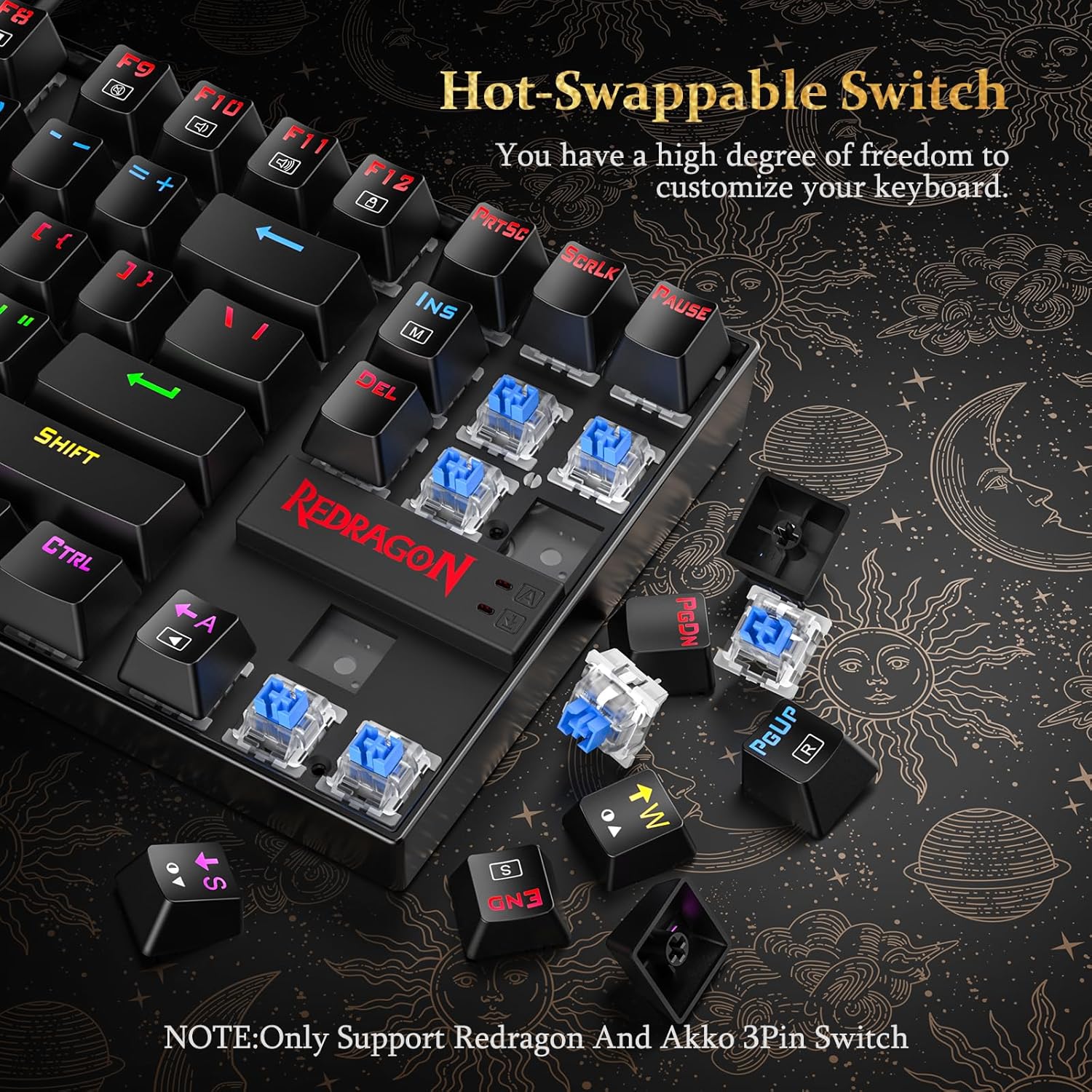
Figure 2: Hot-swappable switch mechanism.
4. Funktioner
- Space-Saving TKL (87-Key) Design: The compact tenkeyless layout maximizes desk space, allowing for greater mouse movement and a cleaner setup. This design is ideal for users who prioritize portability and a minimalist aesthetic without sacrificing essential functionality.
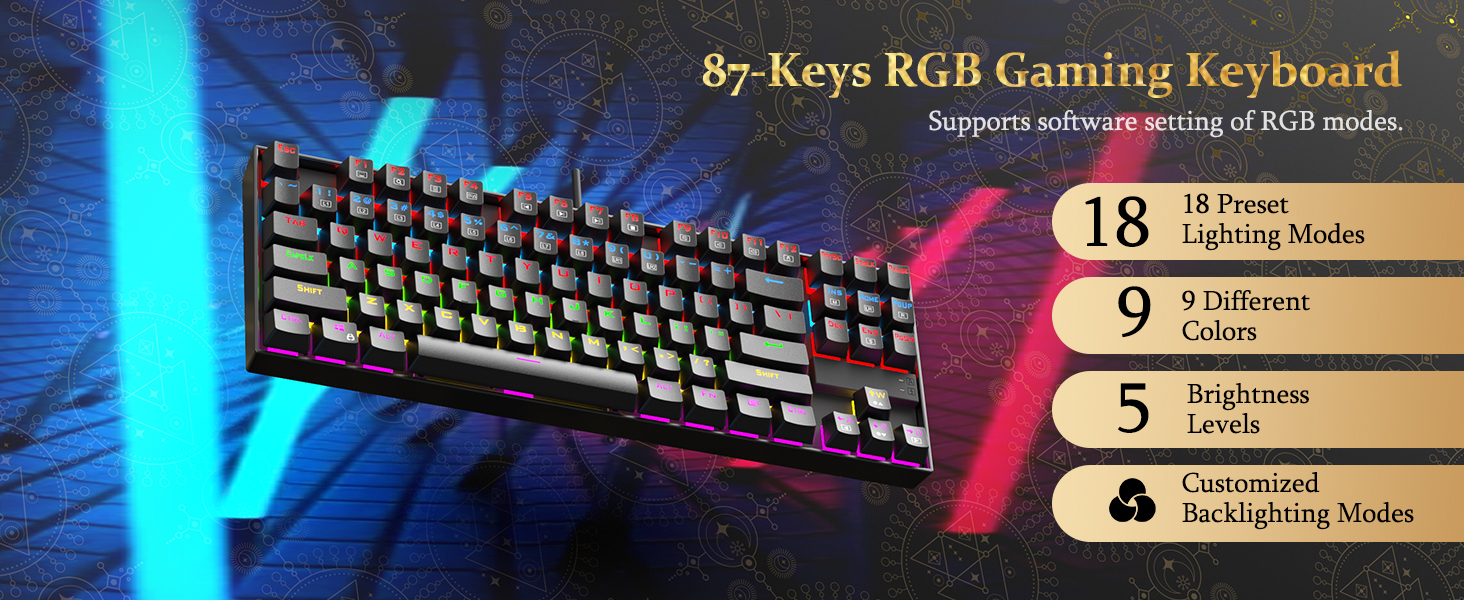
Figure 3: Compact TKL design for optimized desk space.
- Tilpasset RGB-baggrundsbelysning: The keyboard features 18 unique RGB backlight modes, 9 different colors, and 5 brightness levels. Lighting effects can be adjusted via software or direct keyboard shortcuts. This allows for personalized visual setups.

Figure 4: RGB backlighting customization options.
- Holdbar konstruktion: Built with a robust metal frame and a spill-resistant design, the K552P is engineered for longevity. Its double-shot PBT keycaps resist fading, ensuring sustained performance. The keyboard is compatible with Windows, Vista, or Windows XP, with limited Mac OS keyboard support.

Figure 5: Spill-resistant design for enhanced durability.
- Hot-swap røde kontakter: The keyboard is equipped with hot-swappable Red switches, providing a responsive and tactile typing experience. These switches offer a satisfying tactile bump and crisp audible click, and can be easily replaced to customize the keyboard's feel.
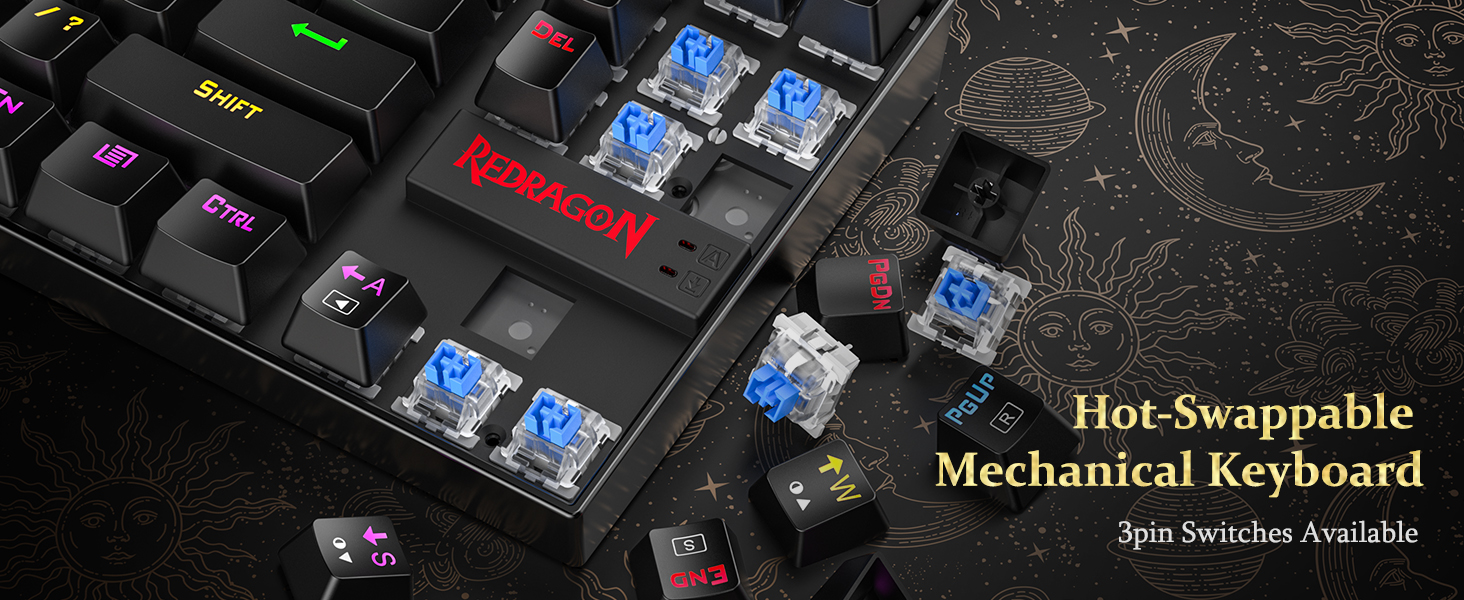
Figure 6: Red switch details and hot-swappable capability.
- Pro-Grade Controls & Plug-and-Play Convenience: Features include Windows key lock (FN+WIN), 4-speed polling rates, and software-programmable macros. N-key rollover ensures accurate registration of every key press. Dedicated multimedia keys (FN+F1-F12) provide quick access to volume, playback, email, and calculator functions for seamless multitasking.
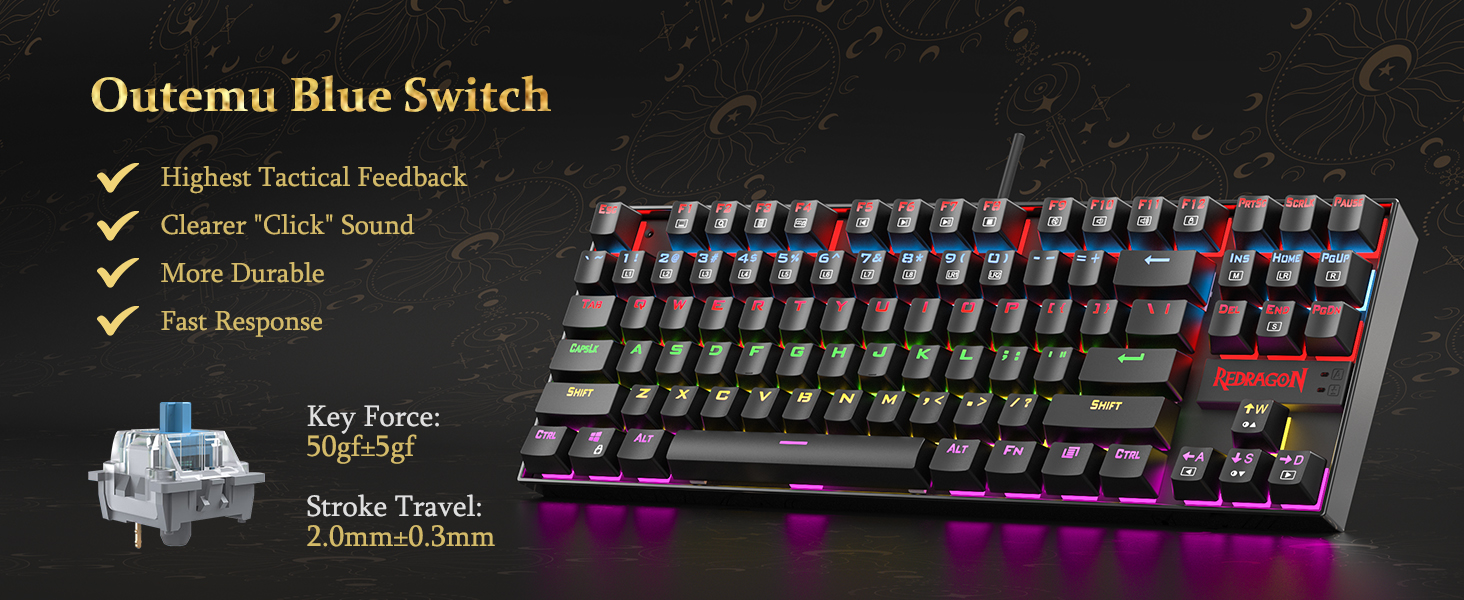
Figure 7: Full N-key anti-ghosting for precise input.
5. Betjeningsvejledning
5.1. Baggrundslysstyring
- Skift baggrundsbelysningstilstand: Trykke FN + INS / HOME / PGUP / DEL / END / PGDN to cycle through 18 different RGB backlight modes.
- Juster lysstyrke: Trykke FN + ↑ / ↓ to increase or decrease backlight brightness (5 levels).
- Juster hastighed: Trykke FN + ← / → for at ændre hastigheden af dynamiske lyseffekter.
- Skift farve: In certain modes, press FN + PRTSC to cycle through different colors.
5.2. Multimediefunktioner
Access multimedia functions by holding the FN key and pressing the corresponding F1-F12 nøgler:
- FN+F1: Medieafspiller
- FN+F2: Lydstyrke ned
- FN+F3: Lydstyrke op
- FN+F4: Stum
- FN+F5: Stop
- FN+F6: Forrige spor
- FN+F7: Afspil/pause
- FN+F8: Næste spor
- FN+F9: E-mail
- FN+F10: Web Browser
- FN+F11: Kalkulator
- FN+F12: Søg
5.3. Andre funktioner
- Lås Windows-nøgle: Trykke FN + VIND to lock or unlock the Windows key, preventing accidental presses during gaming.
- Makro programmering: Use the dedicated software (downloadable from redragon.com) to program custom macros for specific keys.
6. Vedligeholdelse
- Rensning: Use a soft, dry cloth to wipe down the keyboard surface. For deeper cleaning, remove keycaps using the provided keycap puller and use compressed air to clear debris.
- Spildsikkert design: While the keyboard features a spill-resistant design, it is not waterproof. In case of liquid spills, immediately disconnect the keyboard from your computer and allow it to dry completely before reconnecting.
- Pleje af tastekapsler: The double-shot PBT keycaps are designed to resist fading. Avoid using harsh chemicals or abrasive materials for cleaning to preserve their finish.
7. Fejlfinding
- Tastaturet reagerer ikke:
- Sørg for, at USB-kablet er korrekt tilsluttet til både tastaturet og computeren.
- Prøv at tilslutte tastaturet til en anden USB-port.
- Genstart din computer.
- Belysning virker ikke/forkert:
- Check backlight brightness settings using FN + ↑ / ↓.
- Skift mellem forskellige lystilstande ved hjælp af FN + INS / HOME / PGUP / DEL / END / PGDN.
- If using custom settings, ensure the software is running and settings are applied correctly.
- Nøgler registreres ikke:
- Due to N-key rollover, all keys should register. If a specific key is not working, try replacing its hot-swappable switch (refer to Section 3. Setup).
- Sørg for, at der ikke sidder snavs fast under tastaturet eller kontakten.
- Softwareproblemer:
- Ensure you have the latest version of the Redragon software installed from the official webwebsted.
- Restart the software and/or your computer.
8. Specifikationer
| Feature | Detalje |
|---|---|
| Modelnummer | K552P-RGB |
| Tastaturtype | Mekanisk gaming-tastatur |
| Layout | TKL (Tenkeyless), 87-Key |
| Switch Type | Hot-swap røde kontakter |
| Baggrundsbelysning | RGB (18 modes, 9 colors, 5 brightness levels) |
| Forbindelse | USB kablet |
| Key Rollover | N-Key Rollover |
| Materiale | Robust Metal Frame, Double-Shot PBT Keycaps |
| Kompatibilitet | Windows, Vista, Windows XP (Limited Mac OS support) |
| Produktdimensioner | 13.94 x 4.86 x 1.46 tommer |
| Varens vægt | 1.98 pund |
9. Garanti og support
The Redragon K552P Mechanical Gaming Keyboard comes with a standard manufacturer's warranty. For detailed warranty terms and conditions, please refer to the warranty card included with your product or visit the official Redragon webwebsted.
For technical support, troubleshooting assistance, or any product-related inquiries, please contact Redragon customer service through their official webwebsted: www.redragon.com.


