1. Introduktion
Tak for købetasing the AKAI R190BT Portable DAB/Bluetooth/USB Radio. This manual provides essential information for the safe and correct operation of your device. Please read it thoroughly before use and retain it for future reference.

Billede 1.1: Front view of the AKAI R190BT Portable Radio. The radio features a display screen, control buttons (Info/Menu, Select, Preset), and a volume knob. It has a brown speaker grille and a handle for portability.
2. Sikkerhedsoplysninger
- Udsæt ikke enheden for regn eller fugt for at forhindre brand eller elektrisk stød.
- Åbn ikke c'enasing. Overlad al service til kvalificeret personale.
- Sørg for korrekt ventilation omkring enheden.
- Undgå at placere enheden i nærheden af varmekilder eller i direkte sollys.
- Brug kun den specificerede strømadapter eller batterier.
3. Produktet er slutview
The AKAI R190BT is a versatile portable radio offering multiple audio playback options:
- DAB/DAB+ Digital Radio: Nyd digitale radioudsendelser i høj kvalitet.
- Bluetooth-forbindelse: Stream audio wirelessly from compatible devices.
- USB-afspilning: Afspil MP3 files fra et USB -flashdrev.
- SD-kortafspilning: Afspil MP3 files fra et SD-kort.
- AUX-indgang: Connect external audio sources via a 3.5mm audio cable.
- Bærbart design: Features a carry handle and can be powered by batteries for on-the-go use.
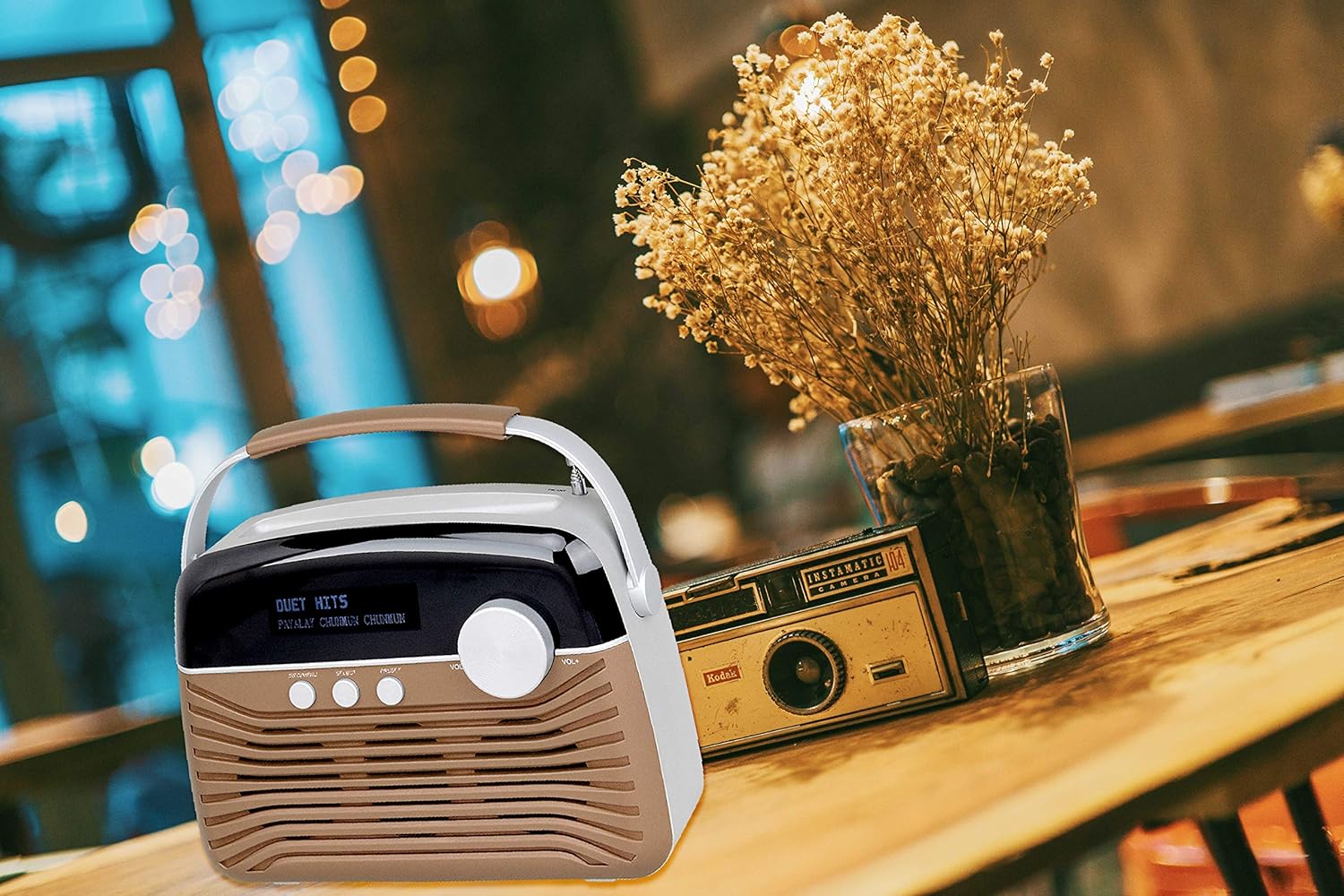
Billede 3.1: The AKAI R190BT Portable Radio placed on a wooden table next to a vase of dried flowers, demonstrating its compact and portable design suitable for various indoor settings.
4. Opsætning
4.1 Strømforsyning til enheden
The AKAI R190BT can be powered by either AC power or batteries.
- AC strøm: Connect the provided AC power adapter to the DC input jack on the radio and then to a standard wall outlet.
- Batteristrøm: The unit requires 4 batteries (not included). Open the battery compartment cover on the back of the unit, insert the batteries according to the polarity markings, and close the cover securely.
4.2 Antenne
Extend the telescopic antenna fully for optimal DAB radio reception.
5. Betjeningsvejledning
5.1 Tænd/sluk
Tryk på Magt button (usually integrated with the volume knob or a separate button) to turn the radio on or off.
5.2 Lydstyrkekontrol
Drej på Bind knob clockwise to increase the volume and counter-clockwise to decrease it.
5.3 DAB-radiotilstand
- Tryk på Mode button (if available, or cycle through modes using a dedicated button) to select DAB mode.
- The radio will automatically scan for available DAB stations upon first use or if a scan is initiated.
- Brug Vælge or navigation buttons to browse through the list of available stations.
- Trykke Vælge to confirm your station choice.
- To perform a full scan, navigate to the "Full Scan" option in the menu (accessed via Info/menu knap).
5.4 Bluetooth-tilstand
- Tryk på Mode button to select Bluetooth mode. The display will show "Bluetooth" or a similar indicator, and the unit will enter pairing mode.
- Aktiver Bluetooth på din Bluetooth-aktiverede enhed (smartphone, tablet osv.) og søg efter tilgængelige enheder.
- Select "AKAI R190BT" from the list of devices.
- Once paired, the radio will confirm the connection, and you can start streaming audio from your device.
5.5 USB/SD Playback Mode
- Sæt et USB-flashdrev i USB-porten eller et SD-kort i SD-kortstikket.
- Tryk på Mode button to select USB or SD mode. The radio will automatically detect and begin playing compatible MP3 files.
- Use the navigation buttons (e.g., Previous/Next, Play/Pause) to control playback.
5.6 AUX-indgangstilstand
- Connect an external audio device (e.g., MP3 player) to the AUX IN jack on the radio using a 3.5mm audio cable.
- Tryk på Mode -knappen for at vælge AUX-tilstand.
- Styr afspilning fra din eksterne lydenhed.
6. Vedligeholdelse
- Rensning: Tør enheden af med en blød, tør klud. Brug ikke slibende rengøringsmidler eller opløsningsmidler.
- Batteripleje: If the unit will not be used for an extended period, remove the batteries to prevent leakage.
- Opbevaring: Opbevar radioen et køligt, tørt sted væk fra direkte sollys og ekstreme temperaturer.
7. Fejlfinding
| Problem | Mulig årsag | Løsning |
|---|---|---|
| Ingen strøm | Strømadapteren er ikke tilsluttet; Batterierne er opbrugt eller isat forkert. | Kontroller tilslutningen af AC-adapteren; udskift batterierne, eller sørg for korrekt polaritet. |
| Ingen lyd | Volume too low; Mute function active; Incorrect mode selected. | Increase volume; Check if muted; Select the correct input mode (DAB, Bluetooth, USB, SD, AUX). |
| Dårlig DAB-modtagelse | Antennen ikke strakt ud; Område med svagt signal. | Fully extend the telescopic antenna; Reposition the radio for better signal. Perform a full scan. |
| Bluetooth-parring mislykkedes | Radio not in pairing mode; Device too far; Device already paired with another unit. | Ensure radio is in Bluetooth mode and "pairing"; Move device closer; Disconnect from other devices. |
| USB/SD afspiller ikke | Ukorrekt file format; USB/SD-kort er ikke isat korrekt eller beskadiget. | Sikre fileer i MP3-format; Sæt USB/SD-kort i igen; Prøv et andet USB/SD-kort. |
8. Specifikationer
| Feature | Detalje |
|---|---|
| Mærke | AKAI |
| Model | R190BT |
| Forbindelsesteknologi | Bluetooth, USB |
| Lydudgangstilstand | Stereoanlæg |
| Højttaler Maksimal udgangseffekt | 4 watt |
| Strømkilde | Battery-Powered (AC adapter also supported) |
| Batterier påkrævet | Yes (4 batteries, not included) |
| Inkluderede komponenter | Brugermanual |
| Dimensioner (pakke) | 21.5 x 19.5 x 6.5 cm |
| Vægt (pakke) | 5 kg |
| Farve | Brun |
9. Garanti og support
This product comes with a user manual. For specific warranty details, please refer to the documentation included in the product packaging or contact AKAI customer support. Information regarding software updates is currently unavailable.
For further assistance or technical support, please visit the official AKAI webwebsted eller kontakt deres kundeserviceafdeling.


