1. Introduktion
This manual provides detailed instructions for the memzuoix 2.4G Portable Wireless Mouse, Model WM-697. Please read this manual carefully before using the product to ensure proper operation and to maximize its lifespan.
Pakkens indhold
- 1 x memzuoix 2.4G Portable Wireless Mouse (Model WM-697)
- 1 x USB Nano-modtager
- 1 x Brugermanual (dette dokument)

Image 1.1: The memzuoix wireless mouse and its USB nano receiver.
2. Specifikationer
| Feature | Detalje |
|---|---|
| Model | WM-697 |
| Forbindelse | 2.4 GHz trådløs (USB-modtager) |
| DPI | 1400 DPI |
| Knapper | 5 (Left, Right, Scroll Wheel, Forward, Backward) |
| Bevægelsesdetektion | Optisk |
| Driftsområde | Op til 43 fod (13 meter) |
| Strømkilde | 2 x AAA batterier (medfølger ikke) |
| Dvaletilstand | Automatisk efter 7 minutters inaktivitet |
| Dimensioner (L x B x H) | 4.19 x 2.63 x 1.50 tommer |
| Vægt | 2.22 ounce |
| Kompatibilitet | Windows 7/8/10/XP, Vista 7/8, Mac OS, Linux |

Image 2.1: Physical dimensions of the mouse.
3. Opsætningsvejledning
3.1 Batteriinstallation
- Find batteridækslet på undersiden af musen.
- Gently slide the cover open.
- Sæt to AAA-batterier (medfølger ikke) i batterirummet, og sørg for at polerne vender korrekt (+/-).
- Luk batteridækslet, indtil det klikker sikkert på plads.
3.2 USB-modtagertilslutning
- Locate the USB nano receiver, which is typically stored in a slot within the battery compartment for safekeeping during transport.
- Fjern USB-modtageren fra dens opbevaringsplads.
- Plug the USB nano receiver into an available USB port on your computer (laptop, PC, desktop, MacBook, etc.).
- Tænd musen ved hjælp af tænd/sluk-knappen, der er placeret på undersiden.
- Your computer should automatically detect and install the necessary drivers. No manual driver installation is required.

Image 3.1: Underside of the mouse, illustrating battery compartment, USB receiver slot, and power switch.

Image 3.2: Wireless connection setup with a laptop.
4. Betjeningsvejledning
4.1 Grundlæggende funktioner
- Venstre klik: Primær selektion og aktivering.
- Højreklik: Åbner kontekstmenuer.
- Scrollhjul: Scrolls content vertically. Can also be clicked for middle-click functionality (application dependent).
4.2 Advanced Functions (5-Button Mouse)
- Frem-knap: Navigerer fremad i web browsere eller file explorers. (Located on the side of the mouse)
- Baglæns knap: Navigerer baglæns i web browsere eller file explorers. (Located on the side of the mouse)
Note: The side buttons (Forward/Backward) are not available for Mac OS. Other functions operate normally.
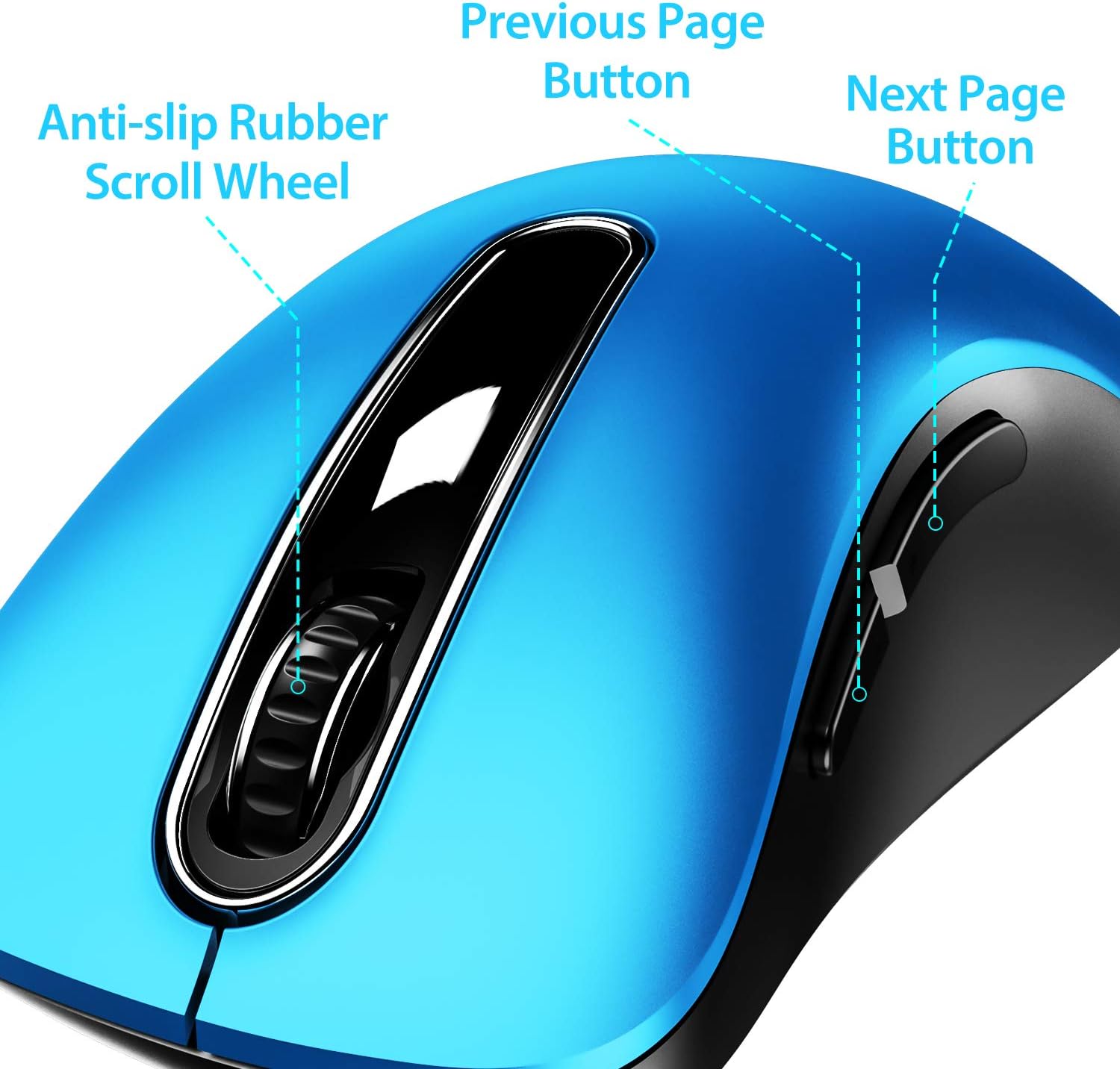
Billede 4.1: Overview of mouse buttons, including the scroll wheel and side navigation buttons.
4.3 Strømbesparende tilstand
The mouse features an automatic power-saving sleep mode. If inactive for 7 minutes, the mouse will enter sleep mode to conserve battery life. To reactivate the mouse, simply click any button.
5. Vedligeholdelse og pleje
- Rensning: Brug en blød, tør klud til at rengøre musen. Ved genstridigt snavs, brug en let tør klud.amp En klud kan bruges, men sørg for, at der ikke trænger fugt ind i de indvendige komponenter.
- Udskiftning af batteri: Udskift batterierne, når musens ydeevne forringes eller holder op med at reagere. Brug altid nye AAA-batterier.
- Opbevaring: When not in use for extended periods, turn off the mouse using the ON/OFF switch and store the USB receiver in its dedicated slot on the mouse's underside to prevent loss.
- Undgå ekstreme forhold: Udsæt ikke musen for ekstreme temperaturer, direkte sollys eller overdreven fugtighed.
6. Fejlfinding
| Problem | Mulig løsning |
|---|---|
| Musen reagerer ikke |
|
| Markørbevægelsen er uregelmæssig eller langsom |
|
| Side buttons not working on Mac OS | This is a known compatibility limitation. The side buttons are not supported on Mac OS. Other mouse functions should work normally. |
| Musen går for hurtigt i dvaletilstand | The mouse is designed to enter sleep mode after 7 minutes of inactivity to conserve power. This is normal operation. Click any button to wake it up. |
7. Garanti og support
The memzuoix 2.4G Portable Wireless Mouse (Model WM-697) comes with a 365-day worry-free warranty from the date of purchase. This warranty covers manufacturing defects and malfunctions under normal use.
For warranty claims, technical support, or any inquiries, please contact memzuoix customer service through the retailer where the product was purchased or visit the official memzuoix webwebsted for kontaktoplysninger.
Gem venligst din købsbevis for at validere garantien.


