1. Introduktion
The Shark ION Robot Vacuum AV751 is designed to provide efficient and convenient floor cleaning. Featuring a Tri-Brush System, Wi-Fi connectivity, and smart home integration, this robot vacuum simplifies daily maintenance across various floor types. Its intelligent navigation helps avoid obstacles and ensures thorough coverage.
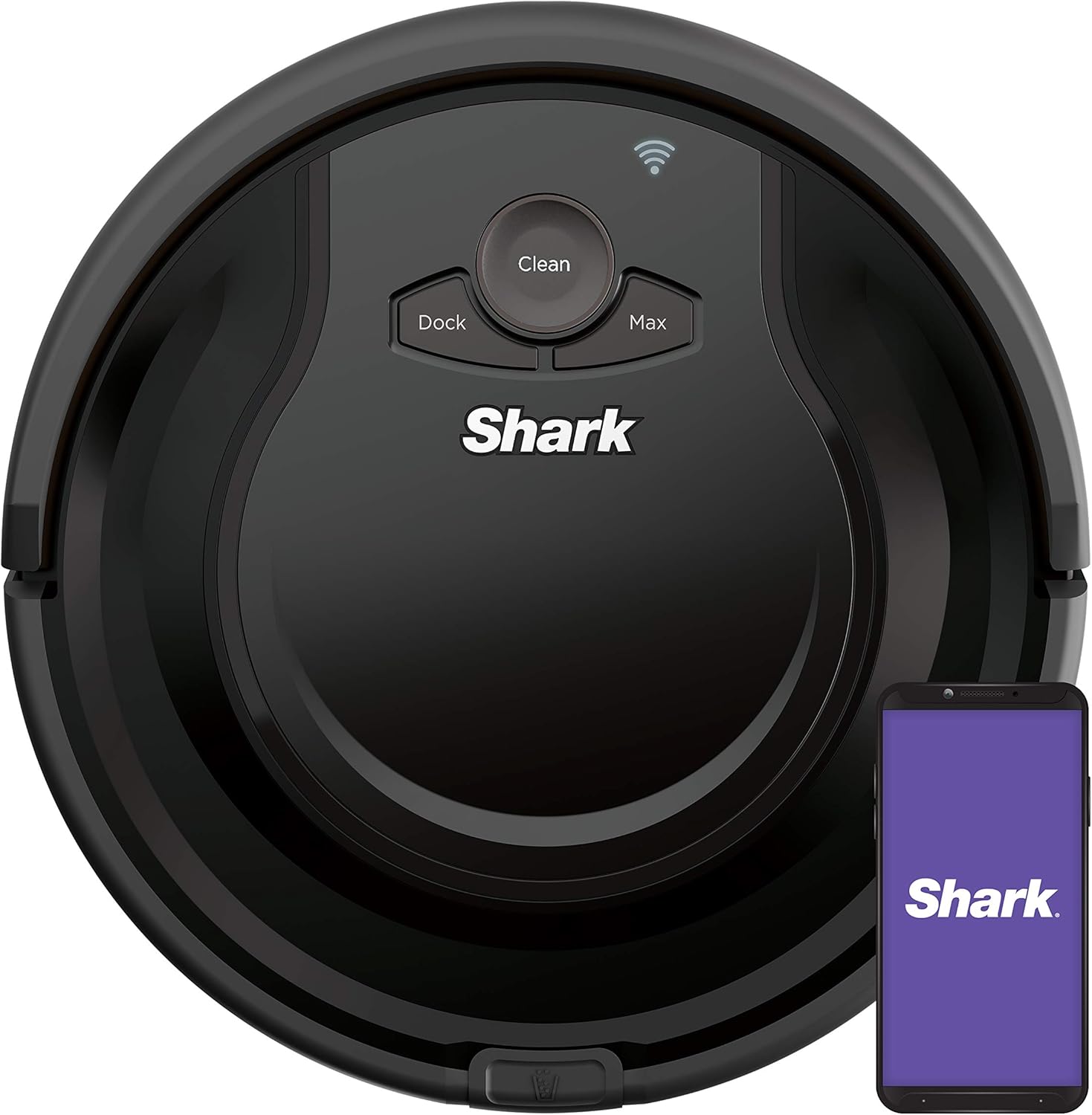
Figure 1: Shark ION Robot Vacuum AV751 with its companion mobile application.
2. Hvad er inkluderet
- 1 Shark ION-robot
- 1 Opladningsstation
- 2 sidebørster
- 1-filter
3. Opsætning
3.1 Placering af ladestation
Place the charging dock on a bare floor, at least 2 feet (61 cm) away from any carpet. Ensure there is at least 1 foot (30 cm) of clear space on either side of the dock and 2 feet (61 cm) in front of it for optimal robot navigation.

Figure 2: Robot vacuum correctly positioned on its charging dock.
3.2 Montering af sidebørster
Gently push the two side brushes onto the square posts on the underside of the robot until they click into place. Ensure they are securely attached.
3.3 Indledende opladning
Place the robot on the charging dock. Allow it to charge completely before its first use. A full charge provides up to 120 minutes of runtime on bare floors.
4. Betjening af robotstøvsugeren
4.1 Kontrolmetoder
The Shark ION Robot AV751 can be controlled using multiple methods:
- Knapper på robotten: Use the 'Clean' button to start/stop cleaning, 'Dock' to send the robot back to its base, and 'Max' for increased suction.
- SharkClean-appen: Download the SharkClean app to schedule cleanings, view cleaning history, and control the robot remotely.
- Stemmestyring: Connect your robot to Amazon Alexa or Google Assistant for hands-free control.

Figure 3: Robot vacuum compatible with voice control assistants.
4.2 Rengøringstilstande
The robot utilizes a Tri-Brush System, combining side brushes, channel brushes, and a multi-surface brushroll, to effectively clean various surfaces, corners, and edges.

Figure 4: Illustration of the Tri-Brush System's cleaning action.
4.3 Navigation og undgåelse af forhindringer
The robot is equipped with sensors to detect ledges and stairs, preventing falls. Proximity sensors help the robot maneuver around furniture and other obstacles, ensuring a careful clean and avoiding stuck situations.

Figure 5: Robot vacuum using sensors to avoid stairs.

Figure 6: Robot vacuum using proximity sensors to avoid obstacles.
5. Vedligeholdelse
Regular maintenance is crucial for optimal performance of your Shark ION Robot Vacuum. Always turn off the robot before performing any maintenance.
5.1 Tømning af støvbeholderen
The dust bin should be emptied after each cleaning cycle. To empty, press the release button on the back of the robot and pull out the dust bin. Open the bin and discard collected debris.
5.2 Rengøring af filteret
The filter should be cleaned weekly and replaced every 2-3 months, or as needed. Remove the filter from the dust bin and tap it clean over a trash can. Rinse with water if necessary, but ensure it is completely dry before reinserting.
5.3 Rengøring af børstevalsen og sidebørsterne
Periodically check the brushroll and side brushes for hair, debris, or tangles. Use the cleaning tool provided to remove any wrapped hair or debris. Replace worn or damaged side brushes as needed.
6. Fejlfinding
- Robotten oplader ikke: Ensure the charging dock is plugged in and the robot is properly aligned with the charging contacts.
- Robot sidder ofte fast: Fjern forhindringer fra rengøringsstien. Sørg for, at robottens sensorer er rene.
- Dårlig rengøringsevne: Empty the dust bin, clean or replace the filter, and remove any debris from the brushroll and side brushes.
- Problemer med app-forbindelse: Sørg for, at dit Wi-Fi-netværk er stabilt, og at robotten er inden for rækkevidde. Genstart appen og robotten, hvis det er nødvendigt.
7. Specifikationer
| Feature | Detalje |
|---|---|
| Mærke | Haj |
| Modelnavn | Works with Alexa, Multi-Surface Cleaning |
| Speciel funktion | Taskeløs |
| Farve | Sort |
| Produktdimensioner | 12.6 cm L x 12.4 cm B x 3.54 cm H |
| Inkluderede komponenter | Battery, Charging dock, Dusting Brush, Filter |
| Filtertype | Disk |
| Batterilevetid | 120 minutter |
| Voltage | 110 volt |
| Strømkilde | Batteridrevet |
| Er batterier inkluderet | Ja |
| Kontrolmetode | Stemme |
| Lithium Battery Voltage | 14.4 volt (DC) |
| Kompatible enheder | Amazon Echo, Google Home |
| Formfaktor | Robotisk |
| Varens vægt | 8.08 pund |
| Fabrikant | SharkNinja |
| Varemodelnummer | AV751 |
| Batterier | 1 Lithium-ion-batterier påkrævet. (inkluderet) |
| Overfladeanbefaling | Carpet, Hard floor, Hard wood |
8. Garanti og support
The Shark ION Robot Vacuum AV751 comes with a 1-year limited warranty. For warranty claims, technical support, or replacement parts, please refer to the contact information provided in your product packaging or visit the official Shark webwebsted.


