Indledning
Thank you for choosing the MONODEAL Portable CD Player. This device offers versatile audio playback options, including CD, Bluetooth, USB, FM radio, TF card, and AUX input/output. Designed for ease of use and portability, it features built-in dual speakers for clear sound and can be wall-mounted or placed on a desk. Please read this manual thoroughly to understand the product's functions and ensure proper operation.

Image: The MONODEAL Portable CD Player in white, shown with its remote control. The player features a transparent cover over the CD tray, revealing a black CD with a red center. Musical notes are depicted around the player, indicating its audio function.
Hvad er der i æsken
Bekræft, at alle nedenstående varer er inkluderet i din pakke:
- MONODEAL CD Player
- Fjernbetjening
- 3.5mm Male-to-Male Audio Cable
- USB adapter
- Strømledning
- Vægmonteret plade
- Vægmonteringssæt
- Brugermanual
- Skrivebordsstativ
Nøglefunktioner
- Multifunctional Playback: Supports CD, CD-R, CD-RW, MP3, WMA formats, along with Bluetooth, USB, FM, TF card, and LINE/AUX input/output modes.
- Indbyggede dobbelthøjttalere: Delivers high-quality, clear surround sound without the need for external headphones.
- Bluetooth 5.1-forbindelse: Functions as a Bluetooth speaker, allowing connection to Bluetooth-enabled devices like cellphones and tablets.
- Fleksibel placering: Includes a wall-mount kit for space-saving installation and a desk stand for tabletop use.
- Brugervenligt design: Features a simple white matte square design, an LCD display for mode and track information, and a convenient remote control.
- AB-gentagelsesfunktion: Ideal for language learning or repeating specific audio segments.
- Anti-Skip System: Ensures stable playback during movement, suitable for portable use.

Image: A diagram illustrating the dimensions of the MONODEAL CD player (165mm/6.5inch square, 31mm/1.2inch thick) and icons representing its key features: Bluetooth 5.1 Receiver, FM Radio, Timer switch, A-B Repeater, AUX Input/Output, HIFI Stereo Music, Wireless Remote Control, and LED screen display.
Opsætning
1. Strømtilslutning
Connect the provided USB adaptor and power cord to the player's power jack. Plug the adaptor into a standard wall outlet. The player requires continuous power to operate.
2. Placeringsmuligheder


Images: The MONODEAL CD player shown both on its included desk stand and mounted on a wall, demonstrating flexible placement options.
- Skrivebordsstativ: Insert the player into the provided desk stand for stable tabletop placement.
- Vægmontering:
- Vælg et passende sted på en væg.
- Use the wall mount plate as a template to mark drilling points.
- Bor huller og isæt vægankre om nødvendigt.
- Secure the wall mount plate to the wall using the provided screws.
- Carefully slide the CD player onto the mounted plate until it clicks securely into place.
Betjeningsvejledning
1. Betjeningselementer og porte overview

Billede: En detaljeret view of the MONODEAL CD player highlighting its various ports and control buttons. Labels include Power Jack, TF Card Port, USB Port, 3.5mm Port, Mode, Voice-, Voice+, Prev, Next, and Display Screen.
- Power Jack: Til tilslutning af strømkablet.
- TF-kortport: Til isætning af et TF-kort (MicroSD).
- USB-port: Til tilslutning af et USB-flashdrev.
- 3.5 mm port: For AUX input/output.
- Kontrolknapper (øverste panel): Mode, Volume Down, Volume Up, Previous Track, Next Track.
- Skærm: Shows current mode, track number, and other information.
2. Tænd/sluk
To power on the device, press the power button located on the unit or the remote control. To power off, press the power button again.
3. CD-afspilning
Image: The MONODEAL CD player with its transparent cover open, showing a CD being inserted into the tray.
- Open the CD cover.
- Insert a CD (CD, CD-R, CD-RW) with the label side facing up.
- Luk CD-dækslet.
- Press the "MODE" button to select CD mode. The display will show "CD".
- Playback will begin automatically. Use the "Prev" and "Next" buttons to skip tracks, and "Volume +/-" to adjust volume.
4. Bluetooth-tilstand

Image: A visual representation of the MONODEAL CD player wirelessly connecting via Bluetooth 5.1 to a smartphone, with other devices like an iPad and laptop also shown as potential connections. The player is wall-mounted in a home setting.
- Press the "MODE" button to select Bluetooth mode. The display will show "BLUE" and a blue backlight.
- På din Bluetooth-aktiverede enhed (f.eks. smartphone, tablet) skal du aktivere Bluetooth og søge efter tilgængelige enheder.
- Select "MONODEAL" from the list to pair.
- Når den er tilsluttet, kan du afspille lyd fra din enhed via cd-afspillerens højttalere.
5. FM-radiotilstand

Image: The MONODEAL CD player displaying "FM 79.2" on its screen, indicating it is in FM radio mode. Two children are shown lying on a rug, looking up at the player.
- Press the "MODE" button to select FM radio mode. The display will show "FM" and the frequency.
- Press the "Prev" or "Next" buttons to manually tune to a station.
- For automatic scanning, press and hold the "Play/Pause" button (on the remote) or "Mode" button (on the unit) for a few seconds. The player will scan and save available stations.
6. USB/TF-kortafspilning

Image: The MONODEAL CD player with a USB flash drive inserted into its USB port, indicating its capability to play media from USB storage.
- Indsæt et USB-flashdrev i USB-porten eller et TF-kort i TF-kortstikket.
- Press the "MODE" button to select USB or TF card mode. The display will show "USB" or "Sd" (for TF card).
- Playback of compatible audio files (MP3, WMA) will begin automatically.
7. AUX Input/Output
Image: The MONODEAL CD player with a 3.5mm audio cable connected to its AUX port, leading to a pair of headphones, demonstrating its audio output capability.
- AUX-indgang: Connect an external audio device (e.g., smartphone, MP3 player) to the 3.5mm port using the provided audio cable. Press "MODE" to select "LINE" mode. Audio from the external device will play through the CD player's speakers.
- AUX udgang: Connect the 3.5mm port to an external speaker or headphone using an audio cable. The player's audio will be routed to the connected device.
8. Brug af fjernbetjeningen

Image: The MONODEAL Portable CD Player positioned next to its white remote control, which features various buttons for power, mode selection (AUX, USB, FM, CD), track navigation, volume control, A-B repeat, and numerical track selection.
The remote control provides full functionality from a distance. Ensure the remote is pointed towards the player's sensor. Functions include:
- Tænd/sluk
- Mode Selection (AUX, USB, FM, CD, Bluetooth)
- Afspil/pause
- Forrige/Næste nummer
- Lydstyrke op/ned
- AB Gentag
- Numerical Track Selection
9. AB-gentagelsesfunktion
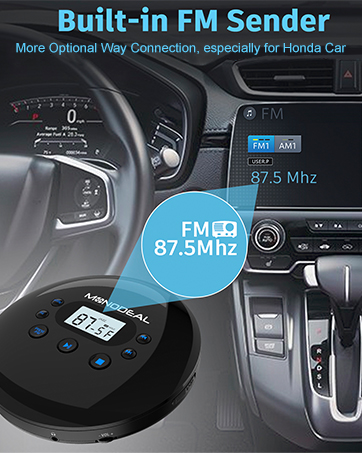
Image: The MONODEAL CD player with a graphic indicating the A-B repeat function. A person is shown studying with headphones, suggesting the feature's utility for learning.
This function allows you to repeat a specific segment of audio. During playback:
- Press the "A-B" button (on the remote) at the desired starting point (A).
- Press the "A-B" button again at the desired ending point (B).
- The segment between A and B will repeat continuously.
- Press "A-B" again to cancel the repeat function.
10. Display Modes and Backlight Colors

Image: The MONODEAL CD player's display showing different modes (FM, Sd, CD, USB, BLUE, LINE) each associated with a distinct backlight color (purple, green, orange, red, blue, yellow). A woman and child are shown in the background, suggesting the player's use in a learning environment.
The LCD display shows the current mode and track information. Each playback mode is indicated by a specific backlight color:
- FM: Lilla baggrundsbelysning
- TF Card (Sd): Grøn baggrundsbelysning
- CD: Orange baggrundsbelysning
- USB: Rød baggrundsbelysning
- Bluetooth (BLUE): Blå baggrundsbelysning
- AUX (LINE): Gul baggrundsbelysning
Opretholdelse
- Rensning: Brug en blød, tør klud til at rengøre afspillerens yderside. Brug ikke slibende rengøringsmidler eller opløsningsmidler.
- CD-linsepleje: Avoid touching the CD lens. If cleaning is necessary, use a specialized CD lens cleaner disc.
- Opbevaring: Når afspilleren ikke er i brug i længere perioder, skal den opbevares køligt og tørt, væk fra direkte sollys og ekstreme temperaturer.
- Støvdæksel: The player features an anti-dusty cover to protect the CD mechanism. Keep it closed when not in use.
Fejlfinding
| Problem | Mulig årsag | Løsning |
|---|---|---|
| Afspilleren tænder ikke. | Ingen strømforbindelse eller defekt strømadapter. | Ensure the power cord and USB adaptor are securely connected and plugged into a working outlet. |
| CD'en afspiller ikke eller springer over. | CD is dirty, scratched, or inserted incorrectly. Player is unstable. | Clean the CD with a soft cloth. Check for scratches. Reinsert the CD correctly. Ensure the player is on a stable surface or securely wall-mounted. |
| Ingen lyd fra højttalere. | Volume is too low or muted. Incorrect mode selected. AUX cable connected. | Increase the volume. Press the "MODE" button to ensure the correct playback mode is selected. Disconnect any AUX cables if you want sound from internal speakers. |
| Bluetooth-forbindelse mislykkes. | Player not in Bluetooth mode. Device too far. Already connected to another device. | Ensure the player is in Bluetooth mode ("BLUE" displayed). Move your device closer to the player. Disconnect from other Bluetooth devices. |
| FM-radiomodtagelsen er dårlig. | Svagt signal. Interferens. | Adjust the player's position. Try automatic scanning to find stronger signals. Avoid placing near other electronic devices that may cause interference. |
Specifikationer
| Feature | Detalje |
|---|---|
| Mærke | MONODEAL |
| Modelnavn | MD909-WHITE |
| Farve | Hvid |
| Produktdimensioner | 6.49 x 6.49 x 1.18 tommer |
| Varens vægt | 1.63 pund |
| Forbindelsesteknologi | Bluetooth, USB, AUX Cable |
| Speciel funktion | Rechargeable (Note: Requires continuous power for operation), Stereo Sound |
| Understøttede diskformater | CD, CD-R, CD-RW, MP3, WMA |
Garanti og support
MONODEAL is committed to product quality and customer satisfaction. While specific warranty details are not provided in this manual, many MONODEAL products come with a manufacturer's warranty. For any questions, technical support, or warranty claims, please contact MONODEAL customer service through the retailer where you purchased the product or visit the official MONODEAL webwebsted for kontaktoplysninger.
We recommend keeping your purchase receipt as proof of purchase for any warranty-related inquiries.


